













🍽️ 8 best WordPress plugins for restaurants in 2026 (free and Pro)
The customer is hungry. They open a restaurant's website on their phone, want to order pasta for delivery or book a table for the evening, and the form is broken. Or there's simply no form at all, just a phone number that no one answers. A third of restaurant website visitors leave without finding a way to order or book online with a couple of taps.
Good news: you can build a professional ordering system, online menu and reservation system on WordPress without a developer. And without commissions to aggregators like Uber Eats or DoorDash, which according to industry data take between 15 and 30 percent from every check. We tested two dozen plugins and selected 8 solutions that work in 2026: from a one-click PDF menu utility to full-featured ordering systems with delivery and QR codes on tables.
💡 Quick overview:
- Decide on your main task: table reservations, online menu or full ordering with delivery
- For commission-free order taking, choose Orderable or WPCafe: they integrate with WooCommerce and don't take a percentage from transactions
- If you only need reservations, go with Five Star Restaurant Reservations (free version on WordPress.org covers basic needs)
- For complex scenarios (reservations + ordering + delivery map) in one plugin, Vik Restaurants or Food Menu
Plugin | Main function | Free version | Pro price (from) | WooCommerce |
|---|---|---|---|---|
Orderable | Online ordering and delivery | Yes | $149/year | Yes |
Five Star Restaurant Reservations | Table reservations | Yes (WP.org) | €167 (Premium) | No |
WPCafe | Ordering, reservations, menu | Yes (WP.org) | $33 | Yes |
Vik Restaurants | Reservations, ordering, delivery | Yes | €109 | No |
WPPizza | Menu and ordering | Yes (WP.org) | Free (core) | No |
Food Menu | Menu, ordering, reservations | Yes | $21 | Yes |
Easy Restaurant Menu Upload | PDF menu | Yes (WP.org) | Free | No |
MapSVG | Venue map | Yes (WP.org) | $49 (CodeCanyon) | No |
1. Orderable
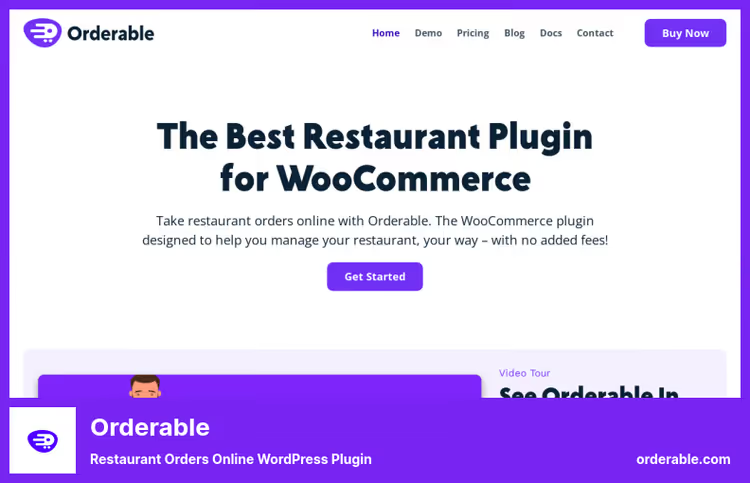
Orderable turns a WordPress site into a full-featured food ordering system. The scheme is simple: you connect WooCommerce, create a menu with dish photos and prices, set up delivery slots, and customers place orders directly on your site. No third-party services, no transaction percentage.
And that's the main advantage. Aggregators like Uber Eats and DoorDash take between 15 and 30 percent from every check. Orderable works on a fixed annual subscription, $149 per year for Pro. Doubled your monthly orders? You still pay the same $149. Savings for a venue with an average delivery check amount to hundreds of dollars per month compared to aggregators.
What Pro version provides:
- Time slots for delivery and pickup with order limits per slot, the kitchen won't get overwhelmed during rush hour
- QR codes for tables: guest scans with smartphone, orders and pays without waiting for a waiter
- Multi-location: multiple locations in one WordPress installation, each with its own schedule and delivery zone
- Dish add-ons (toppings, sauces, portion size) and cross-sell at checkout, average check grows
- Tips at checkout, custom order statuses, notifications via SMS, WhatsApp and email
The free version isn't cut down to uselessness: basic menu, day-based slots, ASAP delivery and receipt printing. Enough for a small pizzeria or coffee shop. Pro is needed when you add timed delivery, multiple locations or want to increase average check with upsells.
✅ Pros: zero order commissions, convenient menu builder, QR codes for tables out of the box ❌ Cons: requires WooCommerce, Pro is a subscription, not a one-time payment
🔗 Orderable on WordPress.org🔗 Orderable website
2. Five Star Restaurant Reservations
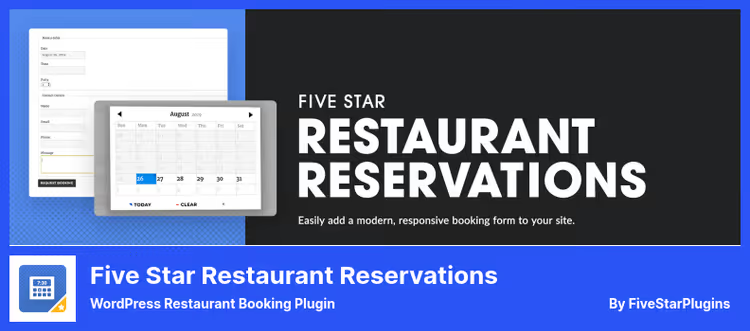
If the main task is to give customers the ability to book a table online rather than order food, Five Star Restaurant Reservations solves it more precisely than anything else in this selection. Install, activate, and the site immediately has a working reservation form with date, time and number of guests selection. No half-day setup.
The free version on WordPress.org is a full-featured tool, not a cut-down teaser. The form adapts to mobile, confirmation emails go out automatically, the administrator sees all requests in a convenient panel. The only limitations of the free version: you can't add custom fields to the reservation form and there's no booking export.
Premium (€167 for one site) adds custom form fields, booking export to PDF, Excel and CSV, Mailchimp integration and advanced email templates. Ultimate (€297) goes noticeably further: SMS reminders about reservations (reduce no-show percentage by 25-40% according to developer data), deposits to protect against no-shows, specific table selection on floor plan and synchronization with the Five Star Restaurant Manager mobile app. The hostess sees push notifications about new reservations and marks guest arrivals from a tablet.
In our experience: for a restaurant with 10-20 tables, the free version is more than enough. Premium is justified when you need data export or SMS reminders, the latter really work to reduce no-shows.
✅ Pros: free version without compromises, simple interface, mobile app for Ultimate ❌ Cons: doesn't accept food orders, Ultimate price is substantial for a small venue
🔗 Five Star Restaurant Reservations on WordPress.org🔗 Pro version on developer's site
3. WPCafe
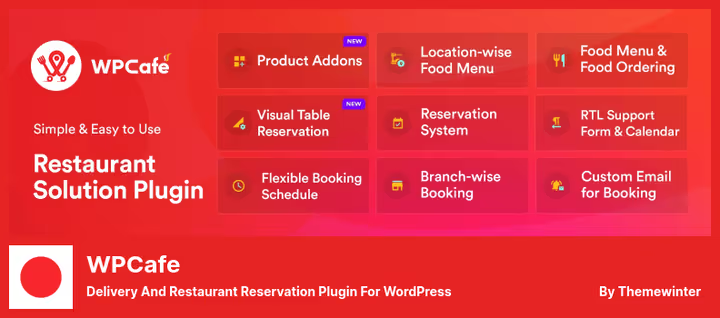
WPCafe from ThemeWinter is a combine harvester: menu, reservations, online ordering and delivery in one plugin. The idea is to cover all restaurant needs with one installation, without assembling a zoo of five plugins that also conflict with each other.
In practice this looks like: you create a menu with dish categories and photos, connect WooCommerce for payment processing, set up a reservation widget and delivery form. Everything is assembled through Gutenberg blocks, no code needed. A mini-cart with custom icons hangs on any page and escorts the customer to checkout.
The free version on WordPress.org provides menu, basic reservations and online ordering through WooCommerce. Pro (from $33) unlocks visual table booking with floor plan, delivery with time slots, dish add-ons, QR menu and support for multiple branches. A multi-vendor module can be purchased separately, useful for a food court with different cuisines on one site.
WPCafe wins against competitors with its built-in menu builder: over 20 layouts, customization for any theme, drag-and-drop. But the admin interface is overloaded, mastering all sections takes a couple of hours even for an experienced WordPress user.
✅ Pros: everything in one plugin, visual menu builder, affordable Pro price ❌ Cons: complex admin interface, some features purchased separately
🔗 WPCafe on WordPress.org🔗 WPCafe Pro version
4. Vik Restaurants
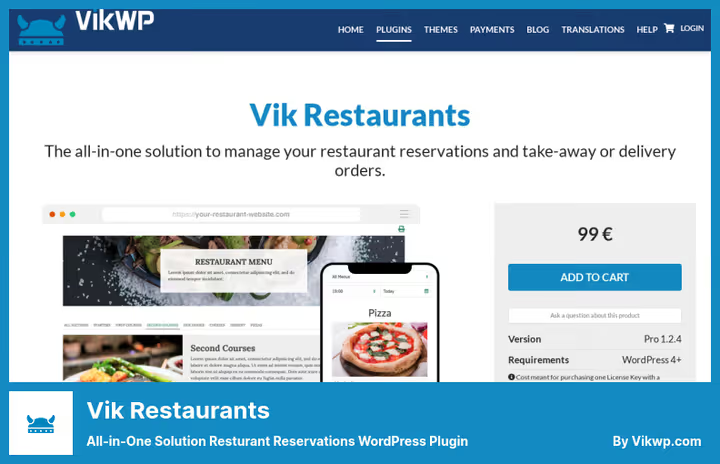
Vik Restaurants is a European plugin with an emphasis on detailed configuration. Its main feature: you manually draw the floor plan, arrange tables with actual shape and capacity, and customers book a specific table on an interactive diagram. For a restaurant with a VIP zone, terrace and main hall, this is indispensable, no other plugin in the selection gives such control over seating.
The take-away menu is not inferior to dine-in: dishes are created with variations (pizza size, pasta type) and custom toppings, delivery zones are drawn as polygons on a map, discounts are configured automatically. The free version is limited: 3 menus and 15 products, enough for a small cafe. Pro (€109, one-time payment) removes all limits and adds payment processing through 60+ gateways, open API for integrations and SMS notifications.
A separate feature: restaurant operators get private access to the admin panel, where they see only orders and reservations, without access to the rest of the WordPress console. For a venue with a dedicated floor manager, this reduces the risk of accidental site changes to zero.
✅ Pros: detailed floor plan with table drawing, separate dine-in and take-away menus, private access for operators ❌ Cons: doesn't integrate with WooCommerce, interface requires getting used to
🔗 Vik Restaurants Pro🔗 Free version on WordPress.org
5. WPPizza
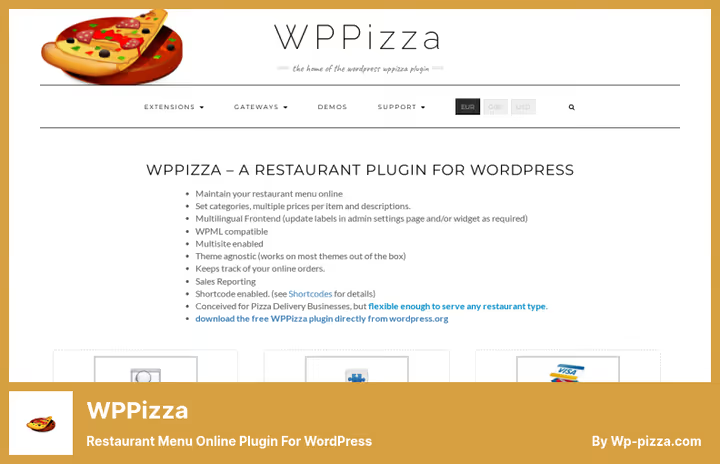
Despite the name, WPPizza is not just for pizzerias. The plugin core is an online menu engine with ordering: dish categories, prices, descriptions and multilingual frontend. The free version on WordPress.org already contains all of the above and works with practically any theme.
The plugin is built on a modular system: functionality is expanded through premium extensions. Need ingredients for dishes, buy Add Ingredients. Delivery with postal code verification, Delivery by Post/ZipCode. Loyalty system, Loyalty Rewards. Payment gateways (Stripe, PayPal, Authorize.net and over 20 more) also come as separate modules. Each extension costs around forty dollars.
The strong side of this approach: you only pay for what you actually need for your venue. The flip side: when buying several extensions, the price quickly exceeds three hundred dollars and becomes comparable to Orderable Pro, which gives everything out of the box at once. WPPizza is a choice for those who need a lightweight core and a couple of specific add-ons, not a full-featured combine. And it doesn't require WooCommerce, the menu and ordering work on their own.
✅ Pros: flexible modular system, lightweight core, works without WooCommerce ❌ Cons: extensions quickly add up in price, basic menu design
🔗 WPPizza on WordPress.org🔗 WPPizza site and extensions
6. Food Menu
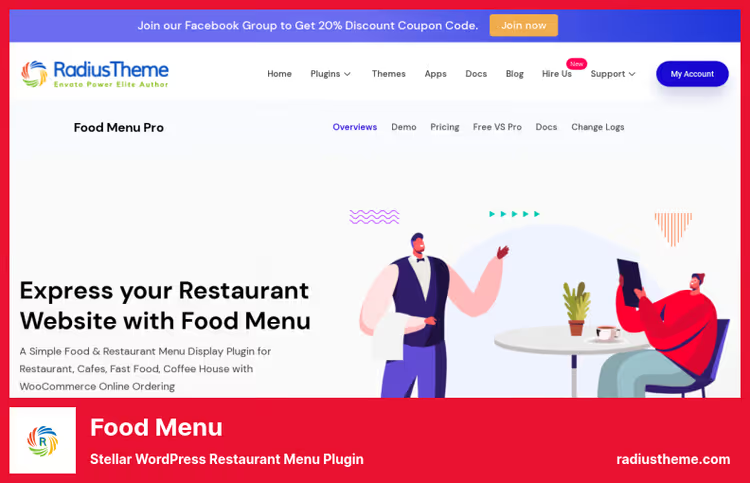
Food Menu from RadiusTheme is one of the fastest-growing restaurant plugins for WordPress: over 3,000 active installations and a 4.7 rating based on 120+ reviews on WordPress.org. Over several years it has grown from a simple menu display tool into a full-featured restaurant platform.
The key difference is over 20 menu layouts: from classic grid to Isotope filtering with animation and slider. Visual table booking with floor plan appeared recently and works smoothly, without jerks. WooCommerce integration adds cart, tips and payment processing. Delivery and pickup with time slots, discount menus and mini-cart are configured separately.
Pro version for $21 is one of the most affordable options in the entire selection. For this price, the functionality is impressive: all main restaurant website needs are covered. However, the visual table builder still falls short of Vik Restaurants in flexibility, and the delivery system is less detailed than Orderable's.
✅ Pros: great price, 20+ menu layouts, visual table booking ❌ Cons: floor plan simpler than Vik Restaurants, delivery zones without polygons
🔗 Food Menu on RadiusTheme site🔗 Free version on WordPress.org
7. Easy Restaurant Menu Upload
The simplest plugin in the selection, and therein lies its strength. Easy Restaurant Menu Upload does exactly one thing: allows you to upload a PDF menu and display it on the site via shortcode or Gutenberg block. No builders, delivery settings or payment gateway integrations. Upload menu, menu on site.
What is this for? Imagine a restaurant that updates its menu once per season. The chef prepares a PDF with new dishes, uploads it through the plugin, and the menu on the site is updated in a minute. Staff don't need access to the rest of the WordPress admin: after authorization they land directly on the upload page, seeing no plugins, settings or console. Secure and fast.
The premium addon (one-time purchase) adds support for unlimited menus. But for most venues the free version is enough: it allows uploading and replacing one menu. Not every restaurant needs a full-featured ordering system. Sometimes a simple way to show an up-to-date menu on the site is sufficient, without a developer, without monthly payments, without extra buttons.
✅ Pros: maximum simplicity, staff don't see WordPress admin, free ❌ Cons: PDF menu only, no ordering and reservations
🔗 Easy Restaurant Menu Upload on WordPress.org
8. MapSVG
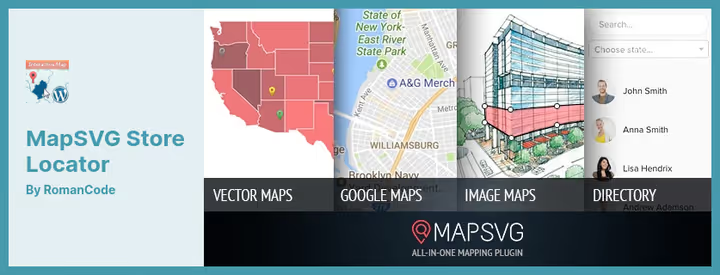
Formally MapSVG is not a restaurant plugin. It's an interactive map builder: vector, raster and Google Maps with search and filtering. But for a restaurant chain with multiple locations, it solves a task that no specialized plugin does: an interactive map of all venues with nearest location search.
The workflow is simple. You create a city map, place markers on location addresses, add description, photos and hours to each. A site visitor opens the map, enters their address, and sees the nearest chain restaurants with distance in kilometers. Filters by city, cuisine type or parking availability are configured for the specific project.
The free version on WordPress.org (31 reviews, 1,000+ active installations) contains everything needed for a basic map. Premium on CodeCanyon ($49) adds custom vector maps, floor plans and detailed marker galleries. For a restaurant site, the free version is enough: map with search and filtering works out of the box.
✅ Pros: unique venue map feature with search, distance filtering, free version on WP.org ❌ Cons: not a restaurant plugin, requires configuration for specific scenario, interface not intuitive
🔗 MapSVG on WordPress.org🔗 MapSVG live demo
Before choosing a plugin, see how restaurant solutions for WordPress work live:
⁉️🤔 Frequently asked questions
Can I accept orders without WooCommerce?
Yes, several plugins from the selection work without WooCommerce. WPPizza has its own menu and ordering engine, the core is free, payment gateways are purchased as modules. Vik Restaurants doesn't depend on WooCommerce and connects 60+ payment gateways directly. Five Star Restaurant Reservations for booking is also autonomous. If the goal is specifically online ordering with payment, the WooCommerce plus Orderable or WPCafe combo gives the most flexibility. Without WooCommerce, WPPizza is simplest: the menu is built without external dependencies, and payment gateways are connected selectively.
Which plugin is suitable for a chain of multiple restaurants?
Orderable Pro supports multiple branches in one WordPress installation: each location gets its own schedule, delivery zone and set of slots. The customer enters a postal code on the site, and the system shows the nearest restaurant with current menu. WPCafe Pro also offers multi-location support. For a chain of 3-5 restaurants, the optimal combo is Orderable Pro (ordering and delivery) plus MapSVG (map with nearest location search), both plugins will cover all needs: from order acceptance to customer navigation to the nearest hall.
Is there a completely free solution?
Yes, a combination of free versions covers basic needs without a single paid plugin. WPCafe provides menu, basic ordering and reservations. Easy Restaurant Menu Upload adds PDF menu for quick updates. Five Star Restaurant Reservations provides full-featured table booking. MapSVG builds a venue map. The only inevitable payment with such an assembly is hosting and domain.
What to do if a plugin conflicts with the theme?
All plugins from the selection were tested with popular themes and claim compatibility out of the box. If a conflict arose, start by checking script loading order in plugin settings. For themes on Elementor, WPCafe and Food Menu perform best: they have dedicated Elementor widgets, eliminating conflict at the rendering level. For Gutenberg and FSE themes, all plugins work equally smoothly.
Do I need a separate booking plugin if Orderable or WPCafe is already installed?
Orderable doesn't do table booking in the classic sense: its "tables" are QR codes for on-site ordering, not reservation for a specific time. WPCafe includes booking, but the basic version doesn't provide a visual floor plan. If you need specifically a full-featured reservation system with table selection on a floor plan, add Five Star Restaurant Reservations (free) or Vik Restaurants, which work in parallel and don't conflict.
What to install in 2026: final breakdown
Let's go through scenarios to choose in a minute:
Pizzeria or burger joint with delivery, Orderable Pro. Zero order commissions, QR codes for tables, upsells at checkout. For a fixed annual subscription you get full control over online orders and don't feed aggregators.
Restaurant with live table reservations, Five Star Restaurant Reservations. Free version covers basics, Premium adds SMS reminders (proven way to reduce no-show), Ultimate gives mobile app for hostess.
Cafe with menu, reservations and ordering, WPCafe. Three functions in one plugin at an affordable price. If menu design is critical, Food Menu with its 20+ layouts for a symbolic fee.
Complex restaurant with VIP zone, terrace and delivery, Vik Restaurants. Detailed floor plan with each table drawn, separate menus for hall and delivery, 60+ payment gateways for a one-time payment.
Chain of multiple locations, Orderable Pro plus MapSVG. The first provides ordering and delivery with multi-location support, the second provides a map with nearest venue search and distance in kilometers.
Choose for your task, not for the most feature-packed plugin. Simple Easy Restaurant Menu Upload for PDF menu will cover the need no worse than a combine, if you don't accept orders online. And if you do, don't feed aggregators commissions. Your WordPress site is capable of taking orders directly, without intermediaries and without deductions from every check.

A professional team of writers and editors specializing in creating quality content.