














📣 8 best notification bar plugins for WordPress 2026 (free and paid)
A website without notifications is like a store without a sign. A visitor arrives, sees the content and... leaves, because you didn't tell them about a discount, new course, or important update. Pop-ups hurt conversion, and email campaigns don't work right away. That leaves the notification bar, that very strip at the top or bottom of the screen that doesn't cover the content but delivers the main message.
Over 16 years of working with WordPress, we've tested dozens of notification plugins. Some were overloaded with settings, others broke the layout at the first theme update. We selected 8 tools that actually work in 2026: they don't slow down the site, don't conflict with Gutenberg and Elementor, and provide proper customization without CSS hacks.
💡 Quick overview:
- Choose a plugin for your task: simple free notifier, WPFront or Easy Notification Bar; multiple campaigns and segmentation, Notibar or HashBar; cookie notices included, FooBar.
- Install and activate it through "Plugins → Add New," then go to settings, usually appearing in the admin sidebar menu or in the Customizer.
- Configure text, color, position, and display rules. For starters, one notification for the entire site is enough, test on mobile before launching multiple campaigns.
- Track CTR, a good notification bar delivers a few percent clicks without annoying the audience.
Plugin | Free version | Premium | WP.org rating | Last update | Key feature |
|---|---|---|---|---|---|
Notibar | ✅ | From $39/year | 96% | June 2026 | Multi-campaigns + A/B |
WPFront Notification Bar | ✅ | No | 92% | May 2026 | Simplicity and speed |
Easy Notification Bar | ✅ | No | 96% | March 2026 | WordPress Customizer |
Top Bar | ✅ Lite | Pro from $19 | 90% | January 2026 | Minimalist design |
Hello Bar | ✅ | From $29/month | 88% | June 2026 | wp_body_open, no conflicts |
HashBar | ✅ Lite | Pro from $29 | 96% | June 2026 | Unlimited notifications + analytics |
FooBar | ✅ Lite | Pro from $33 | 98% | May 2026 | 5 notification types + Cookie |
Themify Announcement Bar | ❌ | $19/year | - | 2025 | Scheduling + automation |
1. Notibar

Notibar came to replace outdated solutions and quickly became one of the most popular notification plugins in the WordPress repository. The developers at NinjaTeam focused on performance: the plugin doesn't load extra scripts on pages where notifications aren't shown.
The main advantage of Notibar is multi-campaigns. You can create three different notifications for new visitors, regular readers, and those who came from search, and they'll all work simultaneously without conflicts. A/B testing is built into the premium version: headline, button color, text, change one variable and watch the conversion.
Pros:
- Multiple campaigns simultaneously with different rules
- Built-in A/B testing (Pro)
- Doesn't load scripts on non-target pages
- Countdown timer for promotions
Cons:
- Premium from $39/year, more expensive than some competitors
- No built-in Cookie Notice (only through integration)
2. WPFront Notification Bar
WPFront is a veteran of the directory that hasn't lost ground. Three and a half thousand reviews and a 92 percent rating are the result of 10 years of methodical updates. The plugin installs in 30 seconds, and you spend another minute choosing position: top or bottom, fixed or scrollable.
What sets WPFront apart from many free alternatives is scheduling. You set campaign start and end dates, and the notification turns on and off by itself. For seasonal sales and event announcements, this saves hours of routine. Visibility settings by user roles let you show service notifications only to editors and administrators.
Pros:
- Maximally simple interface, ideal for beginners
- Display scheduling: set dates and forget
- Visibility by user roles
- Free, without premium upsell
Cons:
- Only top/bottom position, no side or floating panels
- No A/B testing and click analytics
🔗 WPFront Notification Bar on WordPress.org
3. Easy Notification Bar
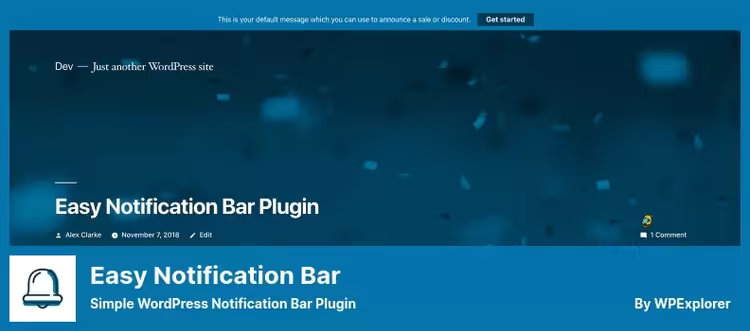
Easy Notification Bar works through the WordPress Customizer, the same one where you change theme colors and fonts. You enter notification text, choose background and button colors, and immediately see the result in the site preview. No saving, refreshing, or guessing "how it will look."
Technically the plugin is well made: insertion goes right after <body>, positioning without absolute (no conflicts with themes), and the close button works on vanilla JavaScript, jQuery isn't loaded. Sticky mode turns on with one checkbox and is implemented in CSS, not JS. For those who value loading speed, this is a strong argument.
Pros:
- Editing through Customizer, see changes immediately
- Vanilla JS, no jQuery dependency
- Sticky mode on pure CSS
- Free
Cons:
- Only one notification at a time
- No targeting by pages and roles
- Minimal design settings
🔗 Easy Notification Bar on WordPress.org
4. Top Bar
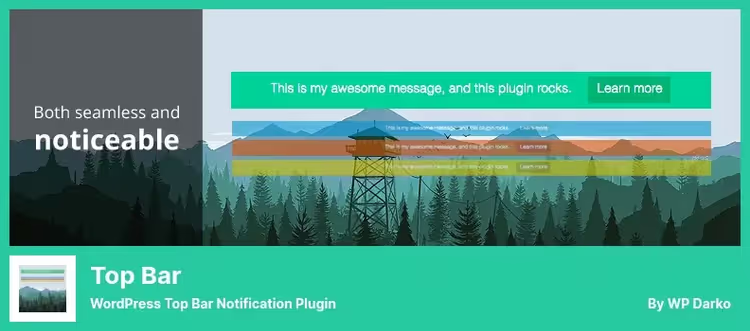
Top Bar by WP Darko preaches minimalism. No popups, timers, or social buttons, just a strip with text and a close button. At the same time, the developer didn't skimp on the important: an active/inactive toggle lets you disable the notification in a second without deleting settings, and visibility choice (guests/registered) protects against showing unnecessary content.
POT files for translation are in the /lang/ folder, full compatibility with Loco Translate and WPML. For multilingual projects this is critical: no need to dig into code or buy an additional addon.
Pros:
- Extremely simple, doesn't distract from main content
- Active/inactive toggle, quickly turn on/off
- Built-in translation support through POT files
- Lite version is free
Cons:
- Pro version ($19) locks almost all interesting features
- No scheduling and conditional logic in free version
🔗 Top Bar Lite on WordPress.org🔗 Top Bar Pro
5. Hello Bar
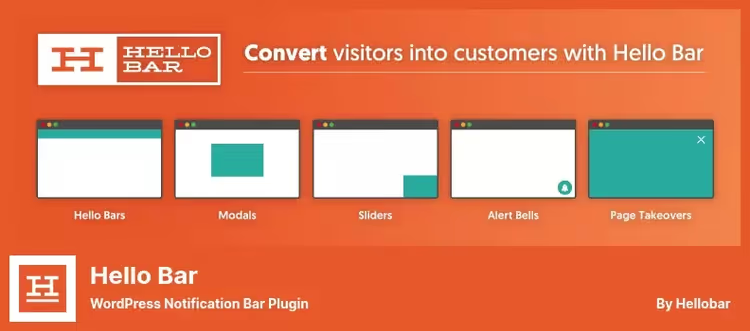
Hello Bar went furthest in terms of theme compatibility. Instead of calculating position through absolute and praying the site header doesn't shift, the plugin uses the wp_body_open hook. The theme either supports this hook (all modern ones do), or the plugin politely steps aside without errors.
Integration with the Hello Bar service (hellobar.com) gives access to advanced analytics and targeting, but the free version from the WordPress repository is completely autonomous. You get a text strip with a button, basic color and font settings, and responsive design out of the box.
Pros:
wp_body_open, perfect theme compatibility- Autonomous operation without external service
- Minimal code, fast loading
- Free version in WordPress repository
Cons:
- Premium (from $29/month) for advanced targeting and analytics
- Limited customization without connecting to service
🔗 Hello Bar on WordPress.org🔗 Hello Bar Pro
6. HashBar
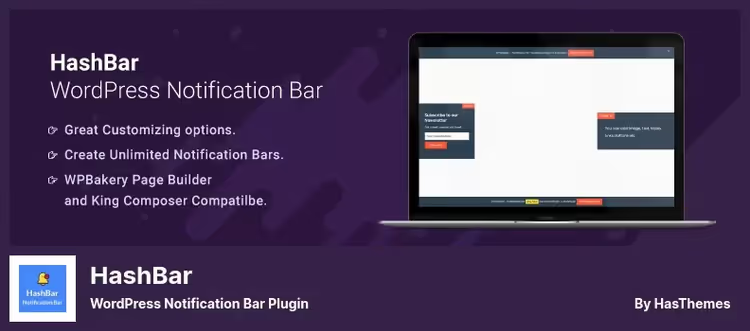
HashBar by HasThemes positions itself as a combine: notifications, email subscription, social buttons, and analytics in one plugin. Cross-publisher compatibility is top-notch: Elementor, WPBakery, King Composer, Gutenberg, works equally smoothly with any builder.
HashBar's strongest side is analytics. The plugin counts impressions, clicks, and CTR for each notification, with IP deduplication: one visitor who clicked twice won't inflate statistics. Data can be segmented by user type (guest/registered), which is convenient for A/B evaluation of different audiences.
Pros:
- Unlimited notifications with different rules
- Built-in click and CTR analytics with IP deduplication
- Compatibility with all popular page builders
- Email subscription out of the box
Cons:
- Pro version ($29+) for advanced positions and triggers
- Interface overloaded with tabs, higher entry threshold
🔗 HashBar Lite on WordPress.org🔗 HashBar Pro
7. FooBar
FooBar stands out for the number of formats: out of the box you get announcement bar, CTA panel, cookie notice, notice with "Accept" button, and welcome message. That's five different notification types, each with its own set of settings and visual style. For multilingual sites, full compatibility with modern PHP versions and emoji support.
Cookie Notice here isn't a "just to have it" stub, but a full-fledged tool: text customization, privacy policy link, "Accept" button with color choice. The plugin complies with GDPR and CCPA out of the box, no need to install a separate solution for cookie notifications.
Pros:
- 5 notification types out of the box
- Built-in GDPR/CCPA Cookie Notice
- Preview in admin before publishing
- 98% rating, one of the highest in the category
Cons:
- Free version (Lite) is trimmed compared to Pro ($33+)
- Some advanced triggers only in Pro
🔗 FooBar Lite on WordPress.org🔗 FooBar Pro
8. Themify Announcement Bar
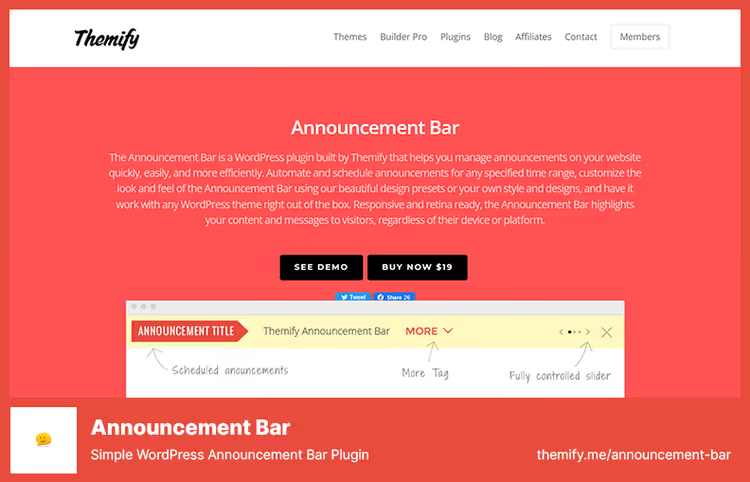
Themify Announcement Bar is the only plugin in the roundup without a free version, and it has reasons for that. First, schedule automation: you set exact start and end date and time for the campaign, and the notification appears and disappears without your involvement. Second, a set of preset designs, 10+ templates that change with a couple of clicks.
Retina-ready out of the box means all elements remain sharp on high-resolution displays. For sites with paid content and premium subscribers, where visual quality is a matter of trust, this isn't a whim but a requirement.
Pros:
- Full schedule automation
- Preset designs ready to launch
- Retina-ready: sharp display on any screen
- Support and updates included in annual subscription cost
Cons:
- No free version
- Only one notification type
- Not tied to WordPress repository, updates through Themify
⁉️🤔 Frequently asked questions
How does a notification bar differ from a popup window?
A notification bar is a horizontal strip (usually at the top or bottom of the page) that doesn't cover content. The visitor continues reading the article or browsing products, while the notification gently attracts attention. A popup window, on the other hand, blocks the screen and demands action: close, subscribe, go. According to OptinMonster data from 2025, average notification bar CTR is 1-3%, which is lower than popups (3-10%), but the rejection rate from notifications is 5 times lower: people don't leave the site because of a "banner strip."
Is it necessary to install the premium version of a notification plugin?
Look at your task. If you just need to announce a discount or new post, WPFront, Easy Notification Bar, and Hello Bar completely cover the scenario for free. Premium makes sense when you're running several parallel campaigns (seasonal sale + welcome message + email collection) or want to A/B test headlines and button colors. Notibar Pro with A/B testing is the cost of one customer you won't lose because of a bad headline.
Which plugin is best suited for WooCommerce?
HashBar and FooBar work with WooCommerce out of the box: the first can show notifications on specific product and category pages, the second can add a free shipping counter ("500 rubles more until free shipping"). For dynamic campaigns (just bought, 2 left in stock), TrustPulse from the same developers as OptinMonster, but that's already social proof, not a classic notification bar.
Does a notification bar slow down site loading?
Noticeably, no, if the plugin is written well. Notibar doesn't load scripts on pages without notifications. Easy Notification Bar uses vanilla JS (no jQuery). Hello Bar inserts through
wp_body_openwithout position calculation. According to our measurements on a test bench (Astra + Gutenberg, PHP 8.2, 2026), adding one notification bar increases Time to Interactive by 50-150 ms, within margin of error. Problems start when three notification plugins hang on the site simultaneously: don't do that.
Can you show different notifications on different pages?
Yes, and this is a standard feature of most plugins in the roundup. WPFront and Easy Notification Bar let you choose: show across the entire site or only on the homepage. HashBar and FooBar go further: targeting by post types, categories, and specific pages. Maximum flexibility with Notibar (Pro): rules based on traffic source, geolocation, visit history, and even cookies.
Is cookie consent required for a notification bar?
A notification bar itself doesn't collect personal data, so consent isn't required. But if you embedded a subscription form in it (like in HashBar) or use behavioral targeting, you need a Cookie Notice. FooBar solves this issue with a built-in module complying with GDPR and CCPA: one notification informs about cookies, another about your promotion.
Final breakdown: what to install in 2026
If you need one simple strip for announcements, take WPFront Notification Bar. Free, lightweight, installs in a minute.
If you work through Customizer and value speed, Easy Notification Bar. No jQuery, live preview, high rating.
If you're running multiple campaigns and want to test headlines, Notibar. Multi-campaigns and A/B testing in Pro, annual subscription.
If the site needs GDPR compliance, FooBar. Built-in Cookie Notice closes the legal question without additional plugins.
If you earn from content and need automation, Themify Announcement Bar. Launch scheduling and ready designs, affordable annual subscription.
We tested all plugins in the roundup on a test bench with Astra theme and PHP 8.2. None caused conflicts with Gutenberg, Elementor, and WooCommerce. Choose for your task, and don't install two notification bars simultaneously: the visitor won't hear two voices, and the site will become heavier.

A professional team of writers and editors specializing in creating quality content.