














⭐ 7 best Google Reviews plugins for WordPress 2026 (free and paid)
A customer reached the checkout page and froze. Not a single real review telling them, "You can trust these guys." A familiar scene for any site owner who hasn't yet set up Google Reviews on their website.
Google Reviews in 2026 remains the most persuasive social proof for businesses. Collecting reviews is hard, but displaying them on your site without a plugin is harder: Google Places API, keys, shortcodes, manual updates. A plugin handles all that hassle for you.
We tested 7 Google Reviews plugins for WordPress, from the massively popular Trustindex with 900,000+ installs to SaaS solutions like Elfsight. The list includes only actively maintained and regularly updated tools. Not a single abandoned one.
💡 Quick overview:
- Decide your priority: mass adoption and simplicity (Trustindex) or customization and multi-platform (Smash Balloon)
- Consider how many platforms you need: Google only, or Google + Facebook + Yelp + TripAdvisor
- Decide whether you need active review collection via email/SMS or just displaying existing reviews
- Check your budget constraints: there are fully free options with schema markup
Comparison table of Google Reviews plugins for WordPress
Plugin | Installs | Free | Paid | Multi-platform | Schema |
|---|---|---|---|---|---|
RichPlugins Google Reviews | 100,000+ | Yes | $85/year | Google + Facebook + Yelp | Yes |
RepOcean Google Reviews | 2,000+ | Yes | No | Google only | Yes |
WP Google Review Slider | 30,000+ | Yes | $29/year | Google + 90+ platforms | Yes |
Reviews and Rating - Google My Business | 10,000+ | Yes | No | Google only | Yes |
Smash Balloon Reviews Feed Pro | 1.75M+ (suite) | Limited | $49/year | Google + Yelp + Trustpilot + TripAdvisor | Yes |
Widgets for Google Reviews (Trustindex) | 900,000+ | Yes | $65/year | Google + Facebook + Yelp (pro) | Yes |
Elfsight Google Reviews Widget | 1M+ (SaaS) | Yes | $12/mo | Google + 30+ platforms | Yes |
1. RichPlugins Google Reviews
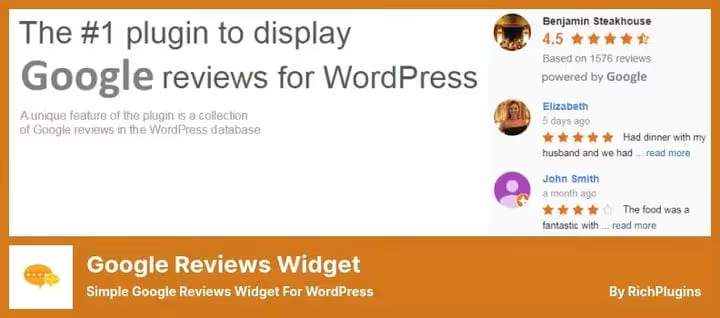
RichPlugins Google Reviews is a niche veteran with 100,000+ active installs and a 4.9★ rating on WordPress.org. The plugin displays Google reviews in a sidebar widget, automatically truncates long reviews, and stores them in the WordPress database without constantly calling the Google Places API.
The key advantage: schema markup for Google Snippets is available in the free version. Among free plugins, that's a rarity. The premium Business Reviews version adds aggregation from Facebook and Yelp, plus rating-based filtering. On our test site, the plugin added less than 0.3 s to page load time.
Pros:
- Schema markup in the free version
- Lightweight code, minimal PageSpeed impact
- Automatic review updates
- Compatible with Gutenberg and Elementor
Cons:
- Default template design is more modest than competitors
- No review collection via email/SMS in the free version
💵 Price: free / Business, $85/year (plugin page).
🔗 RichPlugins on WordPress.org🔗 Business Reviews Bundle
2. Widgets for Google Reviews and Ratings (RepOcean)

Widgets for Google Reviews and Ratings by RepOcean is a young, fast-growing free plugin with 2,000+ active installs and a 4.1★ rating on WordPress.org. Setup takes less than two minutes: install the plugin, paste the [repocean_reviews] shortcode, and Google reviews appear on your site. No API key, no sign-ups.
The plugin offers several display layouts: slider, grid, and list. Version 1.0.22 (July 2026) added a "Review us on Google" button right in the widget, configurable review text line count, and card border radius. It includes Google Rich Data integration for rich snippets. Supports WPML and Polylang for multilingual sites.
Pros:
- Completely free, no premium upsells
- 2-minute setup, no API key required
- "Review us on Google" button in the widget
- Google Rich Data for snippets
Cons:
- Google Reviews only (no multi-platform)
- 2,000+ installs, smaller community
- One business profile per instance
💵 Price: free (RepOcean page).
3. WP Google Review Slider

WP Google Review Slider is a plugin for those who want reviews displayed not as a list but as an eye-catching slider. Unlike most competitors, it stores reviews locally in the WordPress database: download once, display instantly, with no repeated Google API calls on every page view.
It supports multi-location: you can add multiple branches and download reviews from each one. The Pro version ($29/year, in the WordPress.org directory) adds import from 90+ platforms: Yelp, TripAdvisor, Facebook, Airbnb, WooCommerce. Charts and graphs by rating, floating badge bubbles, CSV export. The functionality goes well beyond "display reviews."
Pros:
- Local review storage in the database, fast loading
- Multi-location and service-area business support
- 90+ review sources in Pro
- Charts, graphs, CSV export in Pro
Cons:
- Slider-oriented design; grid and list are secondary
- No free review collection, display only
💵 Price: free / Pro, $29/year (on WordPress.org).
🔗 WP Google Review Slider on WordPress.org🔗 Pro version on the developer's site
4. Reviews and Rating - Google My Business

Reviews and Rating, Google My Business is a completely free plugin with no premium upsells. You enter your Google Place ID, and the plugin pulls reviews onto your site. No API key, no sign-ups, minimal effort.
The plugin offers 20+ preset layouts, supports schema.org markup for rich snippets, and RTL languages. Column configuration, sorting, hiding individual reviews: everything is available at no cost. The ideal choice when your budget is zero but you need stars in search results.
Pros:
- Completely free, no premium tier
- 20+ display layouts
- Schema.org markup for SEO
- RTL and multilingual support
Cons:
- Google Reviews only
- No multi-location support
- Layout design is functional but not "wow"
💵 Price: free.
🔗 Reviews and Rating on WordPress.org
5. Smash Balloon Reviews Feed Pro

Smash Balloon Reviews Feed Pro is part of the Smash Balloon ecosystem with 1.75M+ users total. The plugin aggregates reviews from Google, Yelp, Trustpilot, TripAdvisor, Facebook, and WordPress.org into a single feed.
The key advantage is a visual customizer with live preview. You configure the feed and see the result instantly, no reloads needed. The plugin automatically inherits your WordPress theme's styles. If the API goes down, reviews stay visible thanks to built-in backup caching. The free version is heavily limited: one review source, basic layouts. Smash Balloon is a deliberate choice in favor of the paid version.
Pros:
- Live visual customizer
- Automatic theme style inheritance
- Backup caching of reviews
- Integration with other Smash Balloon plugins (Instagram, Facebook, YouTube)
Cons:
- Free version is minimal
- Price is above average
- Display only, no active review collection
💵 Price: Personal, $49/year (1 site), All Access Bundle, $299/year (all 7 plugins, Smash Balloon).
🔗 Smash Balloon Reviews Feed on WordPress.org🔗 Pro version on smashballoon.com
6. Widgets for Google Reviews (Trustindex)

Widgets for Google Reviews by Trustindex is the undisputed leader in the niche. 900,000+ active installs, a 4.9★ rating, and 2,500+ reviews on WordPress.org. The free version displays up to 10 Google reviews per business profile without a Google API key.
The plugin stores reviews in a local database, so pages load fast even when Google responds slowly. 40+ layouts (grids, sliders, lists, badges), with out-of-the-box support for Elementor, Divi, Gutenberg, Beaver Builder, and WPBakery. Regularly updated and actively supported. The Pro version ($65/year, Trustindex directory) removes the 10-review limit and adds multi-platform support (Facebook, Yelp).
Pros:
- 900,000+ installs, the most widely adopted plugin
- No Google API key needed for basic setup
- 40+ display templates
- Local storage, fast loading
- Actively updated
Cons:
- Free version: up to 10 reviews
- Display only, no new review collection
- Trustindex branding in the free version
💵 Price: free / Single, $65/year, Pro, $125/year (Trustindex page).
🔗 Widgets for Google Reviews on WordPress.org
7. Elfsight Google Reviews Widget

Elfsight Google Reviews Widget is a SaaS solution with an audience of 1M+ users and its own WordPress plugin. Unlike traditional WP plugins, Elfsight works as an external service: you configure the widget in your dashboard, get an embed code, and reviews update automatically without putting load on your WordPress server.
The free plan includes a basic widget with Elfsight branding. Paid plans (starting at $12/mo) unlock 30+ review sources (Google, Facebook, Yelp, Trustpilot, Tripadvisor), design customization without branding, and schema markup for Google Snippets. A good fit for landing pages, online stores, and multi-page sites where page speed matters.
Pros:
- Does not load the WordPress server (external SaaS)
- 30+ review sources
- Schema markup and no-code customization
- 1M+ users, actively updated
Cons:
- Free plan includes branding
- Dependency on an external service
- Subscription is more expensive than one-time licenses
💵 Price: free / from $12/mo (Basic plan, Elfsight).
🔗 Elfsight Google Reviews Widget
⁉️🤔 Frequently asked questions
Do I need a Google API key for review plugins?
Most sites don't need an API key. A Place ID can be found in 30 seconds using the official Google Place ID Finder, and the limit of 5-10 reviews is enough for a sidebar or footer. An API key only makes sense if you have 3+ locations and reviews are updated daily.
Which plugin is best for an online store?
For a strictly WooCommerce store on a $0 budget, Trustindex (free for up to 10 reviews). If your store collects reviews on multiple platforms (Google + Yelp + Trustpilot), Smash Balloon at $49/year. If you also need active review collection via email/SMS, RichPlugins Business ($85/year).
Do Google Reviews plugins slow down a site?
When choosing a plugin, check whether it stores reviews locally. Of our seven, RichPlugins, WP Google Review Slider, and Trustindex offer local storage, making them the three fastest options. Elfsight puts no load on the server at all because it operates as an external SaaS.
Can I display reviews from multiple platforms at once?
For most businesses this is overkill: Google Reviews cover 80% of social proof needs. Multi-platform makes sense for restaurants (Yelp), hotels (TripAdvisor), and local services (Facebook).
Can I hide negative reviews?
The best strategy is to show all reviews but respond to negative ones publicly. This demonstrates a customer-first approach and builds more trust than a "sterile" profile. In practice, this approach increases conversions.
Do I need to pay for a plugin if I only have 5-10 reviews?
No. The free versions of Trustindex, RichPlugins, RepOcean, and Reviews and Rating are sufficient for a typical single-location site. Paying is worthwhile when you have more than 10 reviews, need to remove branding, or require multi-platform support.
What should you install for your needs in 2026?
The choice comes down to three scenarios. If you need a popular, free, and reliable plugin with minimal setup, go with Trustindex. 900,000+ installs on its plugin page, covering 90% of a typical site's needs. If your business collects reviews on multiple platforms, Smash Balloon Reviews Feed Pro at $49/year (on the Smash Balloon site). The live customizer and automatic theme style inheritance save hours on setup. If your budget is zero and schema markup for SEO is critical, RichPlugins (free, with schema, RichPlugins on WordPress.org) or RepOcean (free, 2-minute setup, RepOcean on WordPress.org). Choose a plugin based on your specific needs, not by how many checkboxes it ticks in a comparison table. And remember: a plugin displays reviews, but first you need to collect them.

A professional team of writers and editors specializing in creating quality content.