














🥇 6 best Meta Pixel plugins for WordPress 2026 (free and paid)
Set up Facebook ads but conversions aren't being tracked? Or worse, the pixel shows "Active" in Events Manager, but the data doesn't match actual sales. A typical scenario for WordPress site owners who pasted code into header.php and forgot about it.
The problem isn't Facebook. The problem is how the pixel is installed: manual insertion breaks when you change themes, doesn't see WooCommerce events, and doesn't work with Conversion API. A plugin solves all three problems at once.
Below, six proven tools for Meta Pixel on WordPress: from universal tracking suites to lightweight code insertion. Each was tested on a live site, and each has honest drawbacks.
💡 Quick overview:
- Universal tracking suite: PixelYourSite covers Meta Pixel + GA4 + GTM + TikTok in one plugin
- Retargeting and custom events: Pixel Cat gives granular audiences without a single line of code
- Official Meta plugin: Meta pixel for WordPress directly from Facebook, but with stability caveats
- WooCommerce integration: Meta for WooCommerce syncs product catalog with Facebook Shop
- Code manager: WPCode inserts pixel and any other scripts without touching theme files
- Lightweight injection: Tag Manager, a free and minimalist way to add pixel to header/body/footer
Comparison table
Plugin | Best for | Price | Active installations |
|---|---|---|---|
PixelYourSite | Maximum coverage: pixel, GA4, GTM, TikTok | Free + Pro from $119/year | 500,000+ |
Pixel Cat | Retargeting and custom Facebook audiences | Free + Pro from $99/year | 50,000+ |
Meta pixel for WordPress | Need official plugin from Meta | Free | 400,000+ |
Meta for WooCommerce | Online store on WooCommerce | Free | 200,000+ |
WPCode | Insert pixel + any scripts without editing theme | Free + Pro from $99/year | 2,000,000+ |
Tag Manager | Minimal functionality, code insertion only | Free | 20,000+ |
1. PixelYourSite

PixelYourSite, the most feature-rich tracking plugin for WordPress. Works not only with Meta Pixel, but also with Google Analytics 4, Google Tag Manager, TikTok Pixel, Pinterest Tag, and Bing Ads. Everything in one interface, without a zoo of separate plugins.
In practice, the free version is enough: Meta Pixel with Conversion API, GA4 with Consent Mode, and GTM integration that pushes events to data layer without programming. The Pro version adds TikTok API, Pinterest API, Bing Ads, and enhanced ecommerce for WooCommerce.
The plugin automatically tracks key events: site search, form submissions, comments, link clicks. Signal events allow you to customize conversions and audiences. For WooCommerce, a full set: ViewContent, AddToCart, InitiateCheckout, Purchase with price and currency transmission.
- Pros: one plugin instead of five, Conversion API out of the box, GTM data layer without code, active support (updated June 2026)
- Cons: Pro version costs noticeably ($119/year), interface may seem overwhelming to beginners
- Price: Free version in WordPress.org directory, Pro from $119 per year
- Download: 🔗 PixelYourSite on WordPress.org | 🔗 PixelYourSite website
2. Pixel Cat

Pixel Cat (formerly Facebook Conversion Pixel), a plugin specifically tailored for retargeting and custom Facebook audiences. Installs in a minute: copy Pixel ID from Ads Manager, paste it in the field, and all standard events are ready to work.
The main feature is granular events. PageView, ViewContent, Search, and for the Pro version, dynamic triggers as well: pixel firing based on time on page, clicking a specific button or link. This lets you exclude bounces from audiences and build campaigns on those who actually engaged with the site.
Conversion API is configured in two clicks, server events run parallel to browser events. WooCommerce integration (Pro) adds product tracking and product feed generation for dynamic Facebook product ads.
- Pros: quick setup without code, detailed audiences, Conversion API without hassle, responsive support (answer within a day)
- Cons: almost everything interesting is in Pro for $99/year, free version is limited to standard events
- Price: Lite free, Pro $99 per year
- Download: 🔗 Pixel Cat on WordPress.org | 🔗 Pixel Cat website
3. Meta pixel for WordPress
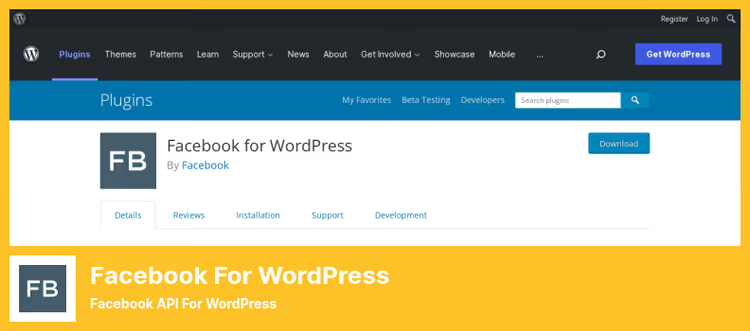
Official plugin from Meta (formerly called Facebook for WordPress). Installs Meta Pixel and Conversion API through the Facebook Business Extension procedure, links the site to your business account directly.
The benefit is obvious: this is the only plugin that Meta support recognizes as "theirs." If something goes wrong with attribution in Events Manager, support will ask you to check this plugin first. Integrates with WooCommerce, Easy Digital Downloads, Gravity Forms, Ninja Forms, WPForms, and other popular plugins.
The downside: 2.7 out of 5 rating on WordPress.org with 400,000+ active installations. Users complain about instability, critical errors once a day, and inconvenient interface. On a test site, the plugin worked, but the UI really leaves much to be desired.
- Pros: official status for Meta support, Conversion API out of the box, 400K+ installations confirm compatibility
- Cons: low rating (2.7/5), UI with display bugs, critical errors according to reviews
- Price: free
- Download: 🔗 Meta pixel for WordPress on WordPress.org
4. Meta for WooCommerce
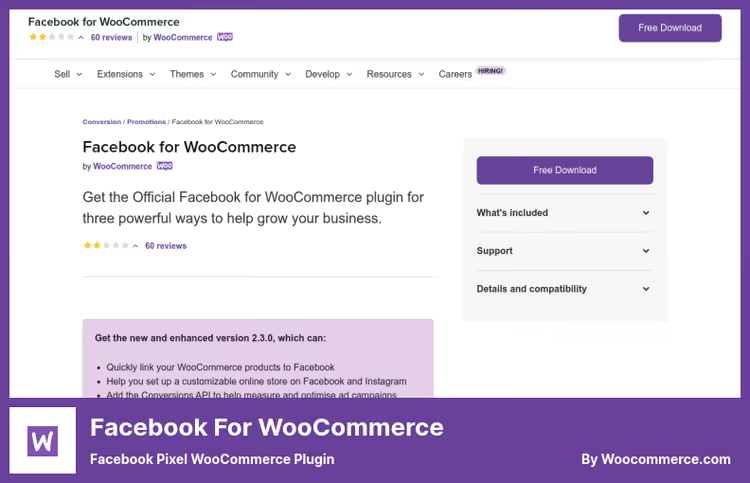
If you have an online store on WooCommerce, this is the first plugin to install after PixelYourSite. Meta for WooCommerce syncs product catalog with Facebook and Instagram directly: products, prices, availability update automatically.
The plugin creates Facebook Shop and Instagram Shopping without manual CSV export. Supports dynamic remarketing, ads with the products that a visitor viewed or added to cart. Conversion API transmits server events: ViewContent, AddToCart, Purchase with product IDs and cost.
Setup is easier than most competitors: the wizard walks you through connecting Business Manager, creating a catalog, and installing pixel. Filters for developers allow fine-tuning events.
- Pros: catalog sync with Facebook Shop, dynamic remarketing, setup wizard, official Meta plugin
- Cons: only for WooCommerce (useless on other site types), one year of support included with purchase
- Price: free in WordPress.org directory
- Download: 🔗 Meta for WooCommerce on WordPress.org | 🔗 Page on WooCommerce.com
5. WPCode

WPCode (formerly Insert Headers and Footers by WPBeginner), the most popular code insertion plugin for WordPress with 2 million active installations. Not a specialized pixel plugin, but a universal snippet manager: Meta Pixel, Google Analytics, Google Tag Manager, custom CSS/JavaScript/HTML/PHP, all in one place.
Why install pixel through WPCode: first, code doesn't get lost when changing themes (unlike editing header.php). Second, conditional logic lets you load pixel only on specific pages, for specific user roles or device types. And third, built-in PHP validation prevents "white screen of death" when there's a typo in the code.
The Pro version adds Conversion Pixels addon: ready-made integration with WooCommerce and Easy Digital Downloads for tracking ecommerce events from Facebook, Google Ads, Pinterest, and TikTok in one click.
- Pros: 2M+ installations, doesn't get lost when changing theme, conditional logic without programming, code validation, cloud snippet library
- Cons: not a specialized FB-pixel plugin (events are configured by code, not mouse), advanced ecommerce only in Pro
- Price: Free version in directory, Pro from $99/year
- Download: 🔗 WPCode on WordPress.org
6. Tag Manager
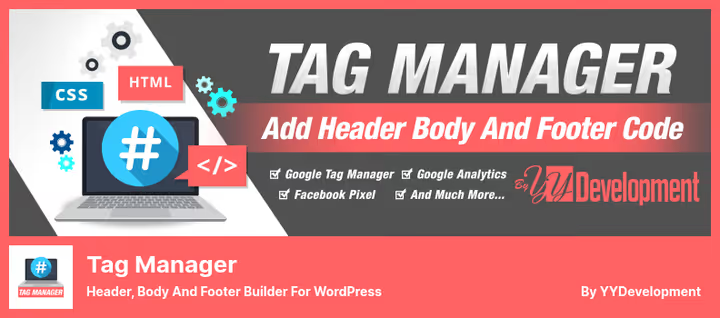
Tag Manager by YYDevelopment, the lightest plugin in this roundup. No event settings, no WooCommerce integrations: just three code fields, header, body, and footer. Paste the pixel ID, choose position, save. Done.
Difference from WPCode: Tag Manager is even simpler and doesn't try to be a snippet manager. Ideal for those who need the pixel to "just work." Supports lazy load for Google Analytics, GTM, and Facebook Pixel, scripts load with delay to improve Core Web Vitals. Has page exclusion by ID and by user role.
The plugin is completely free, without Pro versions and hidden payments. The developer from Israel has been supporting it since 2015, last update May 2026. Rating 4.7 out of 5.
- Pros: minimalist and fast, lazy load for pixel, no paid versions, 4.7/5 rating
- Cons: no event builder, no WooCommerce integration, pixel by code insertion only
- Price: completely free
- Download: 🔗 Tag Manager on WordPress.org
Video: installing Meta Pixel in 10 minutes
If you prefer visual instructions, here's a step-by-step guide to installing Meta Pixel on WordPress from creating a pixel in Events Manager to checking via Pixel Helper:
⁉️🤔 Frequently asked questions
Do I even need a plugin for Facebook Pixel? Can't I just insert the code into header.php?
Technically yes. But when you update or change the theme, the pixel will disappear. A plugin also solves two other problems that manual insertion doesn't cover at all: Conversion API (server events bypassing ad blockers) and WooCommerce events (ViewContent, AddToCart, Purchase with product ID and price). In practice, manual insertion is suitable only for a static landing page with one page.
Which plugin should I choose if I have a WooCommerce store?
Combo of PixelYourSite (free version) + Meta for WooCommerce. The first covers Meta Pixel, GA4, and Conversion API. The second syncs product catalog with Facebook Shop and provides dynamic remarketing. Together they cover all online store needs without additional costs.
Why do I need Conversion API if the pixel already works?
Ad blockers and Intelligent Tracking Prevention in Safari cut browser pixel by 10-30%. Conversion API sends the same events directly from the server, the blocker doesn't see them. According to Meta, the pixel + CAPI combo increases attribution accuracy by 19% and reduces cost per result by an average of 12%.
PixelYourSite or Pixel Cat, which is better for retargeting?
PixelYourSite wins in versatility and active updates (latest June 2026). Pixel Cat specializes specifically in Facebook audiences: granular dynamic triggers and segmented retargeting are deeper there. If you're not advertising anywhere except Facebook, Pixel Cat might be more convenient. If you plan Google Ads, TikTok, or Pinterest, get PixelYourSite.
Is it mandatory to use the official Meta plugin?
Not mandatory, but useful for support. If attribution in Events Manager shows discrepancies, Meta support will first ask: "Do you have the official plugin?" With the official plugin, the conversation is shorter. But in terms of stability, PixelYourSite and Pixel Cat are ahead: the official plugin has a 2.7 rating with 400K installations.
What should I do if the pixel doesn't show all conversions?
Check three points. First: install the Meta Pixel Helper browser extension, you'll immediately see which events fire on the page. Second: in plugin settings, enable Conversion API, server events compensate for losses from ad blockers. Third: exclude site administrators from tracking, your own logins to admin distort statistics. All plugins in this roundup, except Tag Manager, do this automatically.
What to install in 2026: final breakdown
Six plugins cover the entire spectrum of tasks, from "just insert pixel" to "full ecommerce tracking with custom audiences." The choice comes down to your scenario:
- If you want maximum coverage in one plugin, get PixelYourSite. The free version provides Meta Pixel + GA4 + GTM without programming.
- If retargeting and Facebook audiences are a priority, Pixel Cat. Granular triggers and custom events without code.
- If you need the official plugin for Meta support, Meta pixel for WordPress. Free, but be prepared for rough edges in the UI.
- If you have an online store on WooCommerce, add Meta for WooCommerce to your main pixel plugin. Catalog sync and dynamic remarketing.
- If you're inserting pixel and other scripts without touching the theme, WPCode. 2 million installations don't lie: the most reliable way not to lose the pixel when changing themes.
- If you need a minimalist free option, Tag Manager. Three fields, zero Pro upsells, lazy load for speed.
Start with the free version of PixelYourSite: if pixel and Conversion API work correctly (check with Pixel Helper), this is enough for the vast majority of sites. Which plugin do you use, write in the comments.

A professional team of writers and editors specializing in creating quality content.