













🔗 How to create your own short URLs for a WordPress blog
Long URLs look ugly and don't fit in social media? After changing your domain or link structure, old addresses turn into dead ends, and affiliate links look like spam. Every WordPress site owner runs into this problem sooner or later.
Below are five working methods to create short, readable, branded URLs right from the WordPress admin panel. From a free plugin that takes a minute to set up to buying your own short domain: choose the option that fits your task.
💡 Quick overview:
- Install Pretty Links and shorten links in the familiar WordPress interface in 5 minutes.
- Enable the WP.me module in Jetpack for instant short links without additional plugins.
- Try TinyURL for one-off links: paste a long URL and get a short one, no registration required.
- Set up Bitly + WP Bitly for analytics and integration with the WordPress admin panel.
- Buy a branded short domain for custom links like yourbrand.es/post.
Step 1: Pretty Links, a plugin for shortening and tracking links

Pretty Links is the most popular link management plugin for WordPress: 300,000+ active installations and a 4.5 rating on WordPress.org. It can shorten, cloak, track clicks, and group links. The free version covers the needs of a medium-sized blog, while Pro offers A/B testing and geo-redirects.
Installation
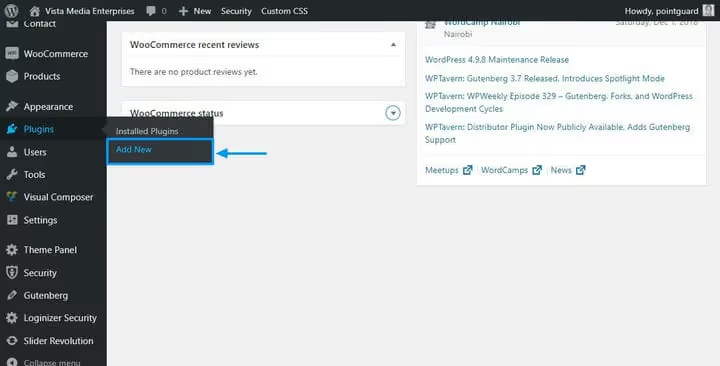
Open Plugins → Add New in the WordPress admin panel.
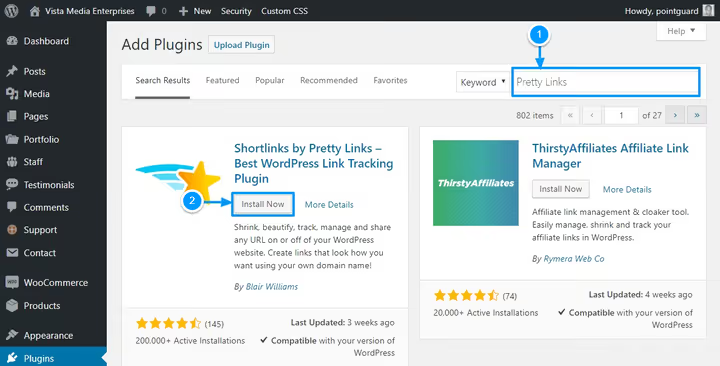
Type "Pretty Links" in the search bar, wait for the Ajax results, and click Install Now, then Activate.
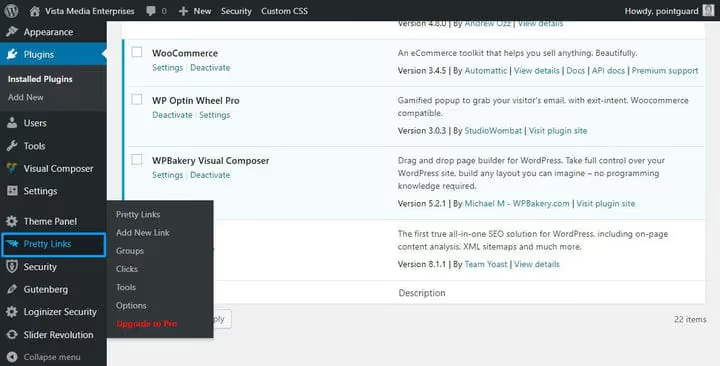
After activation, a Pretty Links item appears in the sidebar menu. Go to it.
Creating your first short link
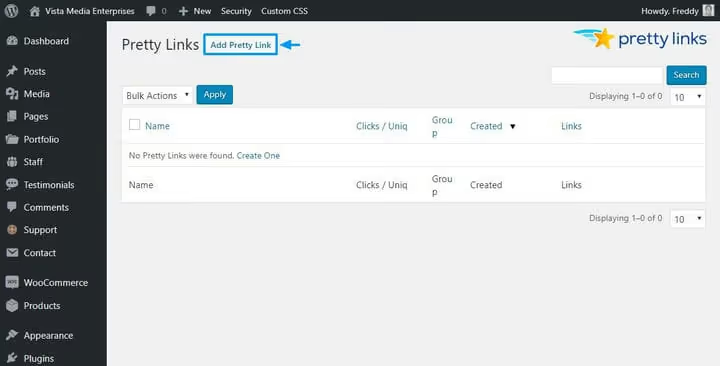
Click the Add Pretty Link button.
Fill in the fields: Target URL (the long source link), Pretty Link (the short slug on your domain), Title (a name for convenience). Leave the Redirect dropdown as is unless you're deliberately working with a specific redirect type.
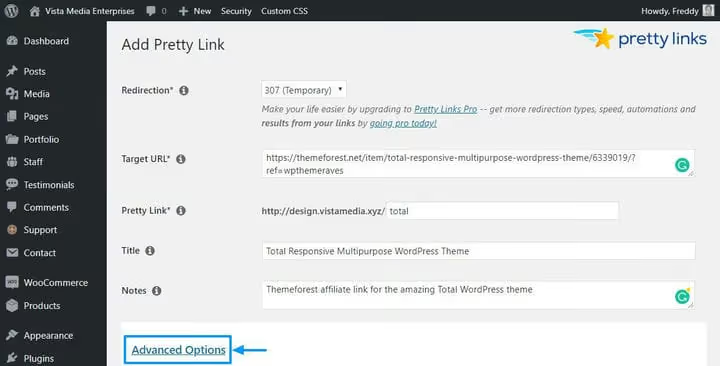
The Advanced Options link opens additional settings: link grouping, nofollow/noindex, parameter forwarding, and detailed tracking.
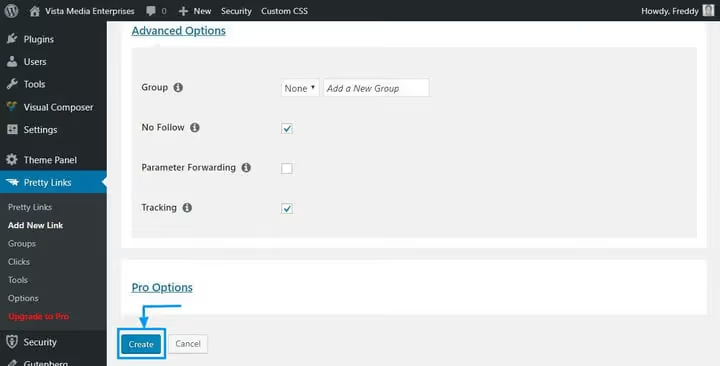
Click Create, and your short link is ready. The long affiliate URL has turned into your-site.com/product-name.
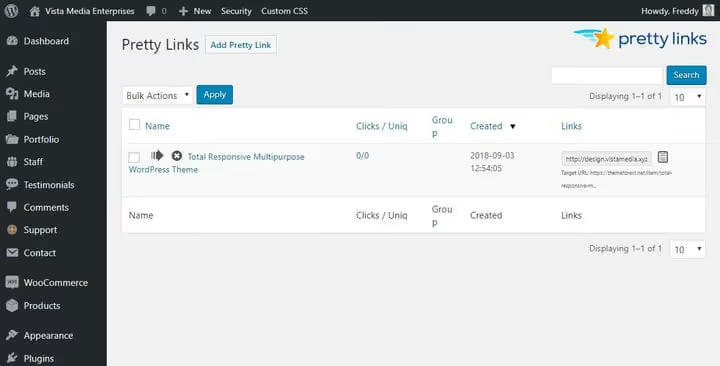
All clicks are logged. Statistics are available in the Pretty Links → Clicks section: date, IP, referrer, browser. Reports can be filtered and downloaded.
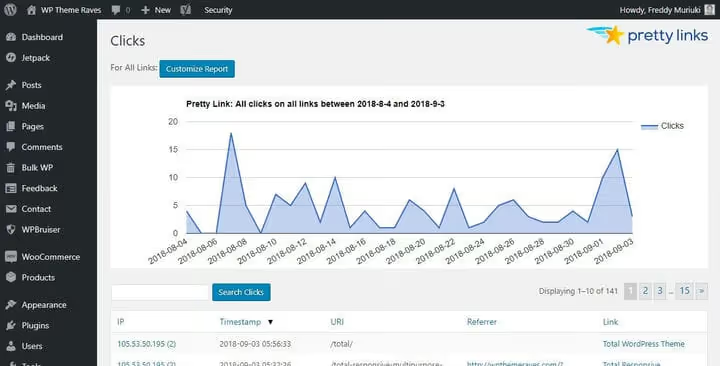
- Pros: full WordPress integration, click tracking, affiliate link cloaking, grouping.
- Cons: the domain stays long if it's not short to begin with; Pro version is paid.
- Price: Free in the WordPress catalog.org; Pretty Links Pro pricing on the developer's website.
- Download: 🔗 Pretty Links on WordPress.org
Step 2: WP.me, short links through Jetpack

If you already have Jetpack installed, short links are available without additional plugins. The WP.me module automatically generates links in the format wp.me/abc123 for every post and page. The wp.me domain belongs to WordPress.com and is filtered for spam, so links don't end up on blacklists.
The downside: click analytics aren't provided. You only see the short link but don't know how many times it was clicked.
Enabling the module
Go to your-site.com/wp-admin/admin.php?page=jetpack_modules, and the page with all Jetpack modules will open.
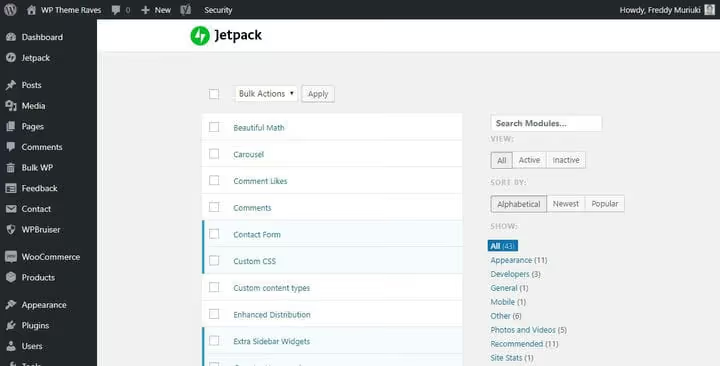
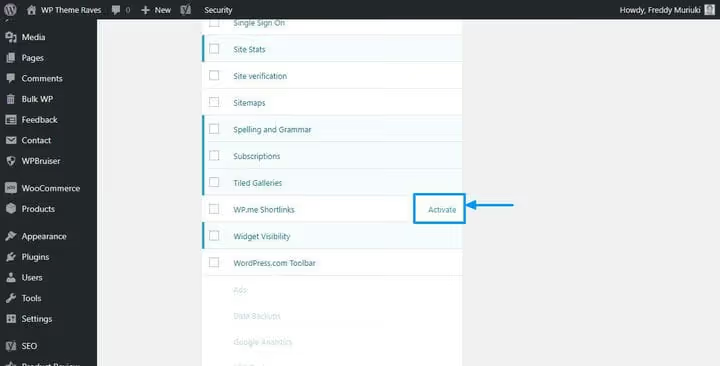
Find the WP.me Shortlinks module and click Activate.
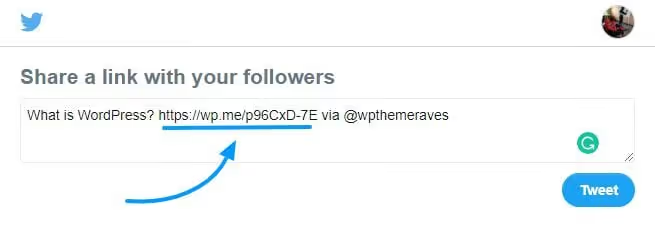
After activation, Jetpack's share buttons automatically use the short link.
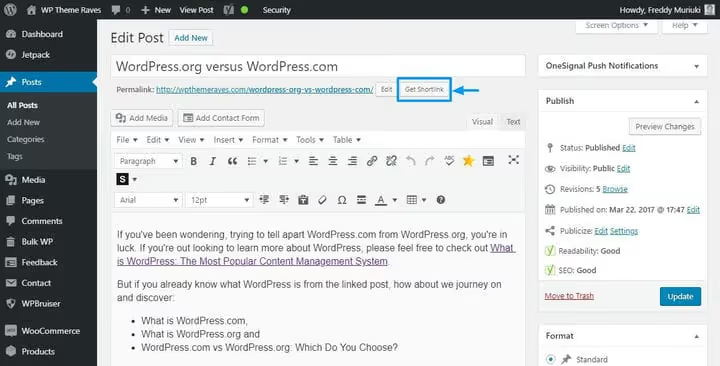
In the classic editor, a Get Shortlink button appears.
- Pros: zero additional plugins, automatic generation, spam-free wp.me domain.
- Cons: no click tracking, the domain isn't your branded one.
- Price: free (requires connection to WordPress.com through Jetpack).
- Learn more: 🔗 WP.me Shortlinks documentation
Step 3: TinyURL, link shortening without registration
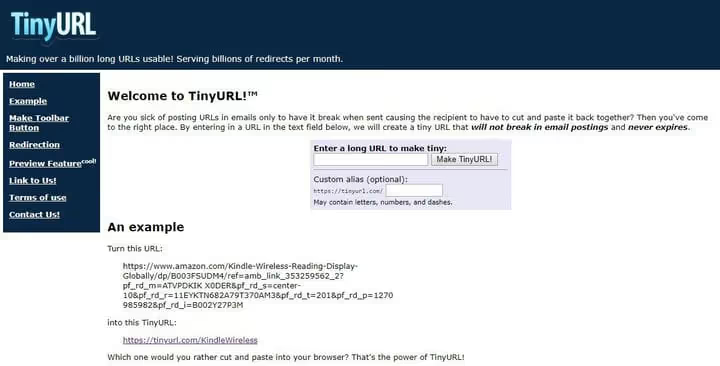
TinyURL is the oldest link shortener, operating since 2002. It handles over a billion redirects per month. The main advantage: you don't need to create an account. Paste a long URL, specify a custom slug (if you want), and get a short link.
But there's a serious limitation: TinyURL doesn't provide analytics. At all. No click counts, no geography, no referral sources. Also, the domain is tinyurl.com, not your brand, and the link isn't associated with your site.
TinyURL is suitable for one-off tasks: quickly shorten a link for a social media post or messenger. For systematic work with dozens of links, Pretty Links or Bitly are better choices.
- Pros: instant, no registration, custom slug.
- Cons: zero analytics, domain isn't yours.
- Price: free.
Step 4: Bitly, analytics and WordPress integration
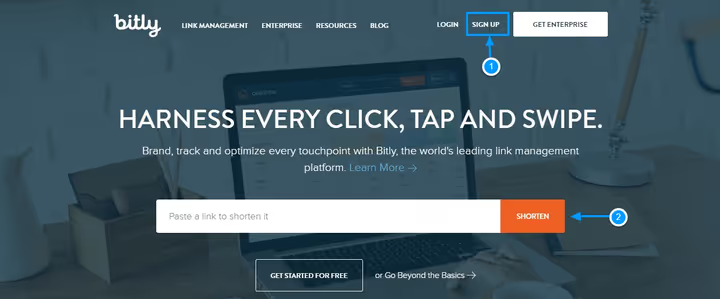
Bitly is one of the oldest and most well-known link shortening tools. Unlike TinyURL, it provides detailed analytics: total clicks, referral source (email, SMS, direct entry), geography. The free tier allows 5 links per month and 2 QR codes, which is enough for a small blog, but active use requires a paid plan.
Registration is standard: you can sign up via email or through Google/Facebook/Twitter.
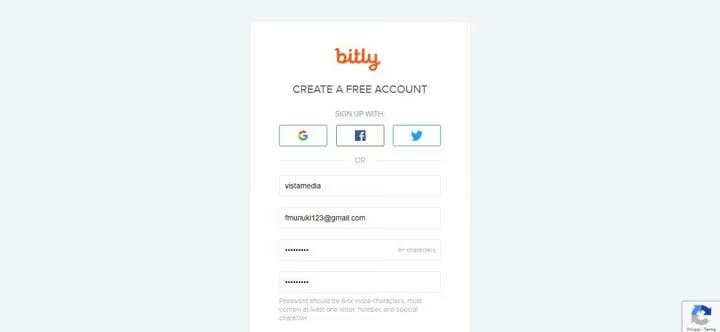
After registration, Bitly will ask how you plan to use the service. Choose the appropriate option or just close the window; this is an optional step.
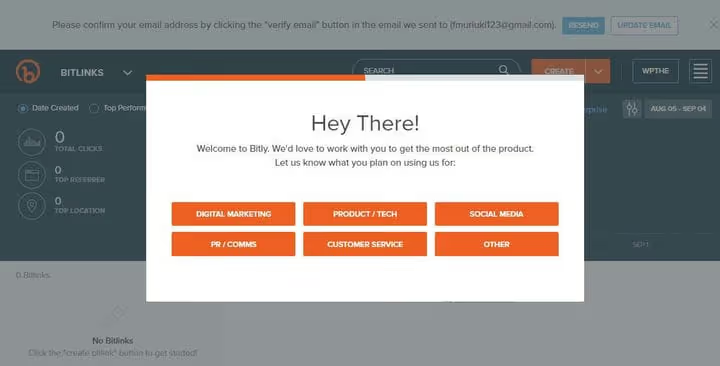
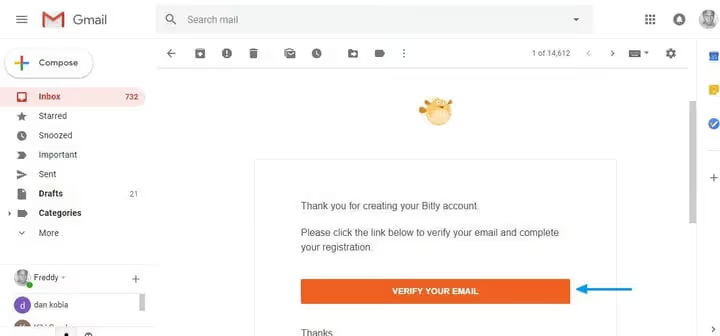
Confirm your email; the message will arrive at the address you provided during registration.
Done. The dashboard shows all your links and basic statistics.
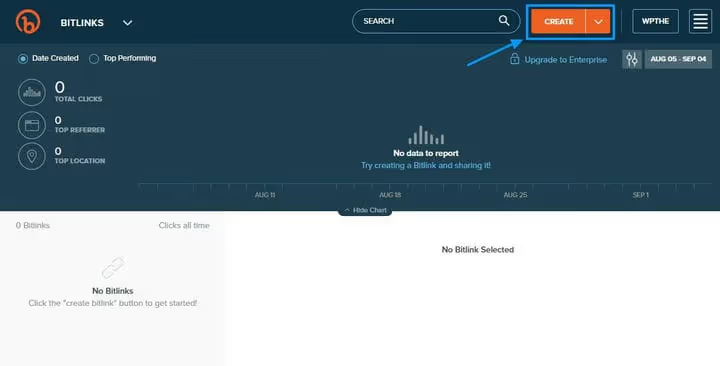
To create a link, click the Create button in the upper left corner.
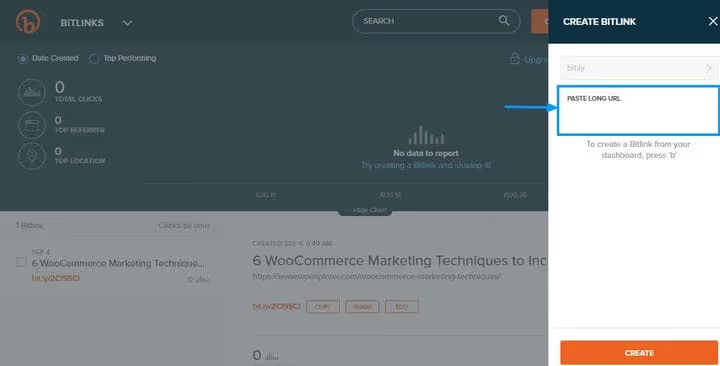
In the panel that opens, paste your long URL and customize the link's "back-half" if needed.
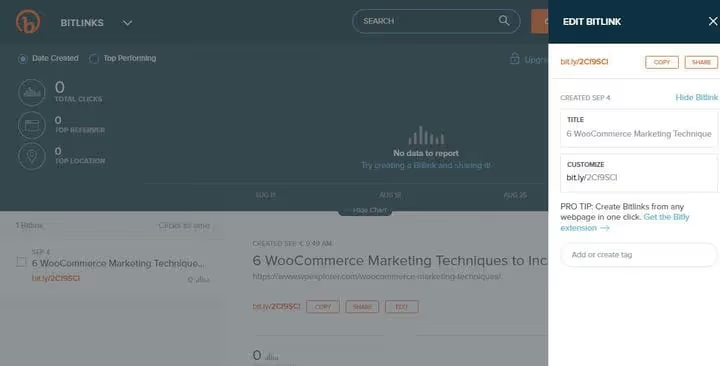
Bitly also offers a browser extension, allowing you to shorten any open page with one click. And integration with Twitter and Facebook lets you share short links directly from the dashboard.
WP Bitly plugin: connecting Bitly with WordPress
To manage Bitly links directly from the WordPress admin panel, install the WP Bitly plugin. Installation is standard: Plugins → Add New → search "WP Bitly" → Install → Activate. After activation, go to Settings → Writing and scroll down to the WP Bitly Shortlinks section.
Note: the WP Bitly plugin has a modest 2,000 active installations and an unpatched CVE in the WordPress.org database. For non-critical links there's no risk, but keep this in mind.
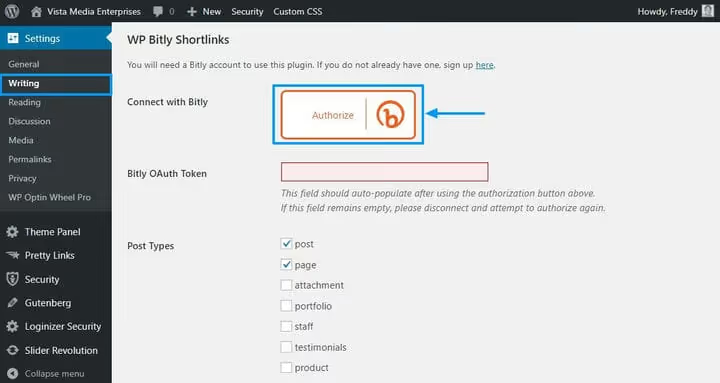
Click the Authorize button, and the Bitly page will open.
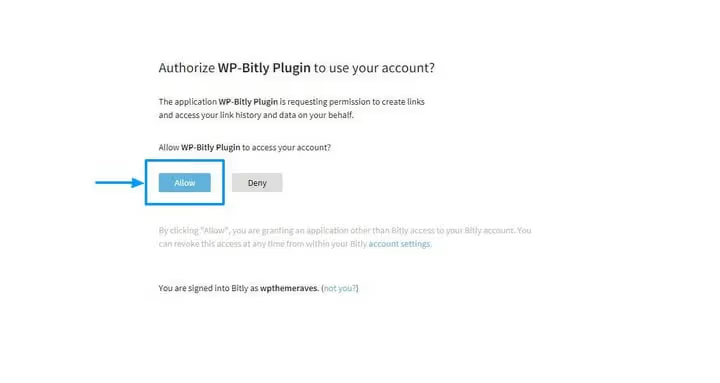
Click Allow (you must be logged into Bitly).
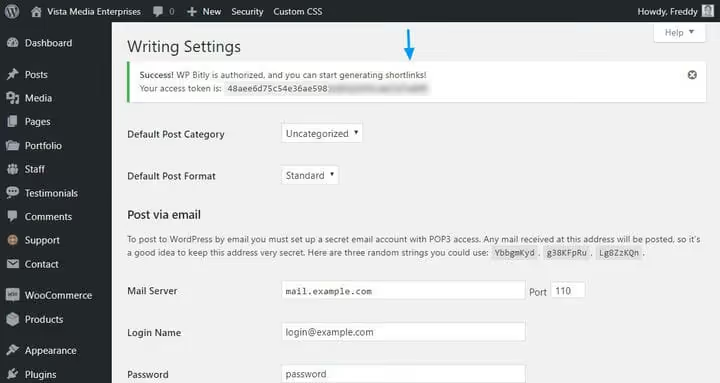
Now a Shortlink button has appeared in the post editor. Each new post automatically gets a shortened Bitly link, and the click count is visible right in the editor interface.
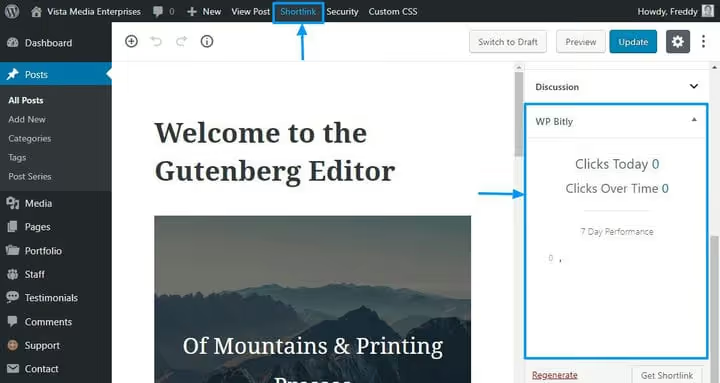
- Pros: detailed analytics, branded domains (on paid plans), WordPress integration through WP Bitly.
- Cons: free tier is limited to 5 links/month, WP Bitly has an unpatched CVE.
- Price: Free (5 links/month); paid plans on the Bitly website.
- Download: 🔗 WP Bitly on WordPress.org
Step 5: Buying a branded short domain
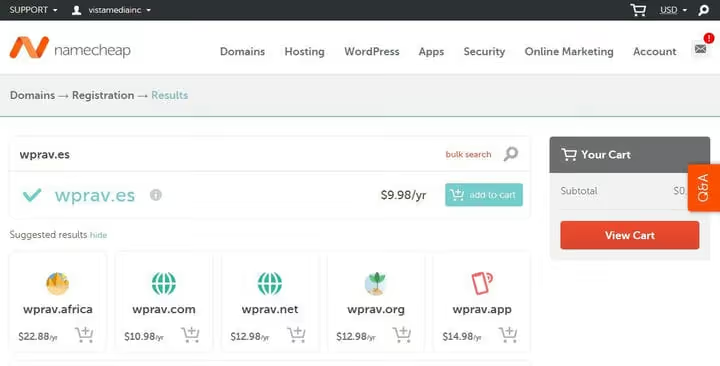
All previous methods use either your long domain (Pretty Links) or a third-party one (wp.me, tinyurl.com, bit.ly). If you want your short links to carry your brand and look as professional as possible (yourbrand.es/post instead of your-long-brand-name.com/post), buy a separate short domain.
A good short domain is inexpensive, starting at a few dollars per year at most registrars. Look for unusual domain zones: .es / .me / .in / .to and abbreviations of your brand or keywords. You can buy from any registrar; the process is the same as purchasing your main domain.
Connecting your short domain to Bitly
The most practical way to use a purchased short domain is to connect it to Bitly. Then Bitly handles redirects, provides analytics, and the user sees your branded link.
Log into Bitly and click on your username in the corner.
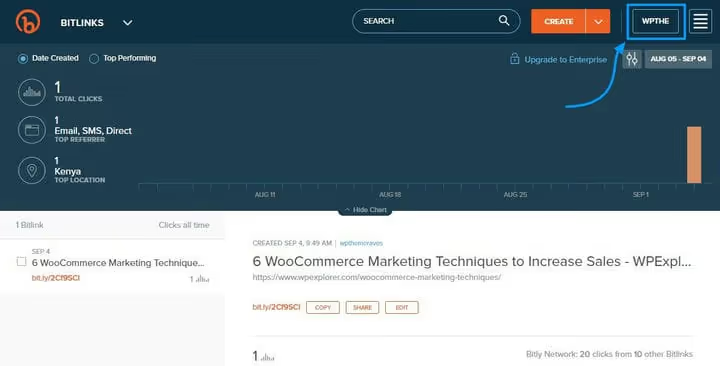
Select the Manage link.
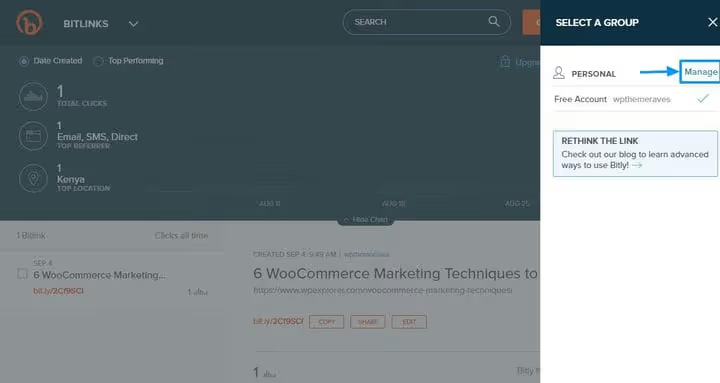
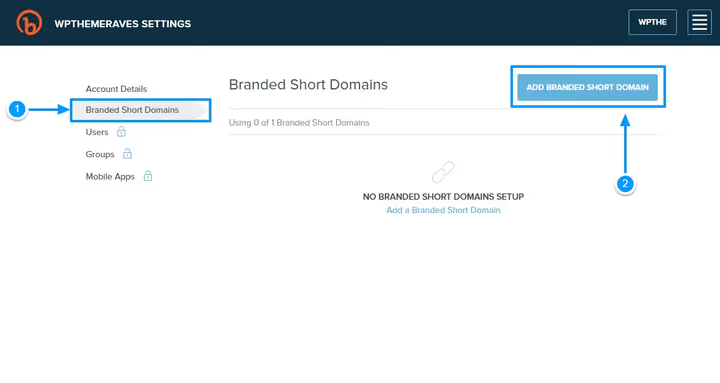
Click Branded Short Domains, then the Add Branded Short Domain button.
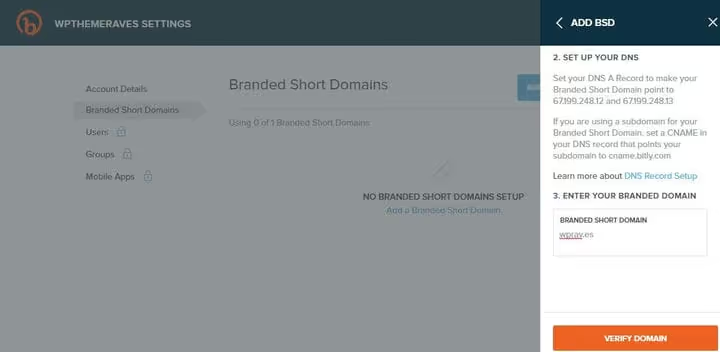
In the panel that opens, enter your short domain. Bitly will show the DNS records that need to be added at your registrar.
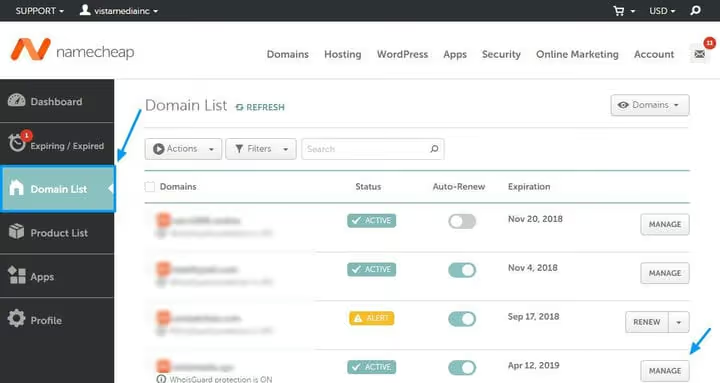
Now go to your registrar's control panel. Let's say the domain was purchased through Namecheap: open the Domain List tab and click Manage next to the relevant domain.
In the Nameservers section, choose Custom DNS and enter the DNS records from Bitly. Save. DNS changes take anywhere from a few minutes to 72 hours, though they usually update within an hour.
When DNS propagates, return to Bitly and click Verify Domain.
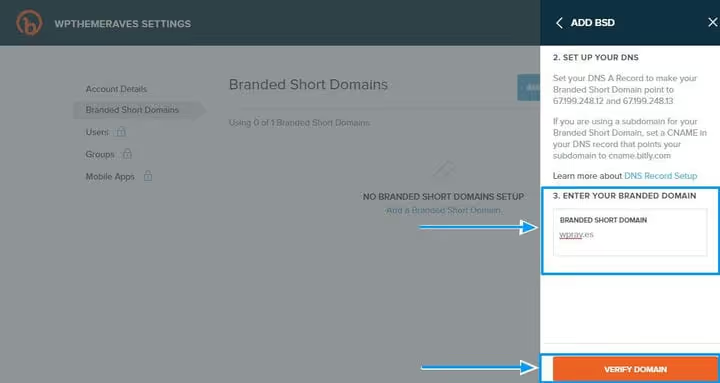
Done. Now your branded short domain is served through Bitly. Install the WP Bitly plugin (see Step 4) to create short links on this domain directly from the WordPress admin panel.
- Pros: full brand control, professional-looking links.
- Cons: an additional domain requires annual payment; DNS setup requires attention.
- Price: starting at a few dollars per year for the domain + Bitly plan.
⁉️🤔 Frequently asked questions
What's the quickest method for a single post?
If you need to shorten one link right now, open TinyURL, paste the URL, and copy the result. No registration needed; the whole process takes 10 seconds. The downside: you won't see click statistics.
Can I use Pretty Links alongside Bitly?
Yes, they don't conflict. Pretty Links works with your domain and stores links locally, while Bitly is an external service with its own analytics. Pretty Links is more convenient for affiliate links, and Bitly is better for social media posts.
What should I do if WP.me doesn't appear after activating the module?
Check that your site is connected to WordPress.com through Jetpack. Without this connection, the module won't work. Also make sure that in Settings → Reading, your site isn't hidden from search engines; in this mode, WP.me sometimes doesn't generate links.
Should I use WP Bitly given the unpatched CVE?
In practice, the vulnerability requires specific conditions and an account with administrator privileges. If you're the only site administrator and don't install suspicious plugins, the risk is minimal. But if security is critical, use Pretty Links instead; it covers the same functionality without vulnerabilities.
What short domain should I get if my main one is very long?
Try a brand abbreviation in a short zone: site.ru → si.te, mycompany.com → myco.me. Domain name generators (DomainWheel, Namemesh) will help you find options. The key is that the domain should be readable and associated with your brand rather than being a random string of letters.
What to use in 2026: a quick checklist
For most WordPress sites, one plugin is enough: Pretty Links. It's free, lives in the admin panel, and provides statistics. If your site is already connected to Jetpack, enable WP.me as a backup channel; it doesn't require resources.
Third-party services (Bitly, TinyURL) are justified when short links go beyond your site: email campaigns, print advertising, business cards, social media.
Buying a separate short domain is a step for those who are already systematically working with affiliate links or building brand recognition. If you're just starting out, begin with the free Pretty Links and return to this option when your link volume exceeds a couple dozen.
If you use another tool for short links that we didn't cover, share it in the comments. Self-hosted solutions are especially interesting: maybe you've set up YOURLS on a subdomain?

A professional team of writers and editors specializing in creating quality content.