













 AIIllustrative image: AI-generated
🔗 What is a slug in WordPress: how to configure it without breaking SEO
You've published a post, and its URL looks like https://vash-site.ru/?p=1456. Search engines don't like such addresses, and users don't understand where the link leads.
A slug in WordPress is the part of the URL that comes after the domain and makes the address readable. A properly configured slug increases CTR in search results and helps Google understand the page topic more accurately. Making mistakes here is easier than it seems: duplicates, traffic loss after changing URLs, broken redirects.
Below is everything you need to know about WordPress slugs, from basic setup to SEO rules that work in 2026.
💡 Quick overview:
- A slug is the readable part of the URL after the domain, for example
site.ru/nastroit-slag. - WordPress generates the slug from the title automatically, you need to edit it manually before publishing.
- Main rules: lowercase letters, hyphens instead of spaces, no stop words, don't change the slug after publication without a redirect.
- To change the author slug you need the Edit Author Slug plugin, WordPress doesn't allow this by default.
- A readable slug with a keyword affects CTR in search results and helps with ranking.
What is a slug in WordPress
A slug is the final segment of a URL that identifies a specific post, page, category or tag. If the full address looks like https://vash-site.ru/blog/chto-takoe-slag-wordpress, then the slug is chto-takoe-slag-wordpress.
When you create a post, WordPress automatically takes its title, converts it to lowercase and replaces spaces with hyphens. But auto-generation doesn't always give the best result: a title that's too long turns into a bulky URL, and stop words just bloat it without benefit.
By default WordPress uses the permalink structure set in Settings → Permalinks. If the Post name option (%postname%) is selected there, the post slug appears right after the domain name, this is considered the SEO-optimal variant.
Slug as an SEO factor: why it matters
Google uses the URL as one of the relevance signals. A readable URL with a keyword solves two tasks at once:
Ranking. The search bot scans the address and matches it with the page content. If the slug contains the main keyword, it's an additional signal that "the page is really about this". Not a decisive factor, but in competitive topics every signal counts.
User behavior. On the search results page, the URL is shown under the title. A person sees
site.ru/kak-nastroit-slagand understands: here's a specific instruction.site.ru/?p=1456says nothing. Users click on readable URLs more often, even if the site isn't in first place, this is confirmed by Backlinko data: short URLs on average rank higher than long ones.
A short, meaningful slug also improves mobile search results: a long URL gets cut off on a small screen, while a compact one is fully visible.
How to change the slug of a post, page, category and author
Post slug

When creating or editing a post, open the right sidebar of the editor. In the Permalink section, click on the URL Slug field and enter your variant: only Latin characters, lowercase letters and hyphens.
Important nuance: if you haven't saved the draft yet, the slug field may not display. First press "Save draft", after that WordPress will show the URL and let you edit it.
Don't get carried away with length. The optimal slug is three to five words, without conjunctions and prepositions. For example, the title "How to configure and optimize slug in WordPress for SEO" is better shortened to nastroit-slag-wordpress-seo.
Page slug

The mechanics are the same: go to Pages → All Pages, select the one you need and click "Edit". The slug field is in the same place, in the sidebar under the "Permalink" heading. After changing, click "Update".
WordPress pages use the same rules as posts. The difference is that page URLs more often participate in site navigation. The slug "Contacts" (contacts) or "About us" (about) should be as short and obvious as possible.
Category and tag slugs

Go to Posts → Categories (or Posts → Tags for tags). Next to each existing category or tag, click "Edit". In the form that opens there's a "Slug" field. Enter the desired value and save.
WordPress by default generates the category slug from its name. But if the category is called "Plugins for SEO" and you want simply seo-plugins, feel free to change it. Category and tag slugs participate in archive URLs: site.ru/category/seo-plugins/ looks neater than site.ru/category/pluginy-dlya-seo/.
Author slug

By default, the author page URL is built as site.ru/author/username/, where username is the user login. WordPress doesn't let you change this slug with standard tools.
The solution is the free Edit Author Slug plugin. After installation, go to Users → All Users, select the one you need and fill in the "Author Slug" field. The plugin changes user_nicename in the database and allows you to set any string, for example alexey-smirnov instead of admin.
The plugin has 100,000+ active installations, a 4.8 rating and compatibility with WordPress up to version 6.8. Works with any themes and doesn't conflict with major SEO plugins.
Permalink and slug: what's the difference

These two concepts are often confused, but the difference is fundamental:
Permalink is the complete page URL. It includes the domain and the entire structure:
https://site.ru/blog/seo/osnovy-slaga/.Slug is only the last segment:
osnovy-slaga. This is what you edit in the sidebar.
The permalink structure is configured once for the entire site in Settings → Permalinks. The most SEO-friendly option is Post name (%postname%). It removes unnecessary prefixes like /category/ or /archives/ from the URL and makes the address as short as possible.
In practice we recommend the /blog/%postname%/ scheme or simply /%postname%/. Read more about configuring URL structure in our guide on changing WordPress permalinks.
7 rules for an SEO-friendly slug
The rest is details. Here are seven rules with which your URL will work for SEO, not against it.
1. Keep the slug short
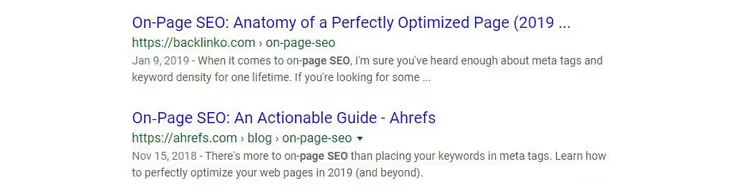
Slug length is three to five words. Remove stop words: "and", "but", "the", "a", "is", "to". They carry no semantic load but bloat the URL. Compare: kak-nastroit-i-optimizirovat-slag-wordpress versus nastroit-slag-wordpress. The second is shorter, clearer and looks better in search results.
A short slug also wins in mobile search results, where long URLs get cut off. And in breadcrumbs: if the slug stretches for three lines, it breaks navigation.
2. Describe the page essence
The slug should make it clear what the post is about, even separated from the title. If someone copies the URL and sends it in a messenger, the recipient will already understand from the address whether it's worth clicking.
Bad: site.ru/statya-1456. Good: site.ru/nastroit-slag-wordpress. You don't need to stuff the entire title into the slug, but the key topic should be immediately visible.
3. Include the keyword
The main search query for which the page is written must be in the slug. For this article it's slag-wordpress. A keyword in the URL is one of the direct relevance signals for search engines.
The keyword should be a natural part of the slug, not a mechanical insertion. seo-slag-wordpress-optimizaciya-url-luchshiy-gayd is spam, looks suspicious.
4. Avoid duplicates

WordPress doesn't allow creating two identical slugs. If you try, the system will automatically add -2 at the end. This is a signal: somewhere there's already a post with the same address.
Regularly check the trash: deleted but not cleared posts keep their slug. While the post is in trash, its URL is taken. Clear the trash and the slug will be freed.
Be careful with short single-word slugs, for example seo, blog or news. On a site with a hundred posts, the probability that such a slug is already taken is close to one hundred percent.
5. Don't change the slug after publication
Changed the slug of a published post, got a 404 error for all old links. Social networks, bookmarks, other blogs that linked to you, all lead to nowhere.
WordPress in some cases automatically sets a 301 redirect from the old URL to the new one. But this works unstably: for categories and tags often not, for posts it depends on server configuration. Don't risk it: decide on the slug before publication.
If the change is critically necessary, use a redirect plugin (for example, Redirection) and set up a 301 redirect from the old address to the new one manually.
6. Use hyphens, not underscores
To separate words in the URL use hyphens, not underscores. Google historically interprets hyphens better as word separators. kak-nastroit-slag for the search engine is three separate words, and kak_nastroit_slag is one long one.
7. Only lowercase letters
Capital letters in the URL create page duplicates: site.ru/Slag and site.ru/slag for the search engine are two different addresses. WordPress automatically converts the slug to lowercase when saving, but it's better to enter in lowercase right away.
A short video in English from Website Learning Lab clearly shows the entire slug setup process, from creation to SEO optimization. If you prefer visual explanation, watch it, three minutes of essence.
⁉️🤔 Frequently asked questions
Can you use Cyrillic in WordPress slug?
Technically yes: WordPress supports UTF-8 in URLs. But you shouldn't do this. When copying, a Cyrillic URL turns into a long unreadable string with percentages and character codes. Moreover, some old browsers and services (email clients, messengers) incorrectly process such links. Write the slug only in Latin characters.
What's more important for SEO: slug or page title?
The page title (
<title>) has significantly more weight in ranking. The slug is a supporting signal. But in search results the user sees both the title and the URL. A readable slug can be the deciding factor for a click, especially if competitors' titles are similar.
How long should a good slug be?
Three to five words, or approximately 30-60 characters. According to Backlinko data, short URLs on average rank higher than long ones. Remove stop words, leave the essence.
Is it worth changing old slugs for SEO?
Almost always no. Even with redirects you risk: loss of link weight with 301, temporary position drops, broken links from social networks. Changing the slug makes sense only if the current URL is frankly bad, for example, consists of numbers or unreadable characters.
Does the slug affect page load speed?
Not directly. URL length has no measurable effect on loading time. Indirectly, yes: in server logs and analytics systems a short readable URL is easier to find and analyze, which speeds up problem diagnosis.
Which slug works best: final breakdown
Setting up a slug takes half a minute, and the effect lasts for years. A readable URL with a keyword improves CTR in search results, helps Google understand the page topic faster and simply looks neat, both for users and for fellow developers who will be looking at your code.
The main thing is to make a decision before publication and then not touch it. And if you still had to change the slug, set up a 301 redirect right away, without delay.
The next logical step: check the permalink structure across the entire site. Detailed instructions are in our guide to changing WordPress permalinks.
Write in the comments: which slug on your site turned out to be the most successful and why.

A professional team of writers and editors specializing in creating quality content.