













🔵 WordPress.com and WordPress.org: differences, pros and cons in 2026
Signed up on WordPress.com, then realized a month later you can't install the plugin you need? Or the opposite: bought hosting for WordPress.org and got stuck installing SSL?
Two names, one engine under the hood. But the choice between WordPress.com and WordPress.org determines whether you control every detail of your site or get a turnkey service with the owner's rules. Over 16 years of working with WordPress we developed a simple rule: one platform for starting with no budget, the other for a project that plans to grow.
Below is an honest breakdown without marketing: what each platform offers in 2026, what it costs over time, where the hidden limitations are, and why serious projects move to self-hosted WordPress.
💡 Quick overview:
- WordPress.com is a managed platform from Automattic: hosting, security, updates, and CDN are included in the subscription. Instant start, but plugin and monetization limitations depend on the plan.
- WordPress.org is self-hosted WordPress: you download the engine for free, install it on your own hosting, and get full control over code, database, and every plugin.
- On any paid WordPress.com plan plugin installation is now available, the main change of recent years that brought the platforms closer in functionality.
- The final choice comes down to one thing: do you need a ready-made service without technical overhead or unlimited freedom with full responsibility?
What is WordPress.com: managed turnkey WordPress
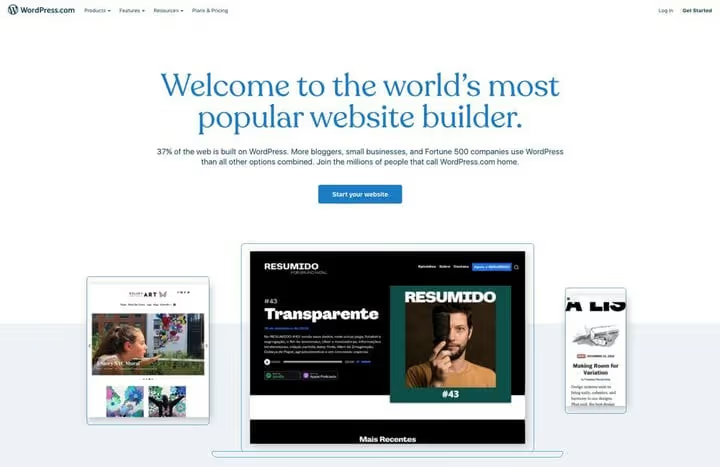
WordPress.com is a commercial website creation platform running on the WordPress engine. The service belongs to Automattic, a company founded by WordPress creator Matt Mullenweg. Essentially it's similar to Wix or Squarespace: register an account, choose a subdomain (yourname.wordpress.com), pick a theme, and your site is ready for publishing in 5 minutes.
The platform is fully managed. Hosting, SSL certificate, core updates, backups, and hack protection are all handled by Automattic. No technical decisions required: just write content. The infrastructure runs on WP Cloud, the same one serving WordPress VIP enterprise clients.
But there are two sides to every coin. The free WordPress.com tier is demo mode: platform ads, 1 GB storage, subdomain instead of your own domain, and not a single third-party plugin. Full functionality unlocks only on paid plans, and the higher you go, the closer you get to WordPress.org capabilities.
WordPress.com pricing in 2026
As of June 2026, WordPress.com offers six plans. Here's the breakdown by annual prices (when paying yearly) and key differences:
Plan | Price (per year) | Storage | Plugins | Themes | Domain | E-commerce |
|---|---|---|---|---|---|---|
Free | Free | 1 GB | ❌ | Free | subdomain.wordpress.com | ❌ |
Personal | ~$108/year | 6 GB | ✅ | Free + select premium | Own (1 year free) | ❌ |
Premium | ~$216/year | 13 GB | ✅ | All premium themes | Own (1 year free) | PayPal/Stripe buttons |
Business | ~$300/year | 50 GB | ✅ + upload your own | All + upload your own | Own (1 year free) | ✅ WooCommerce |
Commerce | ~$540/year | 50 GB | ✅ + upload your own | All + upload your own | Own (1 year free) | ✅ Full store |
Enterprise | Negotiated | On request | ✅ | ✅ | ✅ | ✅ |
The main change compared to what existed several years ago: plugins are now available on all paid plans, including Personal at $9 per month. Previously, plugin installation required at least Business, which was a serious barrier. Today the catalog of 60,000+ plugins is open on any plan from Personal and up. The only limitation: WordPress.com automatically blocks plugins it considers potentially risky, so the selection is slightly narrower, but 95% of popular solutions work without issues.
Pros of WordPress.com
Instant start. Registration, theme selection, first post: 5 minutes. No hassle with hosting, WordPress installation, or manual SSL setup. For someone discovering the web for the first time, this is invaluable.
Zero technical overhead. Core updates, security, backups, monitoring are all on Automattic. You don't think about PHP versions, plugin vulnerabilities, or corrupted databases. The server side is a black box that just works.
Built-in CDN and high performance. Free CDN, unlimited bandwidth, and optimized processors come with any plan. The same WP Cloud infrastructure serves WordPress VIP, enterprise clients like CNN and TechCrunch. On your own hosting, this kind of performance requires separate configuration.
24/7 support. Paid plans include access to the Happiness Engineers team: they answer questions, help with setup, and resolve technical issues. Self-hosted WordPress.org has no centralized support; you rely on forums, documentation, and your hosting provider's support.
Cons of WordPress.com
You don't control the platform. WordPress.com runs on Automattic's multisite architecture. Your site is part of a huge network; its operation follows the user agreement. Content violating the rules will be removed. However, the content itself is entirely yours: you can export it at any time.
Limited monetization on lower tiers. The free tier shows WordPress.com ads, with revenue going to the platform. On Personal, ads are disabled, but for advanced analytics, monetization tools, and video uploads, you need Premium and higher. Full e-commerce is only available on Commerce.
Rising costs with scaling. Personal looks attractive with its starting price, but as soon as you need premium themes, video, or advanced analytics, welcome to Premium. Want to install your own theme or connect via SFTP? Business. Need a store? Commerce. Current pricing for all plans is updated on the platform's website. For comparison: on WordPress.org you only pay for hosting, while themes and plugins are free or one-time purchases.
No server access. Even on the Business plan there's no root access. SFTP and WP-CLI are available, but this is not a VPS. For projects with non-standard server solutions (custom cron jobs, specific PHP extensions, special caching), WordPress.com won't work.
What is WordPress.org: self-hosted WordPress without limits
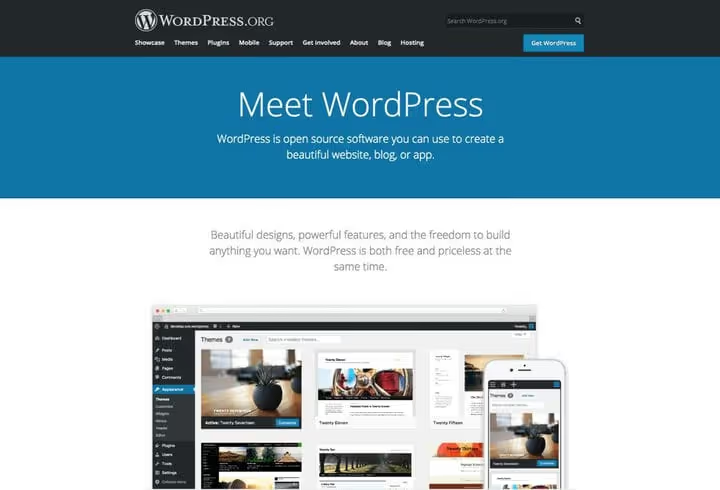
WordPress.org is the domain from which you download the free open-source WordPress core. The same engine that, according to W3Techs data for May 2026, powers 41.9% of all websites on the internet and 59.4% of sites with a known CMS. No company stands behind WordPress.org; development is led by the community under the coordination of the WordPress Foundation.
The difference from WordPress.com is architectural. WordPress.org doesn't provide hosting: you take the engine and install it on your own server. This is your code, your database, your files. No one will shut down your site "for violating platform rules," display ads over your content, or limit your plugin choices.
But in return you get not just freedom, but also full responsibility. Hosting, domain, security, backups, updates are all on you. For a beginner this sounds intimidating. In practice, modern hosting providers remove most of this burden through WordPress auto-installation, automatic updates, and built-in backups.
Pros of WordPress.org
Absolute control. Every line of code, every file, every server setting is yours. Want to change the caching algorithm, add a PHP extension, or move the site to another host? Everything is in your hands, without worrying about "platform rules."
No functionality limitations. The WordPress.org catalog contains over 60,000 free plugins and 12,000 free themes. Premium products from CodeCanyon and ThemeForest expand the selection to virtually infinite. E-commerce through WooCommerce, membership sites, online courses, forums: everything is available immediately, without "upgrading your plan."
Flexible ownership costs. Domain: a few dollars per year. Hosting: from budget shared to managed WordPress with auto-updates and daily backups. Plugins and themes: from free to one-time purchases. The annual budget for a typical WordPress.org site fits within the cost of one or two months of WordPress subscription.com Business, and this with full freedom, without upgrading plans for every new feature.
Complete ecosystem. WordPress.org isn't just an engine; it's a community of developers, designers, and users. WordCamp conferences around the world, WordPress Meetups for local gatherings, thousands of hours of talks on WordPress.tv. All documentation, learning, and events center around self-hosted WordPress. WordPress.com is a product. WordPress.org is a movement.
Cons of WordPress.org
Paid start. WordPress itself is free, but hosting and domain require money upfront. Minimum annual cost: a few dozen dollars. Not critical for a business, but for a hobby blogger, WordPress.com with its free tier is more attractive.
Technical responsibility. You update the WordPress core, monitor plugin compatibility, make backups, and handle security. This burden is minimized by choosing managed hosting: providers like WP Engine and Cloudways take care of updates, antivirus scanning, and daily backups.
Initial setup. Installing WordPress, choosing a theme, selecting plugins, configuring SSL and caching: expect to spend the first couple of hours tinkering. Most hosts offer one-click installation (SiteGround, Hostinger, Bluehost), and the Gutenberg builder is built into the core. But the difference from WordPress.com's "sign up and start writing" is noticeable.
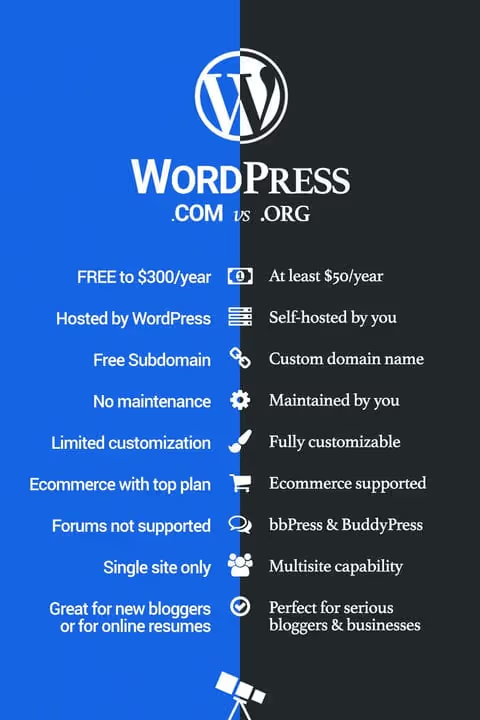
Comparison table: WordPress.com versus WordPress.org
Criterion | WordPress.com (Business) | WordPress.org |
|---|---|---|
Startup cost | $0 (Free) or $108/year (Personal) | $50-60/year (domain + shared hosting) |
Hosting | Built-in (WP Cloud) | You choose |
Domain | subdomain.wordpress.com (Free) or own | Always your own |
Plugins | On any paid plan | No restrictions |
Themes | WP.com catalog + upload your own (Business+) | Any, from any source |
Server access | SFTP/WP-CLI on Business+ | Full (depends on hosting plan) |
Security | Entirely on Automattic | On you (or on managed hosting) |
Monetization | Limited on lower tiers | No restrictions |
E-commerce | WooCommerce on Business+, full store on Commerce | WooCommerce / EDD / Shopify / anything |
Multisite | On higher tiers | No restrictions |
Support | Happiness Engineers 24/7 (paid plans) | Forum, documentation, hosting provider |
The main takeaway from the table: WordPress.com on the Business plan approaches WordPress.org in functionality but costs noticeably more, and still doesn't provide full server access. WordPress.org for comparable money gives you premium managed hosting plus complete freedom.
Why techblog.sdstudio.top runs on WordPress.org
We chose WordPress.org not because "it's the right way" but because the project grew from a hobby blog into a resource with thousands of articles, a multisite network for theme demos, and our own plugin library. No WordPress.com plan would have allowed this trajectory.
We started on shared hosting, then moved to a cloud VPS, and today we run on managed WordPress hosting with dedicated resources. WordPress.com doesn't offer this flexibility: all plans except Enterprise run on shared servers.
Monetization freedom is the second pillar. We earn through affiliate programs and digital products; every dollar stays with us. On WordPress.com, monetization is either limited on lower tiers or requires additional charges.
And finally: community. WordCamp, meetups, documentation: all the activity and learning revolve around the self-hosted version.
How to launch a site on WordPress.org: 3 steps
If you've decided to go the self-hosted WordPress route, here's a concrete plan to get started. We recommend these three steps to all readers who ask "where do I begin."
1. Choose a domain and hosting

A domain is your site's address. Get a.com if available: it's familiar to users and easier to remember. Avoid exotic zones like.xyz or.vegas; they're cheap but inspire less trust. Registration costs at most registrars are a few dollars per year.
Choose hosting based on your needs. A beginner can start with shared hosting with WordPress auto-installation (SiteGround, Hostinger, Bluehost, from a few dollars per month). If the project is already commercial, look toward managed WordPress hosting: WP Engine, Cloudways, Pressable, with automatic updates, daily backups, and built-in caching.
An important note: check if the host offers a free domain for the first year. Many (Bluehost, Hostinger) include a domain in the starter plan, saving you the registration cost.
2. Install a theme and plugins
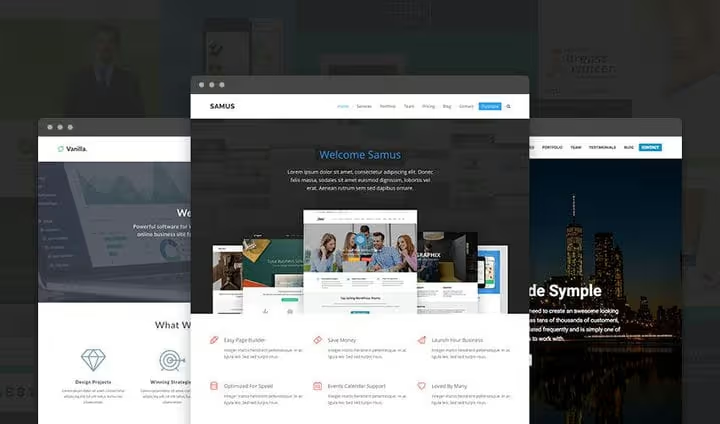
After installing WordPress (hosts do this in one click), first choose a theme. For a blog, a lightweight and fast theme like Kadence, GeneratePress, or Blocksy: they're free and optimized for speed. For a business site, look at Astra or OceanWP. Avoid bloated multipurpose themes with 50 built-in plugins; they slow down the site.
Add plugins selectively, not as a collection. The essential minimum for any site: SEO (Rank Math or The SEO Framework), caching (WP Super Cache or Flying Pages), backup (UpdraftPlus), and security (Wordfence). Everything else: only when a specific need arises. Every extra plugin is a potential vulnerability and slowdown.
3. Create content

Write about what you understand, the way you speak. Lively author-driven texts with specific examples work better than faceless SEO padding. One post, one topic; every screenshot real; every claim backed by a link or experience. The Gutenberg builder can do far more today than at launch: master it, and page layout will no longer be a problem.
See it in practice: video comparison
If the text above seems theoretical, here's a 10-minute screen walkthrough of both platforms that visually shows the differences in interfaces, settings, and the site creation process:
⁉️🤔 Frequently asked questions
I'm a beginner. Where should I really start, WordPress.com or WordPress.org?
With an honest answer to the question "why do I need a site." If you need a portfolio, a blog for friends, or a simple landing page, free WordPress.com is enough. But if you plan to earn money, grow traffic, or sell products, go straight to WordPress.org. You can migrate the site later, but that's extra work: export, redirects, SEO weight loss when changing domains. Hosting for a few dollars per month and an evening of setup is a small price for having no ceiling in the future.
Can I install plugins on WordPress.com?
Yes, on any paid plan; this is the main change of recent years. On the free tier, plugins are still unavailable. One caveat: WordPress.com blocks plugins it considers potentially risky, so the selection is slightly narrower than on WordPress.org, but 95% of popular solutions work without issues.
Is it true that WordPress.com owns my content?
No. According to the official documentation, on both platforms the content belongs to you. You can always export posts, pages, and media files to XML and move them. The difference isn't in ownership but in the fact that WordPress.com can remove a site for violating user guidelines: standard practice for any platform.
What's cheaper in the long run?
WordPress.org. The first year on WordPress.com Personal is comparable in price to a domain and hosting, but as soon as you need Business-level features (premium themes, custom plugins, SFTP), self-hosted WordPress costs several times less. For the same money, you get managed hosting with complete freedom. Over 5 years, WordPress.org saves hundreds of dollars.
Can I migrate a site from WordPress.com to WordPress.org?
Yes, it's a standard procedure: export content to XML through the built-in tool, then import to the new site via "Tools → Import." The only loss is SEO weight if you used the free wordpress.com subdomain and are moving to your own domain. That's why we recommend registering your own domain right away, even when starting on WordPress.com.
Do I need to know programming for WordPress.org?
No. A basic site is configured without a single line of code: the visual Gutenberg builder, customizer, plugins. HTML, CSS, and PHP are only needed if you're creating a theme from scratch or writing a custom plugin: the vast majority of users never do this. Administration comes down to clicking "Update" once every couple of weeks, or to nothing at all with hosting auto-updates.
WordPress.com or WordPress.org: what to use in 2026?
After 16 years of working with WordPress, our position is simple: for a project that plans to grow, WordPress.org is unmatched. Full control, no functionality ceiling, and lower long-term costs outweigh the convenience of instant start.
WordPress.com is an excellent "sandbox" for getting to know the platform: ideal for a landing page or personal blog without commercial ambitions. But as soon as the site becomes part of a business or brand, move to WordPress.org. The sooner you do, the less SEO weight you'll lose when changing domains.
In short: choose WordPress.com when you need to "sign up and start writing in 5 minutes." Choose WordPress.org when you're ready to spend an evening on setup so that in the coming years you won't hit artificial limitations. Both options run on the same engine; knowledge gained on either transfers without loss.

A professional team of writers and editors specializing in creating quality content.