













🚀 10 best AI upscalers for image quality enhancement: 2026 review
Blurry photos, pixelated gradients, compression artifacts instead of details, you upload an image to an online store and it looks like a screenshot from a feature phone. And it's not just about aesthetics: according to tech publications, users leave a page within 3 seconds if images are unclear, and conversion on a product card with a blurry picture can drop by 40-60%.
The reason is simple: a smartphone camera outputs 12 megapixels, but social media and CDN algorithms compress JPEG to a "guess what's in the photo" state. Traditional scaling, bicubic or Lanczos, simply stretches pixels, adding blur and artifacts. It doesn't create new details.
Fortunately, the line between "throw away the photo" and "put it on the cover" now runs through AI upscalers. Neural networks trained on millions of "corrupted → original" pairs reconstruct texture, restore sharpness, and remove noise as if the photo was originally shot with a professional camera. In this review, 10 services and programs for improving image quality in 2026: from free online tools to professional desktop solutions for $199 (the cost of Topaz Gigapixel AI). We ran three types of content through each one, a portrait, a product photo after WhatsApp compression, and anime art, and share the results.
💡 Quick overview:
- If you need free and fast, use
Waifu2xfor anime/illustrations orBigJPGfor photos; both work in a browser without registration. - If maximum detail matters and you're willing to pay,
Topaz Gigapixel AIdelivers the best results, especially on portraits and textures. - If you work with ecommerce catalogs,
Let's EnhanceandDeep Imageare optimized for batch processing product cards with automatic JPEG artifact removal. - If you need a desktop plugin for your familiar editor,
Photolemur(now part ofLuminar) and built-in Super Resolution in Photoshop cover the "processed and forgot" scenario.
AI upscaler comparison table
Service | Type | Max scale | Price (from) | Platforms | Best for |
|---|---|---|---|---|---|
Photoshop (Super Resolution) | Desktop | 4× | $22.99/mo (Creative Cloud) | Windows, Mac | RAW photos, prepress |
AI Image Enlarger | Online + desktop | 8× | Free (19 images/mo), Pro $39.99/mo | Web, Win, Mac, iOS, Android | Batch processing |
Let's Enhance | Online | 16× | Free (10 images), Personal $9/mo | Web | Ecommerce, print |
BigJPG | Online + desktop | 16× | Free (500 images/mo), Pro 2000 images/mo | Web, Win, Mac, iOS, Android | Anime, illustrations |
Topaz Gigapixel AI | Desktop | 6× | $99 (one-time license) | Windows, Mac | Photos, portraits, landscapes |
Deep Image | Online | 4K | Free (5 images), from $7.50/mo | Web, iOS, Android | Ecommerce, JPEG artifacts |
ImageUpscaler | Online | 4× | Free, Pro from $5.85/mo | Web | Logos, graphics |
Waifu2x | Online | 2× | Free | Web | Anime, art |
Upscale Pics | Online | 8× | Free (5 images), from $4/mo | Web | Photos, noise reduction |
Photolemur (Luminar) | Desktop | up to 4× (AI Enhance) | $35 (Photolemur 3, legacy) | Windows, Mac | Auto-enhancement, beginners |
1. Adobe Photoshop, Super Resolution in Camera Raw
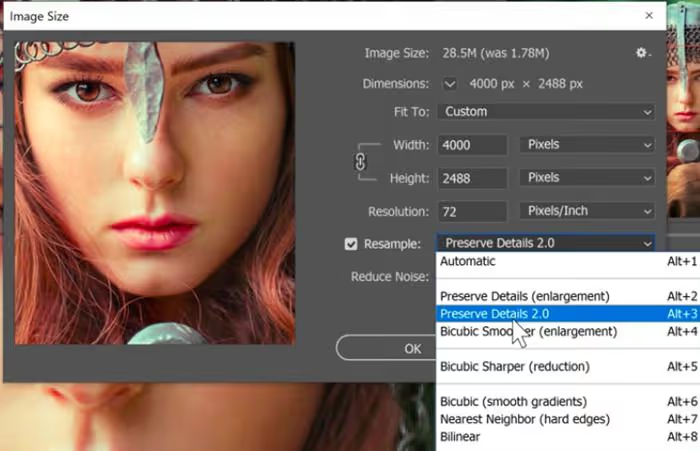
If you already pay for Creative Cloud, you may not need a separate upscaler. Since 2021, Adobe Camera Raw (and Lightroom) has included the Super Resolution feature: it doubles the width and height of a RAW file (4× in total area), using machine learning on millions of low/high resolution pairs. Unlike classic Preserve Details 2.0 in the Image Size dialog, Super Resolution doesn't just interpolate pixels, it reconstructs texture, which is especially noticeable in hair, fabric, and foliage.
Strengths: works with RAW directly, results save to DNG, no need to leave your familiar workflow. Weaknesses: only 2× per side, doesn't remove JPEG artifacts (works before compression), requires Creative Cloud subscription. For whom: photographers already in the Adobe ecosystem who want to prepare shots for print or crop without buying separate software.
🔗 Where to download: Adobe Creative Cloud, Camera Raw section (feature built into subscription).
2. AI Image Enlarger (Imglarger)
AI Image Enlarger, a veteran among online upscalers, has been operating since 2018. Main advantage, cross-platform compatibility: the web version requires no installation, and desktop clients for Windows and Mac weigh less than 4 MB. Technological foundation, super-resolution convolutional neural network SRCNN, supplemented by the team's proprietary developments.
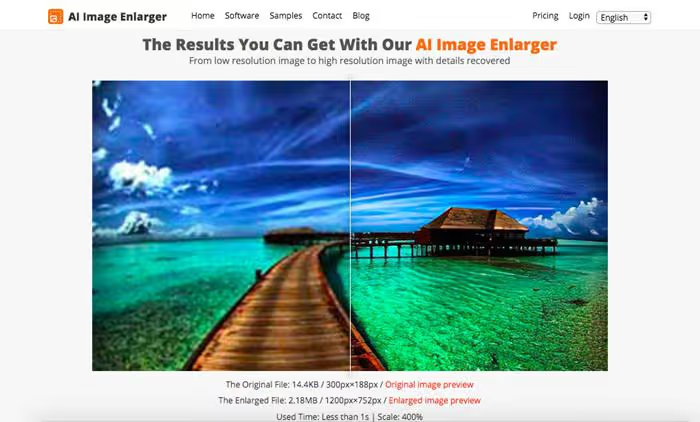
Free tier gives 19 images per month with scaling up to 8×. Pro plan ($39.99/mo or $99.99/year) removes limits and enables batch processing.
Strengths: ultra-fast processing, batch mode, clients for all platforms including mobile. Weaknesses: free limit runs out quickly, interface is minimalist. Verdict: best choice if you need one tool for both desktop and phone.
🔗 AI Image Enlarger at imglarger.com
3. Let's Enhance, ecommerce-oriented upscaler
Let's Enhance grew from a scientific super-resolution project in 2017 and today serves ecommerce platforms, print shops, and marketplaces. Six AI models for different content types: Smart Enhance (universal), Photo, Digital Art, Text & Vector, Low-light, Face Restoration. Scale, up to 16×, covering needs even for large-format printing.
Pricing for 2026: free tier, 10 images per month; Personal, $9/mo (100 credits); Professional, $39/mo (500 credits); Business, $99/mo (2500 credits), current rates on site. Unused credits roll over for up to 6 months.
Strengths: 16× scale, automatic content type detection, JPEG artifact removal, API for integration. Weaknesses: no desktop client, web only; on free tier, watermark on some plans. Verdict: ideal for online stores where you need to process hundreds of product cards in an evening.
🔗 Let's Enhance at letsenhance.io
4. BigJPG, specialist in anime and illustrations
BigJPG is built on waifu2x architecture but with proprietary improvements: dedicated GPU servers accelerate processing, and upload limits expand to 3000×3000 pixels and 10 MB per image (see BigJPG limitations). The service is optimized for anime art and illustrations, on this content type it remains one of the best.
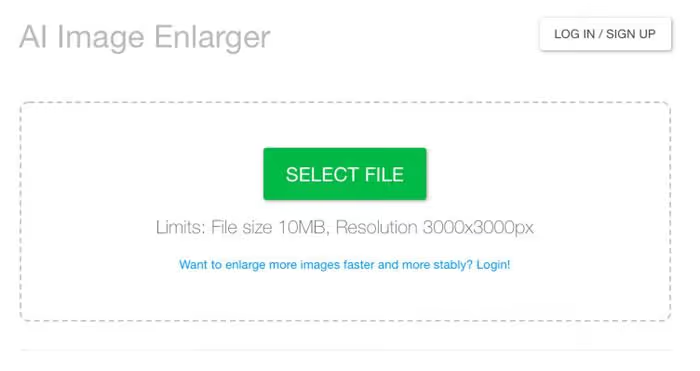
Free tier, 500 images per month with scaling up to 4×. Plans: Standard (1000 images/mo) and Pro (2000 images/mo) unlock scaling up to 16× and API access. Desktop client and mobile app available.
Strengths: best quality on anime and vector graphics, batch processing, generous free limit. Weaknesses: mediocre on photos, minimalist interface. Verdict: must-have for illustrators and artists working with digital art.
5. Topaz Gigapixel AI, quality flagship
Topaz Gigapixel AI, a desktop powerhouse that most specialized publications (from Petapixel to Fstoppers) call the quality benchmark among AI upscalers. Version 8, current in 2026, contains separate models for portraits (Face Recovery), architecture, textures, and natural scenes. Scale, up to 6×, but the key isn't the multiplier, it's the ability to reconstruct realistic details: eyelashes, brickwork, tree bark.
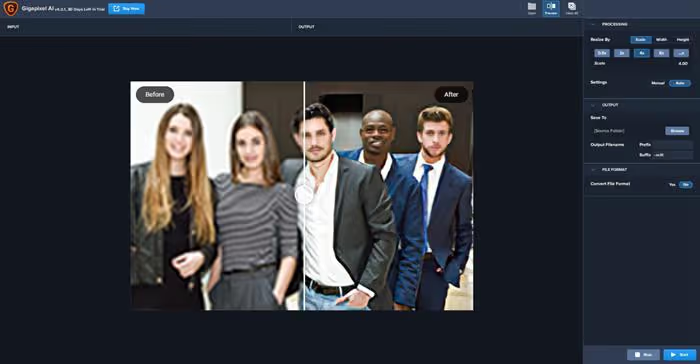
Price: $99 for perpetual Gigapixel license, or from $199 for Topaz Photo AI bundle (Gigapixel + Denoise + Sharpen), Topaz Labs pricing. Trial period, 30 days with full functionality. Requires modern GPU (NVIDIA RTX 20xx and newer, AMD Radeon RX 5xxx and newer).
Strengths: in practice, unmatched quality on photos, Face Recovery, batch processing, offline operation. Weaknesses: high price for one-time use, demanding hardware, desktop only. Verdict: uncompromising choice for photographers and designers who need to print or crop shots without quality loss.
🔗 Topaz Gigapixel AI at topazlabs.com
6. Deep Image, JPEG artifact cleaning
Deep Image stands out from competitors with its focus on post-compression recovery. The algorithm is trained to reverse degradation from JPEG compression, the same kind applied by social networks, messengers, and CDNs. Result: photos after running through Deep Image look as if they weren't compressed three times during forwarding.
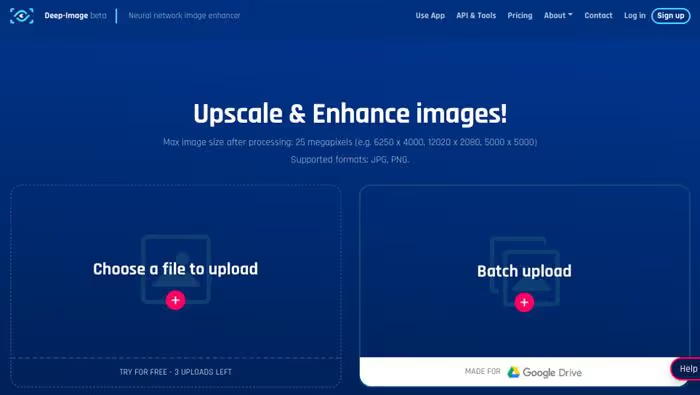
Free, 5 images without registration. Paid tiers from $7.50/mo (100 credits), details at Deep Image. One credit = one image, even if multiple operations are applied at once (upscale + noise reduction + background removal). Mobile apps for iOS and Android.
Strengths: in our experience, best JPEG artifact removal on the market, works without registration, API. Weaknesses: free limit is small (5 images), on initially high-quality photos the improvement is negligible. Verdict: lifesaver for content managers whose images went through WhatsApp → Google Photos → CMS.
7. ImageUpscaler, simplest entry
ImageUpscaler, one of the most austere services in the roundup: enter, upload, receive. No registration, no model selection, no fine-tuning. Under the hood, a generative adversarial network (GAN) optimized for logos, icons, and synthetic images.
Free tier includes scaling up to 4×. Pro version ($5.85/mo) removes the 2500×2500 pixel and 5 MB per file limitation, ImageUpscaler pricing.
Strengths: instant result without registration, works well with logos and icons. Weaknesses: mediocre on photos, no model selection, low resolution limits on free tier. Verdict: "one-time use" tool when you urgently need to enlarge a logo or icon and Photoshop is far away.
🔗 ImageUpscaler at imageupscaler.com
8. Waifu2x, open source classic
Waifu2x, the project that started mass enthusiasm for AI upscaling in 2015. Originally created by a Japanese developer for improving anime art, today waifu2x lives in dozens of implementations: original site waifu2x.net, desktop clients (waifu2x-ncnn-vulkan, waifu2x-caffe), mobile ports.
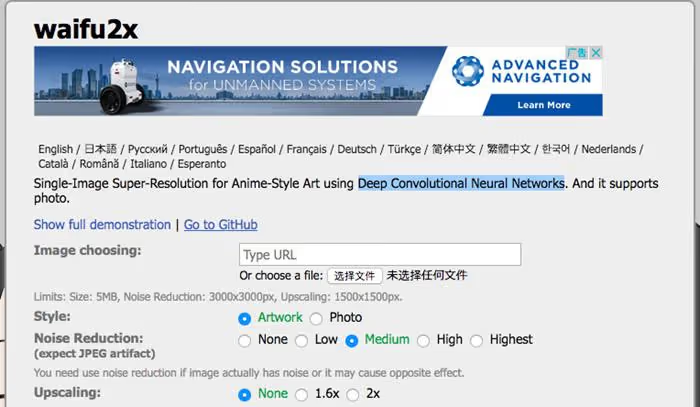
Free, without registration, without limits. Scale, only up to 2× (in some forks, up to 4×). Supports URL upload and noise reduction (but not JPEG artifact removal).
Strengths: completely free, open source, excellent quality on anime. Weaknesses: only 2×, web version interface is primitive, servers sometimes overloaded. Verdict: genre legend and best free tool for anime artists.
9. Upscale Pics, flexible scaling up to 8×
Upscale Pics positions itself as an AI upscaler for those who value flexibility: you can set not only the multiplier (2×, 4×, 8×), but also the specific output file size in pixels. The algorithm based on deep convolutional neural networks reconstructs details and simultaneously cleans JPEG artifacts.
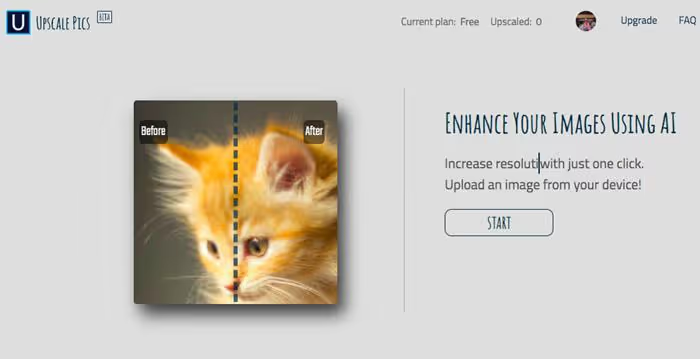
Pricing for 2026: free, 5 images per month; subscription from $4/mo (50 images), current at Upscale Pics.
Strengths: scaling up to 8×, ability to set exact size, noise reduction. Weaknesses: small free limit, web interface can lag on large files. Verdict: solid middle ground if Let's Enhance seems overloaded and Waifu2x insufficient for photos.
🔗 Upscale Pics at upscalepics.com
10. Photolemur, now part of Luminar
Photolemur from Skylum, representative of the "drop photo and forget" approach. No manual settings: AI analyzes the shot and applies exposure, color, sharpness, and noise reduction correction with one click. Last standalone version, Photolemur 3, but since 2020 developer Skylum merged its codebase with Luminar, and today Photolemur algorithms live inside Luminar Neo as "AI Enhance".
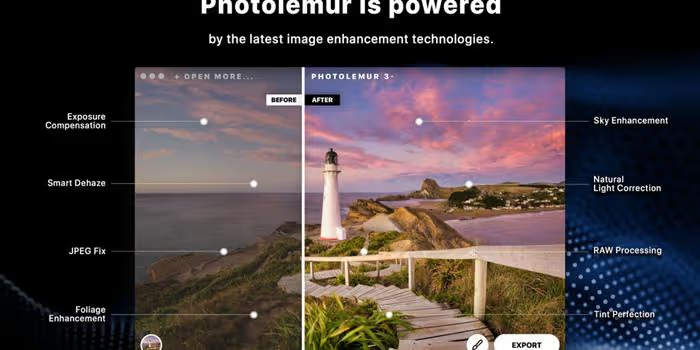
Photolemur 3 is still available for purchase ($35 for perpetual license, Skylum data), but not being updated. If you need a current analog with the same DNA, look toward Luminar Neo.
Strengths: zero entry barrier, unlimited batch processing, plugin for Photoshop and Lightroom. Weaknesses: product frozen, not being updated, can't compete with current AI models. Verdict: makes sense only as budget plugin for Lightroom if you don't want to deal with settings.
Bonus: video upscaling, DVDFab AI Upscaler
Image quality improvement is half the job. But what if you need to "enhance" video: old DVD recording, 480p archive footage, or low bitrate stream? DVDFab AI Upscaler (formerly DVDFab Enlarger AI) solves exactly this task. Frame-by-frame analysis technology: neural network breaks video into frames, enhances each through AI Super-Resolution (TensorFlow), reassembles. Output, 4K or 8K with restored detail and color correction.
Unlike photo upscalers, video processing is resource-intensive: a 10-minute clip can process for an hour or more even on powerful GPU. This is paid product (from $74.99 per year license, DVDFab AI Upscaler), but for "restore family archive" task there are few alternatives with comparable quality.
🔗 DVDFab AI Upscaler at dvdfab.cn
Video: comparison of three top AI upscalers in 2025
Watch how Topaz Gigapixel 8 handles landscape, portrait, and AI art compared to ON1 Resize and Adobe Super Resolution. The difference in crop detail is impressive.
⁉️🤔 Frequently asked questions
What's better, online upscaler or desktop program?
Online services (Let's Enhance, BigJPG, ImageUpscaler) win in convenience: no installation needed, processing happens on external servers. Desktop programs (Topaz Gigapixel AI, Photoshop) give control over the process, work offline, and don't recompress results. For one-off tasks online is enough. For regular work with sensitive content, desktop only.
How much can you realistically enlarge a photo without quality loss?
Practical limit for photos is 4×-6× per side. Beyond that AI starts "hallucinating" details that weren't in the original, and results look unnatural. For vector graphics, anime, and illustrations, 8×-16× scale is still meaningful, there are fewer high-frequency textures that neural networks can corrupt.
Do free upscalers actually work or is this marketing?
They work, but with caveats.
Waifu2x, completely free open source project, quality on anime is excellent.BigJPGon free tier gives 500 images per month, enough for most. Free tiers ofLet's EnhanceandDeep Imageare limited to 5-10 images, their purpose isn't for you to use free forever, but to demonstrate quality before purchase.
Do you need a powerful computer for AI upscaling?
For online services, no, all computation is server-side. For desktop programs: Topaz Gigapixel AI requires graphics card with DirectX 12 support and minimum 4 GB video memory (RTX 2060 or newer). Photoshop Super Resolution works on integrated graphics, but slowly. If your computer is over 5 years old, better start with online tools.
What to do with JPEG artifacts, just enlarge or clean first?
Order matters: clean artifacts first, then enlarge. If you enlarge JPEG with artifacts, the neural network perceives them as part of the image and "enhances" them.
Deep Imagespecializes exactly in compression artifact removal,Let's Enhancedoes this automatically on upload. If using Topaz Gigapixel, pre-run photo through any denoiser.
Which AI upscaler to choose in 2026: final breakdown
Choice comes down to three variables: budget, content type, and frequency of use.
If you're a photographer or designer regularly preparing shots for print, get Topaz Gigapixel AI. $99 one-time (price on site) is the price of one good SD card, and results on portraits and textures compare to upgrading to a higher camera class.
If you're an online store content manager, your tool is Let's Enhance. 100 images for $9 per month (Let's Enhance pricing) with automatic artifact removal and scaling up to 16× pays for itself after the first product photoshoot.
If you're an illustrator or anime artist, BigJPG and Waifu2x cover needs completely and free. First for large volumes, second when you need quick results without registration.
If you need to enlarge a logo or icon once, open ImageUpscaler and get results in 10 seconds. That's it.
And one universal rule that works for all tools in this review: source material decides everything. AI upscaler reconstructs details but doesn't work miracles from tiny source. Start with maximum possible resolution and shoot in RAW if camera allows, this gives the neural network more data to work with and multiplies final result quality.

A professional team of writers and editors specializing in creating quality content.