














🚀 12 best Jira alternatives for agile project management in 2026
Three sprints in Jira, and you catch yourself thinking: "am I managing tasks or the interface?" A familiar scenario for a team lead who starts the week with a plan and ends it wrestling with filters, fields and permissions.
Jira by Atlassian, a tool with 30+ million users and thousands of plugins in the Marketplace. But adoption numbers don't cancel reality: the interface is overloaded, response speed drops as the ticket base grows, and the learning curve is such that a new team member only becomes productive after a couple of weeks. The cost for a 500-person team reaches $12,000 per year, and that's without counting administration.
The problem isn't that Jira is bad. The problem is that for many teams it's excessive. Some need a fast tracker without a maze of settings, some need self-hosted open-source without vendor lock-in, some need a platform that covers not only tickets but also documentation with budgeting. We've collected 12 tools that solve these scenarios in practice, and verified the relevance of each in 2026.
💡 Quick overview:
- Compared 12 tools for 2026: from instant Linear for startups to enterprise platforms Azure DevOps and Planview AgilePlace.
- Key criteria in the table: scalability, customization, price, built-in AI and integrations with your stack.
- In the descriptions of each tool we've analyzed pros, cons and scenarios from real team experience.
Comparison table: all 12 alternatives in one window
Tool | Type | Price (from) | Scrum | Kanban | AI | Best for |
|---|---|---|---|---|---|---|
Workzone | Project management | $25/mo | Yes | Yes | No | Mixed teams (dev + non-technical) |
Azure DevOps | Enterprise Agile | Free / $6/user/mo | Yes | Yes | Yes | Enterprise, SAFe, CI/CD in one window |
Taiga | Open-source Agile | Free / $10/mo | Yes | Yes | No | Self-hosted, opensource teams |
Targetprocess (IBM) | Enterprise SAFe | $20/user/mo | Yes | Yes | Yes | Complex process visualization |
Assembla | Code + tasks | $7.50/user/mo | Yes | Yes | Yes | Teams needing code and tickets in one window |
Blossom | Kanban tracker | $19/mo | No | Yes | No | Distributed teams, GitHub integration |
Active Collab | Project management | $25/mo | No | Yes | No | Small business, freelancers, budgeting |
Planview AgilePlace | Enterprise Kanban | ~$20/user/mo | No | Yes | Yes | Large teams, Lean visualization |
Favro | Flexible platform | $6.80/user/mo | Yes | Yes | No | Gaming industry, creative teams |
Linear | Developer tracking | Free | Yes | Yes | Yes | Fast dev teams, startups |
ClickUp | Universal platform | Free | Yes | Yes | Yes | Teams of any size, all-in-one |
Notion | Documents + projects | Free | Yes | Yes | Yes | Startups, knowledge bases, flexible workspaces |
1. Workzone
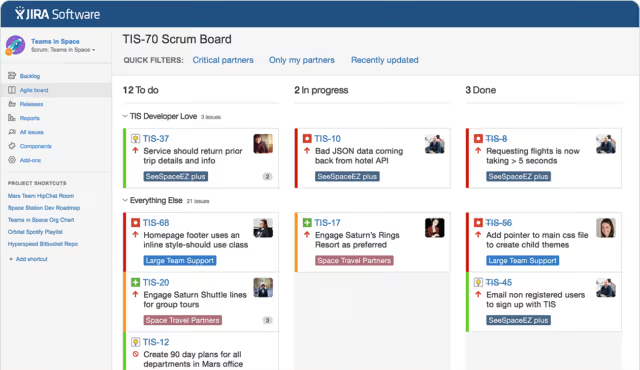
Workzone, the balance between Jira's power and Trello's simplicity. If you have a mixed team (developers, marketers, product managers) and everyone needs to work in the same space, Workzone solves this task without hours of onboarding.
The platform divides work into individual workspaces. Development, IT, marketing and product live in their own spaces with their own templates and reports. Personal to-do lists automatically assemble for each team member, nobody guesses what to do next. Task dependencies warn when a predecessor task is completed and highlight blocking elements.
Reporting goes by each workspace separately, but you can view the cross-cutting picture across all projects at once. Support is included in the subscription, not sold as an add-on, for teams that don't want to keep a separate administrator, this is a tangible plus.
- Pros: separate workspaces for different departments, automatic to-do lists, live support without extra charges
- Cons: no built-in AI, interface not as fast as Linear
- Price: from $25/mo
🔗 Workzone, official site | 🔗 Product demo
2. Azure DevOps

Azure DevOps, Microsoft's enterprise platform for teams that need CI/CD, repositories and testing in one window beyond a task tracker. Supports Scrum, Kanban and SAFe, scales from startup to corporation with thousands of developers.
Task boards are configured for any process. Backlog, sprints, change requests and bug tracking live in a unified space. Azure Boards integrates with GitHub and deploys artifacts straight into Azure Pipelines, an end-to-end pipeline from ticket to deploy without switching between tools. AI features (Copilot in Azure DevOps) analyze pull requests and suggest reviews.
For teams already sitting in the Microsoft ecosystem (Visual Studio, GitHub, Teams), this is a natural choice. The free plan includes 5 users and unlimited private repositories.
- Pros: CI/CD out of the box, deep integration with GitHub and VS Code, free for small teams, enterprise security
- Cons: interface heavier than Linear or Favro, full mastery requires time
- Price: free up to 5 users, paid plans on Microsoft site
🔗 Azure DevOps, Microsoft product, available in Azure cloud
3. Taiga

Taiga, an open-source platform for Agile teams that need classic Scrum and Kanban without vendor lock-in. 25,000+ stars on GitHub, a self-service cloud plan and the ability to spin up an instance on your own server.
The philosophy is simple: backlog, user stories, sprints and built-in wiki in one interface. Epics link to tasks, Kanban boards reflect real work status. Roles and permissions are configured granularly: product owner sees the backlog, developer sees their tasks, stakeholder sees only the roadmap.
Out of the box integrations with GitHub, GitLab, import from Jira and Trello are available. For everything else there's an open API. For teams that want 100% control over their data (self-hosted on their own equipment), this is one of the best options: 25,000+ stars on GitHub and an active contributor community.
- Pros: full control over data (self-hosted), open source, classic Agile without excess
- Cons: no built-in AI, interface more modest than commercial analogs
- Price: free (self-hosted), cloud from $10/mo
4. Targetprocess (IBM)
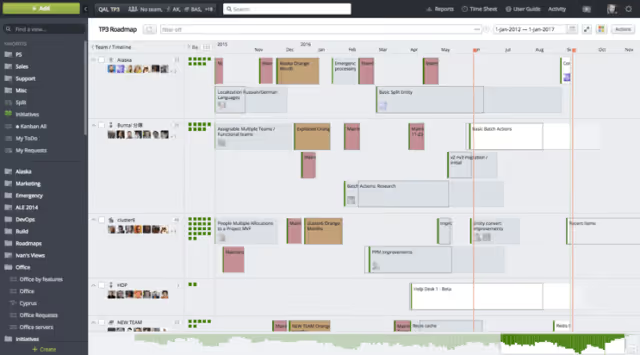
Targetprocess (now IBM Targetprocess), a visualization tool for teams for whom Kanban boards and task lists aren't enough. It builds dependency maps, timelines and project heat maps, adapting to Scrum, Kanban or a custom approach.
After IBM's acquisition the platform received AI features for forecasting and investment analysis. Managers see not only who's doing what, but also where resources are going, where the bottlenecks are and which projects are behind schedule.
The interface is densely populated, you can get lost with many visual elements. Newcomers need time for rollout. But for complex processes this is one of the few tools that actually manages chaos rather than masking it.
- Pros: unique dependency visualization, AI forecasting, support for any Agile methodologies
- Cons: steep learning curve, interface overloaded for small teams
- Price: free, from $20/user/mo
5. Assembla
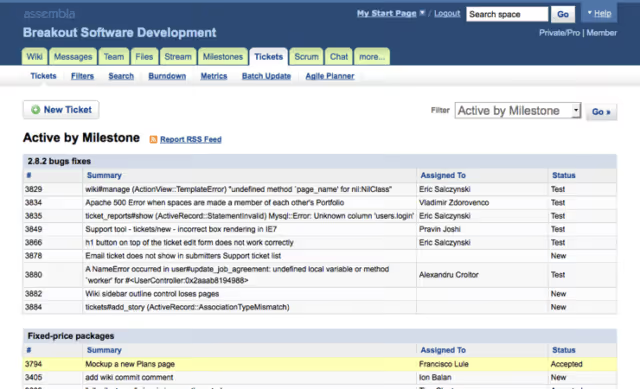
Assembla, a unified environment for code and tickets. The platform combines Git, SVN and Perforce repositories with task management, sprints and wiki in one window, without extra charges for modules.
Integration with Blame, built-in Agile tools and Assembla AI (agent connects to tickets, code and repositories) make the platform especially interesting for teams building complex software. Among clients, developers of games, mobile applications and robotics.
Security at the level: SOC 2, GDPR, AES-256 encryption.
- Pros: code and tickets in one space, built-in AI agent, enterprise security
- Cons: tailored for DevOps, excessive for non-technical teams
- Price: from $7.50/user/mo
6. Blossom
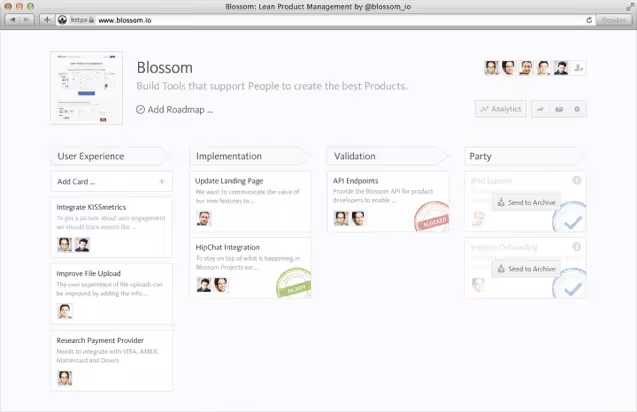
Blossom is built for distributed teams. If developers sit in three time zones and part of the team is on the road altogether, Blossom is designed specifically for this scenario.
At its core, Kanban principles with a focus on cycle time and resource optimization. Daily standups become faster: board visualization is tuned to understand in a minute who's doing what and where the bottleneck is. Integrations with GitHub, Slack and HipChat, some of the best on the market: Blossom understands feature branches and pull requests and doesn't bother the team with unnecessary notifications.
Analytics here are top-notch: cycle time reports help find and eliminate bottlenecks without intuitive guesses. Among clients, Twitter, Apple, Spotify.
- Pros: excellent cycle time analytics, smart notifications, tailored for distributed teams
- Cons: only Kanban (no Scrum), price above average for small teams
- Price: $19, $149/mo
7. Active Collab
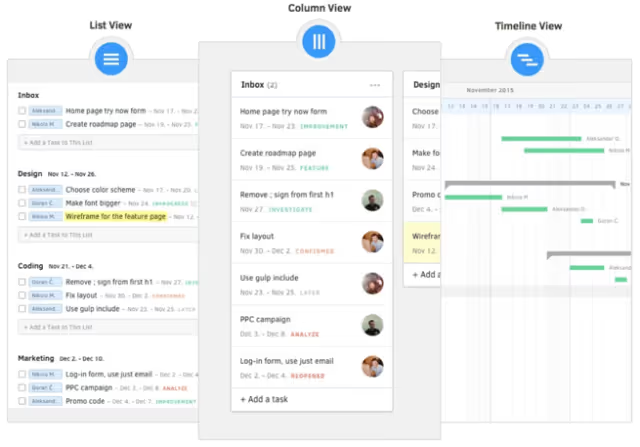
Active Collab, a find for small business and freelancers who need more from project management than just a task board. Built-in here: time tracking, budgeting, invoicing (Stripe and PayPal out of the box), project cost estimation and reporting.
The interface is minimalist, no time wasted arguing with the tool. Tasks can be created and commented on directly from emails, and the iOS app lets you work from anywhere. GDPR-ready without additional settings.
For teams that invoice clients and want to keep finances in the same window as tasks, this is perhaps the best option.
- Pros: built-in billing and time tracking, minimalist interface, GDPR-ready
- Cons: no Scrum boards, no AI, not for large teams
- Price: from $25/mo (5 users) to $299/mo (unlimited)
🔗 Active Collab, official site
8. Planview AgilePlace

Planview AgilePlace, an enterprise Kanban platform for companies that need end-to-end visibility of workflows from strategy to delivery. Former LeanKit, relaunched under Planview's wing with a focus on large organizations and complex supply chains.
Kanban boards are configured for any process. As the process changes you easily change the board layout, and the team doesn't waste time fighting the tool. The platform supports a card scoring system for prioritizing tasks by value, effort and risks, as well as OKR goals with measurable key results.
Integrations with Microsoft Project Server, TFS, VS Online, GitHub, Jira and Oracle Primavera. Planview Anvi AI agents analyze the project portfolio and help with resource allocation, a feature useful at the program level, not individual sprints.
- Pros: powerful Lean visualization, OKR out of the box, AI agents for portfolio, enterprise integrations
- Cons: only Kanban, interface heavy for small teams, non-transparent pricing
- Price: from ~$20/user/mo (unified plan), trial on site
9. Favro
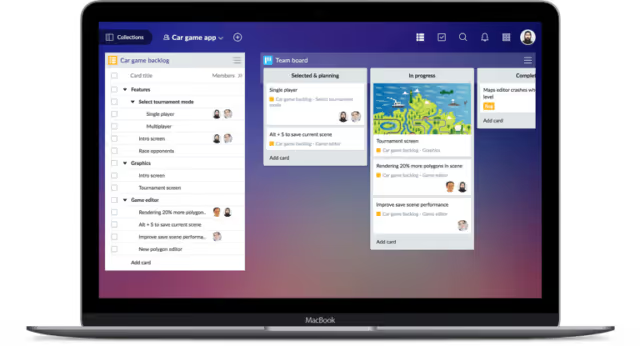
Favro, a Swedish platform that grew from the gaming industry's needs and expanded into a universal tool. Supports Kanban, Scrumban, roadmaps, CRM. Main feature: cards can live on multiple boards simultaneously. A developer's task is visible both in their sprint and on the marketing board.
Integrations with Jira, Miro, Google Drive, GitHub, GitLab, Slack, Zapier. There's two-way sync with Jira, you can migrate gradually. The platform is certified to ISO/IEC 27001 and 27701.
Game studios love Favro for flexibility: there's no rigid structure, each team builds the process for themselves. For enterprise there's SAFe 6.0 support.
- Pros: cards on multiple boards simultaneously, two-way sync with Jira, ISO certification
- Cons: overloaded interface with many boards, free plan limited
- Price: from $6.80/user/mo
10. Linear

Linear, what you get when a team of former developers decides to make a task tracker without slowdowns. In practice the transition from Jira to Linear takes a day or two. Instant interface with keyboard navigation, response to every action in milliseconds and deep integration with GitHub and GitLab.
Unlike Jira, Linear doesn't try to be "everything for everyone." Focus is on speed and convenience for developers. Views: list, board, calendar, roadmap. Support for cycles (sprint analog), automatic prioritization, built-in team velocity analytics.
AI features help classify tickets and suggest priorities. Integration with Sentry automatically creates tasks from production errors. Among users, Vercel, Render, Retool.
- Pros: fastest interface on the market, keyboard navigation, AI ticket classification, Sentry integration
- Cons: only for dev teams (no budgeting, billing), no self-hosted
- Price: free, from $8/user/mo
11. ClickUp

ClickUp, the answer to the question "can everything be in one?" List, board, calendar, Gantt chart, timeline, mind map, documents, chat, in one platform. For teams that want to replace Jira, Trello, Google Docs and Slack with one tool.
AI assistant ClickUp Brain generates reports, summarizes tasks and helps with planning. Built-in time tracking, budgeting and resource management. Integrations: GitHub, GitLab, Slack, Google Drive, Figma and 1000+ more through Zapier.
The free plan includes unlimited tasks and users, for startups and small teams this is a serious argument.
- Pros: all-in-one platform (tasks, documents, chat, charts), AI assistant, generous free plan
- Cons: Agile feature depth inferior to specialized trackers, interface can slow down on large projects
- Price: free, from $7/user/mo
12. Notion

Notion grew from a notepad into a full-fledged project management platform. Databases, kanban boards, calendars, wiki documents, roadmaps, everything links together through relation fields.
For teams that maintain documentation parallel with tasks, Notion is a natural choice. Sprint planning, bug tracker and knowledge base live in one space, not in three different tabs. AI features (Notion AI) help write, summarize and search.
Integrations with GitHub, GitLab, Jira, Slack, Figma. The minus, the depth of specifically Agile features is inferior to specialized tools: complex task dependencies and advanced sprint reports will have to be built manually.
- Pros: flexible knowledge base + tracker in one window, relation fields, Notion AI, rich integrations
- Cons: weaker than specialized trackers in Agile discipline, no built-in CI/CD
- Price: free, from $10/user/mo
A short video on the topic, comparing project management tools for Agile teams in 2026:
⁉️🤔 Frequently asked questions
How does Jira fundamentally differ from the tools in this list?
Jira is a specialized tool for Agile teams with deep workflow customization and the largest integration marketplace. Alternatives are divided into two camps: simpler and faster trackers (Linear, Blossom, Taiga) and universal platforms with features beyond development (ClickUp, Notion, Active Collab). The former win in speed, the latter in coverage of adjacent tasks: budgeting, document workflow, AI.
Which tool to choose if the team is less than 15 people?
For teams up to 15 developers the best choice is Linear or Favro. Linear gives an instant interface and excellent GitHub integration without Jira's overhead. Favro is if you need flexibility in process setup and collaboration with non-technical colleagues. If self-hosted and open source is critical, take Taiga (free on your own server). All three tools offer free starter plans sufficient for teams of this size.
What to take for enterprise with 500+ developers?
Azure DevOps and Targetprocess (IBM), two main candidates for enterprise. Azure DevOps covers the full cycle: Agile boards, CI/CD, repositories and testing in the Microsoft ecosystem. Targetprocess is stronger in dependency visualization and AI forecasting at the portfolio level. Planview AgilePlace if the priority is on Lean/Kanban and end-to-end supply chain visibility.
Can you migrate from Jira without data loss?
Most tools from the list support Jira import: ClickUp, Notion, Favro, Azure DevOps, Taiga. The process usually includes CSV/JSON export from Jira and field mapping in the new tool. Custom Jira workflows don't always transfer one-to-one, manual fine-tuning will be needed after migration.
What about security and compliance?
For teams where certifications are critical: Assembla (SOC 2, GDPR, AES-256), Favro (ISO/IEC 27001, 27701), Azure DevOps and Targetprocess (Microsoft and IBM corporate standards). ClickUp and Notion also offer enterprise plans with enhanced security features, including SSO and audit logs.
Which tools from old reviews are no longer worth considering?
The market changes quickly. VersionOne and LeanKit were acquired and relaunched under other names (Azure DevOps and Planview AgilePlace in our list are their current analogs). VMware Tracker is declared end-of-life, Mingle from ThoughtWorks is closed, Crocagile, Eylean, SprintGround and a number of others have disappeared or been abandoned. That's exactly why we updated the list: all 12 positions are relevant for 2026.
Which tool to take for your task
Choosing a tool is not a search for "the best in general," but a search for the best for a specific scenario. Here's a short decision matrix:
- Startup of 5-15 developers, fast sprints: Linear, interface speed and minimum distractions
- Need self-hosted and open source: Taiga, full control over data, free on your own server
- Large enterprise with SAFe and portfolio of dozens of products: Azure DevOps or Targetprocess (IBM)
- Mixed team (developers + marketing + product): Workzone or Favro
- All-in-one platform for everything: ClickUp, if you want to replace not only Jira but also Google Docs, Slack and task tracker at once
- Freelancers and small business with budgeting: Active Collab, built-in invoicing and time tracking
- Knowledge base + projects in one window: Notion, when documentation is as important as tickets
- Code and tickets in a unified space: Assembla, for teams where a single source of truth is critical
Jira remains a powerful tool, but 2026 is not 2021. Platforms have emerged that solve the same tasks faster, cheaper and with less friction. If you feel Jira is slowing you down, this list is for you.
Try 2-3 tools from the table on free plans. A couple of sprints in a new interface will say more than any review.

A professional team of writers and editors specializing in creating quality content.