














🚀 26 best free WordPress themes for writers and bloggers in 2026
Choosing a theme for WordPress is like picking a book cover. Get it wrong at the start, and readers will leave from the first page without even reaching your content.
The WordPress.org directory has over 14 thousand free themes. It's overwhelming, and half haven't been updated in years and have turned into digital trash. Writers and bloggers need something different: a lightweight template that doesn't distract from text, loads quickly, and looks good on phones.
We manually went through the repository, filtered out abandoned options, and collected 26 active, updated themes built for content. Minimalist blogs, magazine layouts, templates with WooCommerce support, each entry is active in the WordPress.org catalog or on the developer's site, receives updates, and works on the current WP version. No "beautiful but dead" themes, only what you can install and launch today.
💡 Quick overview:
- Decide on your content type
- For selling books, choose themes with WooCommerce
- Check the update date in the WordPress.org catalog
- Run your site through PageSpeed Insights after installation
- Use a "lightweight theme + Elementor" combo for flexibility
Comparison table: 10 quick start themes
Theme | Style | WooCommerce | Mobile adaptation | Last update |
|---|---|---|---|---|
Cenote | Clean blog with sticky menu | No | Yes | Active |
Blog Writer | Minimalism, content-focused | No | Yes | Active |
Kale | Magazine layout + slider | Yes | Yes | Active |
Hueman | Professional, customizable sidebars | No | Yes | Active |
Phlox | Universal builder | Yes | Yes | Active |
Total | Blog + business site + one-page | Yes | Yes | Active |
Flash | SEO-optimized, drag-and-drop | Yes | Yes | Active |
The Photograph | Photo blog, fullscreen images | No | Yes | Active |
Type | Magazine, 4 header variants | Yes | Yes | Active |
The Minimal | Content-focused, 3 footer widgets | No | Yes | Active |
1. Cenote
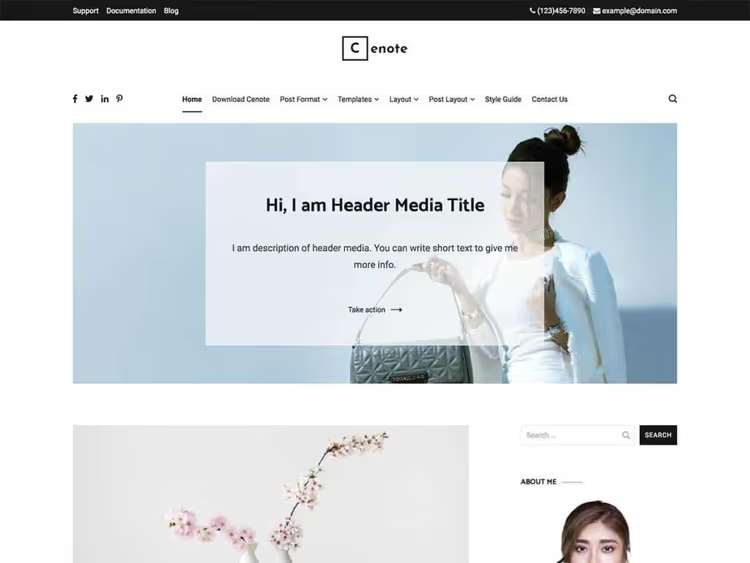
Cenote from ThemeGrill, a lightweight theme that doesn't try to be everything at once. Lots of white space, responsive layout, and a sticky menu that stays visible when scrolling. Built-in social media icon set and basic translation tools make it convenient for multilingual projects. A good start if you need a clean blog without visual noise.
2. Olsen Light
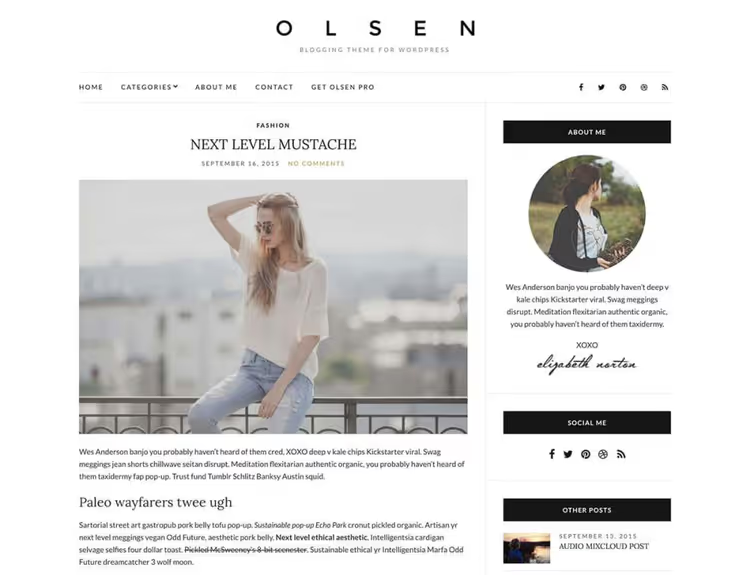
Olsen Light from CSSIgniter, a theme for those who write and shoot. Clean grid, Retina-ready, and built-in Google Analytics connection. Russian interface translation doesn't require jumping through hoops, the theme is ready for localization. Post formats, social sharing, and simple photo content integration.
3. Unwind
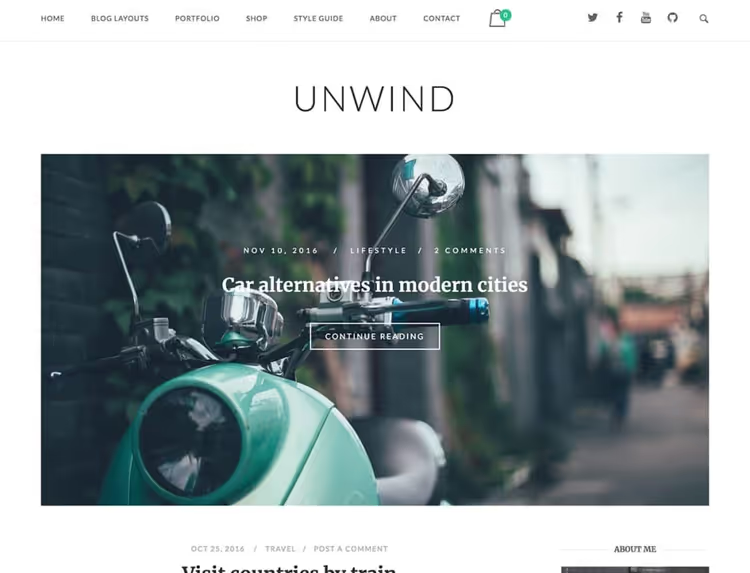
Unwind from SiteOrigin, a minimalist theme you appreciate for speed. Fast page loading works for SEO, and WooCommerce compatibility lets you add a store without changing templates. Four customizable areas and flexible customization through WordPress Customizer.
4. Noto
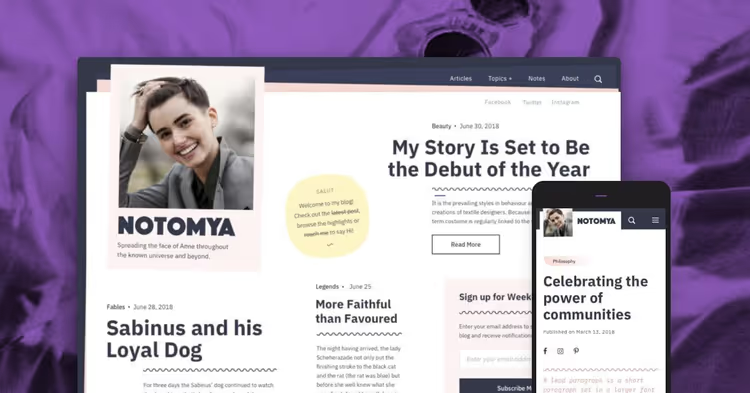
Noto from Pixelgrade, a theme with subtle animations and a book vibe. Three widget areas, Style Manager for visual consistency, and pre-configured font and color palettes. Technically it's freemium: the free version is available, but the full toolset is paid. Suitable for those ready for partial limitations in exchange for design.
5. Blog Writer

Blog Writer, a minimalist WordPress theme created specifically for writers and bloggers. Clean design, pleasant typography, and subtle effects that make reading comfortable, not distracting. Modern, classic, and minimal aesthetics in one template. Updated in September 2024, version 1.0.9.
🔗 Blog Writer on WordPress.org
6. Open WooCommerce

Open WooCommerce, a fast and versatile theme for online sales and content sites. Integrates with WooCommerce, YITH wishlist, YITH quick view, and Elementor without extra steps. Fresh update in April 2026 (version 1.0.8). Suitable for writers who want to sell books or merch directly from their blog.
🔗 Open WooCommerce on WordPress.org
7. The Minimal Blogger

The Minimal Blogger, a block WordPress theme for writers and bloggers who need a clean, modern canvas without visual noise. Actively updated (version 1.5, February 2026), supports the block editor, and gives freedom in customization through Customizer. A good fresh option for a minimalist blog where text comes first.
🔗 The Minimal Blogger on WordPress.org
8. Tracks
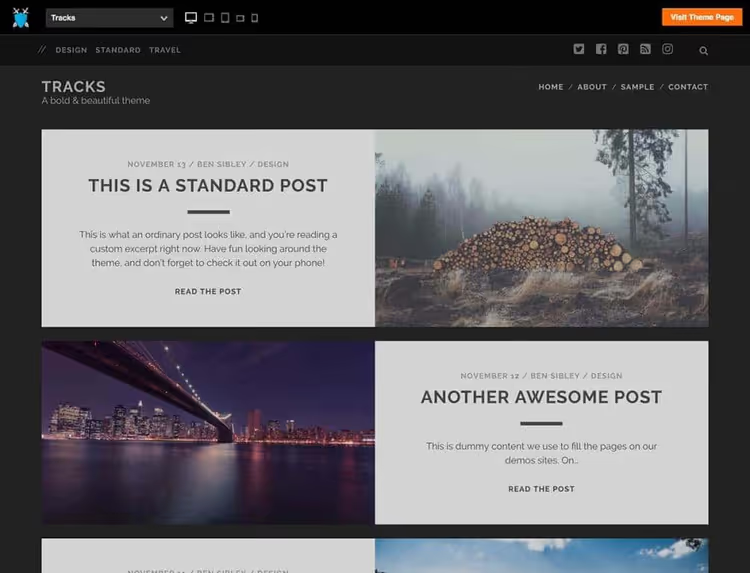
Tracks from Ben Sibley, a dark, alternative theme that maintains natural content flow. You can choose how posts display on the homepage: with or without images, with different text-to-image ratios. Hover effect, "read more" button, author info block, everything included.
9. Kale
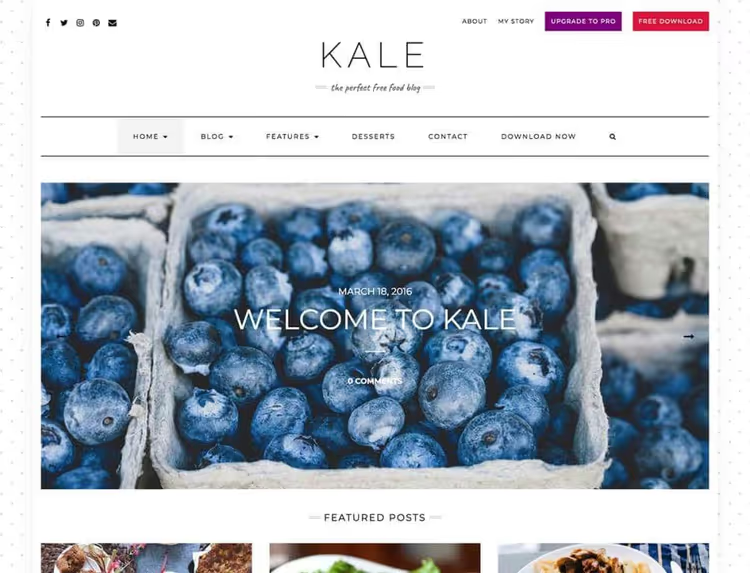
Kale from Lyra Themes, a magazine template with built-in WooCommerce support. Slider for popular posts, dropdown menu, banners, and YouTube video responsiveness. You can remove everything extra from slides and leave only images clickable to a specified URL. For a light online magazine, an excellent option.
10. Hoffman
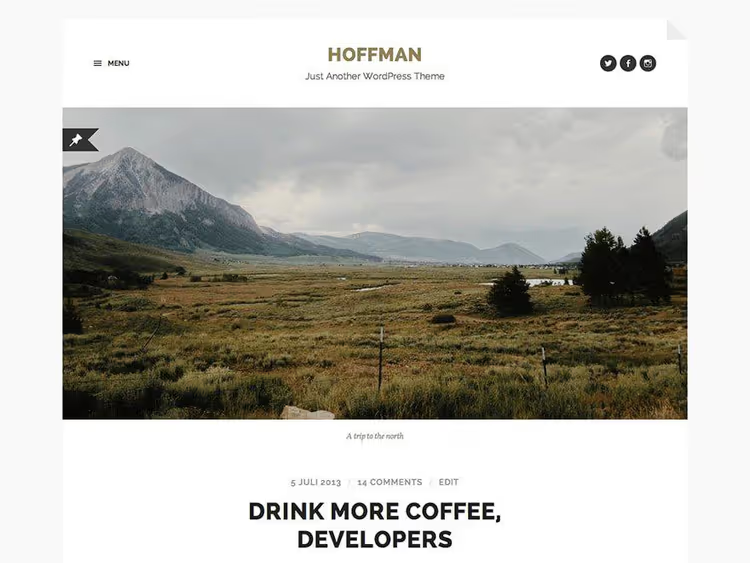
Hoffman from Anders Norén, a theme where modern functionality is wrapped in vintage aesthetics. Flat design creates the feeling of reading a book. Two-page templates, slideshow photo galleries, Jetpack integration, and Retina readiness. A favorite of bloggers who value style.
11. Hueman
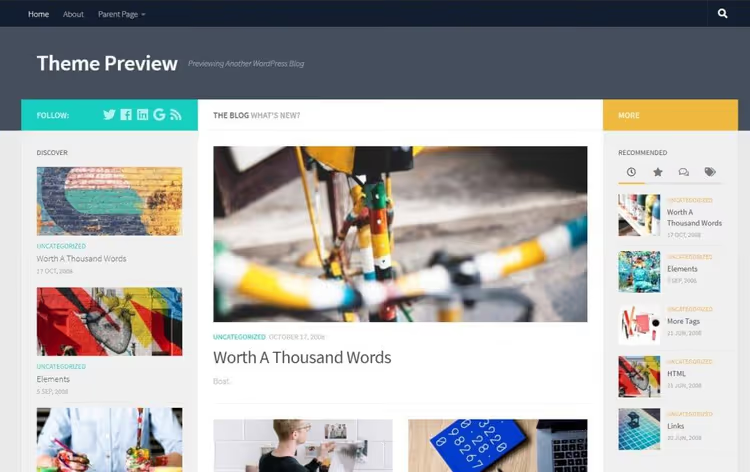
Hueman from Nicolas Guillaume, an elegant theme where you can customize each page separately. Sidebars can be added or removed completely, and a twitter bar adds social dynamics. Easy audio and video addition, responsive layout. Looks professional without extra effort.
12. Cali
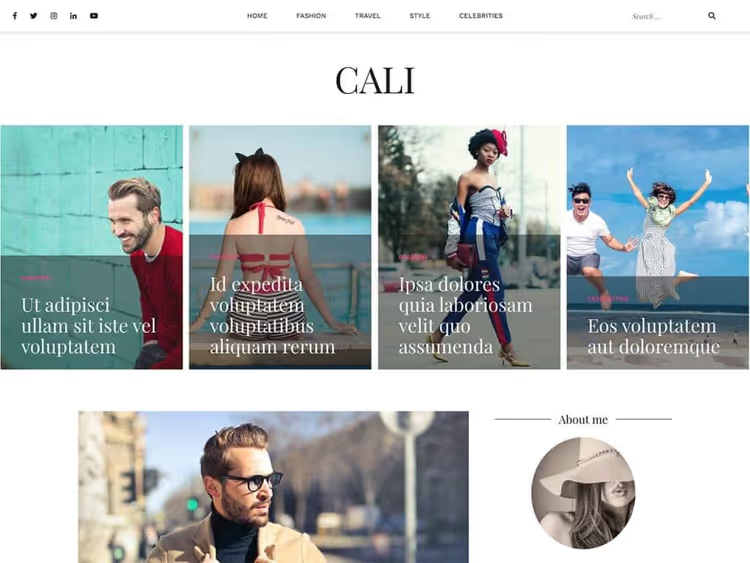
Cali from aThemes, a responsive template for blogs and magazines with a carousel for HQ photos. Lots of white space, social buttons, color and font customization, WooCommerce, and cross-browser support. Translation ready. Good SEO out of the box, no need for an additional plugin for basic optimization.
13. Type
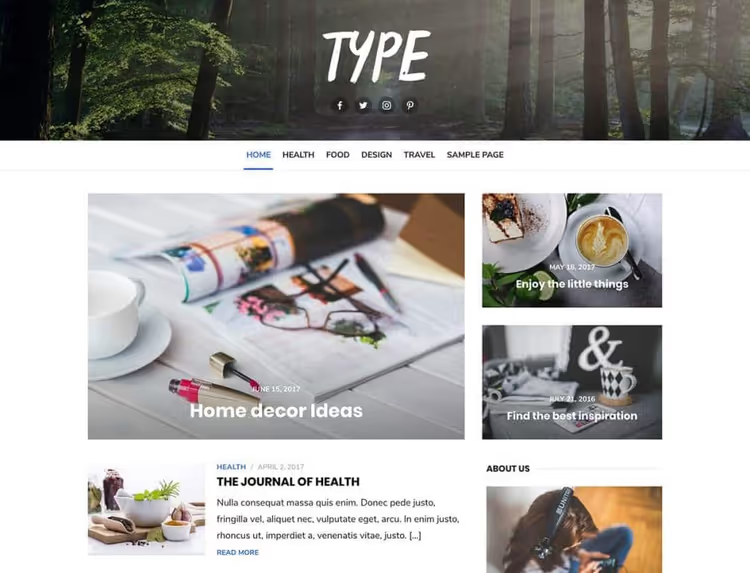
Type from DesignLab, a flexible template suitable for blogs, magazines, and stores. Four header variants, three layouts, choice of sidebar position. Well coded, basic search optimization already in the theme code, and all customization changes are visible in real time before publishing.
14. Period
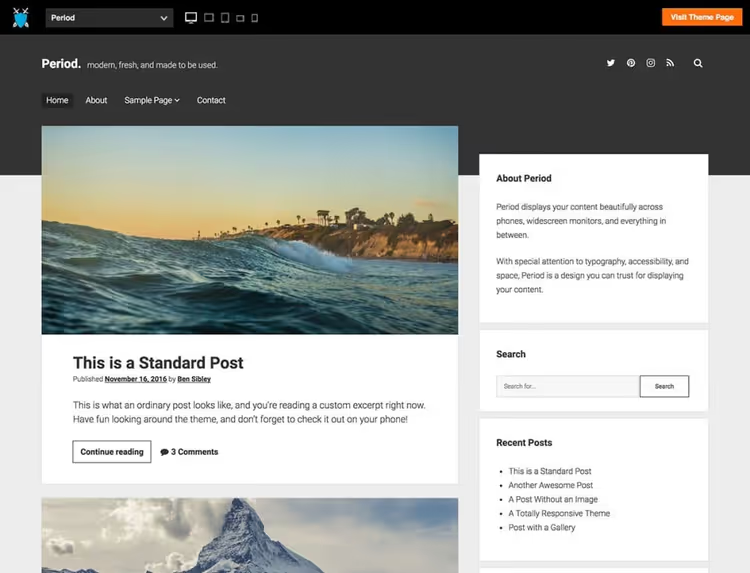
Period from Ben Sibley, minimalism in dark tones, popular among professional niche bloggers. Responsive layout, several layout options, category tags, and author bio with gallery description for SEO. WooCommerce compatibility and smooth plugin integration.
15. The Minimal
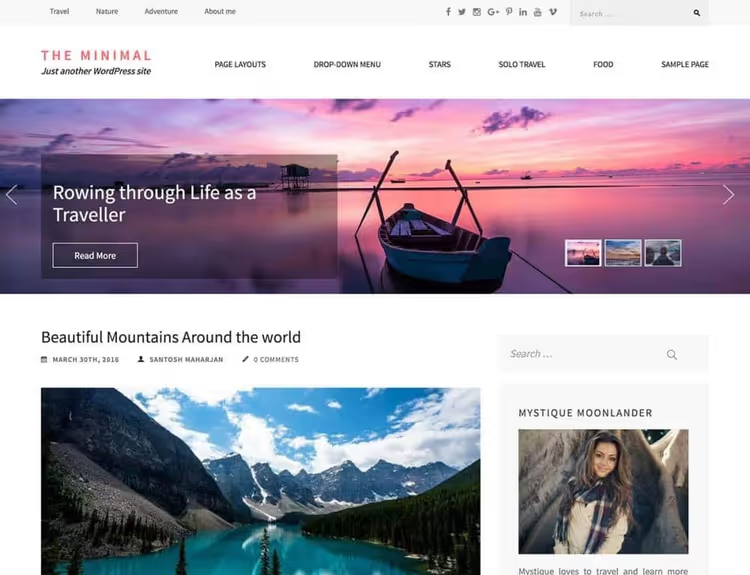
The Minimal from Rara Theme, a quiet, content-oriented template for writing and magazine sites. Slider managed efficiently, three footer widgets, and several built-in widgets. Full-width layout, quote, link, gallery, and video formats. Translation to other languages supported.
🔗 The Minimal on WordPress.org
16. Author
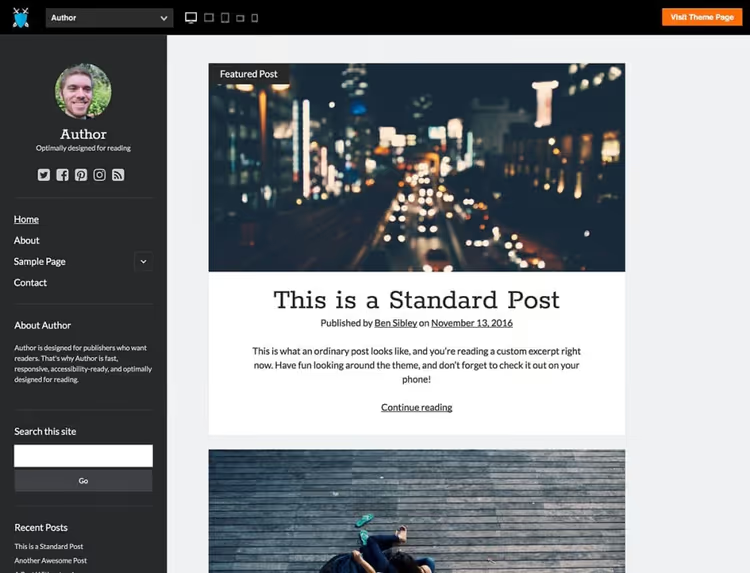
Author from Ben Sibley, a two-color theme: dark sidebar and light main section. Contrast focuses attention on content. Lightweight, fast, and with accessibility for readers with disabilities. An excellent choice if you write a lot and want text to be the main character.
17. Everly Lite
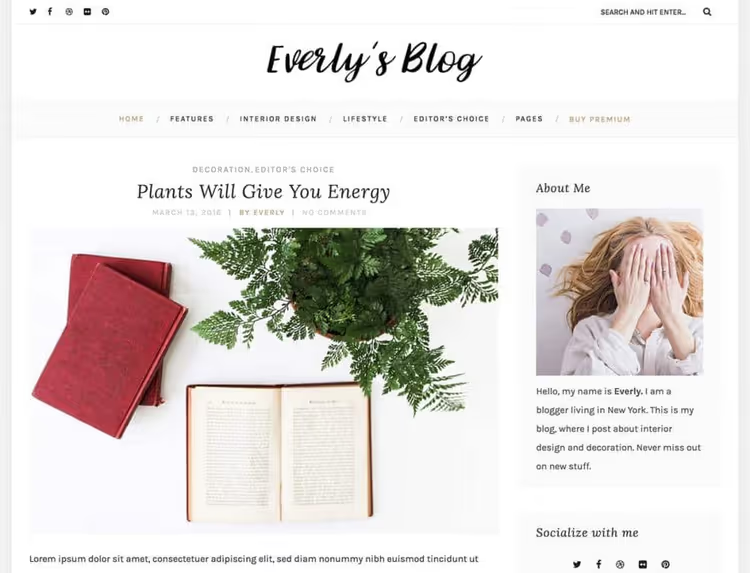
Everly Lite from Premium Coding, a free version with limited but sufficient customization: favicon, footer, header, and sidebar settings. You can switch between default layout and grid. Built-in options for fonts, colors, and logos through Appearance.
🔗 Everly Lite on Premium Coding
18. The Photograph

The Photograph, a free WordPress theme for photographers, bloggers, and creative sites. Fullscreen image display, elegant typography, and a minimalist grid that doesn't distract from visual content. Updated in May 2026 (version 1.6), supports the block editor, and is responsive out of the box.
🔗 The Photograph on WordPress.org
19. Anariel Lite
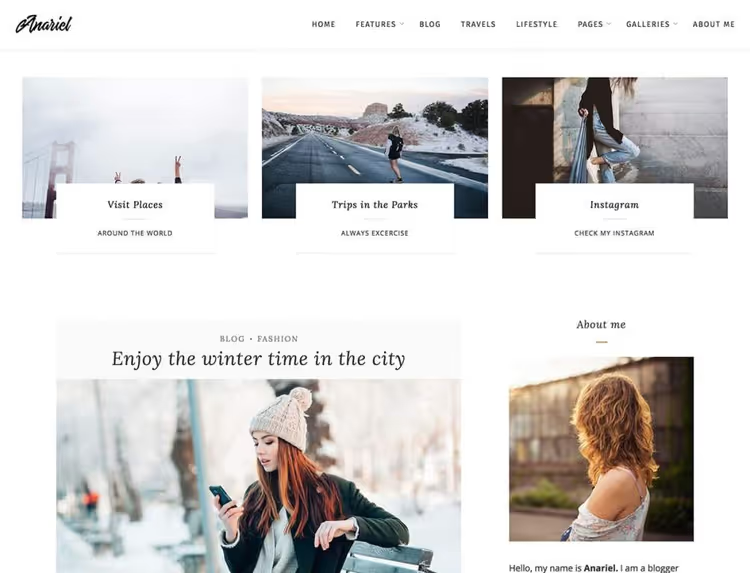
Anariel Lite from Premium Coding, a minimalist template with Retina support and content-friendly widgets: Instagram feed, galleries, recent posts. Six predefined demos let you choose a starting point for layout without fiddling with settings.
🔗 Anariel Lite on Premium Coding
20. Phlox
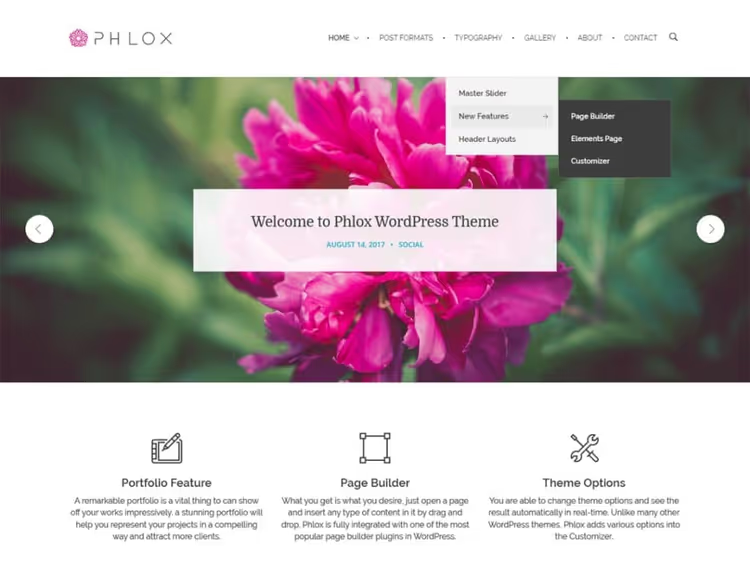
Phlox, one of the most versatile free options. Large slider, several post formats, fullscreen gallery, built-in page builder, Google Fonts, and WooCommerce. Social buttons and CTA elements come included. If you need a combo theme, not a narrow tool, this is it.
21. Total
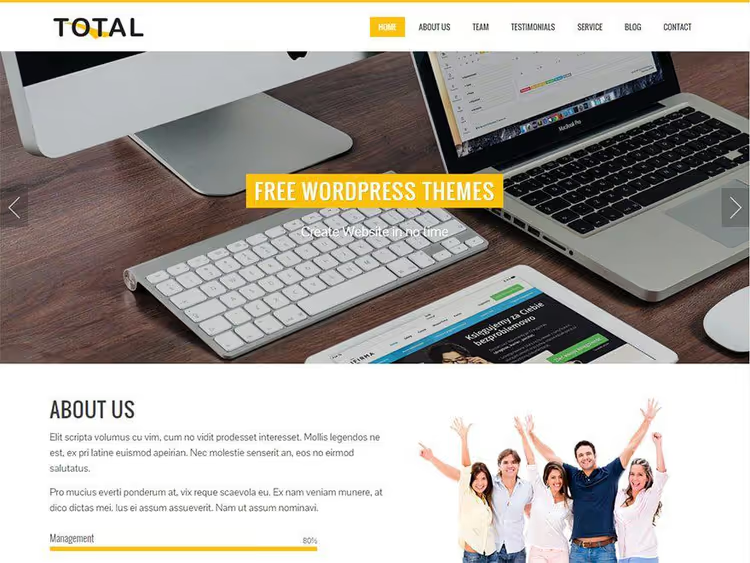
Total from Hash Themes, blog, magazine, and business site in one package. Parallax sections and minimalist design draw attention to CTAs. Four layouts to choose from, customization through Customizer, and the ability to create a one-page site for maximum impact.
22. Flash
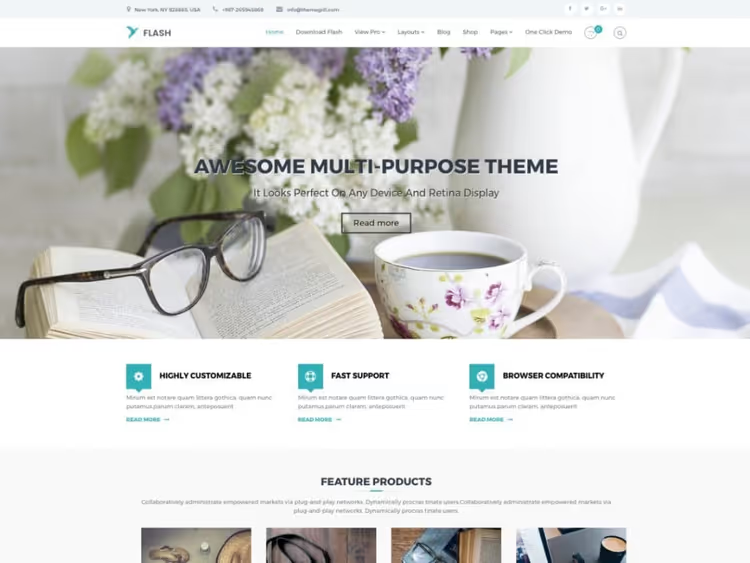
Flash from ThemeGrill, fully responsive and SEO-optimized theme. Layout is assembled by dragging or importing ready templates. Color customization for different site elements, including links. If SEO is a priority and you don't have time to dig into code, a worthy choice.
23. Radiate
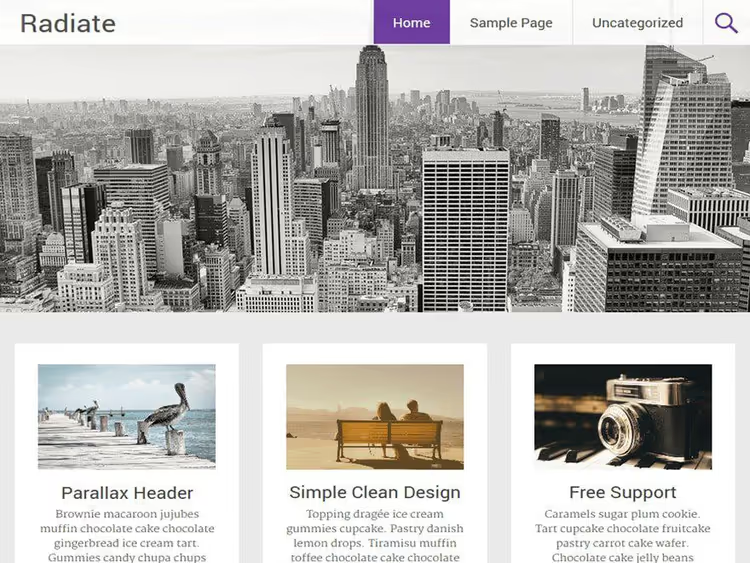
Radiate from ThemeGrill, large header image and three widgets below it. Suitable for food blogs, travel notes, and photo stories. Traditional blog layout, color and background customization, custom CSS. Simple and reliable theme with no entry barrier.
24. Brilliant
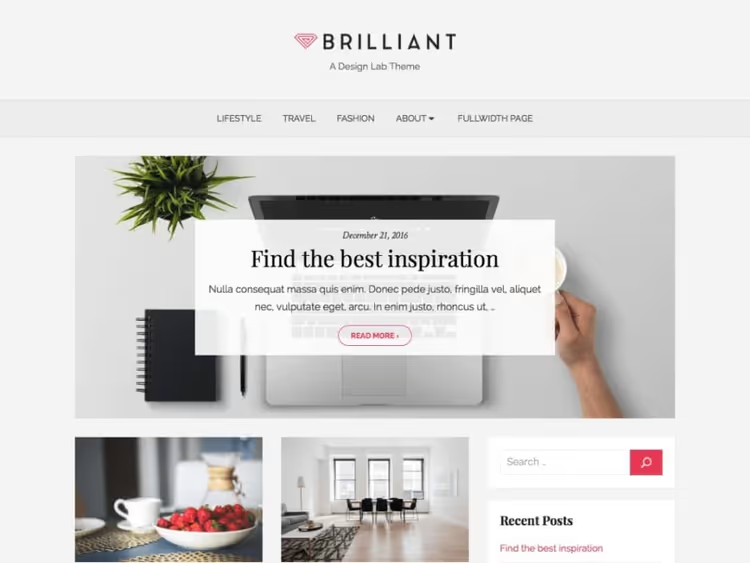
Brilliant from DesignLab, Pinterest-style layout: card grid for personal blogs and magazines. Widget for recent posts, comments, and categories in the sidebar. Color, header, and footer customization through Customizer. Simplicity where content remains primary.
25. Baskerville
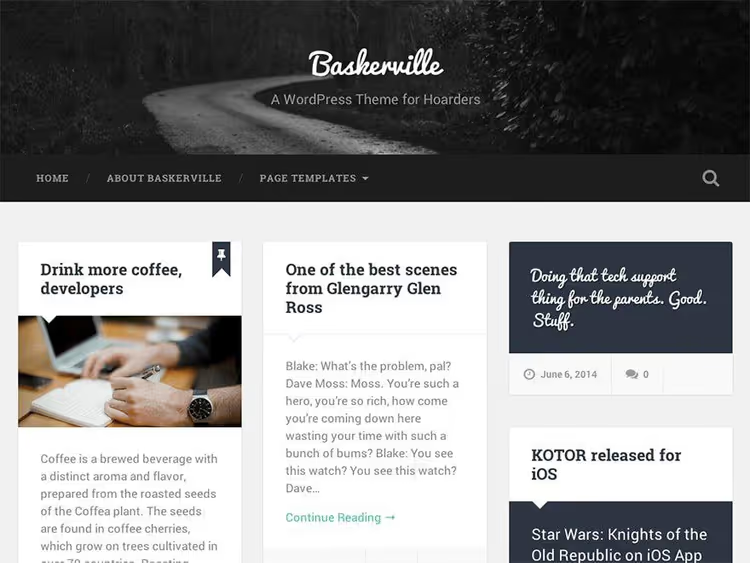
Baskerville from Anders Norén, Pinterest style for content-rich blogs. Images next to posts, author block with bio, avatar, and social profiles. Three custom widgets: video, Flickr, and Dribbble. All post formats supported, header image customization, and two widget areas.
🔗 Baskerville on WordPress.org
Bonus: Elementor, build your own theme
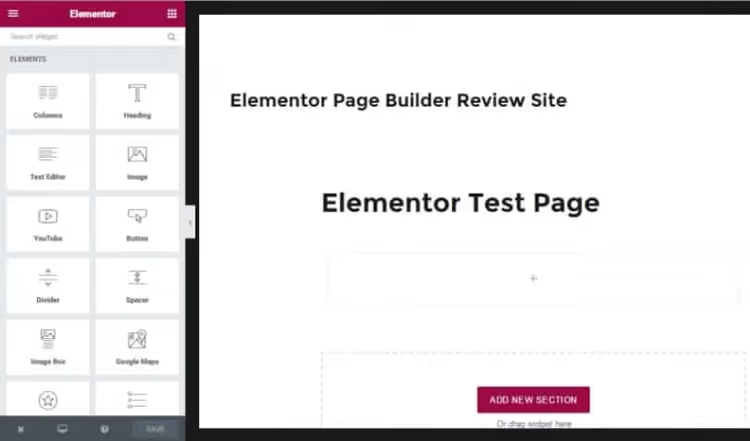
Elementor, not a theme but a free page builder that lets you assemble your design from scratch. Header, footer, pages, posts, everything is designed visually without code. The free version gives dozens of widgets, ready templates, and live custom CSS. If none of the 25 themes above fit, take a lightweight starter theme (like Hello Elementor) and build your design in Elementor. Our site has a separate review of builder capabilities, search for "Elementor" in the blog header.
Want to see how themes look in action, not in screenshots? Here's a video review of ten best free WordPress themes with live demonstration. The author goes through each theme, shows settings, and explains what content type it suits.
⁉️🤔 Frequently asked questions
How does a free WordPress theme fundamentally differ from a paid one?
A free theme from the WordPress.org catalog goes through mandatory code and policy review before publication. A paid theme usually gives more demo layouts, a built-in page builder, and real-time tech support. But for starting out, a free theme from this list is more than enough, they all update and work on the current WP version. The difference in loading speed between a free and paid theme in the same category typically doesn't exceed 0.3-0.5 seconds according to WP Rocket tests from 2025.
Do I need to pay for WooCommerce compatibility in a theme?
No. WooCommerce is also a free plugin, and themes from this list marked as WooCommerce-compatible (Kale, Open WooCommerce, Total, Flash) work with it without extra charges. WooCommerce integration in the theme itself is free, you'll only pay for store extensions (payment gateways, advanced reports) if you need them.
Can I change the theme on a live site without losing content?
Yes, changing themes doesn't delete posts, pages, and media files. But widgets, menu positions, and customizer settings may shift, make a backup before changing and check the site in preview mode of the new theme. Some themes store data in their own fields, they'll be lost when switching, so test on staging or a local server first.
Which theme is better for SEO, minimalist or magazine?
Loading speed and clean HTML code matter more than visual style. Minimalist themes (Blog Writer, The Minimal) load faster on average, but magazine themes (Kale, Hueman) aren't necessarily worse, everything depends on code quality and absence of bloated scripts. Check the theme through PageSpeed Insights on mobile version: if the score is below 85, look for another. In 2026, Core Web Vitals remain a direct ranking factor.
How much time does it take to customize a theme?
Typical scenario for a solo author: 2 to 4 hours for installation, replacing stock images, setting colors and fonts, creating menus, and connecting social media. Themes with live preview in Customizer (Type, Total) are configured faster, changes are visible immediately, no need to reload the page after every tweak.
What to do if a theme stops updating?
Go to the WordPress.org catalog and check the last update date. If more than two years have passed, look for a replacement. An abandoned theme risks breaking at the next major WordPress update or spawning a vulnerability that no one can fix. Good news: of the 26 themes in this review, all are active, and you can always switch to another from the list without losing content.
Which WordPress theme should a writer choose in 2026
Twenty-six themes is a lot, but the final choice comes down to three simple scenarios. You write text and don't plan a store, take a minimalist template: Blog Writer or The Minimal. You need photos and visual storytelling, look at The Photograph, Phlox, or Baskerville. You want a blog with the ability to sell, Open WooCommerce, Kale, Total, or Flash with a store out of the box.
If you're completely unsure, start with Blog Writer. It's a fresh minimalist theme created specifically for writers, without visual noise and with pleasant typography. And when you want more, Elementor will complement any theme from this list with the ability to visually build pages without code. Don't overpay for a premium theme at the start: free tools in 2026 are enough to launch a professional blog and start growing an audience.

A professional team of writers and editors specializing in creating quality content.