














🥇 5 back in stock notification plugins for WooCommerce 2026 (Free and Pro)
Out of stock, buyer leaves. And they don't just leave, they go to a competitor who has the same item in stock. You lose not one sale, but the entire cycle: click, interest, willingness to pay. It's especially frustrating when demand exists and the product is just temporarily out of stock.
A back-in-stock notification plugin solves this problem on the spot. The visitor leaves an email or phone number, and the system automatically notifies them when the item is available again. No manual campaigns. No lost customers. In practice, a well-configured waitlist brings back 10 to 30 percent of departed buyers, money you had already written off but can return to the register. The scheme works simply: the plugin adds a subscription form to the out-of-stock product page, collects contacts in a separate table, and automatically sends a notification to everyone on the list when inventory status changes.
We've collected 5 tools for WooCommerce that handle waitlist notification tasks: from simple subscription forms to multi-channel alerts with WhatsApp and SMS. Each one has been verified for relevance in 2026. In practice, we tested these plugins on stores with catalogs ranging from 200 to 5,000 SKUs: some tools focus purely on email notifications and do so with minimal server load, while others add SMS and messengers, database export, analytics, and multi-vendor marketplace support.
💡 Quick overview:
- Install a plugin from the collection and activate the subscription form on the out-of-stock product page.
- Connect multi-channel notifications via SMS and WhatsApp.
- Set up subscriber database export and import at no extra cost.
Plugin | Channels | Price | Multi-vendor | Export |
|---|---|---|---|---|
| Free (add-ons paid) | ❌ | CSV (add-on) | |
| Free / Premium | ❌ | ❌ | |
| - | Free | ❌ | ❌ |
| Email + SMS | Free | ❌ | ✅ |
| Email + SMS + WhatsApp | Free / Pro | ✅ (Dokan) | ✅ |
1. Back in Stock Notifier for WooCommerce
Plugin from ProPluginsLab with background processing for email campaigns. When a product comes back in stock, the system doesn't loop through thousands of subscribers head-on, emails go out via background process. No restarts, no duplicates, no timeouts.
Supports simple, variable and grouped products, as well as WooCommerce subscriptions. For registered users, email is filled in automatically. There's duplicate protection: one address won't end up in the list for the same product twice.
Pros:
- Background sending, doesn't crash the server with 10,000+ subscribers
- Google reCAPTCHA support on subscription form
- Theme and email text customization from admin panel
Cons:
- Free core is basic; SMS, CSV export, double opt-in come as paid add-ons
- WhatsApp notifications require separate Twilio add-on
Price: free core. Add-ons sold separately: WPML, unsubscribe, double opt-in, Twilio SMS, Klaviyo, Mailchimp, CSV export and others (prices for each on ProPluginsLab site). Bundle of all extensions available at a discount.
🔗 Back in Stock Notifier on WordPress.org
2. YITH WooCommerce Waiting List
Solution from YITH, one of the oldest vendors in the WooCommerce ecosystem. The plugin gives buyers a "Notify me when available" button on out-of-stock product pages. When the item returns, an email goes to the subscriber.
The form can be styled to match site design: button colors, fonts, invitation text. For registered users, there's a one-click "Add me to waiting list" option. In the admin panel, a summary meta-box with the number of waiters per product and quick access to the list.
Pros:
- Deep integration with YITH ecosystem (themes, other plugins)
- Flexible form and button appearance customization
- Separate section in user account for managing subscriptions
Cons:
- Premium version (pricing on YITH site), email only, no SMS and WhatsApp
- No built-in subscriber export
Price: Lite, free. Premium, pricing on YIThemes page (extended style settings, priority support).
🔗 YITH Waiting List on WordPress.org🔗 YITH site (Premium)
3. Out of Stock Message for WooCommerce
This tool doesn't collect waitlist subscribers, but solves a related task: it replaces the standard "Out of stock" with an informative custom block. You set the text, background color and font color, the message appears on the product page automatically.
Supports regular and variable WooCommerce products. You can display a global message through the Inventory section, or an individual one for a specific item. Block position on the page is configurable.
Pros:
- Extremely simple: install, pick colors, write text, done
- Doesn't burden the database: no subscriber tables, no background processes
- Free with no Premium add-ons
Cons:
- Doesn't collect email addresses, this is not a waitlist plugin but a standard badge replacement
- No automatic notification when product comes back in stock
Price: completely free.
🔗 Out of Stock Message on WordPress.org
4. Waitlist WooCommerce
Free plugin that covers virtually all waitlist functionality needs without buying add-ons. Supports email and SMS notifications, two display forms (popup or embedded), subscriber list export and import. The [join_waitlist] shortcode displays the button anywhere: on product page, in sidebar or inside a custom block.
Form and buttons are customizable to brand. After subscription, notification goes to both user and administrator, convenient for manual control. Worth highlighting the flexibility with guest and registered users: for each group you can enable or disable the subscription form independently.
Pros:
- SMS notifications in free version
- Waiting list export and import
- Popup and embedded form to choose from
Cons:
- No WhatsApp channel
- Interface looks simpler than commercial alternatives
Price: free.
🔗 Waitlist WooCommerce on WordPress.org
5. Stock Notifier for WooCommerce
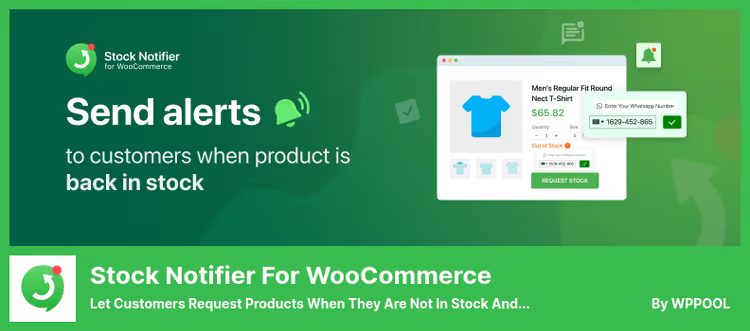
Flagship plugin from WPPOOL with the widest set of channels: email, SMS and WhatsApp. Out of the box, international phone validation with automatic country code detection by flag. In the admin panel, product popularity charts, monthly subscription statistics, stock progress bars.
The only tool in the collection with full support for Dokan Multivendor Marketplace. Each vendor gets their own subscriber list, their own analytics and their own notification settings. Pro version adds custom CSS, WP SMS integration (150+ gateways), Twilio, data export and breakdown by specific products and tags.
Pros:
- Three notification channels (email, SMS, WhatsApp) in one plugin
- Dokan multi-vendor support
- Visual analytics: charts, progress bars, monthly statistics
Cons:
- Some advanced features (export, custom CSS, WP SMS) only in Pro
- Settings interface is dense, higher entry threshold than minimalist alternatives
Price: free core with basic features. Pro version, pricing on WPPOOL site (depends on number of sites and module set).
🔗 Stock Notifier on WordPress.org🔗 WPPOOL site (Pro)
In the video, step-by-step setup of back-in-stock notifications in WooCommerce: from plugin installation to sending the first test email.
⁉️🤔 Frequently asked questions
Do waitlist plugins work with variable products?
All plugins in the collection support WooCommerce variable products. The subscriber specifies a particular variation (size, color), and notification comes for exactly that one.
Back in Stock NotifierandStock Notifieradditionally work with grouped products and subscriptions.
Can I send SMS instead of email?
Yes, but not with all.
Waitlist WooCommerceincludes SMS in the free version.Stock Notifierfrom WPPOOL gives SMS and WhatsApp in one package, plus integration with Twilio and WP SMS (150+ gateways) in Pro.Back in Stock Notifierrequires paid Twilio add-on.YITHandOut of Stock Messageare email only.
What should I choose for a Dokan multi-vendor marketplace?
Stock Notifier for WooCommercefrom WPPOOL, the only option with native Dokan Multivendor support. Each seller gets a separate panel with their own subscribers, statistics and settings. Other plugins are designed for single-vendor stores.
Do I need a plugin if I just want to replace the standard "Out of stock" badge?
Out of Stock Message for WooCommerceis your case. It doesn't collect an email database, but simply gives custom text and colors for out-of-stock status. Free, no database load, no extra tables.
Which plugin is the most functional among free ones?
Waitlist WooCommerce, email + SMS, popup and embedded form, subscriber export/import, shortcodes. All in the free core. If you need WhatsApp and multi-vendor, look towardStock Notifier.
What to settle on in 2026

If the store operates with a single seller and you only need email, take Back in Stock Notifier and you won't regret it. Background sending saves you when the subscriber base grows.
Need SMS and a full free set, Waitlist WooCommerce gives form, popup, export and SMS without a penny of extra charges.
Multi-vendor on Dokan, Stock Notifier from WPPOOL is unmatched. WhatsApp, SMS, analytics and separate panels for each seller.
And when it's enough to simply replace the faceless "Out of stock" badge with a meaningful message, Out of Stock Message does exactly that and doesn't require a minute of extra setup.
Choose for your task, not someone else's ranking. All five plugins are available in the official WordPress.org catalog, install in one click and require no code editing. Try the one that fits your scenario on a test store, setting up the form and sending the first test notification takes no more than ten minutes.

A professional team of writers and editors specializing in creating quality content.