














🥇 6 sticky menu, header and footer plugins for WordPress 2026 (free and Pro)
A header that disappears on scroll loses a significant portion of navigation clicks. The user scrolled down the page, wanted to jump to another section, and the menu is gone. They have to scroll back up. Annoying.
A sticky header solves this problem: the menu, logo, and CTA button stay visible no matter how far down the page the user has scrolled. But not every plugin does this without glitches: one breaks the layout on mobile, another conflicts with caching, a third one slows down rendering by half a second.
In this roundup, 6 sticky menu and header plugins for WordPress that we've tested for compatibility with the current version of the CMS and modern themes. No fluff, only working tools.
💡 Quick overview:
- Comparison table of all 6 plugins: active installs, price, Elementor support, sticky effects
- Detailed breakdown of each tool: pros, cons, what scenarios it's suited for
- Which plugin to choose for your task: concrete recommendations in the final matrix
- Answers to common questions: sticky menus and SEO, conflicts with themes, impact on speed
Comparison table
Plugin | Active installs | Price | Mobile version | Sticky effects | Own Elementor widget |
|---|---|---|---|---|---|
| 200,000+ | Free / Pro $39 | ✅ | ❌ | ❌ |
| 60,000+ | Free | ✅ | 10+ effects | ❌ (add-on to Elementor) |
| 100,000+ | Free / Pro from $25 | ✅ | Basic | ❌ |
| 2,000+ | Free | ✅ | ❌ | ❌ |
| 10,000+ | Free | ✅ | ❌ | ✅ |
| 300+ | Free | ✅ | ❌ | ❌ |
1. Sticky Menu & Sticky Header
The most popular plugin in the category: 200,000+ active installs and a 4.9 rating on WordPress.org. Developed by the WebFactory team and updated to version 2.35 in April 2026.
Main feature: makes any page element sticky, not just menus or headers. Just specify a CSS selector, and a widget, button, banner, or sidebar gets fixed on scroll. A visual element picker is available in the Pro version.
In practice, this means the plugin isn't tied to a specific theme. It works with classic themes, block themes (FSE), and any page builder.
Pros:
- Versatility: fixes any element by selector, not just menus
- Independent of theme or page builder
- Accounts for the WordPress admin bar when calculating offset
- Debug mode for diagnosing CSS conflicts
Cons:
- Requires understanding of CSS selectors, beginners need the visual picker (Pro only)
- Known bug: element doesn't resize when browser window width changes
- One sticky element in the free version, multiple only in Pro
Price: free Lite version on WordPress.org, Pro $39 (one-time) at wpsticky.com.
🔗 Sticky Menu & Sticky Header on WordPress.org🔗 Pro version at WP Sticky
2. Sticky Header Effects for Elementor
A plugin by POSIMYTH Innovations (acquired the project from the original developer) with 60,000+ active installs. Designed exclusively for Elementor, works with both the free and Pro versions of the builder.
10+ scroll effects for headers: transparent background when overlaying a hero section, logo shrink, color change on scroll, blur effect, auto-hide on scroll down and show on scroll up. 50+ ready-made header templates with pre-configured sticky logic.
Pros:
- Doesn't require Elementor Pro, works with the free version
- 10+ scroll effects in one plugin
- Full responsive control: separate settings for desktop and mobile
Cons:
- Since version 2.1.0 (after ownership change), there's an upsell of other products in the admin
- Doesn't control sticky positioning itself, needs to be enabled in the Elementor Motion Effects tab
- Minor bloat of the admin panel with promo banners
Price: free. No Pro functionality, monetization through cross-promotion of other POSIMYTH products.
🔗 Sticky Header Effects for Elementor on WordPress.org
3. My Sticky Bar
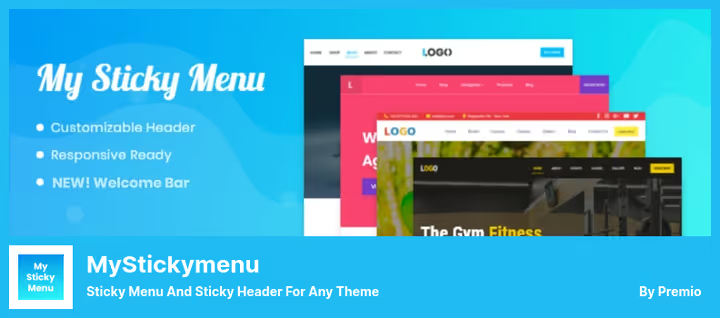
A plugin by the Premio team, previously known as myStickymenu. 100,000+ active installs. In addition to a sticky menu and header, it adds a floating notification bar at the top of the page, a welcome bar with announcements, promotional offers, and a countdown timer.
In the free version, the menu is fixed via the .navbar class, for most themes it's enough to activate the plugin and enable the sticky function. Appearance effects are supported: fade and slide.
Pros:
- Two tools in one: sticky menu and floating notification bar
- Contact form right in the notification panel (lead collection)
- Countdown timer in Pro, useful for promotions and limited-time offers
- Works out of the box with most themes
Cons:
- Only basic sticky effects (fade/slide), no blur and shrink
- Pro version with many add-ons, but the free version is functionally more modest
- Welcome bar can conflict with other fixed panel plugins
Price: free Lite version, Pro from $25/year at premio.io.
🔗 My Sticky Bar on WordPress.org🔗 Pro version at Premio
4. Catch Sticky Menu
A lightweight free plugin by Catch Themes. 2,000+ active installs, 5-star rating. Updated to version 2.0 in late May 2026 with a complete code refactor and compatibility with WordPress 7.0.
Minimalist approach: you choose a menu CSS selector, set the background color and transparency for the sticky state, specify the z-index. That's it. No visual clutter in the admin.
Pros:
- Extremely simple, no interface bloat
- Separate selectors for desktop and mobile
- Complete 2026 refactor: removed nonce leaks, fixed output in
<head>, function prefixing - Doesn't add promo banners or ads
Cons:
- One sticky element, multiple not supported
- No visual scroll effects (shrink, blur, hide on scroll)
- Small community, only 15 reviews
Price: completely free, no Pro version.
🔗 Catch Sticky Menu on WordPress.org
5. All-in-One Sticky Anything

A universal plugin by Monzur Alam with 10,000+ active installs. Covers several tasks at once: sticky header and menu, fixed widgets and sidebar, floating social icons, click to call button, cookie notice, and automatic table of contents.
Built-in Elementor support: in the Advanced panel of any container, a Sticky Anything section appears with a separate toggle. Elementor Pro not required. For classic themes, works via the .sticky class in markup.
Pros:
- 6 functions in one plugin: sticky, click to call, cookie consent, table of contents, social icons, fixed sidebar
- Native integration with Elementor Free, no Pro needed
- Special guides for Astra, Neve, Kadence, GeneratePress
- Latest update and reviews: June 2026
Cons:
- Cookie consent doesn't remember user choice, requires a separate cookie to store consent
- Sidebar setup requires knowledge of theme CSS selectors
- Fewer sticky effects compared to the Elementor-specialized plugin
Price: completely free.
🔗 All-in-One Sticky Anything on WordPress.org
6. F12 Floating Menu
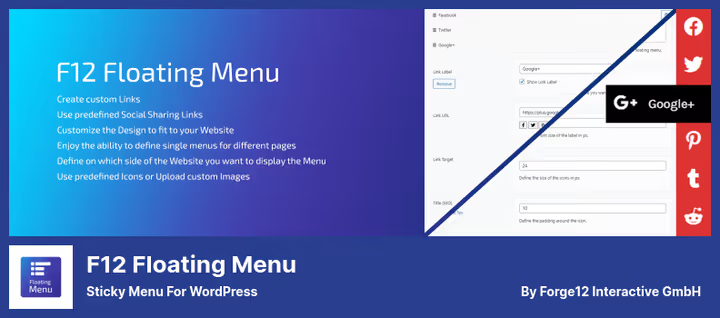
A plugin by German studio Forge12 Interactive GmbH. 300+ active installs, 5-star rating. Updated two weeks ago (June 2026): version 1.4.2 with a modern React dashboard and REST API.
Unlike the other plugins in this roundup, F12 Floating Menu creates its own menus rather than fixing an existing one. These are floating panels with icons: 8 on-screen positions, unlimited number of menus, drag-and-drop sorting, custom icon support.
Pros:
- Creates separate floating menus, not tied to the theme
- Modern React admin interface with REST API
- 8 placement positions: left, right, top, bottom, and four corners
- WPML compatibility: menu item translation via translation strings
Cons:
- Doesn't fix existing theme header or menu, it's a different type of tool
- Few installs (300+), modest community
- Requires PHP 8.0+, not every host supports it
Price: completely free.
🔗 F12 Floating Menu on WordPress.org
⁉️🤔 Common questions
Does a sticky menu affect SEO?
There's no direct impact on rankings. But indirectly, yes: it improves behavioral factors, reduces bounce rate, increases time on site. Users find other sections faster and click on them. Google tracks this and considers it in ranking.
Does a sticky menu slow down the site?
A well-written plugin adds 2-5 KB of CSS and 1-3 KB of JavaScript to page load. In practice, that's 20-40 ms, unnoticeable. Problems arise if the plugin loads its own fonts, icons, or external CDNs. All 6 plugins in this roundup use native WordPress resources and don't add external dependencies (except Font Awesome in F12).
Does a sticky header conflict with FSE (Full Site Editing) themes?
Depends on the plugin.
Sticky Menu & Sticky Header,Catch Sticky Menu, andAll-in-One Sticky Anythingwork via CSS selectors and are independent of theme architecture, compatible with FSE themes.Sticky Header Effects for Elementoronly works with Elementor headers. Before installing, check the Compatibility tab on the plugin page.
Can you make a separate block in the post body sticky?
Yes, if you use
Sticky Menu & Sticky HeaderorAll-in-One Sticky Anything. Specify a unique CSS class or ID of the block in the plugin settings. This technique is often used to fix a CTA button, subscription form, or ad banner.
How do you check that the sticky menu works on mobile?
Open the site in Chrome, press F12, switch to Device Toolbar mode (Ctrl+Shift+M), and scroll. Most sticky plugins have a "Disable on small screens" option or separate settings for mobile.
My Sticky BarandCatch Sticky Menuhave separate selectors for desktop and mobile.
Which sticky plugin to install in 2026
The choice comes down to three scenarios.
If you have Elementor and need a visual header builder, go with Sticky Header Effects for Elementor. 10+ scroll effects, 50+ ready-made templates, works with the free version of Elementor.
If you need maximum flexibility and sticky for any elements, Sticky Menu & Sticky Header. 200,000+ users aren't wrong: the plugin fixes anything with a single selector.
If you want one lightweight plugin that covers sticky menu, click to call button, cookie notice, and table of contents, All-in-One Sticky Anything. Six functions without additional plugins, savings on admin overhead.
Write in the comments which plugin you use and which theme it worked with for you without conflicts. Share your experience: someone else's mistakes save hours of debugging.

A professional team of writers and editors specializing in creating quality content.