














❤️ 7 best wishlist plugins for WooCommerce 2026 (free and paid)
A shopper added a product to their cart and left. According to Baymard Institute data, the average abandoned cart rate holds at 70%. Some of these people aren't ready to buy right now, they want to come back later or consult with someone.
A wishlist addresses exactly this need. The customer saves a product without pressure, shares the list with family before the holidays, returns in a day or week with the intention to buy. For the store, it's a second chance at conversion without additional retargeting costs.
We've gathered 7 wishlist plugins for WooCommerce that actually work in 2026, from lightweight free options to powerful ones with multi-lists, analytics and email triggers.
💡 Quick overview:
- Choose a plugin for a specific task: lightweight WishSuite for a simple list, YITH WooCommerce Wishlist as the leader with Pro analytics, WPC Smart Wishlist for speed without page reloads
- Configure the "Add to wishlist" button position on product cards and in the catalog through plugin settings
- Enable social media and email sharing for free word-of-mouth marketing
- If you need "saved product, got coupon" automation, go with MoreConvert; for deep analytics, get the Pro versions of YITH or TI WooCommerce Wishlist
Comparison of wishlist plugins for WooCommerce
Plugin | Active installs | Multi-lists | Free version | Pro price |
|---|---|---|---|---|
WishSuite | 1,000+ | No | Yes | Free |
YITH WooCommerce Wishlist | 400,000+ | Yes (free) | Yes | $94/year |
WPC Smart Wishlist | 100,000+ | Yes (Pro) | Yes | From $29 |
TI WooCommerce Wishlist | 100,000+ | Yes (Pro) | Yes | $79/year |
Premmerce Wishlist | 100+ | No | Yes | Free |
WooCommerce Wishlists | 5,000+ | Yes | No | $89/year |
MoreConvert Wishlist | 9,000+ | Yes (Pro) | Yes | From $49 |
1. WishSuite

The lightest plugin in this roundup. WishSuite by HT Plugins doesn't try to be a Swiss army knife, it gives exactly what a small store needs: an "Add to wishlist" button, a separate list page and a shortcode for embedding anywhere.
In practice, this means minimal settings. Set the page name, choose the button position relative to "Add to cart", configure table columns, and the plugin works. No analytics, multi-lists or email triggers. For a store with 20-50 products, this is enough.
Pros:
- Free, no Pro upsells
- Quick setup, 5 minutes and done
- Shortcode for button in any location
Cons:
- One list per customer, no multi-lists
- Only 1,000+ active installs, small user base
- No product popularity analytics
Price: free.
2. YITH WooCommerce Wishlist
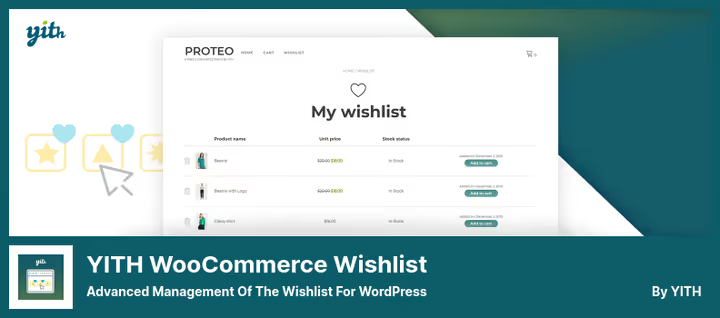
A market veteran. 400,000+ active installs and 262 reviews on WordPress.org, version 4.15.0, YITH WooCommerce Wishlist has maintained its standards since 2014. The free version offers more than some paid competitors: unlimited lists, social sharing, table customization.
The Pro version at $94/year adds popular product analytics, wishlist-to-sale conversion tracking, ability to rename and delete lists. In the free version, you can't rename or delete a list, only create a new one. This is a notable limitation for stores with active audiences.
The plugin is regularly updated for fresh WooCommerce versions, supports WPML and Polylang for multilingual stores.
Pros:
- 400,000+ installs, tested on any configuration
- Unlimited lists even in the free version
- Advanced analytics in Pro
Cons:
- Without Pro, you can't rename or delete a list
- Pro is pricier than market average: $94 per year
- Settings interface is sometimes overloaded
Price: free (Lite), $94/year (Pro).
🔗 YITH Wishlist on WordPress.org🔗 Pro version on YITHEMES
3. WPC Smart Wishlist for WooCommerce
"Smart" isn't just a name. WPC Smart Wishlist by WPClever works without page reloads: adding, removing, viewing the list, all through AJAX in a popup window. No transitions to a separate page unless necessary.
The free version (100,000+ installs on WordPress.org, version 6.0.5, updated June 16, 2026) provides one list per customer, button position customization and basic sharing. The Pro version unlocks multi-lists, product notes, statistics and custom design matching your store theme. WPClever is known for fast and thorough support.
Pros:
- AJAX interactions without reloads, the fastest in this roundup
- 100,000+ installs, active support
- Product notes in Pro
Cons:
- Multi-lists only in Pro
- Free version without statistics
- Some themes require manual style adjustments
Price: free, Pro from $29.
🔗 WPC Smart Wishlist on WordPress.org
4. TI WooCommerce Wishlist

The highest-rated plugin in this roundup: 498 reviews and 100,000+ active installs on WordPress.org. TI WooCommerce Wishlist by TemplateInvaders is a full-fledged marketing tool disguised as a wishlist.
The free core includes a setup wizard, store-level "Add to wishlist" button statistics, over 60 appearance parameters, integration with 50+ plugins (WooCommerce Bookings, Subscriptions, Product Bundles, Composite Products), sharing to 6 social networks and WhatsApp, REST API for custom solutions.
Pro at $79/year adds multi-lists, privacy settings, drag-and-drop sorting, product popularity analytics, promo campaigns, quote requests. 14-day money-back guarantee, no questions asked.
Pros:
- 498 reviews, the most trust among competitors
- 50+ integrations with other WooCommerce plugins
- Free version covers most average store needs
Cons:
- Multi-lists and analytics only in Pro for $79/year
- Steeper learning curve due to number of settings
- Occasional complaints about duplicate subscription charges (isolated cases)
Price: free (Core), $79/year (Pro).
🔗 TI WooCommerce Wishlist on WordPress.org🔗 Pro version on developer website
5. Premmerce Wishlist for WooCommerce

A minimalist tool from the Premmerce team. Completely free, no Pro versions and no upsells. Simple functionality: "Add to wishlist" button, separate page with list, sharing via unique link.
In the admin panel, you see all customer lists, you can run manual promotions based on what people are saving. Looks good on mobile out of the box, the plugin was updated in May 2026 (v1.1.13 on WordPress.org). Downsides: modest user base, only 100+ installs. For a micro-store that needs just a wishlist without extra settings, this is a working option.
Pros:
- Completely free, no upsells
- Admin panel shows all customer lists
- Looks good on mobile
Cons:
- Only 100+ installs, small community
- Sharing only via URL, no social networks
- No analytics and email triggers
Price: free.
🔗 Premmerce Wishlist on WordPress.org
6. WooCommerce Wishlists
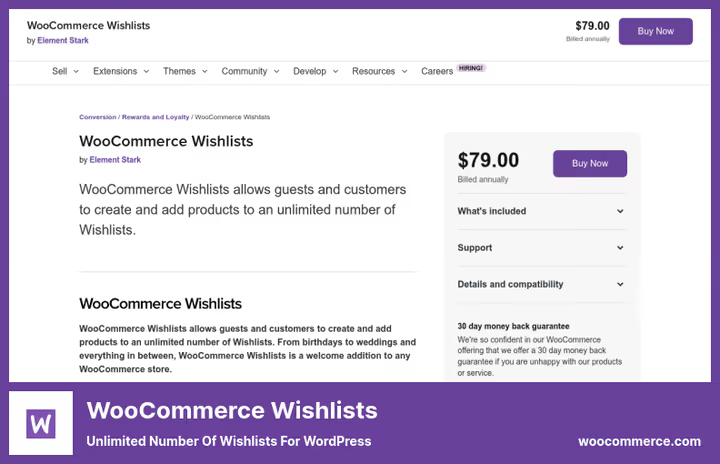
Official plugin by WooCommerce. $89 for annual license with 12 months of support and updates. By purchasing it, you get guaranteed compatibility with WooCommerce core, important for stores where stability is critical.
The plugin provides unlimited lists with three privacy levels: public, shareable by link, private. Adding via button, star or icon. Sharing to Facebook, Twitter, Pinterest, email. Guest lists are stored for 30 days (until cookie cleanup), for registered users, indefinitely.
Pros:
- Official WooCommerce support
- Three list privacy levels
- Unlimited number of lists
Cons:
- Only paid version at $89/year, no free version
- No built-in promo campaigns
- Interface looks outdated
Price: $89/year.
🔗 WooCommerce Wishlists on WooCommerce.com
7. MoreConvert Wishlist for WooCommerce

MoreConvert (formerly MC Woocommerce Wishlist), the only plugin in this roundup that can automatically create personalized coupons for users who added a product to their wishlist, right out of the box. Customer saved a product, system sends an email with a promo code for a discount or free shipping.
119 reviews and 9,000+ active installs on WordPress.org, version 1.9.19 (June 2026). The free version includes basic wishlist, Elementor widgets, button customization. Pro expands to multi-lists, reports, back-in-stock notifications. Guest lists aren't lost upon registration.
Pros:
- Automatic coupons upon adding to wishlist, unique feature
- Email automation in free version
- Elementor widgets for quick assembly
Cons:
- 9,000+ installs, less than YITH/WPC
- Multi-lists only in Pro
- Settings interface not the most intuitive
Price: free (Core), Pro from $49.
🔗 MoreConvert Wishlist on WordPress.org🔗 Pro version on developer website
Watch a review of the best wishlist plugins for WooCommerce in action, the video covers key differences and common setup mistakes.
⁉️🤔 Frequently asked questions
Is a wishlist mandatory in a WooCommerce store?
Not mandatory, but Baymard Institute data shows: 70% of carts are abandoned. A wishlist gives a second chance, the buyer returns to saved items in a day or week. Plus, sharing lists on social networks works as free word-of-mouth marketing. For a store with an average order value above $30, this is almost always a profitable feature.
Which plugin to choose if budget is zero?
WPC Smart Wishlist, the best balance of speed and functionality in the free segment. WishSuite, if you need minimal settings. TI WooCommerce Wishlist, if you're willing to spend 15 minutes on setup for 50+ integrations and statistics, and it's still free.
Is a Pro version needed for multi-lists?
In most plugins, multi-lists are Pro. Exceptions: YITH WooCommerce Wishlist (free version provides unlimited lists) and Premmerce (completely free). If customers need to create separate lists for birthdays, holidays and everyday shopping, look at YITH (free) or TI WooCommerce Wishlist (Pro).
Does a wishlist plugin affect site speed?
Quality plugins (WPC Smart Wishlist, TI WooCommerce Wishlist) use AJAX and query caching, impact on speed is minimal. WPC Smart especially stands out: all actions happen in a popup without page reload. Heavy plugins with unnecessary scripts can add 100 to 300 ms to load time, check PageSpeed Insights before choosing.
Are guest lists saved after registration?
It varies. WooCommerce Wishlists stores guest lists for 30 days (until cookie cleanup). MoreConvert picks up the guest list after registration automatically. WPC Smart allows viewing the list without authorization. Check the specific plugin's documentation before installing.
What to do if a plugin shuts down or stops updating?
This happens. Wishlist for WooCommerce by WPFactory shut down in April 2026. The best strategy, migrate to a living alternative. Export data through the admin panel, install a replacement from this roundup, test on a staging copy of the store. In most cases, migration takes 1 to 2 hours.
Which wishlist plugin to install in 2026
If budget is limited, WPC Smart Wishlist covers most needs for free. Works fast, configures in 10 minutes, AJAX interface doesn't annoy shoppers with reloads.
Need analytics and multi-lists for free, YITH WooCommerce Wishlist. 400,000+ installs don't lie: the plugin is time-tested. Pro version will add wishlist-to-sale conversion statistics.
Want maximum features with a free start, TI WooCommerce Wishlist. 498 reviews, 50+ integrations, REST API, setup wizard. Pro for $79 connects promo campaigns, a package that costs more with competitors.
Need "saved product, got coupon" automation, MoreConvert. The only plugin generating personalized promo codes upon adding to wishlist, without manual setup.
Stability and official support are critical, WooCommerce Wishlists from WooCommerce.com. More expensive, but compatibility with core is guaranteed by the vendor.
- If you need a simple free list, get WPC Smart Wishlist or WishSuite.
- If analytics and multi-lists for free are important, get YITH WooCommerce Wishlist.
- If you need email and coupon automation, get MoreConvert.
- If official support is critical, get WooCommerce Wishlists.
Choose for your task, not someone else's rating. Test 2-3 options on a staging copy: 20 minutes of testing will save hours of fixes on the live store. Which wishlist plugin do you use, write in the comments.

A professional team of writers and editors specializing in creating quality content.