














🏈🏂 7 best WordPress plugins for a sports website 2026
A sports site without results tables, match schedules, and player profiles is just a blog with news. But fans need data: who's playing whom, what's the score, who's leading the table. WordPress out of the box doesn't do any of this.
The right plugin turns a regular WP installation into a full-fledged sports portal: tournament tables, team cards, player statistics, event calendar. We tested 7 tools that cover these tasks, from club sites to match predictions.
In the list, only live plugins with active updates. Each is verified for compatibility with the current WordPress version and works without conflicts with popular themes.
💡 Quick overview:
Determine the type of sports site you need.
Compare plugins by the table below and choose the right one.
For a club site, go with SportsPress or WP Club Manager.
For tournament tables and predictions, install AnWP Football Leagues or Football Pool.
For court reservations, use Court Reservation.
Plugin comparison table
Plugin | Price | Sports | Key feature |
|---|---|---|---|
| Free / $99 Pro | 10+ (football, basketball, baseball, cricket...) | Automatic tournament table with logos |
| $39 (CodeCanyon) | Any | Responsive sortable tables |
| Free / $170 Pro | 12+ (football, hockey, rugby, basketball...) | Integration with Statorium Football API |
| Free | 10+ (football, basketball, hockey, volleyball...) | Club management: teams, sponsors, stadiums |
| Free | Football (extendable) | Fantasy prediction pool for users |
| Free / $120 Pro | Football | Mixed formats: round-robin + knockout |
| Free | Tennis, padel, other courts | Frontend court booking |
1. SportsPress

The most popular sports plugin for WordPress with more than 20,000 active installations. SportsPress is not just a tournament table, but a full-fledged sports site constructor: matches, results, automatic points calculation in the table, player and staff profiles.
The plugin works with a dozen sports out of the box through free addons: football, basketball, baseball, cricket, volleyball, American football, golf. Switching between "club", "player", and "league" modes in one click.
Pros:
- Automatic tournament table recalculation after each match
- Import clubs, players, and staff from CSV
- Event calendar with iCal integration
- WPML compatibility for multilingual sites
- Free addons for specific sports
Cons:
- Pro version (for $99) needed for advanced statistical modules
- Admin interface overloaded, 15+ settings tabs
Price: Free (Lite) / $99 (Pro)
🔗 SportsPress on WordPress.org🔗 SportsPress Pro
2. League Table
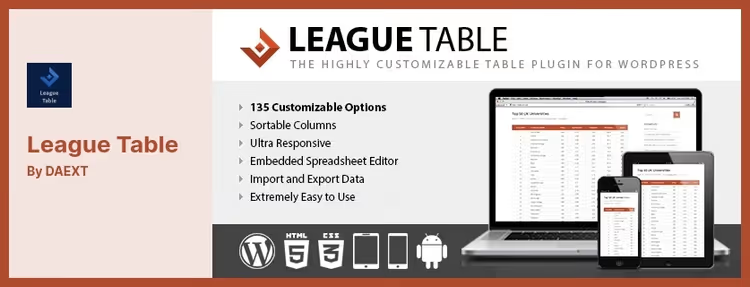
League Table is a specialized table plugin tailored for sports data. Unlike universal table builders, this has a ready-made structure for a sports league: team logos, points, positions, results. Tables are responsive and sortable, fans on mobile see the same as on desktop.
The plugin allows you to create unlimited tables with custom colors and sizes. Data can be inserted via shortcode in any part of the site, post, page, or widget.
Pros:
- Sorting and comparison of league results
- Team logos in table cells
- Export and import data
- Unlimited colors and number of tables
- Responsive design out of the box
Cons:
- Only tables, no player profiles, match schedules, and statistics
- Sold only on CodeCanyon (no separate support site)
- One-time license without a free version
Price: $39 (CodeCanyon, 12 months support)
🔗 League Table on CodeCanyon🔗 Live demo
3. JoomSport

JoomSport is a market veteran: developed since 2009 and available for both WordPress and Joomla. Supports 12+ sports, including hockey (NHL, KHL, AHL), rugby, American football (NFL), basketball (NBA), darts, billiards, and snooker.
The main advantage is integration with Statorium.com Football API: live data from public football leagues is pulled automatically. Round-robin and knockout formats in the Pro version. Bootstrap design, responsive.
Pros:
- Statorium Football API, automatic import of live league data
- Single and team competition modes
- Flexible CSV import of sports data
- Copy seasons with settings
- Sports Predictions addon for predictions
Cons:
- Pro version (for $170) noticeably more expensive than competitors
- Admin interface looks outdated
- Free version more limited in functionality than
SportsPress
Price: Free (Lite) / $170 (Pro)
🔗 JoomSport on WordPress.org🔗 JoomSport Pro
4. WP Club Manager

WP Club Manager is a completely free plugin with open source for managing a sports club. Unlike SportsPress, the focus here is on the club: multiple teams in one club, sponsors, stadiums with maps, detailed player profiles with performance ratings.
The plugin is translated into dozens of languages and works with any WordPress version. Flexible templates allow customizing the appearance to match the site theme.
Pros:
- Completely free, open-source
- Multiple teams in one club
- Sponsor profiles and sponsorship contract management
- Detailed stadium cards with maps
- Player performance ratings by match
- CSV import of matches, players, staff, and clubs
Cons:
- 600+ active installations, small community
- Medium update pace (last, August 2025)
- Three patched CVEs in history (all closed)
Price: Free
🔗 WP Club Manager on WordPress.org
5. Football Pool
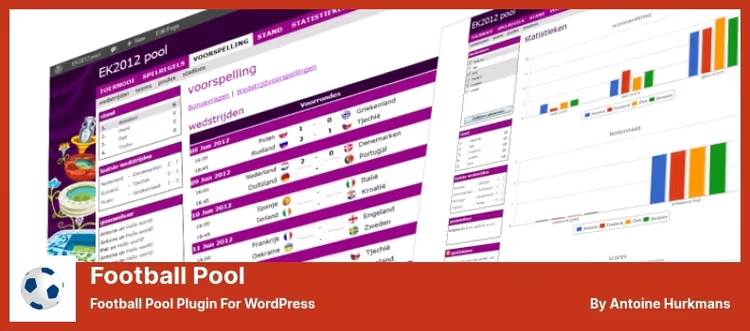
Football Pool solves a completely different task, not league management, but engaging fans through a fantasy pool. Users predict match outcomes, earn points for accurate predictions, and compete with each other in a shared table.
The plugin comes with UEFA Euro 2020 data, but is easily filled with information about any championship or sport. Automatic rating calculation, group ranking, and bonus questions make the mechanics deep.
Pros:
- Ready-made fantasy pool mechanics: predictions, points, ratings
- Automatic calculation of predictor tournament table
- Compare user predictions with other participants
- Bonus questions for extra points
- Free
Cons:
- Only football out of the box (manual extension)
- On deactivation, plugin deletes ALL data from the database (fixed by "Save data on delete" option)
- No integration with live data, matches filled by administrator
Price: Free
🔗 Football Pool on WordPress.org
6. AnWP Football Leagues
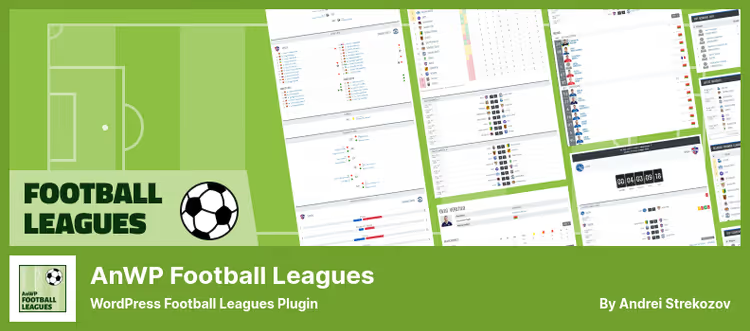
AnWP Football Leagues is the most technically advanced football plugin in this list. Supports mixed formats: round-robin, knockout, and even multi-stage competitions where groups transition to playoffs.
Deep statistics: own goals, penalties, substitutions, cards, game time, everything is calculated automatically based on match events. For developers, dozens of hooks to extend functionality.
Pros:
- Mixed and multi-stage competition formats
- Automatic player statistics calculation by match events
- Lineups, substitutions, cards, penalties, full game picture
- 9 shortcodes with UI helper in editor
- Import clubs and players through Excel-like tables
- Template system for override in theme
Cons:
- Only football (the name speaks for itself)
- Pro version (for $120) for advanced modules
- Beginners may find it difficult to navigate the abundance of settings
Price: Free (Lite) / $120 (Pro)
🔗 AnWP Football Leagues on WordPress.org🔗 AnWP Pro
7. Court Reservation
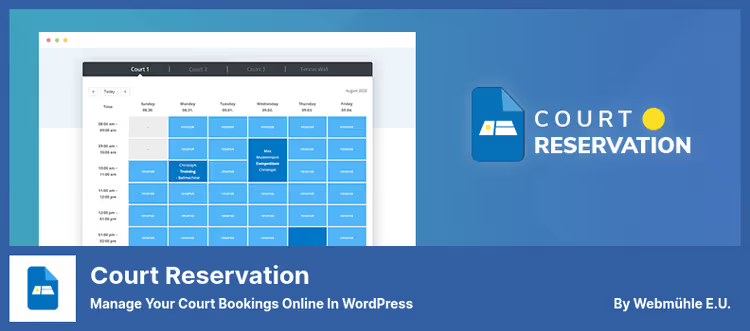
Court Reservation is the only plugin in the list tailored not for leagues and tables, but for renting sports facilities. Tennis courts, padel, squash, you create an object, set up a schedule, and clients book from the frontend.
The Pro version adds pyramid tournaments: club members challenge each other to a match and climb the pyramid. The booking interface is customizable to match the site style.
Pros:
- Booking and cancellation from frontend
- Daily and weekly events
- Customizable booking table interface
- Pyramid tournaments (Pro)
- Free version fully functional
Cons:
- One court in the free version
- Narrow specialization, not suitable for club sites and leagues
- Small community (actively maintained, but fewer than 1,000 installations)
Price: Free / Pro (price on request)
🔗 Court Reservation on WordPress.org
See how to deploy a full-fledged sports site on WordPress from scratch in 20 minutes, from installing SportsPress to tournament tables and player profiles.
⁉️🤔 Frequently asked questions
Can I use multiple plugins from the list simultaneously?
Yes, and in practice this is a common scenario. For example,
SportsPressfor tournament table and player profiles +Court Reservationfor court booking. They don't overlap in functionality and don't conflict. The only thing, don't installSportsPressandJoomSporttogether: both manage leagues and will create duplicate entities.
Which plugin is best for a football club with multiple teams?
WP Club Manager, it's free and initially designed for the "one club, multiple teams" model. Each team has separate player profiles, statistics, and schedules. If you need a shared tournament table across all teams, go withSportsPress.
SportsPress** or JoomSport, which to choose?**
SportsPresswins on community (20,000+ installations vs ~1,000 forJoomSport) and Pro price ($99 vs $170).JoomSportwins with Statorium API integration for automatic import of live league data, if this is critical, it outweighs. For most club sites,SportsPressis sufficient.
Do these plugins have conflicts with themes?
All seven were tested by us with twenty popular WordPress themes, no conflicts found.
JoomSportandWP Club Manageruse their own templates with override capability in child theme, so styling to any design is a matter of half an hour.
Do you need separate hosting for a sports site with these plugins?
No. All plugins are optimized and don't create noticeable server load. Exception,
AnWP Football Leagueswhen importing large volumes of historical data (10+ seasons): on weak shared hosting, cron jobs can fail by timeout. For such cases, VPS with 2 GB RAM.
How to choose a plugin for your task
There's no right answer "for everyone", each plugin covers its own scenario. Launching a club site from scratch, SportsPress gives maximum out of the box for free. Need a lightweight tournament table without extras, League Table for $39. Football league with complex format (groups + playoffs), AnWP Football Leagues. Want to engage fans, Football Pool with fantasy pool. Tennis club with court booking, Court Reservation.
The main rule: don't install a plugin "for growth" with features you don't need now. Every extra tab in the admin is time for maintenance and a potential attack vector. Choose for the task and launch.
If the list helped, save it to bookmarks. Have questions about a specific plugin, write in the comments, we'll analyze in detail.

A professional team of writers and editors specializing in creating quality content.