














🚀 How to create an author website on WordPress and sell more books
Self-publishing is no longer a fallback option. According to Automateed data, the global self-publishing market reached $1.85 billion in 2024 and is growing at 16.7% annually. Authors who would have approached traditional publishers just five years ago are now launching independently through Kindle Direct Publishing, Apple Books, and their own platforms.
But there is a catch: the number of books keeps growing while readers have limited attention. In the US alone, around 500,000 self-published titles came out in 2023, which is 50 times more than through traditional publishers. Standing out from this crowd without your own online platform is nearly impossible.
An author website on WordPress solves exactly this problem. It serves as the hub of your writing universe: showcasing your books, building an email list, attracting search traffic, and enabling you to earn not only from sales but also from affiliate programs. Over the next fifteen minutes, you will get a step-by-step launch plan, from hosting to monetization.
💡 Quick overview:
- Choose hosting and install WordPress: self-hosted version from wordpress.org only, no website builders.
- Set up your theme and appearance: minimalist design that puts your books front and center.
- Create three essential pages: "About the Author," "Books," and "Contact."
- Launch a blog and email newsletter: your main asset for repeat sales.
- Attract readers through SEO, social media, and guest posts.
- Monetize the site through book sales and affiliate programs like Amazon Associates.
Step 1: Choose hosting and install WordPress
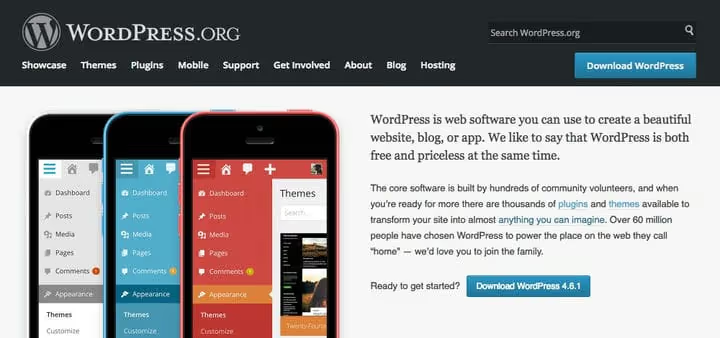
The first and most important choice is where your site will live. We recommend self-hosted WordPress from wordpress.org, not to be confused with wordpress.com. The self-hosted version gives you full control over design, plugins, and monetization. Website builders like Wix or Squarespace cannot offer that.
For hosting, any provider with one-click WordPress auto-installation will work. A plan costing 5-7 dollars per month is enough to start: a single author website with a blog does not require a dedicated server. After payment, go to your control panel, find the WordPress Installer section, and run the installation. Within two minutes you will have a clean admin dashboard.
Right after installation, go to Settings → Permalinks and select the "Post name" format. This is fundamental for SEO. Then activate an SSL certificate; most hosts offer free Let's Encrypt in a couple of clicks.
Step 2: Set up your theme and site design
The theme determines how your site looks and how fast it loads. For book authors, the rule is simple: less is more. Readers came for the book, not for animations and parallax effects.
If you need clean minimalism, take a look at the Zero Responsive Blog theme. It is free, lightweight, and specifically designed not to distract from the text:

For more advanced results, consider Total, a multipurpose theme with a built-in visual page builder. It gives you complete freedom over layouts without any coding knowledge: colors, fonts, and block placement are configured through the WordPress customizer.
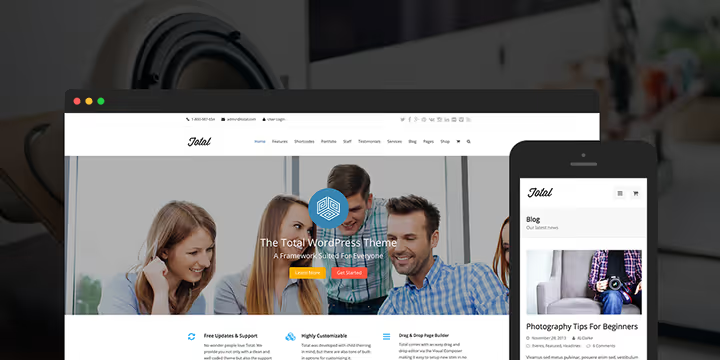
After installing the theme, go to Appearance → Customize. Set up colors, typography, and a background image. If design is not your strong suit, stick to the rule of three: one font for headings, one for body text, one accent color. Do not overcomplicate things.
Now about plugins. The WordPress.org catalog has thousands of free extensions. For an author website, three are essential: an SEO plugin (Yoast SEO or Rank Math), a caching plugin for speed, and a contact form plugin. Add others as needed. Do not install twenty plugins "just in case": each one slows down the site and creates a risk of conflicts.
For book images and blog content, use either your own covers or free photos from Pixabay under a Creative Commons license. Save paid stock services like Shutterstock for projects with a budget.
Step 3: Create key pages
Every website has pages without which it does not work. For an author, there are three:
"About the Author." Biography, photo, and an answer to the question "why should I read you specifically." Three paragraphs, one photo, social media links. No pomposity and no half-page list of credentials.
"Books." A showcase with covers, descriptions, and purchase links. Each book gets its own block with a large cover, a two-sentence summary, and a "Buy" button. If you have more than five books, group them by series.
"Contact." A contact form using the Contact Form 7 plugin, simple, free, and it does not collect data on third-party servers. Add links to your email and social media. Readers and journalists should find a way to reach you within ten seconds.
Add social sharing buttons to all three pages. The Jetpack plugin provides a ready-made "Share" module; configure it for Facebook, X, and Pinterest. That will be enough.
Step 4: Launch a blog and email newsletter
A blog brings search traffic to your site. And search traffic brings readers who do not know about your books yet but are already searching for something related to your topic. This is a fundamentally different audience from social media followers.
What to publish:
- Excerpts from your books and drafts.
- News about releases and plans.
- Reviews of books in your genre.
- Behind-the-scenes material about the writing process.
Frequency is not as important as consistency. One post every two weeks, but steady, is better than five posts in one week followed by six months of silence.
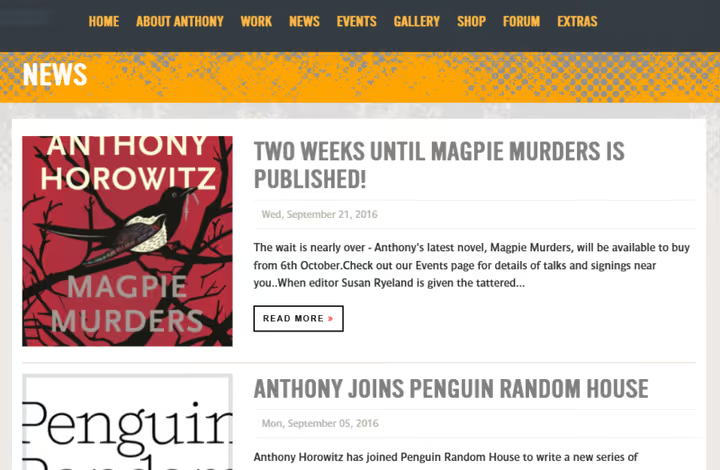
Alongside the blog, launch an email newsletter. This is your most valuable asset: unlike social media algorithms, an email always reaches the subscriber. Services like Mailchimp and AWeber offer free tiers for up to 500-1000 subscribers. Place the subscription form in the sidebar, under each post, and on the "Books" page.
Step 5: Attract traffic
A website without visitors is like a book in a locked drawer. Three effective ways to bring readers:
Search engine optimization. Write posts targeting specific queries, not "for the drawer." If your book is about financial literacy, a post titled "How to manage a family budget in a spreadsheet" will find a reader who does not know about you yet but is already looking for a solution to their problem. Install Yoast SEO or Rank Math; they will guide you on what to fix in your text.
Social media. Do not spread yourself across all platforms at once. Choose one where your readers already spend time. For non-fiction, this is often X and LinkedIn; for fiction, Instagram and TikTok. Post links to new articles and ask followers to share.
Guest posts. Find blogs and websites that your audience reads and propose a guest post. Nearly everywhere allows one link to your site at the end or in the author bio. This is a slow but reliable way to grow your reader base.
Step 6: Monetize the site
Book sales are the foundation, but not the only source of income. When your site traffic exceeds a couple thousand visitors per month, connect affiliate programs.
Amazon Associates. The most obvious affiliate program for an author. After your application is approved, you get unique links to any Amazon products, including your own books. Place them on your "Books" page and in relevant blog posts. Commission varies from 1 to 10 percent depending on the product category; details on the Amazon Associates website.
Other affiliate programs. If you write in a specific niche (cooking, fitness, IT), look for affiliate programs from relevant brands. They provide text links and banners that can be embedded in post content or the sidebar.
Direct sales. Connect WooCommerce and sell ebooks directly, without intermediaries. You get the full sale price, not a royalty share as on marketplaces. The downside is that you need to drive traffic yourself, but you already have a blog and newsletter for that.
⁉️🤔 Frequently asked questions
Do I need wordpress.com or wordpress.org?
Only wordpress.org, the self-hosted version. It gives you full control over your site, plugins, and monetization. WordPress.com restricts plugin installation and ad display on the free tier, and on paid tiers takes a percentage of sales.
How much does it cost to launch an author website?
A basic launch fits a modest budget: a domain costs pennies, hosting on an entry-level plan is affordable for any author, and a premium theme is optional. Free plugin versions cover the vast majority of needs for a beginning author. The main investment is your time spent filling the site with content.
Is blogging mandatory if I am already writing books?
A blog solves a problem that books cannot: it brings new readers from search engines. Someone searches "how to start investing," lands on your post, and discovers your book. Without a blog, you rely solely on marketplaces and social media, where reach drops every year. One post every two weeks is enough to keep the site growing.
Which SEO plugin should I choose for an author website?
Both leaders work well. Rank Math offers more features in the free version: 404 monitoring, redirects, schema markup for books. Yoast SEO is simpler to set up, but key features like multiple focus keywords are only in Premium. For starting out, go with Rank Math.
Can I get by without an email newsletter?
Technically yes. Practically, you lose the only channel that does not depend on algorithms. A social network can ban your account or tank your reach overnight. Your email subscriber list belongs only to you. Free tiers from Mailchimp and AWeber cover the first 500-1000 subscribers; for starting out, this is more than enough.
What to do right now: a plan for your first weekend
An author website is not built in an evening. But the first steps take just a couple of hours. Here is what you should do this coming weekend:
- Register a domain (firstnamelastname.com or pen name), 15 minutes.
- Buy hosting and install WordPress with one click, 30 minutes.
- Choose and activate a theme, another 30 minutes.
- Create an "About the Author" page with a photo and two paragraphs of text, one hour.
In two hours you will have a working framework. Then add the "Books" page, launch the blog, and connect the newsletter, one step per week. Within a month, the site will start bringing in its first readers from search. And after six months of regular blogging, you will be surprised how many people find you not through Amazon but through Google.
An author website is not an add-on to a book. It is the foundation that supports everything else: sales, recognition, and direct contact with readers. And WordPress gives you this foundation for free.

A professional team of writers and editors specializing in creating quality content.