














🚀 How to turn a WordPress site into an app: a step-by-step guide for 2026
A mobile app for a WordPress site is no longer a corporate luxury with a six-figure price tag. Today you can give readers and customers a full-featured app without a development team and without writing a single line of code.
But there's a catch. The tool landscape has been shaken to its core over the past three years. PhoneGap Build, recently considered the standard, was shut down by Adobe. WordPress Mobile Pack was removed from the directory for security reasons. MobiLoud discontinued its plugin in August 2025. Meanwhile, the PWA approach has matured to production level, and builders like AppMySite and WPMobile.App have become far more powerful than they were in 2021.
Below is a direct path from a regular WordPress site to a working mobile app in 2026. With live and dead tools included, so you don't step on rakes from outdated guides.
💡 Quick overview:
- Responsive theme is the foundation: without it any next step is pointless, broken layout stays broken inside an "app" too
- PWA via
Super Progressive Web Appsis the fastest and free option: home screen installation, offline mode, no Google Play or App Store moderation - No-code builders AppMySite, WPMobile.App and AppPresser for native store publishing with push notifications and analytics, no code required
- Capacitor + WordPress REST API is the path for the technically savvy: full control over the native layer, access to device camera and geolocation
1. Responsive theme is the foundation, without it going further is pointless
Before packaging your site into an app, open it on a phone. If the layout breaks, Largest Contentful Paint hits three seconds, and the font requires a magnifying glass, no PWA wrapper or native webview will fix that. They simply display the same site, just without the address bar.
Good news: in 2026 the problem is almost solved at the theme level. Any modern WordPress theme, from native Block Themes to Kadence, Blocksy and GeneratePress, is responsive out of the box. Media queries and flexbox/grid have become the industry standard. If you have a legacy theme without mobile adaptation, there's only one way out: switch themes. It's faster and safer than patching mobile versions with zombie plugins.
Any Mobile Theme Switcher works, but with caveats
Any Mobile Theme Switcher on WordPress.org
The plugin detects the visitor's device type (iPhone, iPad, Android, Windows Mobile) and serves the theme assigned to it. Multiple parallel themes, switching with one click in settings. The plugin has 20,000+ active installations and a 4.8-star rating.
But there's a nuance. The last update came out two years ago, and the plugin hasn't been tested with the last three major WordPress versions. Compatibility with WP 6.9+ is not guaranteed. Test on a staging environment before pushing to production.
What people used before, and why you shouldn't repeat it
Two plugins that circulate in old guides are now dead:

iThemes Mobile allowed creating mobile themes based on the current design through the admin panel. With iThemes transitioning to SolidWP, the plugin was abandoned and has completely disappeared from the directory.
WordPress Mobile Pack promised cross-platform mobile web apps and Google Analytics integration. It was shut down in July 2023 with a "Security Issue" notice. Installing it is absolutely forbidden.
2. PWA: an app without app stores
Until 2020, the standard answer to "how to make an app from WordPress" was Adobe PhoneGap Build. You uploaded HTML, CSS and JavaScript, and the service built APK for Android and IPA for iOS. Essentially, it just wrapped the mobile version of the site in a WebView.
In 2020, Adobe discontinued PhoneGap support and shut down PhoneGap Build. Apache Cordova, which PhoneGap was based on, is technically alive, but the industry has moved on. The modern mainstream for hybrid apps is Capacitor from the Ionic team. And for most WordPress projects, the path is even simpler: Progressive Web Apps.
What PWA is and why it works
A Progressive Web App is a site that behaves like an app. The user visits the page, the browser offers "Install," and an icon appears on the home screen. When launched, the PWA opens without the address bar, works offline, sends push notifications and caches content through Service Worker.
For a WordPress site owner, the key advantage is that you don't need to go through Google Play and App Store moderation, pay an annual developer fee (25 dollars one-time for Google Play, 99 dollars per year for Apple) or maintain a separate codebase. One site, one PWA.
Super Progressive Web Apps: PWA in five minutes
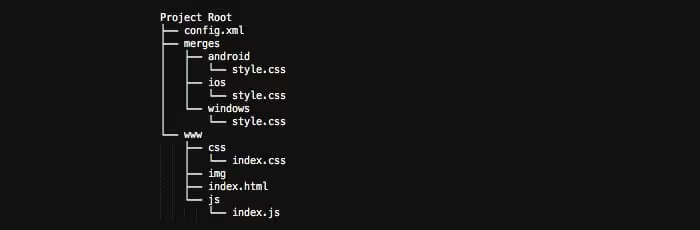
Super Progressive Web Apps is the most popular PWA tool in the WordPress directory. Free, installation takes exactly one minute:
- Install and activate the plugin from the WordPress admin.
- Go to settings, set the app name, short name and background color.
- Upload the app icon (512 by 512 pixels PNG, the standard size for PWA manifest). It will appear on the user's home screen.
- Save, and open the site on mobile in Chrome. The browser will offer to install the PWA.
Under the hood, the plugin automatically generates the manifest (manifest.json) and Service Worker. Page caching is enabled with one checkbox. For custom caching strategies or background sync you'll need Capacitor or manual work with Workbox, but for the vast majority of content and commercial WordPress sites this is more than enough.
Visual PWA installation on WordPress in a couple of minutes:
The PWA downside is honest: on iOS, behavior is limited by Apple's policy. Installation works, but push notifications only appeared in iOS 16.4 and are still not as flexible as on Android. If iOS push is critical, look toward native builders in the next section.
3. No-code builders: native apps for Google Play and App Store
PWA covers 80% of needs. But if you need specifically a native app in stores, with publication on Google Play and App Store, high-quality push notifications, ratings and built-in analytics, specialized WordPress builders enter the stage. They connect to the site via a bridge plugin, sync content in real time and build packages for both platforms.
AppMySite: free start with WooCommerce integration
🔗 AppMySite on WordPress.org | 🔗 Live demo
The most popular no-code builder in the WordPress directory: 8,000+ active installations, 4.3 out of 5 rating, over 400,000 downloads. Works with regular sites and with WooCommerce (cart and checkout are integrated out of the box).
The workflow: install the bridge plugin from the WordPress directory, register an account at appmysite.com, configure the design in the visual editor (layouts, colors, icons) and submit the build to Google Play and App Store. Content sync with the site happens in real time: a new post or product automatically appears in the app.
Key features include: multilingual support, push notifications, social networks and built-in performance analytics. The free tier covers basic Android build; iOS and advanced features require a subscription.
WPMobile.App: lifetime license without subscriptions
🔗 WPMobile.App on WordPress.org
WPMobile.App sells not a subscription but a lifetime license: 129 euros for Android, 129 euros for iOS or 239 euros for both platforms, according to the official plugin page. This sharply contrasts with competitors' recurring model and makes WPMobile.App attractive for small projects and freelancers.
The plugin supports push notifications (manual and automatic when publishing a new post), white-label builds without the builder's branding, automatic content updates and real-time usage statistics. The developer handles store publication: you receive ready builds. Rating 4.8 out of 5, 3,000+ installations.
There's a nuance: visual customization goes through a native theme, not a drag-and-drop editor. Want designer control over every pixel, take AppMySite. Price and no subscription matter more, take WPMobile.App.
AppPresser: maximum WordPress integration
The first and deepest mobile app framework for WordPress. Unlike competitors that work as content feeds, AppPresser allows the app to use WordPress plugins, pages and posts directly, including access to the device camera, contacts and other native APIs.
The model: a paid plan at apppresser.com, then the bridge plugin on the WordPress site. The framework supports e-commerce, BuddyPress, LearnDash integration via AppLMS and custom REST API endpoints.
The downside is obvious: price. For a blog or small store, WPMobile.App or AppMySite will provide the lion's share of functionality for far less money. AppPresser is justified when you need deep customization: multiple user roles, LMS learning progress sync, working with the device camera and file system.
Why MobiLoud is no longer on the list
Until August 2025, MobiLoud was a notable player: the monthly subscription service handled the full cycle (build, store publication, push notifications and management from WordPress admin). In August 2025, the plugin was permanently removed from WordPress.org at the author's request. If you encounter MobiLoud in old roundups, it's outdated.
4. Custom development: Capacitor and WordPress REST API

When you outgrow the capabilities of builders, the custom development path remains. The modern stack for those ready to write code:
Capacitor from the Ionic team is a full replacement for Cordova and PhoneGap. It provides access to native device APIs (camera, geolocation, file system) through JavaScript bridges. Unlike Cordova, Capacitor doesn't dictate project structure and works with any frontend framework: React, Vue, Svelte or plain Vanilla JS.
WordPress REST API works out of the box in any modern WordPress. It returns JSON with posts, pages, taxonomies, media files and custom post types. For WooCommerce there's a separate WooCommerce REST API with product, order and cart endpoints.
React Native or Flutter if the Capacitor wrapper doesn't satisfy performance needs and you need a fully native UI. The cost: a separate codebase, separate development and support cycle. For the vast majority of content projects this is overkill.
⁉️🤔 Frequently asked questions
Do I need to pay Apple's annual fee to publish a PWA?
No. A PWA is not published on the App Store and doesn't require participation in the Apple Developer Program. Users install the PWA directly from the browser, and you don't pay Apple a cent.
Do PWA push notifications work on iPhone?
With iOS 16.4, released in March 2023, Apple added Web Push support for PWAs installed to the home screen. It works, but with limitations: notifications come without icons, grouping and actions are weaker than on Android. For full-featured iOS push, look toward native builders.
Can I make one app for both Android and iOS through a no-code builder?
Yes, AppMySite, WPMobile.App and AppPresser build packages for both platforms from one project. The difference is only in price and customization depth (details above in section 3).
What should I choose: PWA or native app?
PWA if the main goal is for readers and customers to have quick access to content from the home screen and offline mode, and store publication is not required. Native app if high-quality push notifications, presence in Google Play and App Store for social proof and access to native device APIs are critical. Budget option: make a PWA now, and a native app when the audience grows.
Is PhoneGap really dead or can I still use it?
Adobe officially discontinued PhoneGap support in 2020, the PhoneGap Build service is unavailable. Apache Cordova technically works, but the industry standard has shifted to Capacitor. Using Cordova for new projects in 2026 means voluntarily choosing an outdated stack with a growing baggage of incompatibilities.
What to install in 2026: the final breakdown
The landscape has changed radically, but has become simpler. PhoneGap is gone, its place taken by PWA and Capacitor. WordPress Mobile Pack and MobiLoud are closed, replaced by AppMySite and WPMobile.App. iThemes Mobile sank into oblivion along with the SolidWP rebrand.
The optimal track to start today: make sure your theme is responsive → install Super Progressive Web Apps → get a PWA in five minutes. Need a native app in stores? Register at AppMySite with a free start or buy a lifetime license for WPMobile.App at 239 euros for both platforms, with no recurring payments. Technical team and complex project? Capacitor + WordPress REST API.
Don't overpay for what's free, and don't try to build a native app on dead PhoneGap following a 2019 guide. Good luck with your release.

A professional team of writers and editors specializing in creating quality content.