














🔥 10 best WordPress like button plugins for 2026
You're publishing quality content. Writing articles, sharing case studies, launching products. And silence. Nobody comments, nobody shares, nobody reacts. Comments are a tough thing: few people leave them, most just read and leave.
But you need to know what resonates with your audience. Which posts actually work and which ones pass by unnoticed. Like and dislike buttons solve this problem instantly: one click and the visitor has given feedback. No registration, no login, no friction.
In this roundup, 10 best like button plugins for WordPress for 2026. From simple one-click solutions to feature-packed options with analytics and A/B testing. Each verified for relevance: is the plugin alive, is it updated, how many active installations.
What's inside: quick overview
💡 Quick overview:
- Most sites will have enough with
WP ULike, 60,000+ active installations, voting, analytics, free core - Need Facebook buttons, grab
WP Like Buttonfrom CRUDLab, configures in a minute - Want custom design and 40+ themes,
Like Button Rating ♥ LikeBtn, free after registration - Social sharing on 100+ platforms,
Sassy Social Share, no cookies and no slowdowns - Free combo
Like Dislike Plus Counter+Comments Like Dislikecovers posts and comments
Comparison table: all 10 plugins
Plugin | Free | Likes/dislikes | Social sharing | Themes | Active installations | Feature |
|---|---|---|---|---|---|---|
WP ULike | Yes (Pro from $39) | Yes | No | 4+ | 60,000+ | Analytics, leaderboards |
WP Like Button | Yes | Yes (FB) | Yes (FB) | 4 layouts | 10,000+ | Live button preview |
Like Button Rating ♥ LikeBtn | Freemium | Yes | No | 41 | 4,000+ | Content statistics |
Liker | Premium ($19) | Yes | No | 13 | n/a | "Yes/maybe/no" format |
All-in-one Like Widget | Yes | Yes (FB) | No | 1 | 3,000+ | Simple FB widget |
Like Dislike Plus Counter | Yes | Yes | Yes | 45 | 5,000+ | 600+ icons, gradients |
Comments Like Dislike | Yes | Yes | No | 4 | 1,000+ | Comments only |
MX Like Button | Yes | Yes (emoji) | No | 6 | 500+ | Reactions: laugh, sad, angry |
Like Dislike Counter WP | Yes | Yes | No | 10 | 2,000+ | Multisite compatibility |
Sassy Social Share | Yes | No | Yes (100+) | Vector | 100,000+ | No cookies, GA integration |
1. WP ULike
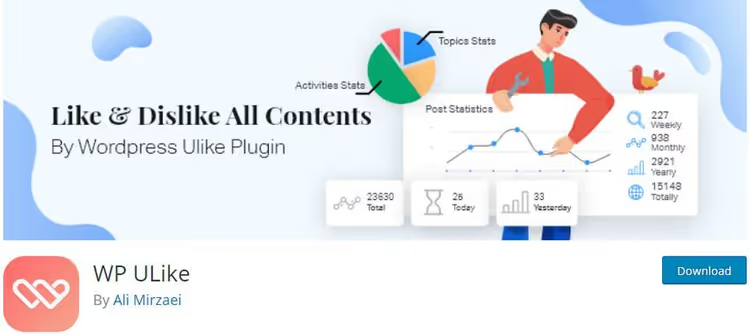
The most popular like plugin for WordPress, and for good reason. WP ULike has been installed on 60,000+ sites, and the number keeps growing. The developer, Ali Mirzaei, actively updates the project: in 2025 they rewrote the settings system, removed the legacy framework, added dark theme support for the admin panel.
The core is free and provides basic "Like" and "Dislike" buttons for posts, pages, comments, and images. The Pro version (from $39/year) adds Elementor widgets, premium button templates, user analytics, and leaderboards with ratings of the most-liked content.

Installation is standard: Plugins → Add New → search "WP ULike". After activation, the plugin appears in the admin sidebar. Configuration is split into four tabs:
General. Change button text, disable plugin scripts on selected pages.
Posts. Choose one of four design presets. Make sure the "Auto Display" checkbox is enabled, without it buttons won't appear. This is also where you enable/disable Google Rich Snippets.

Comments. Same options but for comments.
Customization. Fine-tune buttons via CSS for advanced users. Change icons, colors, spacing to match your theme design.
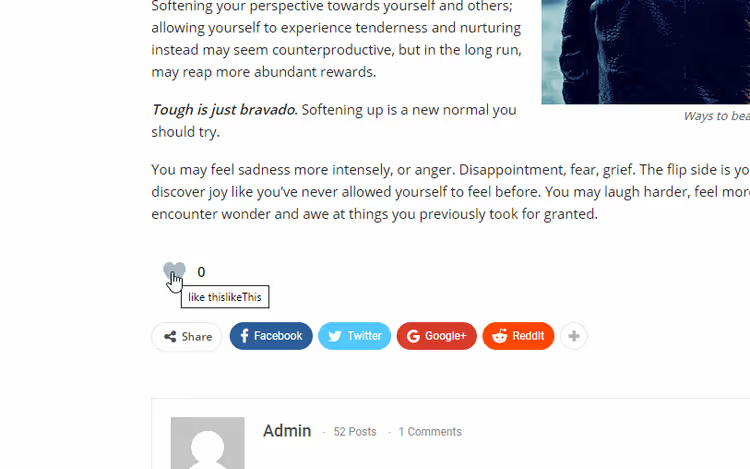
Pros: clean interface, full RTL support, translation into multiple languages, compatibility with the latest WordPress version. Cons: advanced statistics and templates only in Pro.
2. WP Like Button
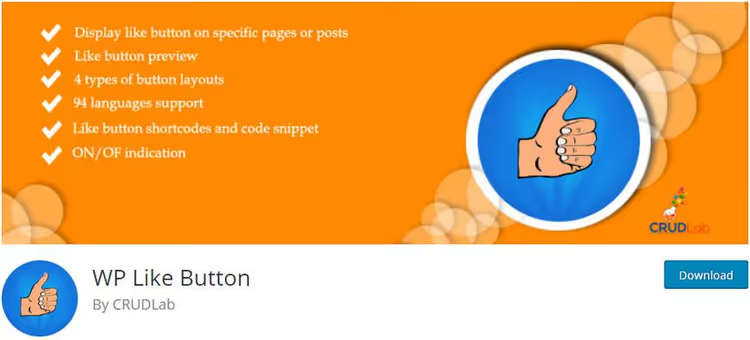
WP Like Button from the CRUDLab team solves a specific task: add Facebook likes and sharing to your site. Not just like-dislike, but actual integration with Facebook: a "Like" button for your fan page, a "Share" button for posts.
The plugin doesn't require activating a Facebook App ID, just install and the buttons work. Four layout types, position settings (before or after content, on homepage, on selected pages), language and width adjustment.
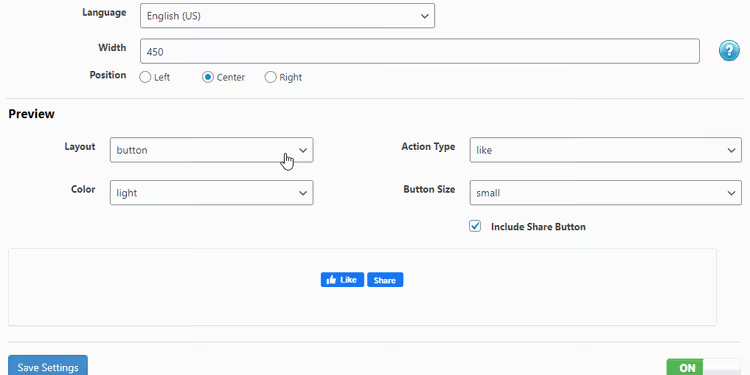
The main feature is live preview in real time: toggle switches in settings and see the result immediately. Disable the "Share" button separately from "Like", one click. Add button via shortcode anywhere in the theme, no problem.
Free, lightweight, no registration. Downside: Facebook only, doesn't support other social networks.
3. Like Button Rating ♥ LikeBtn
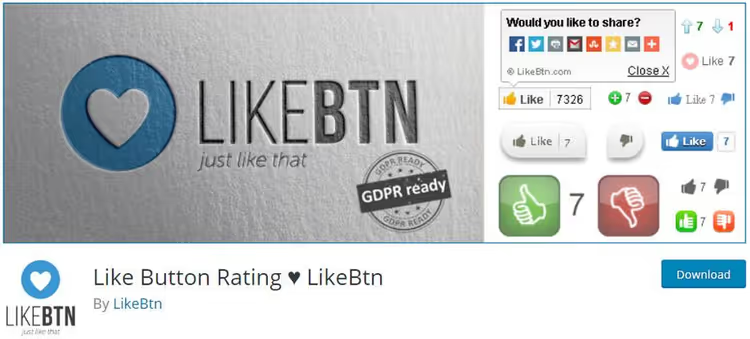
LikeBtn is a plugin with personality. 41 pre-designed button themes, full brand customization, like and dislike statistics for each post. According to WP Hive as of 2026, 4,000+ active installations, last updated in November 2025.
Free but with a catch: requires registration on LikeBtn.com. After registration, 7 days of full functionality, then return to the free tier. Activation process:
- In WordPress admin go to "Like Buttons".
- Settings tab → "Get Account Data" → register on LikeBtn.com (email + password).
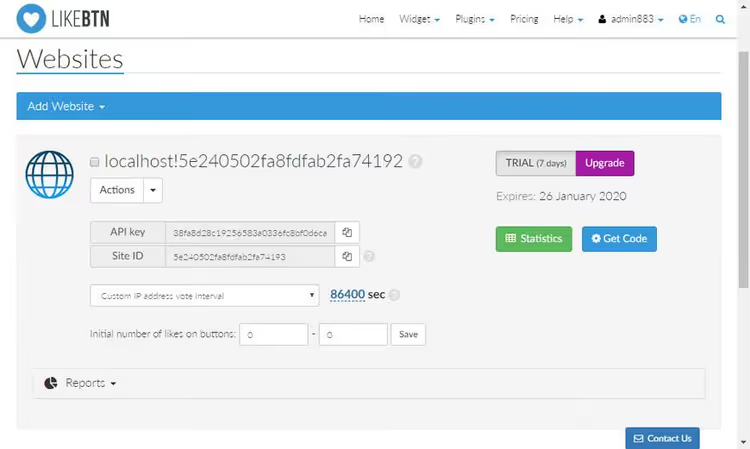
- Specify your site domain.
- Copy the API key and Site ID → paste into the plugin Settings tab → "Check Account Data".

After pasting the keys, the system will verify the connection and show account status.

- "Save All Changes", done.

On the "Buttons" tab, a gallery of 41 themes with preview. Each can be viewed before selection. Below the themes, "Custom Theme & Image" for creating your own button. Statistics are collected overall: total likes and dislikes across the entire site.
Good for custom design. Drawback: mandatory registration on a third-party service and dependence on the LikeBtn.com API.
4. Liker
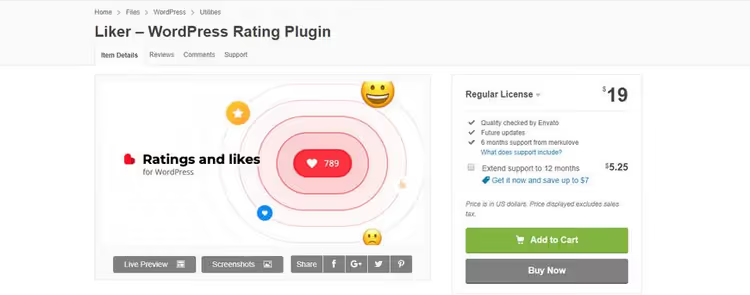
Liker is a premium solution that stands out for format flexibility. Besides classic like/dislike, it offers:
- "Yes / Maybe / No" for polls and content quality assessment;
- "+1", simple approval counter without negativity.
13 button styles, full compatibility with Gutenberg, popular page builders, and all major browsers. RTL support.
From experience: if your site has multiple content formats (news, tutorials, products), Liker's flexibility really helps. For a blog with one format, it's overkill, WP ULike is enough.
5. All-in-one Like Widget

The simplest way to add a Facebook like to your site. This is a widget, not a full-fledged plugin: installed → Appearance → Widgets → drag to sidebar or footer.

In settings: title, frame width, language. Be sure to specify your Facebook fan page name or ID, without this the widget won't work. That's it.
Pro: speed. Con: Facebook only, widget only, no statistics. For a business card site with a fan page, an option. For a serious blog, not enough.
6. Like Dislike Plus Counter
After activation, adds "Like" and "Dislike" buttons after each post, before the comments block. Bonus, built-in social sharing: liked and immediately shared.
600+ icons, 45 themes, gradient styles, full button text customization. Settings are split into three tabs:
- Customize Button. Choose a theme from the gallery, changes apply automatically without saving.

- Statistics. Number of likes and dislikes across the site.
- Settings. Cookie mode: users don't need to log in to vote.
Free, compatible with most themes. Good middle ground: not overloaded but gives more than a simple counter.
7. Comments Like Dislike

Narrow-focused plugin: likes and dislikes for comments only. Not for posts, not for pages, purely comments. After installation appears in "Comments" → "Like Dislike" menu.
Two tabs:
- Basic Settings. Enable/disable likes and dislikes separately, button position, voting limits.
- Design Settings. Four ready templates, color changes, creating your own style.
Free. Good paired with any plugin from this roundup that doesn't touch comments, for example, with Like Dislike Plus Counter (#6). Covers both fronts at once: posts and discussions.
8. MX Like Button
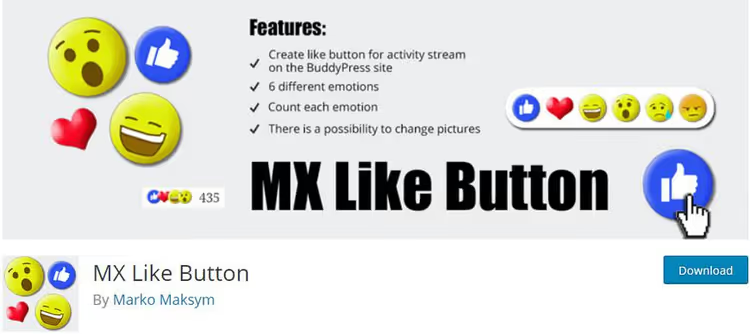
The lightest and most human plugin in the roundup. Instead of faceless "like/dislike", six emotional reactions: Like (heart), Love (laugh), Wow (surprise), Sad (sadness), Angry (anger). Like Facebook reactions, but on your site.
Installed, buttons appeared automatically on all posts. Three configuration tabs:

Each of the six reactions can be replaced with your own icon by uploading an image.

- Basic Settings. Choose post types where to show buttons (by default, all).
- Change Buttons. Replace standard icons with your own images.
- Advanced. Fine-tuning.
Minimalist, no analytics. For a blog where emotional audience response matters more than numbers, perfect.
9. Like Dislike Counter WordPress
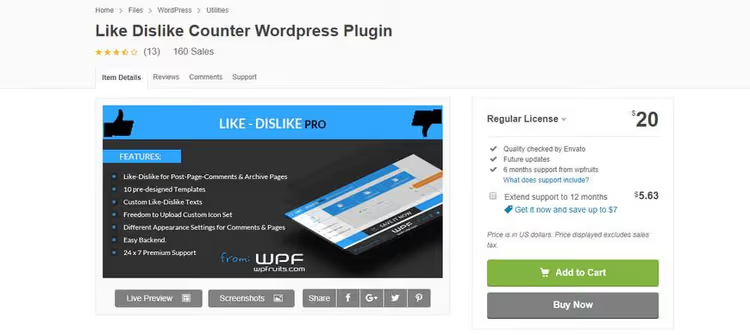
Simple, reliable, with a pleasant interface. Main advantage is 10 pre-designed templates and WordPress Multisite support: if you have a network of sites, configure once.
Likes and dislikes work on posts, pages, custom post types, and comments. Clean design, premium support (even for the free version they respond).

Templates differ in shape, color, and counter placement, easy to find an option to match your theme design.

In practice, a solid middle ground with no surprises. The only thing missing is social sharing out of the box, but for pure like/dislike voting, a worthy choice.
10. Sassy Social Share

Closes the social sharing topic. 100+ platforms: from Facebook and Twitter to WhatsApp, Reddit, Telegram, Pocket. Optimized vector icons, don't slow down loading.

Six settings tabs. Main ones:
- Theme Selection. Icon shape (circle, square, rounded), size, page position, color.
- Standard Interface. Check which social networks to show to visitors.

The plugin allows fine selection of which post types and in what position to show icons.

Two key differences from competitors: doesn't save cookies in visitor browsers (privacy) and integrates with Google Analytics, you see which platforms sharing comes from. 100,000+ active installations, one of the most popular social sharing plugins in the WordPress repository.
Important: this is a sharing plugin, not likes. It has no likes as such. Use paired with any plugin #1-#9 from the roundup.
Short video on the topic: installing and configuring like/dislike buttons in WordPress in 7 minutes. Clearly shows the process from finding the plugin to placing buttons on the site.
⁉️🤔 Frequently asked questions
Do I need a like plugin if my theme already has social network buttons?
Social network buttons in the theme are sharing (share on Facebook/Twitter), not feedback. The visitor goes to an external platform. A like plugin collects reactions right on the site: you see which posts really resonate, without going to third-party services. Ideally, use both: Sassy Social Share for sharing and WP ULike for collecting reactions.
Which plugin should I install if the budget is minimal?
The combo
Like Dislike Plus Counter(posts + sharing) +Comments Like Dislike(comments) will cover both fronts for free. Both from the WordPress repository, no registrations and no hidden payments. If you need analytics,WP ULikein the free version will give basic like statistics.
Do like plugins slow down site loading?
Depends on the plugin.
Sassy Social Shareuses vector icons without raster sprites, almost no impact on speed.MX Like ButtonandComments Like Dislikeare also lightweight. Heaviest isLikeBtn, loads external scripts from LikeBtn.com. If speed is critical, takeWP ULikeorMX Like Button, their scripts are minimal.
Do these plugins work with Gutenberg and popular themes?
All 10 plugins from the roundup are compatible with Gutenberg and the current WordPress version.
WP ULikeandLike Dislike Counterare additionally tested on Multisite. If you use a custom page builder (Elementor, Divi, WPBakery),WP ULike ProandLikerhave separate widgets for them.
Can I install multiple like plugins at the same time?
Technically yes, but not recommended. Two plugins in the same place (under the post) can conflict: duplicate buttons or break layout. Exception is the combo "plugin for posts + plugin for comments" (for example,
#1+#7). They work on different sections and don't overlap.
Conclusions: what to install in 2026
If you need one plugin and forget, WP ULike. 60,000+ sites aren't wrong. Free core, regular updates, no registrations.
If your audience is on Facebook, WP Like Button from CRUDLab. Installed and works, no App ID and no hassle.
If design matters, Like Button Rating ♥ LikeBtn. 41 themes and full customization covers any design wishes.
If you want emoji reactions, MX Like Button. Six emotions instead of boring likes, minimal weight.
If you need sharing for everything, Sassy Social Share. 100+ platforms, no cookies, with GA analytics.
Budget combo "posts + comments", Like Dislike Plus Counter + Comments Like Dislike. Free, both from the repository.
Choose for the task and launch. Audience feedback is worth one click.

A professional team of writers and editors specializing in creating quality content.