













 AIIllustrative image: AI-generated
🚀 10 best WooCommerce checkout plugins in 2026
The standard WooCommerce checkout loses money. Not metaphorically: according to 2025 Baymard Institute data, 60% to 80% of carts are abandoned, and the main conversion killer is the long, cluttered checkout form. Billing and shipping fields are lumped together, even if you're selling digital licenses that don't need an address at all.
Every extra field is friction. Every friction point is a lost customer. But the right plugin removes this friction surgically: redirect past the cart, hide unnecessary blocks, social login, multistep form instead of an endless wall of fields.
We've gathered 10 tools for specific scenarios. From the free Direct Checkout, which eliminates the cart from the chain, to Checkout Fields & Fees with dynamic rules and fees. Each solves one problem, and solves it without programming.
💡 Quick overview:
- Identify your checkout bottleneck: extra fields, no social login, one long page instead of steps, or customers struggling to pay in a foreign currency.
- Match the problem with the plugin's function: need a redirect, Direct Checkout; digital goods without shipping, Digital Goods; custom fields with logic, Checkout Fields & Fees.
- Check compatibility with your theme and stack (especially with builders like Elementor) on staging, enable funnel tracking in Google Analytics, and measure conversion before and after.
Plugin comparison table
Plugin | Free version | Premium | Type |
|---|---|---|---|
Direct Checkout for WooCommerce | ✅ WordPress.org | from $24/year | Redirect past cart |
WooCommerce One Page Checkout | ❌ | $79/year | Single-page checkout |
WooCommerce Checkout Manager | ✅ WordPress.org | from $24/year | Field management |
WooCommerce Social Login | ❌ | $79/year | Social login |
Checkout for Digital Goods | ✅ WordPress.org | ❌ | Checkout for digital goods |
WooCommerce Currency Switcher | ✅ WordPress.org | ❌ | Multi-currency |
Checkout Field Editor | ✅ WordPress.org | from $49/year | Field editor |
Multistep Checkout Wizard | ❌ | $29 (one-time) | Multistep checkout |
Checkout Fields & Fees | ❌ | $29 (one-time) | Conditional logic + fees |
WooCommerce Cart Notices | ❌ | $79/year | Cart notices |
1. Direct Checkout for WooCommerce
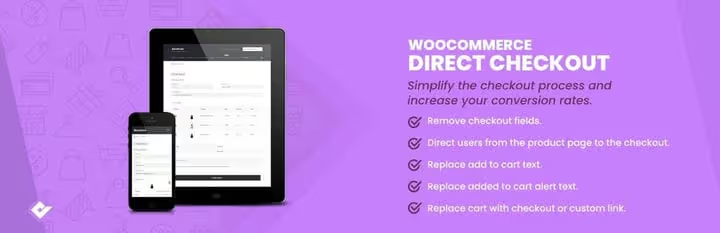
The shortest path from product to payment. Direct Checkout from QuadLayers cuts the cart page from the chain completely: the customer clicks "Buy" and lands directly on checkout. No intermediate screens.
The free version on WordPress.org provides "Add to cart" button text replacement, AJAX addition without reload, redirect to checkout, and the ability to disable unnecessary form fields. Premium at $24/year adds individual product management and integration with payment gateways.
In practice, the free version is enough for most stores. Exception: platforms where the cart is used as an upsell stage, where bypassing it will cut the average order value.
- Pros: minimal setup, works out of the box, free start.
- Cons: premium features only by subscription, not for stores with active cross-selling in cart.
- Price: free / premium from $24/year.
🔗 Direct Checkout on WordPress.org | 🔗 Live demo
2. WooCommerce One Page Checkout

The official WooCommerce plugin that fits product selection, customer data, and payment on one page. No transitions: the customer selects, fills out, pays, all in one window.
The main scenario is promo landing pages and sales. You create a page with a limited set of products, drive traffic to it, and the visitor buys without leaving. Shortcodes allow you to embed one-page checkout anywhere on the site, from a popup to a separate landing page.
The downside: the plugin is fully paid, subscription on WooCommerce.com for $79/year with 30-day refund. For small stores the price is noticeable, but for platforms with regular sales and paid traffic it pays off almost immediately: losing each customer on a multistep checkout costs more.
- Pros: official WooCommerce product, built-in templates, custom landing pages for promotions.
- Cons: paid version only, annual subscription without one-time license.
- Price: $79/year (30-day refund).
🔗 One Page Checkout on WooCommerce.com
3. WooCommerce Checkout Manager
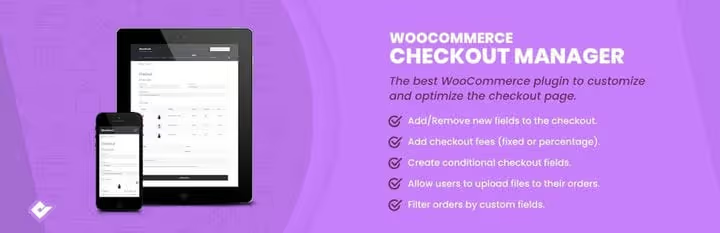
The second QuadLayers product in the roundup, this time for those who need to manage every checkout field individually. Checkout Manager enables, disables, and reorders billing, shipping, and order notes fields through a visual interface.
The free version covers the basics: remove "Order notes," make shipping required, force account creation. Premium at $24/year adds custom fields (text, file upload, dropdown) and conditional logic for their display.
Note: if you need serious conditional logic with dynamic fees, Checkout Fields & Fees (number 9) handles it better. Checkout Manager is about field order and visibility, not complex rules.
- Pros: intuitive interface, free version covers basic needs.
- Cons: conditional logic only in premium, overlaps in functionality with the more powerful Checkout Fields & Fees.
- Price: free / premium from $24/year.
🔗 Checkout Manager on WordPress.org | 🔗 Live demo
4. WooCommerce Social Login

Registration before purchase kills conversion. The customer sees a form with a password and leaves, especially on mobile where typing data is inconvenient. Social Login solves this with one click: log in via Google or Facebook, account created, data pulled, checkout continues.
The official WooCommerce plugin supports up to nine platforms: Facebook, X (Twitter), Google, Amazon, PayPal, LinkedIn, and others. The customer can link a social network to an existing account on the "Order received" page, next time login is instant.
Dependency on social media APIs is an objective minus: platforms change policies, and the plugin requires updates. But for stores with a high share of new buyers, this is one of the fastest ways to boost checkout conversion without changing the form itself.
- Pros: reduces registration friction, 9 platforms, official WooCommerce product.
- Cons: paid version only, dependency on social media APIs.
- Price: $79/year.
🔗 Social Login on WooCommerce.com
5. Checkout for Digital Goods
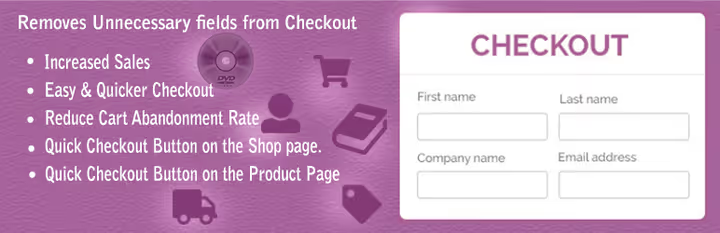
Selling ebooks, plugins, courses, or licenses? Then physical address fields at checkout are junk that annoys buyers. Checkout for Digital Goods leaves only name and email: exactly what's needed to deliver a digital product.
The free plugin from the WordPress.org repository automatically hides billing and shipping fields for virtual goods. No settings: install, activate, form becomes compact. The plugin has 200,000+ active installs and a 4.5 rating on WordPress.org.
The minus is exactly one: narrow niche. If you have a mixed store (physical and digital goods), the plugin will hide the address only for virtual items, but for physical ones the form will remain standard. This is ok, just don't expect magic beyond its specialization.
- Pros: free, removes only the unnecessary, zero settings.
- Cons: only for digital goods, no premium extensions.
- Price: free.
🔗 Checkout for Digital Goods on WordPress.org
6. WooCommerce Currency Switcher

Prices in dollars, but the buyer is in the eurozone. Every second of mental conversion reduces the likelihood of purchase. Currency Switcher from WP Wham shows prices in the user's local currency and allows manual switching.
Supports GeoIP country detection, manual currency setting by user role, fixed rates for specific products, and automatic loading of current rates. Display is flexible: shortcode, widget, dropdown with flags, or slide-out panel, for any design.
Free and regularly updated. Limitations: cryptocurrencies are poorly supported, and rates require periodic verification with actual market data (especially during volatile periods).
- Pros: free, wide range of currency rules, flexible display.
- Cons: limited cryptocurrency support, rates require verification.
- Price: free.
🔗 Currency Switcher on WordPress.org | 🔗 Live demo
7. Checkout Field Editor
Full control over every form field. Checkout Field Editor allows you to add, remove, rename, reorder, change the CSS class, or validation rule for any checkout field.
Supported are text fields, password, email, phone, select, textarea, and radio buttons. For each field, visibility is configurable: show at checkout, in order details and in email notifications, or hide everywhere. Custom classes allow you to style fields to match the theme design without manually editing CSS.
The free version on WordPress.org provides decent functionality. Premium at $49/year unlocks advanced validation rules and priority support. For stores with non-standard data collection logic, a must-have.
- Pros: maximum field management flexibility, free version with good functionality.
- Cons: premium from $49/year, complex validation rules require testing.
- Price: free / premium from $49/year.
🔗 Checkout Field Editor on WordPress.org | 🔗 Live demo
8. Multistep Checkout Wizard
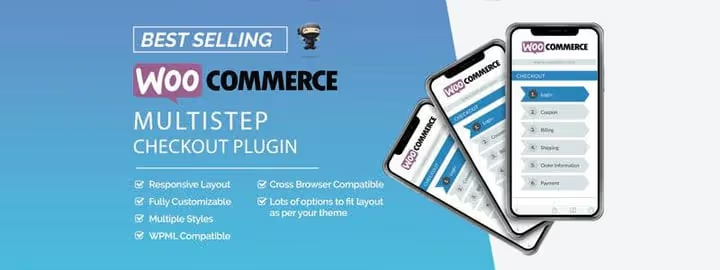
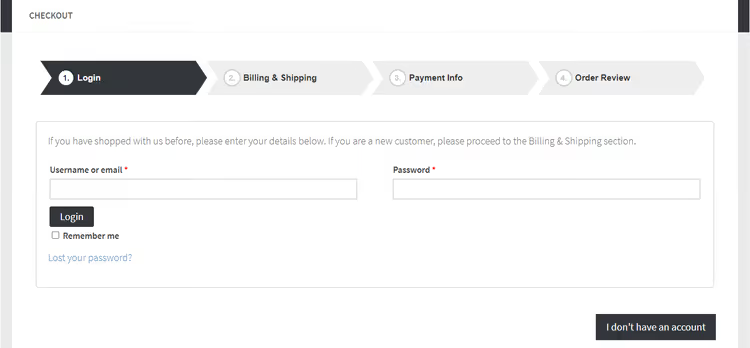
A long page with all fields at once is intimidating. Especially in B2B, where tax details and shipping terms are added to standard fields. Multistep Checkout Wizard breaks checkout into logical steps: billing, shipping, order review, payment.
The customer sees a progress indicator and fills out one block at a time. Cognitive load drops: instead of the task "fill out 12 fields," the user faces three steps of 4 fields. According to the vendor, this approach boosts purchase completion by up to 40%.
The plugin is sold through CodeCanyon for $29 with one-time payment, a rare case among checkout tools. Compatible with WPML for multilingual stores. Support is not WooCommerce.com level, but for $29 one-time it's expected.
- Pros: one-time payment, progress indicator, WPML compatibility.
- Cons: only through CodeCanyon, limited support compared to official WooCommerce products.
- Price: $29 (one-time).
🔗 Multistep Checkout Wizard on CodeCanyon | 🔗 Live demo
9. Checkout Fields & Fees
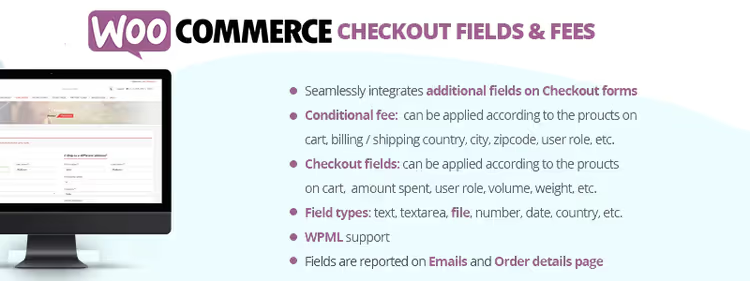
Conditional logic at checkout, that's what sets this plugin apart from the rest. Checkout Fields & Fees doesn't just add custom fields but manages their behavior dynamically: show a field if the cart contains a product from category X, hide if the order amount is below the threshold, add a fee if shipping to region Y.
Rules are built on user roles, zip code, billing country, cart products, and order amount. Fees are recalculated on the fly and added to the final amount, this works both as a surcharge for risky shipping and as a discount for a large cart (negative fee).
The plugin is from CodeCanyon, one-time payment. Requires careful setup: five or six conditions are easy, twenty is already confusing. But for stores with complex shipping and payment logic, there are virtually no alternatives for this money.
- Pros: powerful conditional logic, one-time payment, dynamic fees.
- Cons: easy to overload checkout with conditions, only through CodeCanyon.
- Price: $29 (one-time).
🔗 Checkout Fields & Fees on CodeCanyon
10. WooCommerce Cart Notices
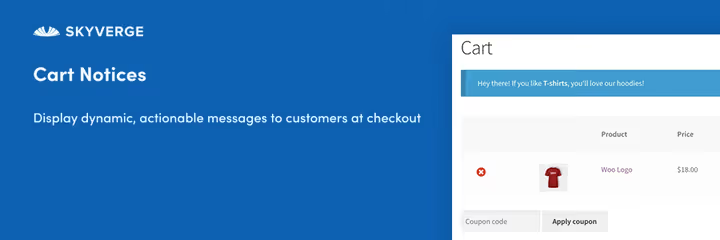
The final touch: messages that nudge toward purchase right before the final step. Cart Notices displays dynamic notifications depending on cart contents, amount, or product category.
"Add another $500, free shipping," "Order within the next 2 hours, we'll ship today," "Special offer for new customers." Each such message works as a trigger: the customer sees the benefit here and now and completes the order.
Official WooCommerce plugin for $79/year on WooCommerce.com. Setup through standard interface: choose a condition, write text, specify placement. Works especially well paired with Direct Checkout: the customer flies past the cart, but the final notification at checkout still catches up.
- Pros: official WooCommerce plugin, simple interface, flexible display conditions.
- Cons: paid version only, annual subscription.
- Price: $79/year.
🔗 Cart Notices on WooCommerce.com
Video: WooCommerce checkout optimization techniques
Practical overview of 21 techniques for speeding up and simplifying checkout, from basic settings to advanced plugins:
⁉️🤔 Frequently asked questions
Is it mandatory to install a plugin for checkout optimization?
Standard WooCommerce checkout loses 60% to 80% of buyers at the checkout stage, 2025 Baymard Institute data. This is not a feature of your store but an industry norm. Minimum set: redirect past cart and hide unnecessary fields, gives a measurable sales increase without programming. The plugin is not a panacea, but without optimization you're working with inherently low conversion.
Can I use multiple plugins simultaneously?
Yes, and in practice this is often the best strategy. Direct Checkout removes the cart, Social Login simplifies login, and Cart Notices adds trigger messages: three plugins, three different tasks, no conflicts. The main thing is to check compatibility on staging: two plugins changing the same checkout fields can fight for control. Start with one, measure conversion, then add the next.
Which plugin should I choose for digital goods?
Checkout for Digital Goods, free and highly specialized. It removes physical address fields, leaving name and email. If you need conditional logic (for example, different fields for different types of digital products), supplement it with Checkout Fields & Fees, they don't conflict.
The plugin doesn't work with my theme, what to do?
First exclude conflict with other plugins: disable everything except WooCommerce and the tested one. If the conflict is specifically with the theme, contact the plugin developer, most commercial products include support. For Elementor themes, consider CartFlows: it's designed for visual checkout rebuilding and doesn't fight with builders.
How to measure the effect of optimization?
Enable conversion tracking in Google Analytics and watch the funnel "checkout view → completed order." Take a measurement before plugin installation, then 2-4 weeks after. A/B tests give the cleanest result but require traffic of around 1,000 visitors per variant. Without A/B, at least compare month-to-month conversion with seasonality adjustment.
What to do with checkout on mobile?
Mobile conversion is always lower than desktop, but the gap can be narrowed. Three rules: minimum fields (leave only critical ones), large input fields (48px minimum touch target), and no captchas at checkout. Plugins like Multistep Checkout Wizard help indirectly: one screen with 4 fields is perceived easier than 12 fields with scrolling.
Conclusion: what to install for your task
Ten plugins cover the entire checkout optimization cycle, from redirect to post-payment notifications. The choice comes down to your store's specific pain point:
- Want to remove the cart and speed up purchase, Direct Checkout for WooCommerce (free start, minimal setup).
- Need one-page checkout for landing pages and promotions, WooCommerce One Page Checkout (official but paid).
- Selling digital goods without shipping, Checkout for Digital Goods (free, one function, and executes it perfectly).
- Want social login, WooCommerce Social Login (reduces friction for new buyers).
- Need custom fields with conditional logic and fees, Checkout Fields & Fees (one-time payment, more powerful than Checkout Manager).
- Checkout too long and intimidates customers, Multistep Checkout Wizard (one-time payment, progress indicator).
- Want to nudge toward purchase with notifications, WooCommerce Cart Notices (good paired with Direct Checkout).
Don't install everything at once. Start with one plugin for the main problem, measure conversion, then add the next. Checkout optimization is a process, not a one-time action.

A professional team of writers and editors specializing in creating quality content.