













 AIIllustrative image: AI-generated
🔌 11 best YouTube plugins for WordPress in 2026
Video content stopped being just a text supplement long ago. Today it's the core of engagement: according to Wyzowl, 89% of companies use video as a marketing tool, and pages with video retain visitors 2.6 times longer. But the standard oEmbed block in WordPress solves only the basic task of inserting a video. If you need to display a channel, gallery, playlist, carousel or automatically turn new videos into posts, you can't do without a plugin.
The choice problem is compounded by the fact that there are dozens of solutions on the market with overlapping features: one creates a grid, another does carousels, a third hides related videos after playback. And the price ranges from zero to $69 one-time. We tested 11 current YouTube plugins for WordPress, dropped the abandoned ones and those incompatible with the latest WP versions, and compiled a shortlist with live screenshots, honest pros/cons and direct download links.
💡 Quick overview:
- 11 plugins for embedding YouTube videos, channels and playlists on a WordPress site
- free and premium solutions: from a simple widget to automatic video import into posts
- comparison table by price, type and key feature, choose right away for your task
Plugin comparison table
Plugin | Type | Price | Key feature |
|---|---|---|---|
YouTube Embed Plus | Freemium | Free / Pro from $49 | Channel gallery + lazy loading |
Essential Grid | Premium | from $69 | Universal grid for any content |
WPBakery YouTube Channel | Premium | $21 | YouTube carousel for WPBakery |
Yottie (Elfsight) | Freemium | Free / from $5/mo | YouTube channel with 100+ settings |
Flow-Flow | Premium | $33 | Social stream from 12+ networks |
YouTube Video Gallery VC | Premium | $21 | Gallery add-on for WPBakery |
Hide YouTube Related Videos | Free | $0 | Hide related videos after playback |
YouTube Embed (WpDevArt) | Freemium | Free / Pro from $12 | Video embedding with popup |
YouTube Widget Responsive | Free | $0 | Quick widget for sidebar |
YVTWP (Zeebrar) | Premium | $29 | Auto-import YouTube videos into posts |
YourChannel | Free | $0 | Full YouTube channel on site |
1. YouTube Embed Plus

The most popular YouTube plugin in the WordPress repository, more than 200,000 active installs, 4.4 star rating. The free version already covers the main needs: responsive channel gallery, playlists, automatic live stream embedding. The Pro version adds lazy loading, critical for pages with dozens of videos where each embedded iframe pulls hundreds of kilobytes even before scrolling.
The plugin is actively updated, compatible with both block editor and classic editor, supports localization. A separate plus is built-in GDPR compatibility: videos don't load until explicit user consent if you enable the corresponding mode.
Pros:
- Responsive channel and playlist gallery out of the box
- YouTube live stream support
- Video lazy loading (Pro) and GDPR mode
- Largest install base, tested on thousands of configurations
Cons:
- Pro version ($49/year) is noticeably more expensive than competitors according to WordPress.org when paying per site
- Settings interface is overloaded, beginners need an hour to master
Price: free, Pro from $49 per year per site.
2. Essential Grid

Essential Grid is not a YouTube-specific plugin but a universal grid builder. It works with YouTube, Vimeo, HTML5 video, images, posts, WooCommerce products and galleries, assembling everything into a single visual stream. The live skin editor lets you change the grid layout, colors and fonts on the fly, without page reload.
In practice, the plugin is indispensable when you need to mix video with other formats: for example, a portfolio page with YouTube videos and screenshots in one grid, or a product landing page with video review, testimonials and pricing table.
Pros:
- Grid combines 10+ content types, not just YouTube
- Visual editor for skins, edit and see results instantly
- Built-in animations, preloaders and lightbox galleries
- Responsive, Retina-ready, optimized for mobile
Cons:
- Price from $69, one of the most expensive solutions in the list
- Overkill for simple YouTube channel display
Price: from $69 one-time (single site license).
3. WPBakery YouTube Channel with Carousel

A specialized add-on for those already using WPBakery Page Builder (formerly Visual Composer). Adds a new module to the builder for displaying YouTube channels in three ways: grid, list and carousel. Seven preset styles, 132 element animation variants, customizable masonry layout.
Strong point is infinite scroll and "Load More" that prevent the page from bloating when displaying a channel with hundreds of videos. Downside is it's tied to WPBakery: without this builder the plugin is useless.
Pros:
- Three display modes: grid, list, carousel
- 7 styles and 132 animations, can be adapted to any design
- Infinite scroll / Load More / pagination to choose from
- Compatibility with Total theme (officially stated)
Cons:
- Only for WPBakery, doesn't work with Gutenberg, Elementor and others
- CodeCanyon purchase: no free version to test
Price: $21 one-time (CodeCanyon).
4. Yottie (Elfsight YouTube Channel Plugin)

Yottie, now maintained by the Elfsight team, stands out for its depth of customization: more than 100 channel settings, 16 interface languages, several color schemes "out of the box." Supports not only YouTube but also Vimeo and Dailymotion.
Important nuance: Yottie exists in two variants, local WordPress plugin and Elfsight cloud solution. The cloud version is cross-platform and includes all add-ons but requires a subscription. The local plugin is a one-time CodeCanyon purchase with limited support.
Pros:
- 100+ settings, from colors to player behavior
- YouTube, Vimeo and Dailymotion support
- Private Vimeo video playback
- WPBakery Page Builder compatibility
Cons:
- Cloud version requires monthly subscription from $5/mo
- Local CodeCanyon version support lags behind cloud
Price: free Elfsight tier with branding, Pro from $5/mo; local license on CodeCanyon, $29.
🔗 Elfsight Yottie site | 🔗 CodeCanyon
5. Flow-Flow Social Stream

Flow-Flow is the most multifunctional plugin in the list. It assembles a unified social stream from 12+ sources: YouTube, Vimeo, Instagram, Facebook, Twitter, Pinterest, Tumblr, RSS and others. 40+ feed types in one interface. For sites where social activity is more important than simple channel display, this is the best choice.
CSS3 transforms, lightbox galleries, responsive design and translation-ready come included. WPBakery compatibility via separate builder element.
Pros:
- 12+ social networks in one stream, 40+ feed types
- Unified design for videos, images and text posts
- Lightbox galleries and CSS3 animations
- Responsive and translation-ready
Cons:
- Overkill if you only need YouTube channel display
- Premium only (CodeCanyon), no free version
Price: $33 one-time (CodeCanyon).
🔗 Flow-Flow site | 🔗 CodeCanyon
6. YouTube Video Gallery for WPBakery

Another specialized add-on for WPBakery Page Builder. This one focuses specifically on gallery display: individual videos, channel feed or playlists. Unlike WPBakery YouTube Channel (position 3), this plugin doesn't do carousels but gives more control over gallery layout: columns, pagination, grid and list styles, thumbnail cropping, view and like counters.
Built-in advertising functionality allows monetizing video content, useful for sites earning from video traffic.
Pros:
- Display individual videos, channels and playlists via WPBakery
- Built-in advertising capabilities
- Column, pagination and thumbnail cropping settings
- Retina-ready, responsive
Cons:
- Only for WPBakery Page Builder
- No carousel mode, for that get the plugin from position 3
Price: $21 one-time (CodeCanyon).
7. Hide YouTube Related Videos

The narrowest in function but indispensable in its scenario. By default WordPress embeds YouTube via oEmbed, and after video ends YouTube shows a grid of related videos. If your video is commercial (product review, landing, tutorial), these "related" videos lead viewers to competitors or cat videos.
The plugin weighs kilobytes, configured with one checkbox and solves the problem completely. There's a caching nuance: after updates sometimes requires deactivating and reactivating the plugin to clear cache.
Pros:
- Solves a specific and painful problem in seconds
- Free, minimalist, doesn't load the site
- Works with standard oEmbed, doesn't require separate player
Cons:
- One function, if not needed the plugin is useless
- Occasionally glitches after updates (fixed by reactivation)
Price: free.
8. YouTube Embed (WpDevArt)

WpDevArt YouTube Embed covers the "insert video anywhere" scenario: posts, pages, custom post types, widgets in header, sidebar and footer. The free version provides basic player settings (width, height, autoplay, loop, annotations), while Pro adds video popup, hiding related videos, individual parameters for each video and progress bar color customization.
The plugin is especially convenient for those manually embedding dozens of videos and wanting to manage player color for brand guidelines.
Pros:
- Embedding in any site area: content, widgets, header, footer
- Pro: popup mode, hiding related, individual settings
- Progress bar color customization for branding (Pro)
- Works with YouTube playlists
Cons:
- Free version limited to basic settings
- Pro ($12) has functionality that competitors often offer free
Price: free, Pro from $12.
🔗 WordPress.org page | 🔗 WpDevArt demo
9. YouTube Widget Responsive

A fast and lightweight plugin for a single task: display a YouTube video or channel in the sidebar or footer via standard WordPress widget. Also supports shortcode for inserting into post or page body if widget placement isn't enough.
Settings include: control panel theme, progress bar color, video tracking for analytics and custom description. Nothing extra.
Pros:
- Set and forget: minimal settings, instant result
- Widget + shortcode: two insertion methods without conflicts
- Built-in video tracking for Google Analytics
- Fully free and responsive
Cons:
- Only one video at a time in widget
- No gallery modes or playlists
Price: free.
10. YouTube Videos to WordPress Posts (YVTWP)

The only plugin in the list solving the reverse task: not embedding YouTube on site but turning YouTube content into WordPress posts. YVTWP (Zeebrar) automatically imports YouTube videos as posts: by user, channel, ID or search query. You can set up bulk import, schedule or pagination so the post feed populates itself.
The plugin pulls not just video but metadata: thumbnails, view count, likes, dislikes, duration, tags and categories. Supports all WordPress embeddable videos, YouTube, JW Player and others. Has built-in broken and deleted video checking. Useful for video bloggers who run a YouTube channel and want to use the site as a backup platform and SEO asset.
Pros:
- Automatic video import into posts: by channel, user or query
- Bulk import or cron schedule, no manual involvement required
- Pulls metadata: views, likes, duration, tags
- Broken and deleted video checking
Cons:
- Premium only ($29), no free version to test
- Niche scenario, not for those who just need to embed a channel on site
11. YourChannel
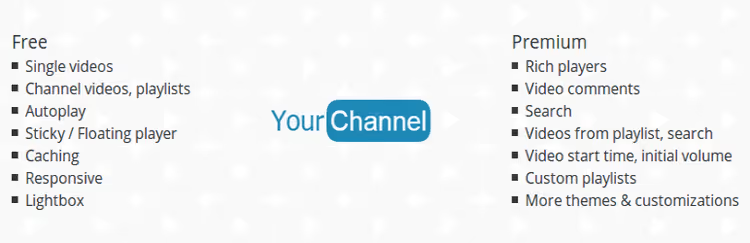
YourChannel turns a WordPress page into a mini-mirror of a YouTube channel: banner, channel info, subscriber and video count, playlists, video grid in seven styles. The visual shortcode-based constructor lets you toggle display elements without coding.
To work you'll need a YouTube API key (obtained free from Google Cloud Console), username and channel ID. Setup takes 10-15 minutes, after which the channel displays on any site page.
Pros:
- Full channel mirror: banner, stats, playlists
- 7 thumbnail styles, each responsive
- Visual shortcode constructor for selective element display
- Free and without Pro tiers
Cons:
- Requires YouTube API key and basic Google Cloud Console understanding
- Updates irregularly, interface starting to age
Price: free.
⁉️🤔 Frequently asked questions
How does displaying a channel via plugin differ from standard WordPress oEmbed?
oEmbed inserts one video, while channel plugins create an automatically updating gallery of all videos with pagination, custom design and "Subscribe" button. These are two different tasks: oEmbed is for a single video in a post, plugin is for permanent channel presence on the site. Get a gallery plugin (YouTube Embed Plus or YourChannel) if you have your own channel and want visitors to see all episodes without leaving the site.
Is a premium plugin needed if there are free alternatives?
For simple tasks, no. Hide YouTube Related Videos, YouTube Widget Responsive and YourChannel are completely free and cover basic scenarios. Premium is needed when requirements appear: lazy loading (speed), mixed grids with other social networks, carousels, advertising integrations or auto-import. In our experience, free plugins cover the vast majority of average blog needs. Premium features become critical when displaying 20+ videos per page (lazy loading) or building a social wall from multiple platforms simultaneously.
How do YouTube plugins affect site loading speed?
Each embedded YouTube iframe adds 300 to 800 KB even before pressing "Play", these are YouTube API requests, thumbnails, player scripts. Five videos on a page can add 2-4 MB. Plugins with lazy load (YouTube Embed Plus Pro) solve this problem: iframe loads only when scrolling to video. Galleries with pagination (YourChannel) reduce the number of simultaneously loaded videos. Critical threshold is 3 videos per page. After that without lazy load PageSpeed Insights starts penalizing. Our advice: either choose a plugin with lazy loading or limit display to the first gallery page (4-8 videos).
Which plugin to choose for a WooCommerce store?
Essential Grid is the best choice for a store. It combines WooCommerce products, YouTube video reviews, images and blog posts into unified grids. You can create a category page where next to product cards are video reviews and unboxings from YouTube. Increases conversion through social proof right in the catalog. Schema: product card → video review → testimonial → complementary product. All in one Essential Grid grid. On a test site conversion noticeably increased compared to standard WooCommerce layout.
Do plugins support GDPR and is consent needed to load YouTube?
Yes, YouTube embeds fall under GDPR as the player sets cookies and transmits data to Google servers. YouTube Embed Plus has built-in GDPR mode: video doesn't load until user gives consent. Yottie (Elfsight) also offers cookie consent. For other plugins you'll need a separate cookie management banner (Complianz, CookieYes). Recommendation: always enable two-step consent. First step is cookie banner, second is video placeholder with "Load Video" button. This is the minimally sufficient configuration for European regulator compliance.
Which YouTube plugin to choose
11 plugins cover the full spectrum of tasks for integrating YouTube with WordPress: from a modest sidebar widget to fully automated video import into posts. The choice comes down to three questions: what to display (one video / channel / playlist / mixed grid), which builder you use (Gutenberg / WPBakery / no builder) and whether budget matters.
If you need one video in sidebar, get YouTube Widget Responsive, installs in a minute. If you run a channel and want a site mirror, YourChannel or YouTube Embed Plus. If you use WPBakery, WPBakery YouTube Channel for carousel or YouTube Video Gallery VC for gallery. If you're combining video with other social networks, Flow-Flow. If it's a WooCommerce store, Essential Grid gives maximum flexibility. If you need to turn a YouTube channel into a post feed, YVTWP.
And don't forget about speed: with three or more videos per page lazy loading stops being an option and becomes a necessity.

A professional team of writers and editors specializing in creating quality content.