













🚀 12 best WordPress heatmap plugins and services in 2026
You've launched your site, set up content, and brought in traffic. But conversion stalls, and visitor behavior remains a black box: where do they click? What do they scroll past? Where do they abandon their cart?
Heat maps remove this layer of uncertainty. They show literally, in red, yellow, blue, which areas of the page visitors linger on and what they ignore completely. For a WordPress site owner, this isn't "nice to have," it's a direct growth tool: move a button 50 px higher, and conversion improves.
We've compiled 12 best heat map plugins and services for WordPress in 2026. Among them are lightweight free solutions, enterprise platforms with AI analytics, and self-hosted options for those who don't want to hand data to a third party. Compare, try, find yours.
💡 Quick overview:
- Determine what you need: quick start with free analytics (Microsoft Clarity, Hotjar Free) or deep session recording for e-commerce (Mouseflow, Lucky Orange).
- Choose a service from the comparison table below, we've consolidated key parameters: price, installation type, free plan, and unique features.
- Integrate with WordPress: most services connect through a native plugin from the wordpress.org catalog in 2 minutes; for the rest, insert a JS snippet.
- Run data collection for 3-7 days, open the heat map of your homepage and product pages, and find one bottleneck. Fix it, and measure the difference.
Comparison table
Service | Type | Free plan | Starting price | WP plugin |
|---|---|---|---|---|
Mouseflow | SaaS | Yes (500 recordings/mo) | $31/mo | Yes |
Crazy Egg | SaaS | 14-day trial | $29/mo | Yes |
Clicky | SaaS | 21-day trial | $9.99/mo | Yes |
Glassbox (ex-SessionCam) | Enterprise SaaS | Up to 500 pages/mo | On request | No |
Contentsquare (ex-Clicktale) | Enterprise SaaS | 400 views/mo | On request | No |
Ptengine | SaaS | 20,000 views/mo | $39/mo | No (JS snippet) |
Inspectlet | SaaS | 100 sessions/mo | $39/mo | Yes |
Lucky Orange | SaaS | Yes (limited) | $10/mo | Yes |
Hotjar | SaaS | Yes (35 sessions/day) | $32/mo | Yes |
Microsoft Clarity | SaaS | Completely free | Free | No (JS snippet) |
Plerdy | SaaS + WP plugin | Yes (limited) | $25/mo | Yes |
Smartlook | SaaS | Yes (3,000 sessions/mo) | $55/mo | Yes |
1. Mouseflow
Mouseflow emphasizes session replay: it records every mouse movement, click, scroll, keystroke, and form interaction. Worth noting separately is tracking keystrokes when filling forms, even if the visitor didn't submit the form, you see which field they got stuck on.
For online stores, there's specialized e-commerce funnel analytics: you can see which checkout step loses the buyer. Integration with WordPress through a JS snippet (a plugin from the wordpress.org catalog also works, but hasn't been updated in a while, 7,000+ installs).
Price: free plan includes 500 session recordings per month for one site. Paid plans start at $31/mo.
2. Crazy Egg
Crazy Egg, a market veteran: the service was founded by Hiten Shah and Neil Patel and today serves over 449,000 websites. Main feature, "Confetti" visualization: clicks are color-coded by traffic source (organic, referrals, paid search), so you immediately see which channel brings the most active visitors.
Heat map accuracy, according to the company's own data, reaches 88% relative to laboratory eye-tracking tests. The service includes A/B testing, session recording, conversion funnels, and popup CTAs.
For WordPress, there's a free plugin (7,000+ installs, tested up to WP 6.7). Setup comes down to inserting the tracking script from your personal dashboard.
Price: 14-day free trial, paid plans from $29/mo.
🔗 Crazy Egg on WordPress.org🔗 Official site
3. Clicky
Clicky positions itself as a privacy-friendly alternative to Google Analytics. Heat maps here aren't a separate product, but part of overall web analytics: for each page and each user session, click data is collected.
The service offers goal monitoring, uptime monitoring, aggressive bot filtering, and API for integration with third-party tools. Over 695,000 sites use Clicky.
WordPress integration through a JS snippet (there's a Clicky by Yoast plugin, but it hasn't been updated since 2023, 4,000+ installs).
Price: free plan, 21-day free trial with full access. Paid plans from $9.99/mo.
4. Glassbox (formerly SessionCam)
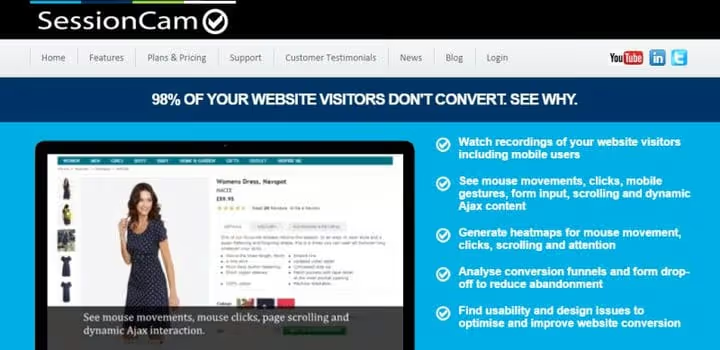
SessionCam was acquired by the Glassbox platform and now operates under its brand. The service captures all digital interactions: mouse movements, form filling (even incomplete), validation errors, freezes.
Key function, "Session Replay": you select a user from the report and watch a complete replay of their journey through the site. This is the best way to understand why a visitor left without completing an order.
Price: free plan includes recording up to 500 page views per month (no credit card required). For larger volume, pricing on request.
5. Contentsquare (formerly Clicktale)

Clicktale, an enterprise-level product used by Walmart, Microsoft, and Dell. After merging with Contentsquare, the platform became an AI-oriented tool for Experience Intelligence.
In the arsenal: heat maps on big data, conversion funnels, form analytics, and Contentsquare Touch for mobile applications. The AI module automatically highlights anomalies and churn points.
Price: free plan, up to 400 page views per month. For serious volumes, individual pricing.
6. Ptengine
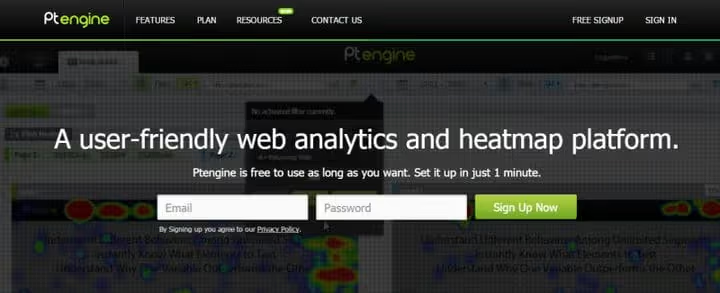
Ptengine from Japanese vendor PTMIND, this isn't just heat maps, but a full web analytics platform with A/B testing, personalization, and popups. As of 2026, the service is used by over 4,100 verified companies.
Ptengine heat maps cover 6 modes: clicks, scroll, attention zones, individual page analysis, audience segment comparison, and multi-device monitoring.
The WP plugin from the wordpress.org catalog was closed in 2019, but the service itself is alive and integrates through a JS snippet (one tag per site). This is no more difficult than installing Google Analytics.
Price: free plan, 20,000 page views per month for 1 domain. Paid plans from $39/mo.
7. Inspectlet
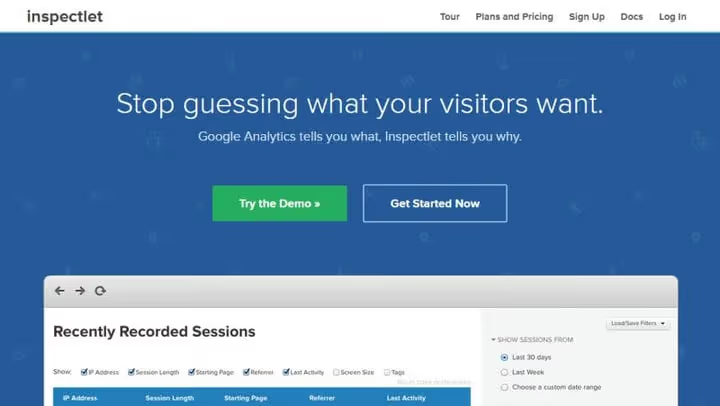
Inspectlet stands out with AI features: the "AI Insights" module automatically finds rage clicks, JS errors, abandoned forms, and marks sessions worth watching first. The "Ask Inspectlet AI" feature lets you ask questions about users in natural English.
The service records all mouse movements, scrolls, clicks, and data entry. Trust is expressed in numbers: over 85,000 sites, including the New York Times, Cisco, eBay, and Salesforce.
Integration with WordPress through installing a JS snippet in <head>. There's no specialized WP plugin, but setup takes 2 minutes.
Price: free plan, 100 session recordings per month for 1 site. Paid from $39/mo for 5,000 sessions.
8. Lucky Orange

Lucky Orange, an all-in-one for WordPress site owners: heat maps (including dynamic content, popups, AJAX, dropdown menus), session recordings, conversion funnels, live chat, surveys, and even the ability to initiate chat with a specific visitor right from the admin panel.
The official WP plugin was updated 4 weeks ago (as of June 2026), tested up to WP 7.0, and has 4.3 stars. Setup is one click after activation.
Price: free plan with limited functionality. Paid from $10/mo for 3 sites and 50,000 page views. Heat map data is stored for 30 days. 7-day trial without credit card.
🔗 Lucky Orange on WordPress.org🔗 Official site
9. Hotjar

Hotjar, one of the most popular behavioral analytics tools in the world. Heat maps here are just part of the ecosystem: session recordings, surveys, funnels, feedback widgets, and integration with Contentsquare.
Hotjar heat maps are built for clicks, scroll, and mouse movement. Data isn't sampled, you see the full picture, not an averaged projection. Filters allow segmenting by devices, geo, and traffic source.
For WordPress, the official site offers a JS snippet and a plugin from the catalog (200,000+ installs, although last updated in 2023). Connection: register a Site ID in the Hotjar dashboard, insert it into the plugin field, and data flows in 5 minutes.
Price: free plan, 35 sessions per day with basic features. Paid from $32/mo.
10. Microsoft Clarity

Microsoft Clarity, a completely free tool from Microsoft with no limits on traffic or number of sites. No trial periods, no "upgrades," you get heat maps, session recordings, and "CoPilot AI" (summarization of unusual patterns) without spending a penny.
Clarity is especially strong in detecting "frustration signals": rage clicks, dead clicks (clicks on non-clickable elements), excessive scrolling, and JavaScript errors. Each session gets a "problemness" score, and AI itself surfaces recordings worth watching.
Integration, JS snippet in <head>. There's no WP plugin, but you can add the code through any script insertion plugin (for example, WPCode) in a minute.
Price: free. No limits.
🔗 Microsoft Clarity official site
11. Plerdy

Plerdy, a Ukrainian product, tightly integrated with WordPress through its own plugin. Besides heat maps, the platform includes: session recordings, form analytics, popup A/B testing, SEO position monitoring, and event tracking.
Plerdy's feature is "conversion" focus: the heat map automatically overlays on conversion data, so you see not just "where they click," but "which clicks bring money."
The Plerdy WP plugin is active and regularly updated, which favorably distinguishes it from "abandoned" integrations like the old Ptengine plugin.
Price: free plan with session limits. Paid from $25/mo.
🔗 Plerdy on WordPress.org🔗 Official site
12. Smartlook

Smartlook, a Czech service covering the full analytics cycle: heat maps, session recordings, conversion funnels, and event analytics. Strong side, recording mobile app sessions (native integration with iOS/Android SDK), which is rare among "site" tools.
Smartlook heat maps are built accounting for dynamic content and AJAX transitions. Filtering allows selecting sessions by events: for example, "only those who clicked 'buy' but didn't complete checkout."
For WordPress, integration through a JS snippet from the official site (the plugin from the wordpress.org catalog is no longer available).
Price: free plan, 3,000 sessions per month. Paid from $55/mo.
Video: how to read heat maps (and avoid mistakes)
Theory without practice works poorly. Here's a 15-minute guide in English from the Hotjar team, analyzing real heat maps from an online store with explanation of how to interpret red zones and what to do with "cold" areas:
⁉️🤔 Frequently asked questions
Do I need a heat map if I already have Google Analytics?
GA shows what happened, a heat map shows where exactly on the page. These are different data layers. GA will say you have low conversion; a heat map will show that the "Buy" button is 200 px below the attention zone. Both tools complement each other.
How much do heat maps slow down a site?
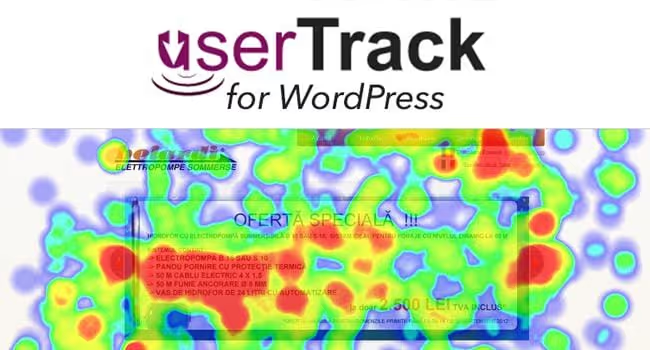
For all listed services, the script loads asynchronously, it doesn't block page rendering. By our measurements, typical overhead is 80-150 ms (within hosting margin of error). Exception, self-hosted solutions (old ExtraWatch, userTrack): they write data to your own database, which creates load at high traffic. This is precisely why we recommend cloud SaaS services, data collection happens on their servers, not yours.
Which service to choose if budget is zero?
Microsoft Clarity, no limits and free forever. If you need more features, Hotjar Free (35 sessions/day) or Lucky Orange Free. All three options give working heat maps without spending a single dollar.
Can heat maps be used for GDPR/privacy?
Yes, but with caveats. Most services (Clicky, Lucky Orange, Ptengine) offer IP anonymization and cookie opt-out. Microsoft Clarity is initially designed with GDPR in mind (data stored in Azure, ISO 27001 certified). Before launch, check the privacy policy of the specific service, especially if working with EU traffic.
How many days after installation can you draw conclusions?
Minimum, 3 days. For low-traffic sites (< 500 visitors/day), a week. A heat map on 50 sessions is misleading: one random "rage clicker" will create a false red zone. Wait for at least 200-300 recordings for the target page before moving buttons.
What to install on WordPress in 2026: final breakdown
The choice comes down to three scenarios. Budget is zero: install Microsoft Clarity, it's the best free tool on the market right now. Need session recording + heat maps for reasonable money: get Hotjar or Lucky Orange, both give a full set for the price of a cup of coffee per day with excellent WordPress integration. Enterprise segment / high-traffic: Glassbox or Contentsquare, expensive, but you get AI analytics that finds bottlenecks itself without manually reviewing hundreds of sessions.
Remember the main thing: a heat map isn't the end goal. It's a tool for one action: find one bottleneck, fix it, and measure the effect. Launch, find, fix, check. Repeat.

A professional team of writers and editors specializing in creating quality content.