













 AIIllustrative image: AI-generated
📢 14 best WordPress plugins for ad management 2026
Monetizing a website through advertising is like an old house: the foundation seems solid, but without the right tools money leaks through every crack. You publish content, grow traffic, and banners hang wherever, AdSense shows the wrong things to the wrong people, and ultimately revenue is many times lower than possible.
Worse yet: Google methodically tightens the screws. One wrong placement, a couple of accidental clicks, a forgotten ads.txt, and your AdSense account gets banned. Months of work down the drain.
WordPress, meanwhile, has accumulated an impressive arsenal of tools for ad management: from lightweight widgets to full-featured ad servers with geo-targeting, A/B testing, and automated spot sales. We've selected 14 plugins that cover any scenario, from a modest blog to a million-visitor site.
💡 Quick overview:
- Choose universal all-in-one solutions Advanced Ads or Ad Inserter if you need maximum flexibility: any networks, any formats, precise targeting.
- Use specialized AdSense plugins (WP QUADS, AdsforWP) for a quick start with Google AdSense and AMP compatibility.
- Go with WP AdCenter when you need to sell ad spots directly: built-in forms for advertisers, billing through WooCommerce (Stripe, PayPal), personal dashboard with statistics.
- Install lightweight widgets (Ad Widget, Meks Easy Ads, Corner Ad) when the task is simply to hang a couple of banners in the sidebar and forget about it.
- Connect WPCode for tracking pixels and non-standard scenarios, it's not an ad plugin per se but the glue that holds the entire advertising infrastructure together.
Comparison table: 14 ad management plugins
Plugin | Free version | AdSense | Custom banners | Geo-targeting | Spot sales | Pro price |
|---|---|---|---|---|---|---|
Advanced Ads | ✅ | ✅ | ✅ | ✅ (Pro) | ✅ (Pro) | from €49/year |
Ad Inserter | ✅ | ✅ | ✅ | ✅ (Pro) | ❌ | from €20/year |
AdRotate | ✅ | ✅ | ✅ | ✅ (Pro) | ❌ | from €39/year |
WPCode | ✅ | ✅ | ✅ | ❌ | ❌ | from $49/year |
WP QUADS | ✅ | ✅ | ❌ | ✅ | ❌ | from $89/year |
AdSanity | ❌ | ✅ | ✅ | ❌ | ❌ | from $59/year |
WP AdCenter | ✅ | ✅ | ✅ | ✅ (Pro) | ✅ (Pro) | from $19/year |
AdsforWP | ✅ | ✅ | ✅ | ❌ | ❌ | from $49/year |
WP Bannerize Pro | ✅ | ✅ | ✅ | ❌ | ❌ | Free |
Ad Widget | ✅ | ✅ | ✅ | ❌ | ❌ | Free |
Meks Easy Ads | ✅ | ✅ | ✅ | ❌ | ❌ | Free |
AdPlugg | ✅ | ✅ | ✅ | ✅ | ❌ | from $20/month |
Corner Ad | ✅ | ✅ | ✅ | ❌ | ❌ | Free |
AWPCP | ✅ | ✅ | ❌ | ❌ | ❌ | Free |
1. Advanced Ads
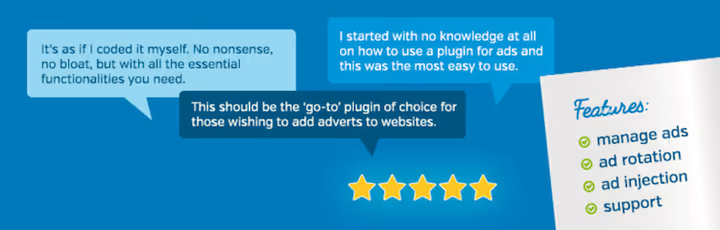
🔗 Advanced Ads on WordPress.org
If there were a Swiss Army knife for ad management, it would be called Advanced Ads. The plugin works with all conceivable ad networks: Google AdSense, Google Ad Manager, Amazon Ads, Media.net, Ezoic, Booking.com, Tradedoubler, connect whatever you want.
The main feature is the "simplicity for beginners / power for pros" fork. You can connect AdSense through the setup wizard in a minute and forget about it. Or you can build complex logic: one banner for mobile in Europe, another for desktop in the USA, a third only for visitors from search. Geo-targeting, frequency capping, A/B testing, click fraud protection, all of this in the Pro version.
The AdBlock protection deserves special mention: the plugin can detect blockers and show alternative content. And the Selling Ads feature allows you to automate the sale of advertising spots: the advertiser uploads a banner, pays, and the ad automatically goes into rotation.
The Pro version starts from €49 per year for one site. For such a feature set, one of the best deals on the market.
2. Ad Inserter

🔗 Ad Inserter on WordPress.org
300,000+ active installs, and for good reason. Ad Inserter does exactly what it promises: inserts any code anywhere on the site. Google AdSense, Google Ad Manager, Media.net, Infolinks, Amazon Native Shopping Ads, any scripts.
The main advantage is surgical precision. You can insert code after the 3rd paragraph, before the 7th, after every image, between posts in the feed, after the "read more" tag. Want one banner to show on mobile and another on desktop, set visibility conditions.
Nice features: built-in click fraud protection (Pro), export statistics to PDF for clients, A/B testing, sticky ads with animation. Downsides: the entry barrier is slightly above average, the interface isn't what you'd call intuitive, it will take an hour or two to master.
Pro version from €20 per year, Ad Inserter remains one of the most affordable premium solutions on the market.
3. AdRotate

A veteran of the WordPress advertising world: tens of thousands of installs, human tech support, and no AI code, everything written and tested by hand. AdRotate works with any networks: Google AdSense, Amazon Ads, Media.net, plus custom banners.
Rotation is the plugin's strong suit. You can set up banner changes with each page load or every N seconds. Group ads, set schedules, specify impression and click limits, the system automatically monitors quotas.
The Pro version adds geo-targeting (via the free AdRotate service or MaxMind), AdBlock protection, mobile banners, WooCommerce and bbPress integration. Limitations: no AMP support and no tools for selling ad spots.
Pro is €39 per year for one site.
4. WPCode

WPCode is not a classic ad plugin but a universal snippet manager that brilliantly handles advertising code insertion. If you're tired of digging into functions.php for every tracking pixel or AdSense script, WPCode is your best friend.
Auto-Insert allows you to place code anywhere: before post, after post, between paragraphs, in WooCommerce cart. Scheduling turns ads on and off by schedule. And AI Snippet Generator is a thing for the lazy: describe in words "I want a banner with fade-in animation" and the code generates itself.
Conversion Pixels (Pro) is a must-have for those driving traffic from Facebook, Pinterest, TikTok: tracking pixels are set up in a couple of clicks, and you see the full path from ad impression to purchase.
The free version covers most tasks. Pro from $49 per year.
5. WP QUADS

WP QUADS is primarily a tool for Google AdSense, designed for the fastest possible start. Connect your account, choose placement locations, and ads are already live.
The plugin can insert ads at the beginning, middle, and end of posts, after images, between paragraphs using the <!--Ads1--> marker. The Pro version adds AMP support, responsive ads (phone / tablet / desktop), A/B testing, click fraud protection, and lazy loading.
Interesting detail: WP QUADS can track clicks and impressions in real time, allowing you to compare your numbers with Google reports. Pro from $89 per year.
6. AdSanity

AdSanity emphasizes simplicity. Create an ad, your banner or network code, choose placement via widget or button in the editor, done. No magic, minimal settings.
Strong point is impression management: you can set a daily or lifetime impression limit, and the ad automatically removes itself from rotation. Working with AdBlock: the plugin can hide content behind a "You have an ad blocker enabled" warning and give temporary access to those who disable it.
AdSanity cannot sell spots automatically (unlike WP AdCenter), but for creating and rotating custom banners, it's one of the best options. Price from $59 per year, there's a lifetime license.
7. WP AdCenter

🔗 WP AdCenter on WordPress.org
WP AdCenter is the direct heir to the niche that used to be covered by CodeCanyon plugins: it's a full-fledged self-service platform for advertisers right inside WordPress. The plugin is actively developed by the WPeka team (10+ years in the WordPress ecosystem), has 30,000+ active installs and a rating on WordPress.org.
The main advantage is built-in billing through WooCommerce. The advertiser registers through a frontend form, selects a package (CPC, CPM, or fixed term), pays via Stripe or PayPal, and uploads banners. The system automatically activates the campaign and tracks impressions with clicks. The advertiser has a personal dashboard with real-time performance graphs. Automatic email reminders about campaign expiration encourage renewal, additional revenue on autopilot.
The free core works with Google AdSense, Google Ad Manager, Amazon Ads, Media.net, Ezoic, and a dozen other networks. Pro for $19 per year adds geo-targeting via MaxMind, AdBlock protection, click fraud protection, A/B testing, and weighted rotation. Downsides: advanced statistics only in Pro, and the Vue.js interface takes getting used to after classic WordPress admin panels.
8. AdsforWP

AdsforWP is a growing plugin focused on AMP compatibility and detailed statistics. Supports Google AdSense, Google Ad Manager, and custom HTML code. Key feature: separate analytics for AMP and non-AMP pages, allowing you to compare ad effectiveness in both versions of the site.
The plugin supports multiple placement locations, display scheduling, and a revenue sharing feature, convenient for sites with multiple authors. The Pro version adds advanced targeting and priority support. Price from $49 per year.
9. WP Bannerize Pro

🔗 WP Bannerize Pro on WordPress.org
WP Bannerize Pro approaches banners as content: each banner is a custom post type. Upload an image, enable impression and CTR tracking, publish, and get a shortcode to insert anywhere.
The plugin isn't overloaded with features, and that's a plus. If your advertising scenario is "upload 10 banners, distribute shortcodes across the site, and watch statistics," you're all set. Completely free, no Premium tiers.
10. Ad Widget

55 ad formats in one widget. Besides standard banners, Ad Widget can display Facebook pages, Instagram profiles, share buttons, and much more. If you sell advertising spots directly, this variety of formats will be an argument for clients. Free.
11. Meks Easy Ads Widget
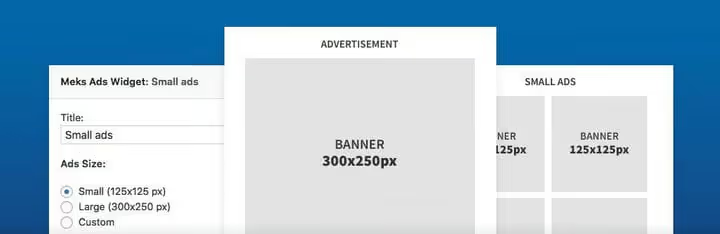
🔗 Meks Easy Ads Widget on WordPress.org
Another lightweight widget plugin but with a nice feature: you can set an impression limit per page view. For example, no more than three ads per visitor. Rotation is random or sequential, banner sizes are any. Free, no Pro.
12. AdPlugg
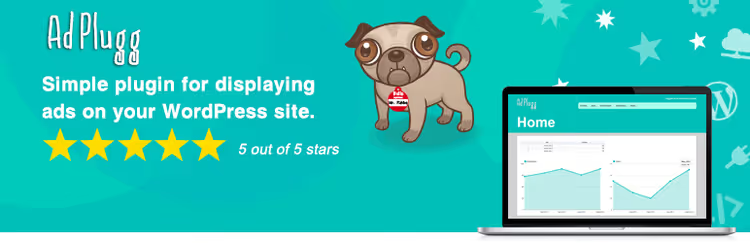
AdPlugg is interesting for its hybrid model: part of the logic lives on the AdPlugg cloud server, and the WordPress plugin serves as a bridge. This offloads your server and allows you to manage ads centrally, convenient for a network of sites.
Geo-targeting, rotation, scheduling, statistics, all on the cloud side. The free version covers basic needs. Pro from $20 per month.
13. Corner Ad

Corner Ad does exactly one thing and does it elegantly. A collapsed banner appears in the upper left or right corner of the site. On mouse hover, it expands to full screen. Perfect for "secret sales," event announcements, or special offers. Free.
14. AWPCP

AWPCP (Another WordPress Classifieds Plugin) is not quite about ad management in the usual sense. It's a plugin for creating a full-fledged classifieds board on WordPress: search by region, country, user, keyword. Modules for Authorize.net, PayPal, campaign manager and coupons, everything to launch your own "Craigslist" on WordPress. Free core, paid extensions.
🎥 Video: how to manage ads in WordPress
The topic of ad management is one of those where it's better to see once than read a hundred times. In this video, a step-by-step breakdown of Ad Inserter: from installation to fine-tuning positions and A/B testing.
⁉️🤔 Frequently asked questions
What's the difference between Advanced Ads and Ad Inserter?
Both plugins can insert ad code anywhere on the site. The difference is in philosophy: Advanced Ads emphasizes managing ads as content (grids, groups, spot sales), while Ad Inserter focuses on surgical precision of code insertion. Advanced Ads is easier for beginners, Ad Inserter gives more control over positioning. Both are market leaders with 300,000+ installs between them. Choose Advanced Ads if you want "set it and forget it," and Ad Inserter if you're ready to spend an hour on fine-tuning.
Can you use multiple ad plugins simultaneously?
Technically yes, but this creates a risk of script conflicts and double impression counting. Better to choose one universal plugin (Advanced Ads or Ad Inserter) and cover all scenarios with it. Exception: WPCode (for tracking pixels) + any ad plugin, they solve different tasks and don't conflict. WPCode works at the snippet level and doesn't interfere with advertising logic.
Which plugin to choose for selling ad spots directly?
WP AdCenter is the optimal option with a full-fledged self-service platform: frontend form, automatic billing through WooCommerce (Stripe, PayPal), advertiser's personal dashboard with graphs. If automation isn't needed, Advanced Ads with the Selling Ads addon allows accepting payments and creating advertiser profiles. AdSanity is good for manual management: create banners for each client and control impressions manually.
What to do if ads don't display on a cached site?
Most plugins (Advanced Ads, AdRotate, AdSanity) have built-in cache handling mechanisms. Ad Inserter offers server-side rotation that doesn't depend on page cache. WPCode works at the server level and is also compatible with any caching. If the problem persists, check your cache plugin settings: JavaScript rotation is usually more reliable than server-side with aggressive caching.
Is AMP needed for advertising in 2026?
AMP traffic has decreased after Google's policy changes, but if your audience significantly comes from mobile search, AMP compatibility is still important. From top plugins, AMP is supported by: Advanced Ads (via AMP Ads addon), WP QUADS (Pro), Ad Inserter (Pro), and AdsforWP (out of the box). AdRotate and WP AdCenter don't support AMP, consider this when choosing.
How to protect against ad blockers?
The best built-in mechanisms are in Advanced Ads (AdBlock detection, alternative content, redirect), Ad Inserter (popup or redirect), and AdRotate (hiding ads from blockers). AdSanity allows blocking content until AdBlock is disabled. Important: no method gives full guarantee, blockers evolve too.
Which ad management plugin to choose in 2026?
The answer, as always, depends on the scenario.
If you run a blog and want "set it and forget it," go with Advanced Ads. Ready to spend an hour on setup for maximum control over every pixel, Ad Inserter. Need to sell spots and get money on autopilot, WP AdCenter with WooCommerce billing will close this task. And if you're just starting and budget is limited, AdRotate or WP QUADS will handle most needs for free.
The main rule: don't install two plugins for one task. Choose one, set it up once, and focus on content rather than tuning the advertising machine. Advertising should work for you, not you for advertising.
Have your own experience with any of these plugins? Or did we miss a worthy tool? Write in the comments, we'll add it.

A professional team of writers and editors specializing in creating quality content.