














🤑 10 best Google AdSense plugins for WordPress 2026 (free and paid)
Without the AdSense plugin, you're working blind: you insert a script into <head>, Google shows ads wherever it sees fit. You can't exclude pages with terms or 404s. You can't test positions. There's no AdBlock protection.
With a plugin, you gain control over each of these points. According to Backlinko's 2025 data, about 37% of desktop users in the US block ads. A plugin with AdBlock protection or independent banner rotation partially covers this loss.
We tested 10 tools for WordPress 2026: from free one-click solutions to paid all-in-one platforms with their own marketplace and billing.
💡 Quick overview:
- Auto-insert without setup: Easy Google AdSense or Site Kit by Google.
- Precise position control: Advanced Ads or Ad Inserter.
- Direct ad space sales: Ads Pro or WP AdCenter.
- Banner rotation with independent stats: AdRotate.
- Click fraud protection: Ad Invalid Click Protector.
- Minimal code insertion without bloat: WPCode, free, 700,000+ installs.
Comparison table
Plugin | Free version | Auto-insert | Geo-targeting | Rotation/A/B | Ad sales |
|---|---|---|---|---|---|
Easy Google AdSense | ✅ | ✅ (Auto Ads) | ❌ | ❌ | ❌ |
Ad Invalid Click Protector | ✅ | ❌ | ❌ | ❌ | ❌ |
WPCode | ✅ | ✅ | ❌ | ❌ | ❌ |
Ads Pro | ❌ ($149) | ✅ | ✅ | ✅ (CTR) | ✅ |
AdRotate | ✅ | ✅ | ✅ (Pro) | ✅ | ❌ |
Site Kit by Google | ✅ | ✅ (Auto Ads) | ❌ | ❌ | ❌ |
Advanced Ads | ✅ Lite | ✅ | ✅ (Pro) | ✅ (Pro) | ❌ |
Ad Inserter | ✅ Lite | ✅ | ✅ (Pro) | ✅ (Pro) | ❌ |
WP AdCenter | ❌ ($47/year) | ✅ | ❌ | ✅ | ✅ |
Ads by WPQUADS | ✅ Lite | ✅ | ✅ (Pro) | ❌ | ❌ |
1. Easy Google AdSense
One input, one button: you enter your publisher ID, save, and Google Auto Ads takes control. The algorithm analyzes the page and visitor behavior through machine learning and selects the format and position for each case.
Before display, the plugin checks the ad for compliance with Google policies. If a violation is detected, the ad won't appear and you'll get a warning in the dashboard. No risk to your account.
Pros:
- 30-second setup: publisher ID, save, done
- Automatic ads.txt generation, no manual file creation
- AMP Auto Ads support through the official WordPress AMP plugin
- "Exclude pages" filter: remove ads from irrelevant URLs precisely
Cons:
- No manual position control: only what Google decides
- Revenue analytics not displayed in WordPress dashboard
- Small community: about 5,000 active installs versus millions for Site Kit
Price: free.
🔗 Easy Google AdSense on WordPress.org
2. Ad Invalid Click Protector

Specialized tool against click fraud. Competitors or bots inflate clicks on ads, Google blocks your AdSense account without warning and without appeal. AICP tracks suspicious activity and blocks violators' IP addresses before they cause damage.
Setup in 5 minutes: specify the click limit per IP, interval between clicks, and ban period. The plugin then works in the background, logs violations, and sends reports to your email.
Pros:
- Blocks click fraud by IP, country, browser, and device fingerprint
- Doesn't affect legitimate visitors, filter is precise
- Configurable limits: max clicks per IP, timeframe, ban duration
- Free, no Premium versions or hidden fees
Cons:
- Doesn't manage ad display, only fraud protection
- Needs to be used with a main advertising plugin
- Requires precise limit tuning for your traffic, otherwise false blocks possible
Price: free.
🔗 Ad Invalid Click Protector on WordPress.org
3. WPCode

Code manager from WPBeginner with 700,000+ active installs on WordPress.org. You insert AdSense code into Header, Footer, or "After post content" fields through a visual editor, the plugin automatically adds the snippet to the needed pages. No theme file editing.
In the free version, ready-made insertion types are available: in header, footer, after post, before post. The plugin keeps a version history for each snippet: if code breaks something, rollback in two clicks.
Pros:
- 700,000+ installs and active development by the WPBeginner team
- Works for any network: AdSense, Media.net, custom banners and analytics pixels
- Snippet version history with rollback without consequences
- In Pro version: insert on specific pages, post types, display conditions
Cons:
- No positioning within content: no "after Nth paragraph" insertion
- No revenue analytics, plugin only inserts code
- For fine ad management, you need a specialized tool
Price: free; Pro, prices at wpcode.com.
🔗 WPCode on WordPress.org🔗 WPCode Pro
4. Ads Pro
Full-featured ad marketplace inside WordPress. Advertisers register on your site, buy placements and upload banners, you receive money through built-in billing. The plugin doesn't depend on AdSense and is protected from ad blockers: ads go through an internal mechanism.
25+ ready-made templates and 20+ formats: sidebar, floating, video, background, corner peel, grids. Works on all devices, has a time-based display scheduler and geo-targeting by countries and cities.
Pros:
- Own marketplace: advertisers buy placements directly, you set the price
- AdBlock protection, ads go through internal mechanism
- Geo-targeting by countries and cities
- 25+ templates and 20+ display formats for any site
Cons:
- $149 one-time, high entry barrier for start
- Excessive if you only need AdSense code insertion
- Requires time to set up billing and moderate advertisers
Price: $149 one-time, details and license on CodeCanyon (6 months support).
🔗 Ads Pro on CodeCanyon🔗 Live demo
5. AdRotate Banner Manager

Banner ad manager with rotation and independent tracking. Supports Google AdSense, Google Ad Manager, Amazon Ads, Media.net, and any other networks: you create banners through the built-in generator or upload a ready HTML5 package, configure the schedule, the plugin rotates ads.
Key advantage over competitors, own statistics: AdRotate counts clicks and impressions independently from ad networks. You compare Google's numbers with the internal counter and see the real picture.
Pros:
- Unlimited number of banners and groups without limits even in the free version
- Rotation on each page load or by timer, your choice
- Built-in click and impression tracking, independent from ad networks
- Auto-insert in posts through Post Injection, without shortcodes
Cons:
- Geo-targeting and AdBlock protection only in Pro version
- Ascetic interface, setting up groups requires time to understand
- Caching plugins can disrupt rotation, manual debugging needed
Price: free version on WordPress.org; Pro from €39/year (1 site), on developer's site.
🔗 AdRotate on WordPress.org🔗 Pro version on AJdG Solutions
6. Site Kit by Google

Official Google plugin for WordPress. Combines AdSense, Analytics, Search Console, and PageSpeed Insights in a single dashboard right in the site admin. Over 5 million active installs and updates every two weeks.
For AdSense: you connect your account in two clicks, Google itself places Auto Ads. Statistics on revenue, impressions, and CTR are displayed right in WordPress, no need to go to the AdSense dashboard.
Pros:
- Official Google product: minimal risk of policy incompatibility
- Single dashboard: AdSense + Analytics + Search Console + PageSpeed Insights
- 5+ million installs, active development by Google team
- Free, no Premium versions or hidden fees
Cons:
- Only Auto Ads: no manual position control
- Third-party ad networks (Media.net, Infolinks) not supported
- Requires Google account and site ownership verification
Price: free.
7. Advanced Ads
The most popular ad manager in the WordPress repository: 100,000+ active installs and 4.9 rating. Supports Google AdSense, Google Ad Manager, Amazon Ads, Media.net, Booking.com, Ezoic, Infolinks, and a dozen other platforms.
Flexible position management: before or after content, after Nth paragraph, between list items, in the middle of a post. Conditional display: only on certain post types, for guests, excluding 404 pages.
Pros:
- Regular updates, large community: 100,000+ installs on WordPress.org
- 10+ ad platforms in one interface
- Display by conditions: post type, user, page URL
- AdSense revenue displayed right in WordPress dashboard
Cons:
- Pro version (from €59/year) needed for geo-targeting and A/B tests
- Learning curve: interface is packed with settings
- No built-in marketplace for direct ad sales
Price: free Lite version; Pro from €59/year, pricing on developer's site.
🔗 Advanced Ads on WordPress.org🔗 Pro version
8. Ad Inserter
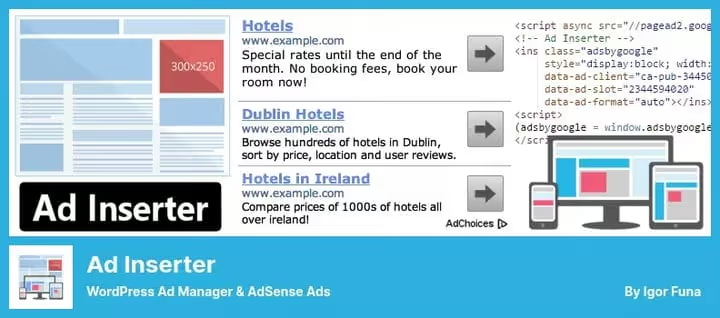
Swiss army knife for inserting any code: 16 independent blocks, each with its own set of rules. You insert not only ads, but also scripts, pixels, Google Search Console verification, CSS, PHP, JavaScript.
300,000+ active installs speak for themselves: the plugin is tested on sites of any scale. Supports AdSense, Google Ad Manager, Media.net, Amazon Shopping Ads, Infolinks, and custom banners. In Pro version, geo-targeting by countries and cities.
Pros:
- 16 independent blocks with different rules for each
- Insert any code: ads, analytics, pixels, scripts
- Tested on projects of any scale: 300,000+ installs in WordPress.org repository
- Timer: ads appear and disappear on schedule
Cons:
- Interface overloaded with settings, high entry barrier for beginners
- No revenue analytics in dashboard
- Pro needed for geo-targeting and A/B tests: from €20/year (2 sites)
Price: free version; Pro from €20/year, pricing on adinserter.pro (from 2 sites).
🔗 Ad Inserter on WordPress.org🔗 Pro version
9. WP AdCenter
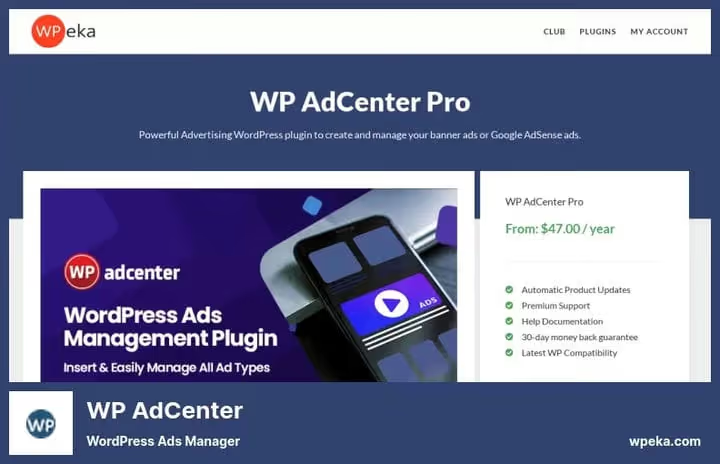
Commercial all-in-one from WPeka with a built-in ad space sales system: advertisers register, upload banners, pay through PayPal, you get reports on clicks, views, and CTR for each ad.
Supports Google AdSense, Amazon Shopping Ads, Media.net, Infolinks. Loads only the code needed at execution time, doesn't bloat the DOM.
Pros:
- Built-in advertiser billing through PayPal
- Statistics on clicks, views, and CTR for each ad
- Site doesn't slow down: only active scripts are loaded
- Support for major ad networks
Cons:
- from $47/year for one site, no free version even for testing
- Tied to WPeka ecosystem: updates depend on one team
- Lower functionality compared to Ads Pro at a similar price point
Price: from $47/year (1 site), product page on WPeka.
🔗 WP AdCenter on developer's site
10. Ads by WPQUADS
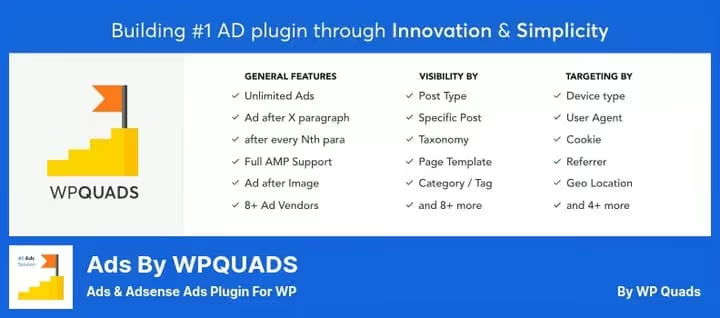
Quick Adsense fork with rewritten core and ReactJS interface: fast and responsive. Deep integration with Google AdSense, supports Display, In-feed, In-article, and Auto Ads with fixed or adaptive size settings for each ad.
Built-in AdBlock protection with 4 reaction types: notification, popup, redirect, or blocking message. Lazy loading saves speed: scripts are loaded only when the visitor scrolls to the block.
Pros:
- ReactJS interface, noticeably faster than old plugins
- AdBlock protection with 4 reaction options
- Lazy loading of ads, Core Web Vitals don't suffer
- 8+ ad networks: Google AdSense, Yandex Direct Ads, MGID, Taboola, Media.net, MediaVine, Outbrain, Infolinks
Cons:
- Pro version is paid, prices not publicly listed on developer's site
- 20,000+ active installs, noticeably less than Advanced Ads or Ad Inserter
- Quick Adsense fork: some features inherited and not reworked
Price: free Lite version; Pro, price on request, on developer's site.
🔗 WPQUADS on WordPress.org🔗 Official site
We've covered the plugins, now check out the step-by-step guide on connecting AdSense to WordPress: from site verification to your first check.
⁉️🤔 Frequently asked questions
Do I even need a plugin for AdSense if there's Auto Ads?
Google Auto Ads decides on its own where and when to show ads after you insert one snippet into
<head>. A plugin isn't mandatory. But without a plugin, you can't exclude ads from individual pages, add code from other networks, test positions, or protect against AdBlock. In practice, even with Auto Ads, a plugin gives you control that a bare snippet doesn't have.
Do I need a plugin if my theme is Publisher or Newspaper with built-in advertising?
Built-in theme solutions are convenient for starting. But they're tied to the theme: you change the theme, you lose all ad settings. A separate plugin doesn't depend on the theme and transfers between projects. Plus, specialized plugins are updated more often for Google policy changes than ad blocks inside themes.
Which plugin to choose if the site is on AMP?
For AMP pages, native Auto Ads support is important. Easy Google AdSense, Site Kit by Google, and WPQUADS have built-in integration with the official WordPress AMP plugin. Ad Inserter and AdRotate also support AMP, but require manual configuration. Without native support, ad revenue on AMP pages is noticeably lower than on regular pages.
Can I use multiple advertising plugins at the same time?
Technically yes, but risky. Two plugins can insert the same code twice, and that violates Google policy: limit of 3 ads per page for regular content. Plus, site speed drops. Choose one plugin for the main task. If the task splits (Auto Ads through Site Kit plus direct sales through Ads Pro), make sure the areas of responsibility don't overlap.
How to check that the plugin doesn't cut site speed?
Test in PageSpeed Insights before and after installation. A good plugin adds no more than 200 ms to Time to Interactive. WPQUADS and WP AdCenter use conditional loading: they load code only when needed, not on every page. WPCode on header/footer injection practically adds no scripts. Avoid plugins that pull their libraries onto pages without ads at all.
Which AdSense plugin to install in 2026
Choose by task, not by rating:
- Traffic up to 10,000 per month: get Site Kit by Google. You connect AdSense, Analytics, and Search Console in three clicks and forget about setup. Free, official, always up to date.
- From 10,000 to 100,000 visitors: the standard for manual position control, Advanced Ads with 100,000+ installs. Learn it once, then it works without supervision.
- Direct ad sales: Ads Pro ($149) or WP AdCenter ($47/year). Ads Pro is more functional, WP AdCenter is simpler to set up.
- Every Core Web Vitals point matters: WPQUADS with lazy loading and AdBlock protection.
- Need banner rotation with independent stats: AdRotate, the counter works separately from Google.
- Fear of ban for click fraud: Ad Invalid Click Protector will cover this direction.
- Minimal solution without bloat: WPCode will insert any AdSense snippet in the right place for free.
If you found another tool that works better or ran into unexpected behavior from one of the plugins, share in the comments.

A professional team of writers and editors specializing in creating quality content.