














🥇 4 best parallax plugins for WordPress 2026 (free and Pro)
A static site looks flat. Images and backgrounds are motionless, scrolling is mechanical, there's no sense of depth. But you want layers to shift relative to each other, creating volume and engaging the eye. Parallax does exactly this: the background moves slower than the foreground, creating the illusion of three-dimensional space in the browser window.
Implementing parallax on WordPress manually is not easy. The CSS technique background-attachment: fixed breaks on iOS, JS libraries like Jarallax or Rellax require customization for your theme, errors in z-index or overflow destroy the layout. Parallax plugins solve this pain: visual settings for speed and direction, video background support, mobile device adaptation.
We selected four plugins for different scenarios: from lightweight parallax for a single image to a background builder with YouTube video and mouse parallax. All four are compatible with current versions of WordPress and Gutenberg.
💡 Quick overview:
- Determine your use case: full-width hero section with video background, single image in post body, or slider with depth effect.
- Choose a plugin for your editor: for Gutenberg with maximum capabilities take
Advanced WordPress Backgrounds, for Elementor sitesElement Pack Liteis optimal, for the classic editor the[dd-parallax]shortcode fromParallax Imagewill work. - Check compatibility with your theme and page builder before installation so that parallax effects work correctly with existing layout.
Plugin comparison table
Criteria | Advanced WordPress Backgrounds | Parallax Image | Element Pack Lite | Parallax Slider Block |
|---|---|---|---|---|
Background type | Image, video, YouTube, Vimeo, pattern | Image only | Image + gradient (via Elementor) | Slider images |
Parallax effects | Scroll, scale, opacity, mouse parallax | Scroll only | Scroll, floating, animations | Scroll in slider |
Integration | Gutenberg block + WPBakery | Shortcode | 300+ Elementor widgets | Gutenberg block |
Mobile support | Yes (disable parallax on touch) | Responsive image + separate mobile background | Yes (via Elementor responsive controls) | Yes (adaptive height) |
Video background | Yes (YouTube, Vimeo, self-hosted) | No | No | No |
Price | Free | Free | Free | Free |
Active installations | 30,000+ | 2,000+ | 100,000+ | 1,000+ |
Last update | June 2026 | November 2024 | July 2026 | July 2024 |
1. Advanced WordPress Backgrounds: maximum effects and video background
Advanced WordPress Backgrounds (AWB), the most functional parallax plugin in this selection. It adds a Background (AWB) block to Gutenberg, inside which you place any content, and in the block settings you set the background: color, image, featured image of the post, pattern, self-hosted video or YouTube/Vimeo video. For each background type, parallax is enabled based on the high-performance JS library Jarallax.
There are six parallax effects here: classic scroll, scale (scaling during scrolling), opacity (changing transparency), scroll+scale, scroll+opacity, and mouse parallax, when the background shifts with the cursor. Effect speed is controlled by a slider. A separate setting enables or disables parallax on mobile, important because background-attachment: fixed on iOS works unstably.
The plugin supports srcset for responsive images. Overlay with transparency and color darkens the background for readable text. Custom CSS padding gives precise control over block positioning.
In practice, AWB covers tasks for landing pages with video backgrounds, hero sections with YouTube videos, blocks with mouse parallax. For a single image in the post body it may be excessive.
- Pros: 6 types of parallax effects including mouse parallax, video background (YouTube, Vimeo, self-hosted) with start/end time settings, Gutenberg block out of the box + WPBakery Page Builder, regular updates (v1.12.11, June 2026), compatibility with WordPress 7.0
- Cons: video background on mobile doesn't disable automatically (only manual setting), excessive for one simple image
- Price: Free, no Pro version
🔗 Advanced WordPress Backgrounds on WordPress.org
2. Parallax Image: one shortcode for one image
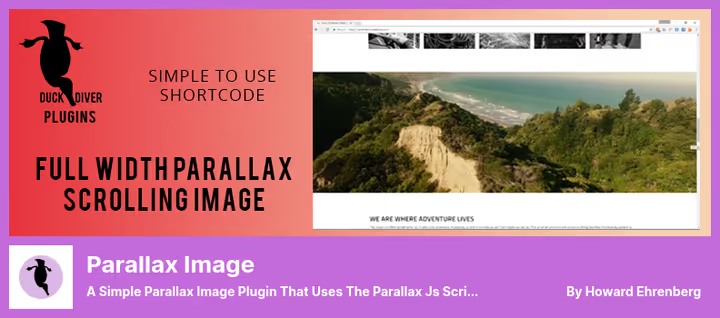
If AWB is a Swiss Army knife, then Parallax Image is a scalpel. The plugin does exactly one thing: inserts a full-width image with parallax effect via the [dd-parallax] shortcode. Under the hood is parallax.js from pixelcog, a lightweight script without jQuery dependencies.
The shortcode supports six parameters: img (filename from media library or URL), height (viewport height in pixels), speed (speed from 0 to 10, where 0 = static, 10 = maximum shift), z-index, mobile (separate image for mobile), offset (stretch to full width). Text between opening and closing tags is displayed over the parallax background, convenient for hero sections with title and button.
The plugin was tested with classic WordPress themes (Twenty Fourteen, Twenty Seventeen) and Bootstrap themes. It works with modern block themes, but the TinyMCE button is only available in the classic editor. The developer never released a Gutenberg widget.
The last update was in November 2024 (v1.9.1, CVE fixes). The plugin hasn't been formally tested with the last three major WordPress versions, but in practice the simple shortcode with parallax.js continues to work stably.
In practice, Parallax Image is suitable for classic themes without the block editor, when you need to quickly add one parallax image via shortcode.
- Pros: extremely simple (one shortcode, one parallax), lightweight parallax.js script without jQuery dependencies, separate image for mobile via
mobileparameter - Cons: classic editor only (no Gutenberg block), no functional updates since 2024, images only (no video background)
- Price: Free
🔗 Parallax Image on WordPress.org
3. Element Pack Lite: parallax widgets for Elementor
Element Pack Lite is not just a parallax plugin, but a full set of 300+ widgets and extensions for Elementor. Among them are two specialized parallax tools: Parallax Section (parallax effect for an entire section) and Parallax Background (parallax background for individual blocks and columns). Plus Floating Effects and an animation panel for fine-tuning element movement.
Widgets are integrated into the Elementor interface: drag the desired one onto the canvas, configure speed, direction and trigger (scroll or cursor). For the parallax section, set the background image and behavior: scroll, scale, opacity. Separately enable disable on mobile.
The free version contains 30+ widgets, including parallax elements. For sites already using Elementor, Element Pack Lite is a natural choice: doesn't require a separate plugin for parallax, parallax widgets work in one interface with hundreds of other tools.
In practice, the plugin is optimal for Elementor sites where parallax is one of many tasks, not the only one. If you build with Elementor, Element Pack Lite is already on the must-have list.
- Pros: two parallax widgets + Floating Effects + animations in one plugin, 100,000+ active installations, active support, compatibility with WordPress 7.0, last update July 2026 (v8.7.6)
- Cons: works only with Elementor (not for Gutenberg and not for Classic Editor), 300+ widgets may seem excessive if you only need parallax
- Price: Free
🔗 Element Pack Lite on WordPress.org
4. Parallax Slider Block: slider with depth effect
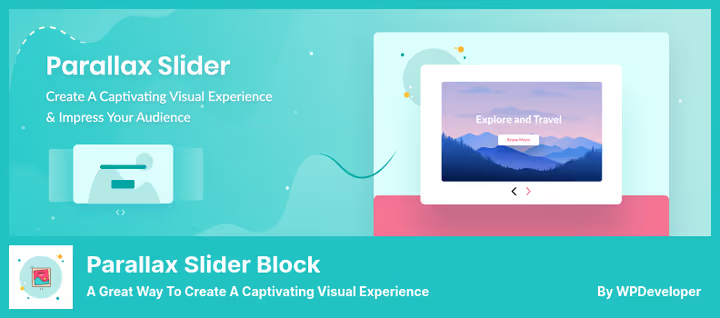
Parallax Slider Block solves a narrow but in-demand task: image slider with parallax effect on scroll. This is a native Gutenberg block. Install the plugin, add the Slider Block block in the editor, upload images.
In block settings you set: parallax effect speed, slider height (in pixels or vh), spacing between slides, transition animation, responsive controls for mobile. Added customization options: shadow, corner rounding, border, custom CSS. Slide title typography is configured in real time.
The plugin was created by the WPDeveloper team, the same developers who make Essential Addons for Elementor (2+ million installations) and NotificationX. The code is lightweight, resources are loaded only on pages where the block is used.
The last update was in July 2024 (v1.2.7), formally the plugin hasn't been tested with the last three WordPress versions. In practice it works stably with WordPress 6.6.
In practice, Parallax Slider Block is suitable for landing pages and portfolios where you need a slider with depth effect, not a static parallax background.
- Pros: native Gutenberg block (install and use), lightweight (no jQuery, resources load only where used), WPDeveloper team with good reputation
- Cons: slider only (no static parallax background), last update July 2024 (no fresh features), 1,000+ installations (smaller audience than other plugins in the selection)
- Price: Free
🔗 Parallax Slider Block on WordPress.org
Video: parallax effect in action
Better to see once than read settings. Video from the WP Royal Themes team shows step-by-step setup of parallax scrolling effect in WordPress: from plugin installation to final result on a live site.
⁉️🤔 Frequently asked questions
Does parallax slow down the site?
Modern parallax plugins use
requestAnimationFrameandIntersectionObserver: the effect activates only when the block is in the viewport. AWB on Jarallax and Parallax Image on parallax.js load less than 5 KB gzip. Slowdowns occur if you put a fullscreen video background on cheap hosting without caching. Here the problem is not in parallax, but in video.
Does parallax work on iPhone?
iOS Safari historically ignores
background-attachment: fixeddue to rendering specifics. That's exactly why all plugins from the selection either replace fixed with transforms (AWB, Parallax Slider Block), or offer a separate static image for mobile (Parallax Image via themobileparameter). Before publishing, definitely check the site on a real iPhone.
Can you make parallax without a plugin?
You can. Minimal variant: a block with
background-imageandbackground-attachment: fixedin Custom CSS. But on mobile this breaks. A more reliable path: connect the Jarallax or rellax.js library manually and write a wrapper for your theme. For a developer this is fine, for a content manager a plugin will save hours of debugging.
Which plugin to choose for Gutenberg, and which for Elementor?
For Gutenberg: AWB (maximum capabilities) or Parallax Slider Block (slider only). For Elementor: Element Pack Lite, because parallax widgets are built into the page builder interface and don't require switching between plugins. Parallax Image via shortcode works in any editor: universal fallback.
What to do if the parallax background doesn't display?
Three common causes: 1)
z-indexconflict with other elements (raise the value in plugin settings), 2) theme container cuts overflow (checkoverflow: hiddenon parent blocks in the inspector), 3) image doesn't load (check URL in browser console). In AWB the problem is often solved by enabling the Stretch option.
What to choose for your task
The choice depends on the scenario and tools.
If you're making a landing page or hero section with video background, take
Advanced WordPress Backgrounds. This is the only plugin in the selection that can do YouTube/Vimeo background with parallax, and even with start and end time settings for the video.If you work in Elementor,
Element Pack Liteis already on your must-have list. Parallax widgets come bundled with hundreds of other useful tools.If you just need a slider with depth effect,
Parallax Slider Blockcovers the task without overloading the site with extra libraries.If you have a classic theme without the block editor and need to quickly add one parallax image, the
[dd-parallax]shortcode fromParallax Imagewill handle it in five minutes.
The main rule of parallax on WordPress: moderation. One, maximum two parallax blocks per page. The effect should emphasize content, not distract from it. Properly configured parallax adds depth and premium feel to the site. Three parallax sections in a row turn a landing page into an amusement ride you want to leave.

A professional team of writers and editors specializing in creating quality content.