













 AIIllustrative image: AI-generated
🔧 6 best header and footer WordPress plugins 2026 (free and paid)
A website's header and footer break when changing themes if code is inserted directly into header.php or functions.php. Header and footer plugins solve this problem: snippets live separately from the theme and don't get lost during updates.
In this roundup, 6 tools for WordPress that cover different scenarios for working with header and footer: from inserting analytics code to a full-featured visual builder. No theme file editing and no risk of breaking the site with a misplaced comma.
💡 Quick overview:
- Install
WPCode, get a library of ready-made snippets plus a powerful code editor with error checking. Covers most header/footer tasks at once. - Visual header and footer builder, through
Ultimate Addons for Elementor. Works in the familiar Elementor interface, requiring no separate plugins. - For sticky menu and announcements,
My Sticky Bar. Makes the header stick on scroll and adds a floating notification panel at the top of the page.
Comparison table
Plugin | Type | Free version | Premium | Installs |
|---|---|---|---|---|
| Snippet manager | Yes | $99/year | 2M+ |
| Code insertion | Yes | $35/year | 300K+ |
| Sticky menu | Yes | $25/year | 200K+ |
| Code insertion | Yes | No | 300K+ |
| Visual builder | Yes | $69/year | 2M+ |
| Visual builder | Yes | Free | 7K+ |
1. WPCode
WPCode (formerly Insert Headers and Footers by WPBeginner), the most popular snippet manager for WordPress, is installed on 2 million sites. The plugin lets you insert code in header, footer and page body without editing functions.php.
Unlike competitors, WPCode includes a built-in library of ready-made verified snippets: disable REST API, block XML-RPC, allow SVG uploads, all in a couple of clicks. And the code validator catches syntax errors before saving: put an extra bracket in PHP, the plugin won't let you break the site.
Conditional logic is configured visually: load code only for logged-in users, for specific pages, for mobile devices. The Pro version adds a cloud snippet library and WooCommerce integration.
Pros:
- 2 million active installs, creator, WPBeginner team
- Library of ready-made verified snippets inside the plugin
- Visual conditional logic builder, no manual condition writing required
- Smart code validator prevents fatal PHP errors
Cons:
- Pro version ($99/year) more expensive than alternatives
- May be overkill for simple Google Analytics insertion
Price: free version; Pro, $99/year.
2. Header Footer Code Manager
Header Footer Code Manager by the 99 Robots / DraftPress team, a tool focused specifically on header and footer, without bloated snippet manager functionality. Updated in June 2026, compatible with WordPress 6.9.
The plugin provides four insertion points: header, footer, before content and after content. For each snippet you configure where it displays: site-wide, specific post, category, post type or mobile only. Supports Google Analytics, Google Tag Manager, Facebook Pixel, heatmap scripts Crazy Egg and dozens of other services.
The Pro version adds page-specific targeting and advanced display options. 307 reviews on wordpress.org with an average rating of 4.9.
Pros:
- Simple interface without feature overload
- Four code injection points to choose from
- Change log: see who added a snippet and when
- Works with custom post types out of the box
Cons:
- Doesn't support PHP snippets (HTML/JS/CSS only)
- Pro version is proprietary, not on wordpress.org
Price: free Lite version; Pro, $35/year.
🔗 Header Footer Code Manager on WordPress.org🔗 Pro version on DraftPress
3. My Sticky Bar
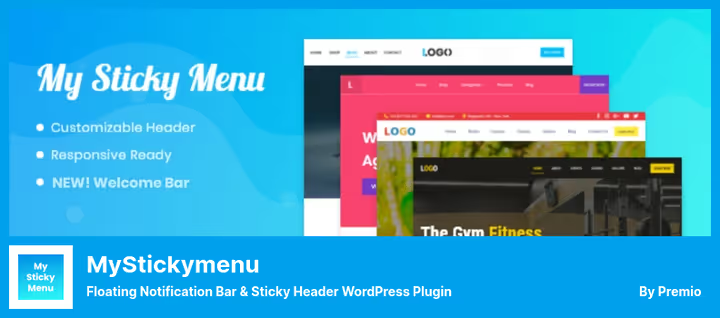
My Sticky Bar (formerly myStickymenu, developer Premio) does two things: fixes the site header on scroll and adds a floating notification panel at the top of the page. 200,000 active installs.
Sticky menu is enabled with one checkbox, the plugin automatically detects the .navbar class and makes it sticky. For non-standard themes the class is changed in settings. Appearance effects: fade and slide. Background color, transparency, z-index are configurable.
The notification panel, a separate tool within the plugin. Announcement text, CTA button, background color, display frequency, all configured in the admin. The Pro version adds a countdown timer, country targeting and multi-panels (different announcements for different pages).
Pros:
- Instant sticky menu activation for most themes
- Built-in notification panel with CTA button
- RTL language support and multilingual out of the box
- Doesn't conflict with Elementor, Divi, WPBakery, Gutenberg
Cons:
- No sticky footer (header only)
- Advanced page targeting, Pro only
Price: free version; Pro, $25/year.
🔗 My Sticky Bar on WordPress.org🔗 Pro version on Premio
4. Insert headers and footers

Insert Headers And Footers by WPBrigade, the simplest possible plugin for inserting code into three sections: header, body and footer. 300,000 active installs, 132 reviews, 5-star rating. Tested with WordPress 6.9.4.
No snippets, conditional logic or code libraries, three text fields with built-in code editor and load priority selection. Insert Google Analytics ID into Header Scripts field, save, tracking works across the site. Same for Facebook Pixel, Google Tag Manager, custom CSS.
The plugin holds this position as a replacement for the discontinued Footer Mega Grid Columns (removed from WordPress catalog in April 2026 due to vulnerability). If all you need from a header/footer plugin is simple code insertion without dozens of settings, this is your tool.
Pros:
- Simplest interface among alternatives
- 300,000 installs, 5-star rating
- Script load priority configured by number
- Code isn't lost when changing themes
Cons:
- No conditional snippet display logic
- Only three insertion sections (header, body, footer)
Price: completely free.
🔗 Insert Headers And Footers on WordPress.org
5. Ultimate Addons for Elementor

Ultimate Addons for Elementor by Brainstorm Force (formerly Elementor Header & Footer Builder), a visual header and footer builder working on top of Elementor. 2 million active installs.
The plugin adds a set of widgets to Elementor specifically for header and footer: logo (including Retina version), navigation menu, mega menu, search, WooCommerce cart button, copyright block. The created header is assigned to the entire site or specific pages.
Sticky mode is enabled with a separate setting, the header fixes on scroll and is customized independently of the normal one. The Pro version adds 50+ premium widgets and Cross-Site Copy Paste for transferring sections between sites.
Pros:
- Full visual editor without code
- Retina logo and mega menu in free version
- 2 million installs, developer Brainstorm Force (Astra)
- Compatible with any WordPress theme
Cons:
- Requires Elementor installation
- Some advanced widgets (Timeline, Hotspots), Pro only
Price: free version; Pro, $69/year.
🔗 Ultimate Addons for Elementor on WordPress.org
6. Boostify Header Footer Builder
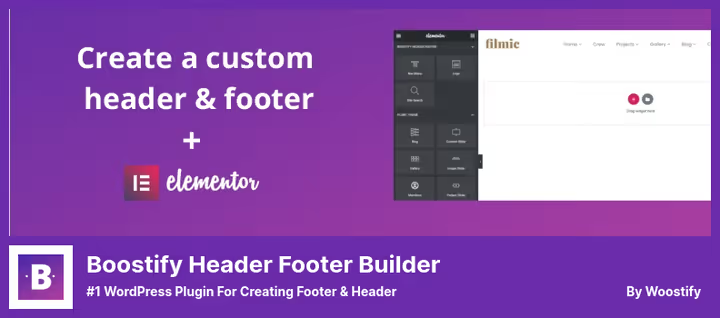
Boostify Header Footer Builder by the Woostify team, a free visual header and footer builder for Elementor. 7,000 active installs.
Unlike Ultimate Addons, Boostify is completely free and has no Pro version. Out of the box it provides: logo, navigation menu, mega menu, search (icon and form), Retina logo, copyright with [btf_year] and [btf_site_title] shortcodes, WooCommerce cart with mini-cart and sidebar-cart.
Sticky menu is configured separately for desktop, tablet and mobile. Mega menu is built in the same Elementor interface. Note: the plugin hasn't been tested with the latest WordPress versions, so check compatibility in a staging environment before installing on production.
Pros:
- Completely free, no Pro restrictions
- Mega menu and Retina logo in base version
- Separate sticky configuration for desktop, tablet and mobile
Cons:
- Only 7,000 installs, small community
- Not updated for over a year, no confirmed compatibility with WP 6.9+
Price: completely free.
🔗 Boostify Header Footer Builder on WordPress.org
Video: visual header and footer configuration
This 10-minute tutorial shows the process of creating a custom header and footer in WordPress, from choosing a plugin to configuring sticky menu and footer with columns:
⁉️🤔 Frequently asked questions
Can I insert Google Analytics without a plugin?
Yes, by editing the theme's
header.php. But the code will disappear when the theme updates. A plugin solves this problem: the snippet is stored in the WordPress database and doesn't depend on the theme.WPCodeandInsert Headers And Footershandle this task in two clicks.
How does WPCode differ from Header Footer Code Manager?
WPCode, a full-featured snippet manager with a library of ready-made code, PHP snippets and cloud storage.Header Footer Code Managerfocuses only on inserting HTML/JS/CSS in header and footer and does it with a minimal interface. For Google Analytics HFCM is enough, for custom PHP functions you need WPCode.
Is Elementor required for a visual header and footer builder?
Yes,
Ultimate Addons for ElementorandBoostify Header Footer Builderwork as addons on top of Elementor. If Elementor isn't installed, you can't build header and footer through them. Alternative without Elementor, header/footer builder built into your theme (Astra, GeneratePress, Kadence).
Can I use multiple header and footer plugins simultaneously?
Yes, they don't conflict if they solve different tasks. For example:
WPCodefor inserting analytics code,My Sticky Barfor sticky menu andUltimate Addonsfor visual header design. But don't install two plugins of the same type (say,WPCodeandHeader Footer Code Manager) together, choose one.
What to do if a footer plugin hasn't been updated for over a year?
Check compatibility in a staging environment. If the plugin works without errors on the current WordPress version, you can use it, but have a replacement plan.
Footer Mega Grid Columnswas shut down in April 2026 due to a vulnerability, so don't ignore plugin status warnings.
How to choose between WPCode and Insert Headers And Footers (WPBrigade)?
If you only need to insert Google Analytics and Facebook Pixel, get
Insert Headers And Footers: free, three fields, nothing extra. If you plan to add custom PHP functions, conditional logic or use ready-made snippets, chooseWPCode.
What to install in 2026
If the site is on Elementor and you need visual control over header and footer, Ultimate Addons for Elementor covers the task completely. Don't want to pay, Boostify Header Footer Builder does the same thing for free, but check compatibility before installing.
For inserting analytics code and scripts WPCode is unmatched: library of ready-made snippets, PHP validator and cloud storage save hours. Budget is limited, Insert Headers And Footers by WPBrigade handles basic code insertion for $0.
And sticky menu in 5 minutes without editing CSS, that's My Sticky Bar. Enabled with a checkbox and doesn't conflict with any theme.
Choose for your task, not someone else's rating.

A professional team of writers and editors specializing in creating quality content.