














📍 8 best geotargeting and geolocation plugins for WordPress 2026 (free and paid)
Imagine: a visitor from Germany lands on your site and sees prices in dollars, while a user from Brazil gets the same English version of the page. Both leave without converting. Without geotargeting, you lose traffic and conversions simply because your content doesn't adapt to the visitor's country.
Geotargeting in WordPress solves exactly this problem: it determines a user's location by IP and dynamically changes content, currency, language, or redirects to the right version of your site. We tested more than a dozen plugins and selected 8 working tools that cover different scenarios, from simple post geolocation to full country blocking and content personalization.
💡 Quick overview:
- Choose GeoTargeting WP for content targeting and WooCommerce, If-So for A/B testing.
- Install Geolocation or Simple Location for free maps and geotags.
- Set up iQ Block Country for country geoblocking instead of the outdated IP Geo Block.
- Connect WP GeoIP Country Redirect for multilingual redirects, CF Geo Plugin for auto-currency.
Below we break down each plugin in detail: what it does, how much it costs, where it stumbles and which scenario it suits best.
First, a summary table for quick reference:
Plugin | Free version | Pro price | Best scenario | WP.org rating |
|---|---|---|---|---|
GeoTargeting WP | 14-day trial | from $10/month | Content targeting + WooCommerce | Premium (geotargetingwp.com) |
If-So | Yes | from $89/year | A/B tests + personalization | 4.8/5 |
Geolocation | Yes | Free | Post geotagging | 4.2/5 |
CF Geo Plugin | Yes | WooCommerce currency + SEO redirect | 4.5/5 | |
iQ Block Country | Yes | Free | Country geoblocking | 4.8/5 |
WP GeoIP Country Redirect | No | $29 one-time (one-time) | Country redirect | CodeCanyon: 4.5/5 |
GEO my WordPress | Yes | from $79/year | Geo search + community maps | 4.4/5 |
Simple Location | Yes | Free | Geotags + weather + geofencing | 4.6/5 |
1. GeoTargeting WP
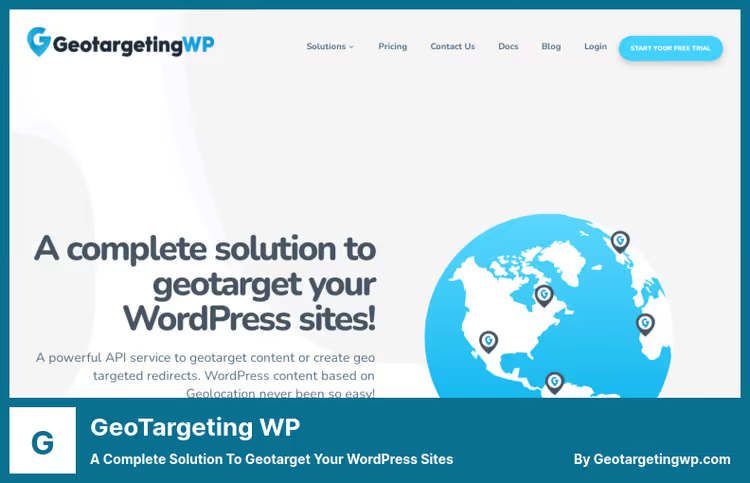
The most powerful commercial plugin in this roundup. GeoTargeting WP can show different content to users from different countries, cities and even states, and does this through an intuitive visual interface without needing to write code.
The plugin works with any content type: posts, pages, widgets, menu items, popups and custom post types. You simply specify in the editor which section to show a visitor from France and which one to show someone from Canada. For developers, there's a full set of PHP functions.
A separate plus is integration with WooCommerce and Easy Digital Downloads: you can hide products from irrelevant countries or show local prices. AJAX mode ensures compatibility with caching plugins (WP Rocket, Flying Press and others), and Cloudflare compatibility correctly determines the real IP behind a proxy.
Strengths:
- Targeting down to city and state level, not just country
- Visual editor, no need to write shortcodes manually
- Full WooCommerce integration (hide/show products by location)
- AJAX mode for sites with aggressive caching
- Premium Maxmind GeoIP2 database gives higher accuracy than free alternatives
Weaknesses:
- No free version (only 14-day trial)
- Price from $10 per month to start, may be excessive for small sites
- Lite version on WordPress.org hasn't been updated in 4 years and doesn't work with caching, use If-So as a free alternative
2. If-So

If-So solves the same task as GeoTargeting WP, but with a focus on personalization and A/B testing. The free version of the plugin provides dynamic triggers for replacing content by country, city, browser language, traffic source, device type and even user behavior on the site.
The main difference from GeoTargeting WP is built-in A/B testing. You can show half your visitors one version of a page and half another, and the plugin will calculate the conversion rate for each version. For news portals and content projects, this is a serious argument.
The free version of If-So covers basic geotargeting scenarios: replacing text, banners, buttons and entire blocks by geolocation. The Pro version ($89/year) adds triggers by cookies, referral source, WordPress user role and number of visits.
Strengths:
- A/B testing of geotargeting out of the box (competitors don't have this)
- 10+ condition types in the free version (country, city, browser language, device)
- Works with any page builder and any theme
- Actively updated, 4.8 rating on WordPress.org
Weaknesses:
- Pro version (Pro pricing) is more expensive than GeoTargeting WP's starter plan
- Fewer PHP hooks for developers than GeoTargeting WP
- City-level geotargeting only in Pro
🔗 If-So on WordPress.org | 🔗 If-So website
3. Geolocation
Geolocation is a minimalist free plugin for geotagging posts and pages. Its feature is simplicity: you add geo-coordinates to a post in the editor, and an interactive Google Maps map with a marker automatically appears on the page.
Unlike all-in-one plugins, Geolocation does exactly one thing and does it without bells and whistles: geotag + map. For a travel blogger who wants to show locations in posts, or for a news site with events tied to cities, it's an ideal lightweight tool.
To work, you need a Google Maps API key (free within Google Cloud's monthly limit). After entering the key, the plugin adds a coordinates field in the post editor and a map block on the frontend.
Strengths:
- Free, open source, no ads
- Simple installation: activate, insert API key, add coordinates
- Supports multiple markers on one map via tag
- Works in WordPress mobile apps for iPhone and Android
- Doesn't burden the database, no heavy dependencies
Weaknesses:
- Only geotagging, no content geotargeting
- Requires Google Maps API key
- No popups with geo-content (for that, get If-So or GeoTargeting WP)
- Interface looks austere, minimal settings
🔗 Geolocation on WordPress.org
4. CF Geo Plugin
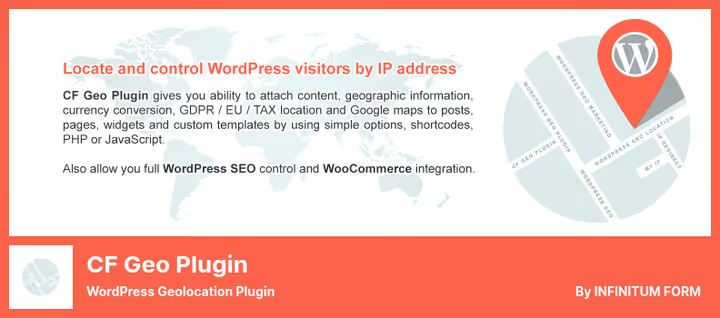
CF Geo Plugin fills the eCommerce geotargeting niche: auto-currency for WooCommerce, SEO redirect by country and blocking irrelevant content for specific regions. If you have a WooCommerce store, this plugin solves most geo tasks without writing code.
After activation, CF Geo determines the user's country and can: show prices in local currency, hide products unavailable for delivery to that region, and automatically remove legal notices not relevant to a specific country (for example, GDPR banner for US visitors).
The built-in GEO Defender blocks access to the site from specified countries or, conversely, allows only selected ones. Cloudflare and SSL are supported, so there are no problems determining the real IP behind a proxy.
Strengths:
- Automatic WooCommerce currency by geolocation
- SEO redirect: visitor from UK → /uk/, from DE → /de/
- GEO Defender for country blocking
- Free Lite version covers basic store scenarios
- Doesn't slow down the site: all calculations on external API
Weaknesses:
- Pro version ($15 subscription) needed for advanced analytics and Cloudflare mode
- Popup geotargeting not supported
- No visual content editor, works through shortcodes
🔗 CF Geo Lite on WordPress.org | 🔗 CF Geo Pro
5. iQ Block Country

iQ Block Country is the successor to the outdated IP Geo Block. This free plugin solves the geoblocking task cleanly and without overload: you select countries that are denied access to the site (or conversely, only selected ones are allowed), and the plugin works at the WordPress level, before content loads.
The main advantage of iQ Block Country over the old IP Geo Block is active support and compatibility with current WordPress versions (up to 6.7+). The plugin uses the Maxmind GeoLite2 database to determine country by IP and allows flexible configuration of what exactly to block: the entire site, only admin, only comments or only RSS.
For sites receiving spam attacks from specific regions, or for services legally obligated to restrict access from certain jurisdictions, this is the simplest and most reliable solution.
Strengths:
- Free, open source, no ads
- Blocking at country level: entire site, admin, comments, RSS
- GeoLite2 database automatically updates
- CIDR support for precise IP range blocking
- Doesn't affect performance: check on early WordPress hook
Weaknesses:
- Only blocking, no content geotargeting
- Interface in English, no Russian translation
- Requires Maxmind GeoLite2 database (free, but you need to register on Maxmind site)
🔗 iQ Block Country on WordPress.org
6. WP GeoIP Country Redirect
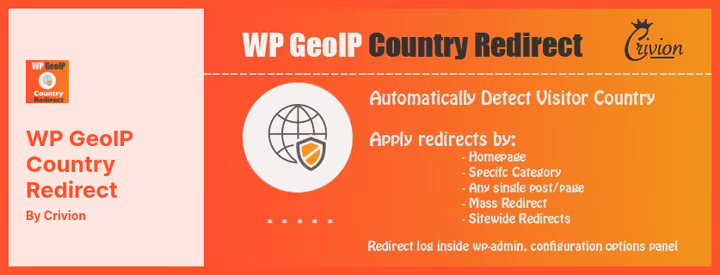
WP GeoIP Country Redirect is a premium plugin from CodeCanyon that solves one task extremely reliably: automatic redirect of visitors to country versions of the site. One-time purchase ($29 on CodeCanyon), not a subscription, a rare and pleasant model for this class of plugins.
You create rules in the WordPress admin: visitor from France → redirect to /fr/, visitor from Brazil → to /br/, everyone else → to /en/. IP address exceptions are supported, "all countries except one" rule and once-redirect cookie (so you don't jerk the user around on every page refresh).
For multilingual sites on WPML or Polylang, this plugin closes a critical gap: automatically directs the visitor to the language version corresponding to their country.
Strengths:
- One-time payment price $29, no recurring payments
- Redirect rules of any complexity: countries, exceptions, cookies
- ?no_redirect parameter in URL for debugging and manual bypass
- Support for IP exceptions for admins and testers
- Lightweight, doesn't burden the database
Weaknesses:
- Only redirect, no content geotargeting within the page
- Depends on third-party IP database (Maxmind GeoIP)
- Not tested for compatibility with the latest WordPress versions (last update, CodeCanyon policy)
🔗 WP GeoIP Country Redirect on CodeCanyon
7. GEO my WordPress
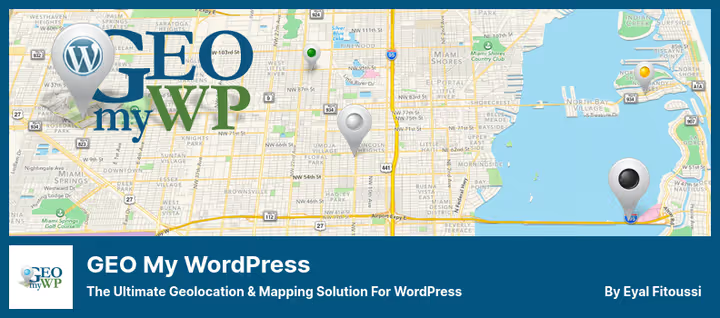
GEO my WordPress is a geo-search and map builder for sites on BuddyPress, bbPress and custom post types. If you're building a community (forum, classifieds board, organization directory with addresses), this plugin provides a ready-made engine for "what's near me" search.
Users can add geomarks to their posts and profiles, and visitors can search for the nearest objects through proximity search with radius settings. Maps are Google Maps, with address auto-complete on input.
The Lite version on WordPress.org gives basic functionality: post locator, shortcodes and widgets for maps, country and regional restrictions. Pro (annual subscription) adds locators for BuddyPress members, WooCommerce products, Gravity Forms and advanced geo-search with filters.
Strengths:
- Ready-made geo-search for BuddyPress and bbPress communities
- Proximity search with radius "everything within 10 km of me"
- Shortcodes and widgets, insert a map anywhere on the site in a minute
- Actively updated, good documentation
- Mashup Maps: multiple layers on one map
Weaknesses:
- Lite version doesn't include BuddyPress locator (Pro needed)
- Tied to Google Maps API (free limit, but requires Google billing account)
- Excessive for a simple blog without community geomarks
🔗 GEO my WP Lite on WordPress.org | 🔗 GEO my WP Pro
8. Simple Location
Simple Location is an author plugin from developer David Shanks that adds geolocation to posts, comments, media files and even user profiles. Unlike Geolocation (plugin #3 in this list), Simple Location can do more: geofencing, weather data and private locations.
The plugin saves coordinates in WordPress standard format (GeoData), which means compatibility with any themes and plugins reading this format. A separate feature is automatic extraction of geodata from metadata of uploaded photos (EXIF GPS). For a travel blogger shooting on a smartphone, this saves dozens of minutes on each post.
The weather widget displays current weather for the post location, a nice detail that travel content readers will appreciate. Geofencing allows you to set a radius around a point and check whether the user falls within this zone.
Strengths:
- Automatic GPS capture from EXIF of uploaded photos
- Geofencing: radius around point + entry check
- Private locations: you can hide home address, showing only city
- Weather widget based on post coordinates
- Full Gutenberg compatibility, works in FSE themes
Weaknesses:
- No content geotargeting and redirects
- Weather requires separate API key (OpenWeatherMap)
- More for content and travel projects than for commerce
🔗 Simple Location on WordPress.org
⁉️🤔 Frequently asked questions
How does geotargeting differ from geolocation in WordPress?
Geolocation determines where the visitor is located (country, city, coordinates), while geotargeting acts based on this data: shows different content, redirects to the language version or hides products. Simple plugins like Geolocation and Simple Location only provide geolocation, while GeoTargeting WP and If-So offer full geotargeting. For an online store, knowing the country alone is not enough: you need automatic currency switching, hiding unavailable products and redirect to the local version. That's why for WooCommerce we recommend CF Geo Plugin or GeoTargeting WP, not pure geolocation plugins.
Which free geotargeting plugin actually works in 2026?
After testing a dozen free options, we settled on If-So. The old GeoTargeting Lite hasn't been updated in 4 years and doesn't work with caching (and caching is now on every other site). If-So provides dynamic triggers by country, city and browser language in the free version and is stably updated, a 4.8 rating on WordPress.org confirms this. The second option is CF Geo Plugin Lite. It's weaker in visual content editor, but stronger in eCommerce: auto-currency for WooCommerce and GEO Defender for country blocking. If you have a store, not a blog, start with CF Geo Lite.
Do I need to pay for Maxmind GeoIP for geotargeting?
Depends on the plugin. The free GeoLite2 database from Maxmind requires registration on the Maxmind site, but doesn't cost money. Plugins iQ Block Country, CF Geo Lite and Simple Location use exactly that. Commercial plugins (GeoTargeting WP) include the premium GeoIP2 database with city-level accuracy in the subscription cost, no need to pay separately. GeoLite2 accuracy at country level is around 99.8%, at city level around 75-80% depending on region. For content geotargeting by "country" this is enough. City-level accuracy (99%+ with GeoIP2) is only needed for taxi services, food delivery and local ecommerce, then get GeoTargeting WP or If-So Pro.
Does geotargeting work with caching plugins?
Yes, but not all. Static cache (WP Rocket, Flying Press, W3 Total Cache in basic mode) saves one version of the page and shows it to all visitors, geotargeting breaks. GeoTargeting WP solves this through AJAX mode: the page is cached, and geo-blocks are loaded dynamically. If-So also works with cache through JavaScript rendering. CF Geo Plugin requires separate configuration. If you use Cloudflare APO or Kinsta Edge Caching, check compatibility in the specific plugin documentation. Simple geolocation plugins (Geolocation, Simple Location) conflict with caching less often because they don't change content, they just add a map.
Can I use two geo-plugins at the same time?
You can, but carefully. Typical combination: GeoTargeting WP for content and redirects + iQ Block Country for full blocking of problematic countries at server level. They don't conflict because they work on different WordPress hooks. But installing If-So and GeoTargeting WP at the same time makes no sense: both change content by geo, and their rules will start overlapping. General rule: one plugin for content geotargeting + one for geoblocking work together. Two plugins of the same type (content or blocking) create rule conflicts and unpredictable behavior.
Which geotargeting plugin to choose in 2026?
After testing all eight on different scenarios, here's a short summary for specific tasks. If you need content geotargeting with a visual editor and WooCommerce, GeoTargeting WP, no alternatives. Budget is limited and geotargeting is needed, If-So. WooCommerce store with auto-currency, CF Geo Plugin. Multilingual site with WPML, WP GeoIP Country Redirect will handle redirects. Travel blog, Simple Location will give maps, geotags and weather automatically. BuddyPress community, GEO my WordPress. Country geoblocking, iQ Block Country. Just add a map to posts, Geolocation.
Test the one that fits your scenario. Almost all plugins from the list have a free version or trial, so you can check compatibility with your theme and caching stack without financial risk.

A professional team of writers and editors specializing in creating quality content.