














🏋️ Best WordPress themes for fitness and gym websites in 2026
A fitness club website sells results, not equipment. A visitor lands on the page and decides within three seconds whether "this is where I'll get in shape" or leaves for a competitor.
WordPress is ideal for this task. The right theme provides class schedules out of the box, trainer cards, integration with WooCommerce for selling memberships, and responsive layouts that don't fall apart on phones. According to ScientiaMobile data, 53% of mobile visitors leave a site if loading takes longer than three seconds. In the fitness niche, where mobile traffic reaches up to 70%, theme speed is a matter of money, not aesthetics.
Below are nine proven themes for a fitness site on WordPress: from lightweight one-pagers to full-featured solutions with page builders and event calendars. Each entry includes a screenshot, honest drawbacks, and a current link.
💡 Quick overview:
- Identify your business format: gym, yoga studio, CrossFit box, or personal training.
- Look for built-in fitness features: class schedules, BMI calculator, workout module, and trainer profiles.
- Check compatibility with key plugins: Events Calendar, WooCommerce, and page builder.
- Test theme speed on real hosting before purchasing a license.
Theme | Best for | Price | Key feature |
|---|---|---|---|
Total | All-purpose: gym, studio, trainer | From $59 | Builder + 50+ demos |
GymBase | Personal training, studio | From $49 | BMI calculator + schedule |
Fitness Sport Gym | Mid-size club with schedule | From $59 | Built-in Events Calendar |
WP Beauty | SPA, salon, yoga studio | From $69 | Booked Appointments included |
Workout | CrossFit box | From $59 | WooCommerce + galleries |
1. Total

Total is not just a theme but a complete website builder from WPExplorer. The Total Gym demo is built on an extended version of WPBakery Page Builder: you can assemble a landing page for a studio, personal training, or group classes by dragging and dropping blocks.
The package includes Slider Revolution with animated slides, WooCommerce support for selling memberships and merchandise, Russian translation through standard WordPress tools, and hundreds of options in Live Customizer. In practice, Total covers the vast majority of fitness business scenarios without modifications.
- Pros: 50+ starter demos (not just fitness), fast author support, compatibility with any caching plugin.
- Cons: WPBakery has a steeper learning curve than Elementor; demo content imports extra media files.
- Price: from $59 (regular license).
- Download: 🔗 Total on WPExplorer | 🔗 Gym live demo
2. Energy
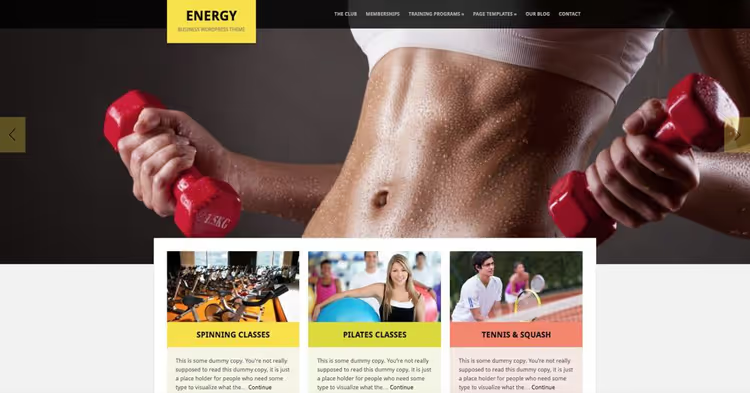
Energy from WPZoom is a theme with a bold, vibrant design that looks equally good on desktop and mobile. The fully responsive layout adapts to any screen size, and the ZOOM framework gives fine control over colors, fonts, and layout without editing code.
The homepage features a customizable slider for gym photos, new equipment, and class announcements. Inner pages support full-width images: convenient for membership pages with pricing, trainer cards, and event galleries. The theme stands out with its flexible header (standard or full-width) plus custom templates for rapid deployment of typical pages.
- Pros: Excellent mobile adaptation out of the box, ZOOM framework for fine customization, full-width images.
- Cons: The theme is no longer sold on the official WPZoom website and is only available through third-party marketplaces; no updates since 2023.
- Price: from $69.
- Download: 🔗 WPZoom Themes
3. Power Gym
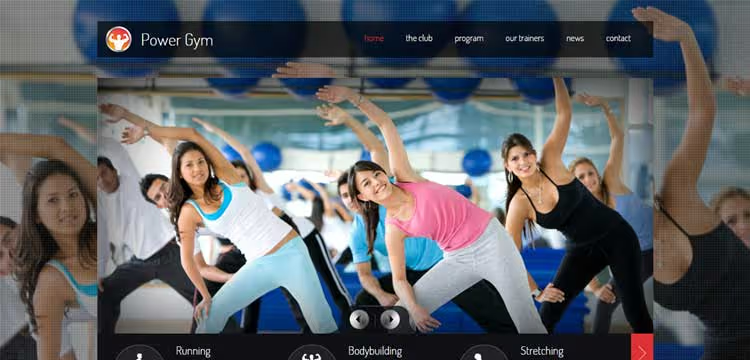
Power Gym is built around a control panel that lets you change site appearance without writing a single line of code. The custom post types deserve special attention: trainer profiles and class schedules are stored separately from the blog, so the data structure doesn't mix with news posts.
The theme comes with a set of ready-made pages for a mid-size fitness club. The settings interface is intuitive: colors, fonts, logo, and layout change from the admin panel in real time.
- Pros: Simple settings panel without diving into PHP, post types for trainers and classes.
- Cons: Dependency on the ThemeForest ecosystem for updates; design looks dated compared to modern block themes.
- Price: from $59 (ThemeForest).
- Download: 🔗 Power Gym on ThemeForest
4. GymBase

GymBase from QuanticaLabs is the best-selling fitness theme on ThemeForest: 4,900+ installations and a 4.4-star rating. Unlike many "fitness themes" that simply swap colors and fonts, GymBase provides real fitness tools out of the box.
The key feature is the built-in calculator builder. You assemble forms for calculating BMI, daily calorie intake, membership cost, or personal training prices by dragging and dropping fields. The calculator accepts payments via Stripe: clients calculate the price and pay immediately. Plus class schedules linked to trainers and rooms, instructor profiles, membership pages with pricing, and 15+ ready demos for different niches from CrossFit to yoga.
The package includes three premium plugins: WPBakery Page Builder, Slider Revolution, and Cost Calculator, worth over $220 combined if purchased separately. The theme is actively updated (version 16.3) with regular patches for new PHP and WordPress versions.
- Pros: Calculator builder with Stripe payment integration, 15+ fitness demos, three premium plugins included, active updates.
- Cons: The abundance of settings requires time to master; on weak hosting, calculators may add latency.
- Price: from $49 per year (single-site license).
- Download: 🔗 GymBase on QuanticaLabs | 🔗 GymBase on ThemeForest
5. GetFit
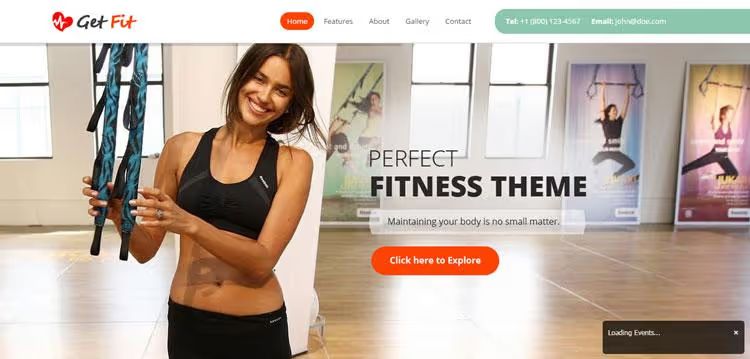
GetFit uses Bootstrap as its frontend framework. The result is a predictable responsive grid and touch swipe support for mobile visitors. PSD source files for images are included: designers can customize graphics to match the club's brand guidelines without reverse engineering.
The customization panel covers all key elements: from fonts and color scheme to widget placement. The theme performs well on any hosting thanks to its lightweight Bootstrap core.
- Pros: Lightweight Bootstrap framework, PSD sources for designers, good loading speed.
- Cons: Bootstrap markup requires care when customizing via a child theme; demo content is minimal, so you'll need to populate from scratch.
- Price: from $59 (ThemeForest).
- Download: 🔗 GetFit on ThemeForest
6. Workout
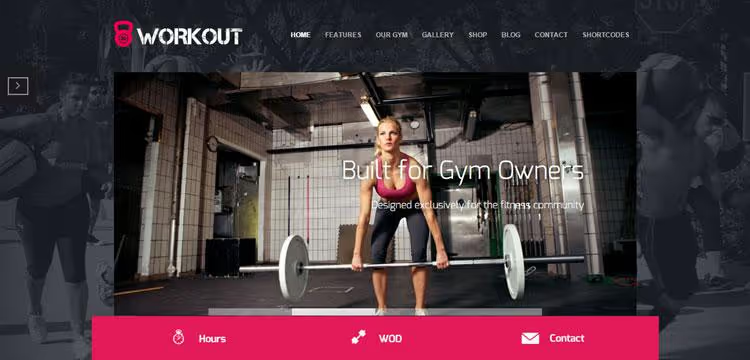
Workout is tailored for CrossFit boxes, but its flexibility allows use for any fitness site. Out of the box, you get ready sections for class schedules, program lists, trainer pages, testimonials, and photo galleries.
WooCommerce support enables selling memberships and branded gear directly from the site. Facility and staff photo galleries add social proof: potential clients see the real gym and real trainers before their first visit.
- Pros: Deep WooCommerce integration, ready templates for CrossFit specifics, built-in photo galleries.
- Cons: Design is oriented toward CrossFit aesthetics (yoga studios need style adjustments); average loading speed on budget hosting.
- Price: from $59 (ThemeForest).
- Download: 🔗 Workout on ThemeForest
7. GamePlan

GamePlan stands out among competitors with its focus on events. The theme is designed for tight integration with Events Calendar Pro: publishing event details, selling tickets, and managing schedules work without additional workarounds.
The package includes premium versions of WPBakery and Slider Revolution. WPBakery lets you build any page by dragging blocks, while Slider Revolution adds animated slides for competition announcements or fitness tours. An ideal choice for sports event organizers.
- Pros: Seamless integration with Events Calendar Pro, premium plugins included, ideal for event scenarios.
- Cons: Overkill for a small gym without events; total cost of ownership grows with plugin license renewals.
- Price: from $59 (ThemeForest).
- Download: 🔗 GamePlan on ThemeForest
8. Fitness Sport Gym
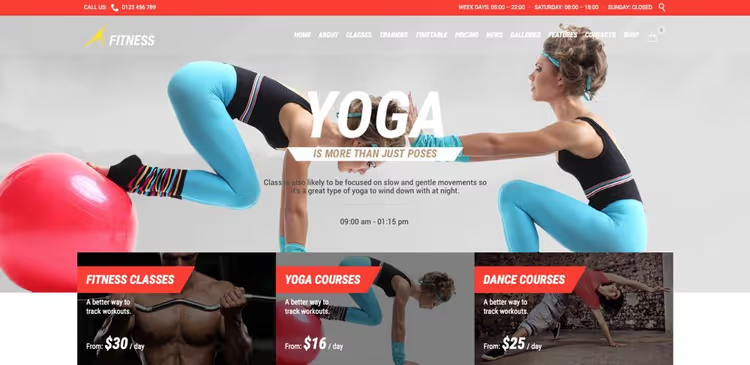
Fitness Sport Gym is built specifically for the health and fitness industry: gyms, yoga studios, boxing clubs. The drag-and-drop page builder lets you assemble a homepage in just a few hours, while the unique pricing page lets you set up membership tiers without plugins.
Built-in Events Calendar support provides an extended schedule: daily classes and an event calendar with fitness fairs, athlete performances, and training retreats. Plus portfolio, blog, testimonials, Slider Revolution, premium icon pack, and WooCommerce for selling apparel and accessories.
- Pros: Rich set of fitness features out of the box, pricing page without additional plugins, Events Calendar support.
- Cons: High entry barrier due to abundance of settings; heavy admin panel lags on weak hosting.
- Price: from $59 (ThemeForest).
- Download: 🔗 Fitness Sport Gym on ThemeForest
9. WP Beauty
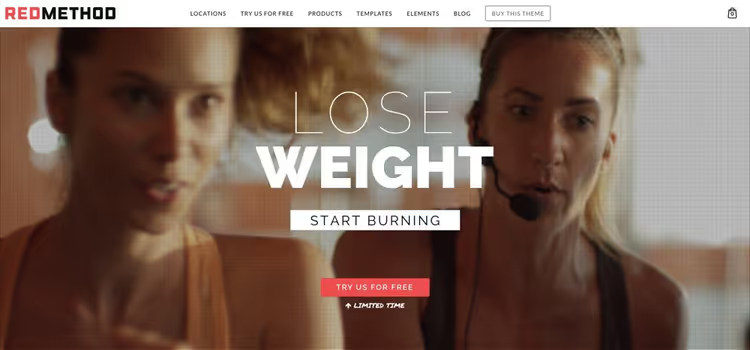
WP Beauty from Contempo Inc covers multiple niches at once: gym, spa salon, hair salon, yoga studio, and even fashion blog. Six ready demos import with one click, after which you can fine-tune settings: colors, fonts, header and footer builder.
The package includes three premium plugins: WPBakery for drag-and-drop page building, Slider Revolution for animated slides, and Booked Appointments for online client booking. The theme is translation-ready (including RTL language support) and comes with video tutorials.
- Pros: Three premium plugins included, 6 ready demos for different niches, Booked Appointments for reservations.
- Cons: Multi-purpose approach dilutes specialization (some functionality is excessive for a "pure" gym); multiple plugins increase TTFB.
- Price: from $69 (ThemeForest).
- Download: 🔗 WP Beauty on ThemeForest
🎥 Video overview: how to choose a theme for a fitness site
Watch an analysis of fitness theme selection criteria for WordPress, from responsiveness to scheduling plugin integration.
⁉️🤔 Frequently asked questions
Do I need a premium theme for a fitness site or is a free one enough?
Free themes in the fitness and gym niche are frankly scarce: there are literally two or three decent options in the WordPress.org repository. A premium theme pays for itself immediately: you get class schedules, trainer profiles, and WooCommerce integration without assembling a dozen plugins. For a commercial gym, saving on the theme translates to customization expenses.
What matters more: design or loading speed?
Speed. According to Google's 2017 research, 53% of mobile visitors leave a site if loading takes longer than three seconds. Fitness sites are objectively heavier than average due to gym photos and workout videos. Choose a theme that keeps Core Web Vitals in the green zone on typical hosting, and be sure to enable caching and lazy load for images.
Which plugins are essential to add to a fitness theme?
Minimum set: Events Calendar (class schedule), WooCommerce (selling memberships and merchandise), Yoast SEO (search optimization), and a caching plugin (WP Rocket or a free alternative). If the theme doesn't include a page builder, add Elementor or WPBakery. For online booking, Booked or Amelia.
Can I use one theme for a network of multiple gyms?
Yes, if the theme supports WordPress multisite. But in practice, it's easier to take a theme with flexible customization (Total or WP Beauty) and create separate installations with their own demo data for each gym. Multisite only makes sense for a network of 5+ locations with centralized management.
Should I get a theme with a lifetime license?
A lifetime license is worthwhile only if you definitely won't be changing the design for several years. Most themes on ThemeForest have annual licenses, and renewal costs significantly less than the full price. In practice, an annual budget for updates and support is fully justified.
Which theme is right for you?
If you're opening a CrossFit box and plan to sell gear, go with Workout: WooCommerce and galleries out of the box with minimal tweaking. For a personal training studio with individual programs, the best choice is GymBase with its calculator builder, schedule, and Stripe payment processing. A large fitness center with events and class schedules should consider Fitness Sport Gym with Events Calendar. And if you need versatility and room to grow, Total with fifty starter demos won't let you down.
Before purchasing, make sure to open the theme's live demo on your phone. Half of fitness traffic today is mobile. If the schedule is unreadable on a smartphone and the "Buy membership" button slides off screen, move on, no matter how beautiful the desktop version looks.

A professional team of writers and editors specializing in creating quality content.