














💰 How much does it cost to create a WordPress website in 2026: complete breakdown
Why do people launch a WordPress site with a $100 budget only to discover they've spent $2,000 by the end of the first year? Because they take the engine's price as their starting point, not the site's price. These are different things, and we'll break down each one based on data from the industry aggregator WebCostEstimator.
WordPress as software is truly free: open source under the GPLv2 license, downloadable from wordpress.org right now without registration or payment. But a site is more than just an engine. According to W3Techs, as of June 2026, WordPress powers 43.5% of all websites on the internet, from personal blogs to corporate portals. Someone paid for each of them.
This breakdown includes real 2026 figures for each expense category: from $12 for a domain to $15,000 for a custom theme, from $3/month for starter hosting to $300/month for maintenance service. No first-year promo prices and no vague "from $0 to infinity" according to WebCostEstimator data.
💡 Quick overview:
- WordPress as an engine is free, but a complete site requires a domain ($10-20/year), hosting ($3-150+/month), a theme, plugins, and content. The minimum DIY blog budget starts at $50 per year according to Website Cost Estimator.
- The most expensive budget items are neither hosting nor domain, but development and content: together they form a significant portion of the typical business site estimate according to WebCostEstimator data.
- The biggest surprise for beginners is the gap between the first and second year: promo prices for hosting and domain expire, and real renewal costs increase several times over.
- Hosting is a key variable: from shared at $3/month to managed WordPress at $100/month according to providers Hostinger.com and WP Engine. The choice determines speed, security, and traffic capacity.
- A site without backups is a lottery: recovering a hacked site costs from $500 to $3,000, while automatic backups cost $0-30 per year according to WebCostEstimator analysis.
What the cost of a WordPress site actually consists of
WordPress is like a free plot of land in the city center. The plot is yours. But the house, utilities, design, and security are paid for separately. Without hosting, the site has nowhere to run. Without a domain, no one will find it. Without a theme and plugins, it's an empty admin panel that only you can see.
Check out this breakdown of real budgets from Elegant Marketplace: the author shows specific figures by site type and explains why the price on a hosting provider's banner has nothing to do with what people actually pay.
All WordPress site expenses fall into two categories. One-time: theme, development, initial setup. Recurring: domain, hosting, plugin subscriptions, content, and maintenance. If you only account for startup costs when planning, the second year will be an unpleasant surprise.
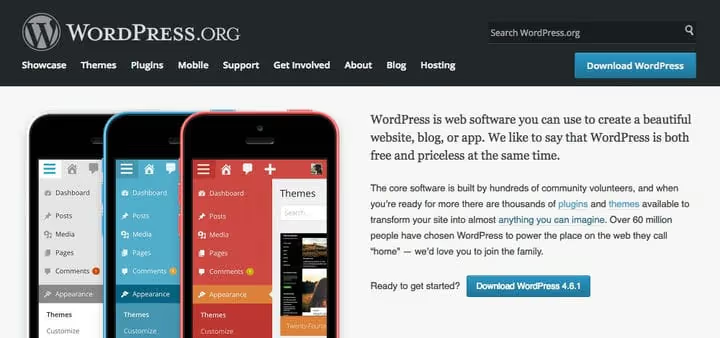
Below is a breakdown of all expense categories from domain to content marketing. We'll cover each one separately with real prices and specific providers.

Plan matters more than wallet
A site's cost is almost entirely determined by its purpose. Before opening your wallet, answer three questions:
- What's the site's goal? Sales, portfolio, blog, service showcase.
- Who's your audience? B2B, B2C, local market.
- What functionality is mandatory? Lead form, online payment, multilingual, user account.
A one-page landing page with a capture form and a WooCommerce online store with 500 products are two completely different budgets: the first is $200-400 per year, the second is $1,500-5,000 per year and up according to WebCostEstimator research. A detailed breakdown by three typical scenarios is in the "Three realistic budgets" section below.
Domain name: $10-20 per year
A domain name is your site's address on the internet. Without it, no one will find either the site or a working email. A corporate address on your domain (@yourcompany.com) looks incomparably more serious than @gmail.com in client correspondence.
Standard domains (.com,.net,.org) cost $10-15 per year when registering with most registrars: Namecheap, Cloudflare Registrar, Porkbun. Zones like .io and highly specialized ones run $30-60 per year. Some hosting providers include the first domain free, but renewal is always paid: $15-20 per year.
The main trap is the difference between first-year price and renewal price. GoDaddy offers .com for $0.01 the first year, but renewal costs $19.99. Cloudflare Registrar sells domains at wholesale price with no markup: $9.77 for .com annually, and the same when renewing.
WHOIS privacy most registrars include free since 2018 after GDPR took effect. If your registrar charges separately for WhoisGuard, it's time to switch.
SSL certificate in 2026 is free through Let's Encrypt. All decent hosts issue SSL automatically when installing WordPress. Paid EV certificates are only needed by large corporations with legal necessity for a green company badge. For 99% of sites, it's excessive.
Hosting: from $3 to $150+ per month
Hosting is the largest recurring expense item and the most important factor for site performance. Slow hosting lowers Google rankings and increases bounce rate. Good hosting keeps the site stable even under peak load.
In 2026, the WordPress hosting market divides into four categories (data from official provider sites and WebCostEstimator 2026 analysis):
Hosting type | Real price | For whom |
|---|---|---|
Shared | $3-8/month | Blog, portfolio, small site |
Managed WordPress | $20-100/month | Business site, growing project |
VPS (virtual server) | $10-40/month | Non-standard requirements, custom stack |
Dedicated | $100-150+/month | Enterprise, 500K+ visitors per month |
Shared hosting. The cheapest entry: Hostinger hosting from $2.99/month, Bluehost hosting from $2.95/month. But these are first-year promotional prices. In the second year, the bill grows to $9.99-$13.99/month. Shared works as long as the site has fewer than 5,000-10,000 visitors per month. Downside: server resources are shared with hundreds of other sites, and one "noisy neighbor" slows everyone down.
Managed WordPress. WP Engine, Kinsta, Rocket.net, hosts built exclusively for WordPress. Automatic core and plugin updates, daily backups, built-in CDN, staging site for testing, dedicated support. Price: $20-100/month to start according to WebCostEstimator metrics. For a site that makes money, managed pays for itself with zero downtime.
VPS. Guaranteed resources (CPU/RAM) and full root access, but server maintenance is your responsibility. Cloudways offers VPS from $10/month with a convenient control panel. VPS is justified when shared is too tight and managed is too expensive.
Dedicated. A physical server at your complete disposal. From $100-150/month. Needed by few: projects with 500,000+ visitors, complex WordPress SaaS products according to WebCostEstimator overview.
Don't chase the $1.99/month price. Hosting for $12 per year is an overloaded server without proper support and almost always without automatic backups. Recovering a hacked site without backup costs from $500 to $3,000 according to WebCostEstimator data.
WordPress theme: from $0 to $15,000
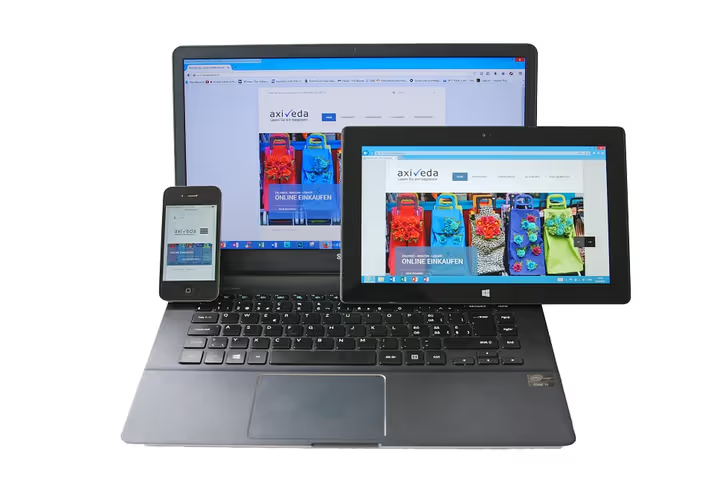
The theme handles the site's appearance: header, footer, colors, fonts, page layout. There are three fundamentally different options here.
Free theme. The WordPress.org catalog contains more than 10,000 free themes. For a simple blog or landing page, this is enough. The Twenty Twenty-Six theme is clean and fast, suitable for launch without a single edit. For a business site with recognizable branding, free themes typically lack customization flexibility.
Premium theme. Ready-made design from independent developers: ThemeForest for $49-79 one-time or by subscription. Divi from Elegant Themes for $89/year, GeneratePress for $59/year, Astra Pro for $59/year. More page templates, extended settings, author support.
Custom theme. Development from scratch for your brand and needs. Price: $2,000-$15,000, timeline 6-16 weeks. Justified when you need unique design, non-standard page logic, or deep integration with company internal systems according to Elegant Themes.
Plugins: $0-350 per year
Plugins add functionality, from SEO to online store. According to WordPress.org, a typical business site uses 15-25 plugins, most are free.
Essential free minimum for 2026:
Category | Plugin | What it does |
|---|---|---|
SEO | Rank Math or Yoast SEO Free | Meta tags, sitemap, structured markup |
Security | Firewall, malware scanner | |
Backups | Automatic cloud backups | |
Caching | Page load acceleration | |
Forms | Contact form |
Paid versions of the same plugins provide extended capabilities: Wordfence Premium for $119/year (real-time protection), Yoast SEO Premium for $99/year (internal linking management), UpdraftPlus Premium for $70/year (incremental backups). Additionally: Gravity Forms for $59/year for complex forms, WP Rocket for $59/year for maximum speed optimization. A fully equipped business site spends $100-350 per year according to WebCostEstimator calculator.
Developer: $0 or up to $10,000+
The most expensive item for those who don't do it themselves. Ranges according to WebCostEstimator materials (March 2026):
Budget | What's included | Contractor |
|---|---|---|
$500-1,500 | Ready theme setup, 5-8 pages, basic plugins | Entry-level freelancer |
$1,500-3,500 | Ready theme + customization, 8-15 pages, SEO, forms | Experienced freelancer |
$3,500-7,000 | Deep customization, integrations, speed optimization | Small agency |
$7,000-10,000+ | Nearly unique design, complex functionality, WooCommerce | Agency / senior developer |
If you're willing to figure it out yourself, developer costs shrink to zero at the cost of your time. Themes optimized for the block editor (Astra, Kadence, GeneratePress) let you build a typical site over a weekend without code, as shown by Elegant Themes pricing guide.
Maintenance, security, and backups
It's not enough to create a site, you need to maintain it. WordPress 6.7 improved plugin auto-updates, but fully automating maintenance is impossible: updates sometimes break compatibility, and then intervention is needed.
Backups. Losing a site without backup costs from $500 to $3,000 to recover according to WebCostEstimator report. Free option: UpdraftPlus, backups to Google Drive, Dropbox, or S3. Paid solutions: BlogVault from $89/year with incremental backups and test restore function, WPVivid Pro for $49/year.
Security. WordPress is the most popular CMS, which means it's the primary target for attacks. Outdated plugin versions are the main attack vector. Minimum protection: Wordfence Free (firewall and scanner). Advanced: Wordfence Premium for $119/year or Sucuri for $199.99/year with turnkey malware removal.
Maintenance. If you don't want to spend 1-2 hours per month on updates, hire a WordPress support service: $50-300 per month ($600-3,600 per year) according to WebCostEstimator data. The cost includes core, theme, and plugin updates, uptime monitoring, and minor bug fixes.
Content and promotion

A site without visitors is just a set of files on a server. To get an audience, you need content and promotion. This is the second largest expense item after development, which is most often underestimated at the start.
SEO: $0-99 per month
Search optimization is the main traffic source for WordPress sites. Basic level: free plugin (Rank Math plugin or Yoast SEO Free) plus time to create content. Mid level: Yoast SEO Premium for $99/year plus Ahrefs or Semrush for $99-129/month for keyword and competitor analysis. For local business and small commercial sites, free tools are sufficient.
Content: $50-500 per piece
Regular content is fuel for SEO and audience trust. If you write yourself, the cost is only your time. If not, the freelance market in 2026 according to WebCostEstimator summary:
Budget per article | What's included |
|---|---|
$50-100 | SEO-optimized text without deep expertise, 1,000-1,500 words |
$100-250 | Material from an author with niche experience: research, numbers, examples |
$250-500+ | Expert text with verified data, unique angle, interviews |
According to several industry studies, blogs with regular publications get noticeably more organic traffic than those that publish less frequently. One deep article works longer than three shallow ones: depth matters more than frequency.
Paid advertising: optional and budget-dependent
Google Ads, social targeting, retargeting, optional. Starter budget for testing hypotheses: $200-500 according to WebCostEstimator figures. Professional setup adds $300-1,000 one-time with a specialist or 10-15% of ad budget monthly when working with an agency.
Three realistic budgets for 2026
Here's what a complete estimate looks like for three typical scenarios. Figures are based on Website Cost Estimator data from March 2026.
Budget 1: personal blog or hobby project (~$50-100 per year)
Expense item | Cost |
|---|---|
| $12/year |
Shared hosting (Hostinger) | $36/year ($3/month) |
Free theme | $0 |
Free plugins | $0 |
Total | $50-100/year |
You only pay with time. Acceptable for a personal blog, portfolio, or test project.
Budget 2: business site (~$800-1,100 per year, from second year)
Expense item | Cost |
|---|---|
| $12/year |
Managed hosting (WP Engine Starter) | $240/year ($20/month) |
Premium theme | $59/year |
Plugins (premium versions) | $150/year |
SEO tools (basic) | $0-99/year |
Content (12 articles at $100) | $1,200/year |
First year (with setup from $1,500) | $2,000-3,500 |
Second year and beyond | $800-1,100/year |
Typical small business site: services, blog, portfolio, contact form. With self-assembly, the initial $1,500 is removed and the first year comes to $500-800 according to WebCostEstimator rates.
Budget 3: WooCommerce online store (~$1,500-3,000 per year)
Expense item | Cost |
|---|---|
Domain | $12/year |
Managed hosting (WP Engine) | $480/year ($40/month) |
WooCommerce theme | $79/year |
Plugins and WooCommerce extensions | $400-800/year |
Payment processing (Stripe) | 2.9% + $0.30 per transaction |
Maintenance and security | $500/year |
Total (excluding transaction fees) | $1,500-3,000/year |
Initial store development adds $2,000-8,000 to the first year according to WebCostEstimator estimate. The key difference between a store and a regular site: recurring costs for extension plugins (payments, shipping, accounting, taxes) and more expensive hosting for peak loads.
WordPress versus SaaS platforms: who's cheaper in the long run
Ready-made platforms (Squarespace, Wix, Shopify) attract with simplicity: one monthly payment, everything included. With a detailed WordPress comparison, properly configured WordPress turns out to be more profitable:
Platform | First year | Second year and beyond | For whom |
|---|---|---|---|
WordPress DIY | $100-500 | $50-200 | Individuals, hobby projects |
WordPress + freelancer | $2,000-8,000 | $500-2,000 | Small business |
Squarespace Business | $276-552 | $276-552 | Simple site without active blog |
Shopify Basic | $348-700 | $348-700 | Small store |
Wix Core | $348 | $348 | Landing page, business card |
WordPress wins on scale: cost doesn't grow proportionally to the number of pages and content volume. On SaaS platforms, each additional functional module costs separately. Plus you own the data and can move the site anywhere: no lock-in to one provider's ecosystem.
Where money is lost: typical planning mistakes
Hosting for $1.99/month. Almost guaranteed slow loading and no proper support. Minimum threshold for a live site is $3-5/month from a reputable provider, for example Hostinger or Bluehost plans.
First-year promo trap. Promotional price on GoDaddy registrar site or others at $2.95/month turns into $10.99/month in the second year. Check renewal price on the plans page in advance and budget for it from day one.
Plugin overload. 50 plugins isn't powerful functionality, it's a slow site with high risk of conflicts and vulnerabilities. Plugin audit once a year: delete everything you don't use, as advised in official WordPress documentation.
Living without backups. Automatic daily backups cost $0-30 per year (UpdraftPlus plugin). Restoring a site without backup costs from $500 according to WebCostEstimator estimates. The choice is obvious.
Security from day zero. Free Wordfence Free installs in 2 minutes and blocks most automated attacks. Sites without basic protection are the primary target of botnets.
⁉️🤔 Frequently asked questions
How much does a WordPress site really cost in 2026?
Minimum for DIY blog: $50-100 per year (domain and cheap shared hosting). Typical small business site: $800-1,100 per year from the second year. WooCommerce online store: $1,500-3,000 per year plus payment system fees. Full breakdown with sources on WebCostEstimator detailed overview page.
WordPress itself is free, so what do I pay for?
WordPress core is free open source software, downloadable from the official site. You pay for everything that turns it into a working site: domain ($10-20/year), hosting ($3-150+/month), theme ($0-200), plugins ($0-350/year), content, and maintenance. Like a free engine: the car still requires chassis, wheels, and gas.
What's more profitable: DIY or hire a developer?
DIY saves $500-10,000 in one-time costs but requires time. A typical site on Astra or Kadence with the block editor assembles in 1-2 days without code. A developer is needed for unique design, CRM integration, or complex logic. Golden middle: buy a premium theme and hire a freelancer for customization.
Why do hosting prices vary so much?
The difference between shared at $3/month and managed at $30/month is in guarantees: dedicated resources versus shared, specialized WordPress support, automatic backups and staging sites, built-in CDN. Detailed comparison on WP Engine plans page. For a site that earns money, managed pays for itself with zero downtime.
How much time goes into WordPress site maintenance?
Basic maintenance (updates, backups, security checks) takes 1-2 hours per month when self-managing according to WebCostEstimator for 2026. This doesn't include content writing and marketing. WordPress support service costs $50-300 per month.
Is it worth launching a WordPress site in 2026

WordPress in 2026 remains the most flexible and economical way to create a complete site. You pay exactly for what you need, without overpaying for functionality you don't use. For a personal blog, from $50 per year. For a business site with regular content, from $800 per year according to WebCostEstimator calculations. This is an order of magnitude cheaper than a staff developer or an expensive SaaS subscription with vendor lock-in.
The conclusion, confirmed in practice again and again: the most expensive expense item is not technology, but people and content. Hosting and domain cost pennies. Developer and article authors are the main numbers in the estimate. The developer question is solved by self-assembly. With content, only a continuous process, and you can save on it only one way: write it yourself.
If you're just starting, start with the minimum. Get shared hosting, a free theme, and a few key plugins. Launch over a weekend. When the site starts bringing traffic and money, reinvest in speed, security, and content. All successful WordPress projects follow this trajectory, from personal blogs to major media.
Determine your budget and launch: a detailed calculator for all expense items is available on Website Cost Estimator calculations page.

A professional team of writers and editors specializing in creating quality content.