













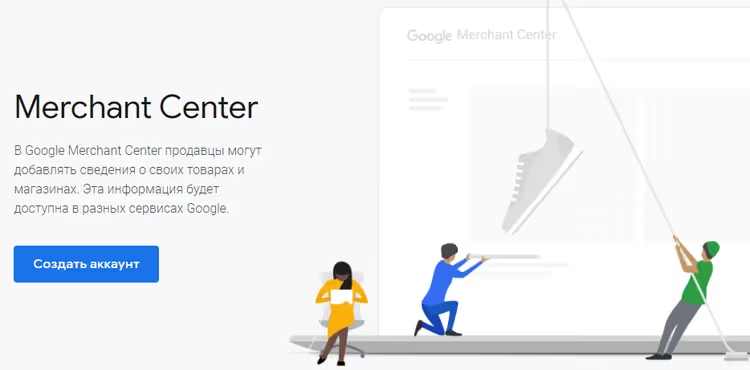
🚀 How to connect WooCommerce to Google Merchant Center in 2026: feeds, plugins, and setup
Your WooCommerce store is already stocked with products, but customers are still coming through expensive paid search. You could be showing a product card with photo, price, and title right in Google's search results when someone is searching for exactly what you sell.
Google Shopping Ads brings in customers with purchase intent already formed. But to get your products into shopping ads, you need a product feed: a structured file containing all your product data, uploaded to Google Merchant Center. Without it, Shopping campaigns simply won't launch.
Below is a step-by-step walkthrough from Merchant Center registration to automatic catalog sync. We'll compare three plugins for WooCommerce that generate a valid feed and break down the common errors that cause product rejections.
💡 Quick overview:
- Register a Google Merchant Center account and verify domain ownership.
- Create a product feed through Google for WooCommerce or with a specialized plugin.
- Fill in required feed attributes (ID, title, price, availability, image, condition).
- Link your Merchant Center account to Google Ads to launch shopping campaigns.
What is Google Merchant Center and why your store needs it

Google Merchant Center (GMC) is a free Google platform where online store owners upload and store product information. GMC's primary purpose is to make product data available to Google Shopping, Search, Images, YouTube, and paid shopping campaigns.
Since 2024, Google has been transitioning users to the updated Merchant Center Next interface, which simplifies onboarding and makes feed diagnostics more visual. The underlying logic remains the same: you upload a feed, Google reviews the products, and approved items participate in free listings and Shopping ads.
GMC's main advantage over Google Ads text ads is the visual format. Users see the product photo, price, store name, and rating before clicking. According to Google, shopping ads receive on average 30% higher CTR than text ads at a comparable cost per click.
The WooCommerce and Merchant Center combination offers another benefit: integration with Google Analytics. You get end-to-end analytics from product impression to purchase and can reallocate budget toward the highest-converting items.
How to create a product feed for WooCommerce
Google shopping ads don't work on keywords you assign manually. Google itself matches user search queries to your feed data and displays relevant products. That's why you first need a valid feed: a file where each product is described according to Google's strict rules.
Required feed fields include identifier (id), title (title), description (description), product link (link), image (image_link), price (price), availability (availability), and condition (condition). Without any of these, the product won't pass review. Google also requires brand and GTIN/MPN for products from known manufacturers; skipping these attributes causes mass rejections. According to Merchant Center documentation, identifier issues account for over half of all errors in Diagnostics.
Three ways to create a feed for WooCommerce:
Manually via Google Sheets. Suitable for stores with 10-20 products. You fill out a template in Google Sheets and register it as a feed in Merchant Center. The downside is obvious: every price or inventory change requires manual updates.
Through the official Google for WooCommerce extension. A free plugin from WooCommerce that automatically syncs your catalog with Merchant Center, including data for YouTube Shopping. Installs in a couple of clicks, making it the simplest option for most stores.
Third-party product feed plugins. These offer more flexibility: support for multiple feed types, custom attributes, update schedules, and product exclusion filters. More on these in the next section.
3 plugins for automating your Google product feed
A plugin automates the routine: collecting product data, formatting it to Google's requirements, and updating the feed on schedule. Below are three proven tools for WooCommerce, ranging from completely free to premium solutions with real-time sync.
Criterion | ELEX Google Shopping | Google Product Feed | WPMR Feed Manager |
|---|---|---|---|
Price | Free (Pro is paid) | $79/year | Free (Pro is paid) |
Feed types | Primary | Primary, Bing, Reviews | All 7 Google types |
Product variations | Pro only | Yes | Yes |
Real-time sync | No | Yes | No (cron) |
Multilingual support | Pro only | Yes | Pro only |
Setup complexity | Medium | Low | Medium |
1. ELEX WooCommerce Google Shopping

🔗 ELEX on WordPress.org | 🔗 Live demo
A free plugin from ELEXtensions (1000+ active installations, version 1.4.5, tested up to WordPress 6.9.4). Generates product feeds in XML, CSV, or TSV that can be uploaded directly to Merchant Center.
ELEX's strength is flexible attribute mapping. You set rules like "if product is in category X, substitute Google category Y" or "take the value from field A and append text B." This is critical for stores with non-standard catalog structures.
Key features:
- Unlimited feeds and templates.
- WooCommerce to Google category and attribute mapping using rules and conditions.
- Update schedule: daily, weekly, monthly.
- Product exclusion by category and individual items.
- Support for multiple countries and languages for Google categories (in premium version).
- Including product variations in feed (Pro only).
Drawbacks: premium features (variations, multilingual support) require the paid version. Rating on wordpress.org is 3.8/5, with some negative reviews concerning support. The free version works well for stores with simple products without variations. If you have variable products, consider Pro or the alternatives below.
2. WooCommerce Google Product Feed

🔗 Google Product Feed on WooCommerce.com
The official premium extension from WooCommerce. Creates and updates your Google product feed in real time: any price or inventory change is instantly reflected in Merchant Center. Cost is $79 per year, a single tier with no tiers.
The extension supports 50+ Google attribute fields and provides access to custom fields not available in WooCommerce by default. You can create separate feeds for Bing and Google Product Reviews.
Key features:
- Real-time feeds with no delays or cron schedules.
- Bulk import via WooCommerce Importer.
- Extensibility through WordPress filters and hooks (
woocommerce_gpf_feed,woocommerce_gpf_field_value). - Compatibility with Product Bundles, Composite Products, WooCommerce Brands.
- Documentation and support from WooCommerce.
Drawbacks: no free version, annual subscription is $79. Overkill for stores with 10-20 products and simple structure. If you already use the WooCommerce extension ecosystem and value seamless compatibility, this is the most reliable choice. To start, you can use the free Google for WooCommerce (same developer, basic sync functionality).
3. WPMR Google Feed Manager for WooCommerce

🔗 Feed Manager on WordPress.org | 🔗 Live demo
A free plugin (formerly WP Product Feed Manager) capable of generating all 7 Google Merchant Center feed types: Primary, Supplemental, Promotions, Local Inventory, Manufacturer Center, Dynamic Remarketing, and Product Ratings. Developer is AukeJomm, with active updates in 2026.
Feed Manager's main advantage is auto-detection of required Google attributes and built-in product prioritization based on actual WooCommerce sales data. You can rank items as high/mid/low performer and export these labels to Google Custom Labels for smart bidding strategies.
Key features:
- All 7 Google feed types in one installation.
- Unlimited products and feeds with no limits or site slowdown.
- Automatic scheduled updates (system cron recommended over WP-Cron).
- Filters: exclude low-margin products, out-of-stock items, low performers.
- Compatibility with Yoast, RankMath, WooCommerce Brands, Germanized.
- Pro version adds multilingual support (WPML, Polylang, TranslatePress) and multichannel (Amazon, eBay, Facebook, Instagram, Pinterest, Etsy).
Drawbacks: Pro multichannel features cost extra. For very large catalogs (50,000+ products) on weak hosting, cron configuration may be required.
Overall, considering "free, functionality, updates," this is the best choice for most WooCommerce stores in 2026.
⁉️🤔 Frequently asked questions
What's the difference between Google Merchant Center and Google Ads?
Google Merchant Center stores product data (the feed), while Google Ads manages advertising campaigns. You link the accounts: GMC provides the products, Google Ads displays them as Shopping ads. Without GMC, shopping campaigns cannot be launched.
How long does Google take to review a product feed?
Initial review takes anywhere from a few hours to 3 business days. Subsequent feed updates are processed faster, usually within an hour. If products get "Disapproved" status, check required attributes in the Diagnostics section: identifiers (GTIN, MPN, brand) and categories are the cause of most rejections.
Is a paid feed plugin required?
No. Google for WooCommerce and WPMR Google Feed Manager are completely free solutions with sufficient functionality for most stores. Plugins like ELEX Pro or the official Google Product Feed are needed when you require product variations in the feed, multilingual support, or specific attribute customization.
What should I do if products are rejected after uploading the feed?
Open Merchant Center, Diagnostics section. Rejected products are grouped by error type. Most commonly, an identifier is missing (
identifier_exists), brand (brand), or barcode (gtin); add these fields to the feed through your plugin. For products without GTIN (your own manufacturing), specifyidentifier_exists = no. Verify thatimage_linkpoints to a live image with sufficient resolution.
Can I use one feed for multiple countries?
Technically yes, but it's not recommended. Different countries have different requirements for currency, language, and shipping. The proper approach is to create a separate feed for each target country through your plugin (WPMR Feed Manager and ELEX support multiple feeds) and configure targeting in Merchant Center.
Which feed plugin to choose for your needs
If you have fewer than 50 products and a simple catalog structure, start with Google for WooCommerce. Free, 5 minutes to connect, automatic sync.
For larger or more complex catalogs, WPMR Google Feed Manager covers all 7 feed types at zero cost. And when you need real-time sync with hooks for custom logic, the official Google Product Feed gives you maximum control.
Link Merchant Center with Google Analytics, set up conversion tracking, and you'll see which products actually sell through Shopping rather than just getting clicked. Start with a free plugin today and get your first Shopping impressions within 24 hours of uploading your feed.

A professional team of writers and editors specializing in creating quality content.