














📋 How to create an authors list page for a WordPress blog
On a WordPress site with a dozen authors, a "Team" page becomes a navigation hub: readers see who writes, find an expert on a topic, and navigate to their articles. Without it, the author archive is scattered across the /author/ tag and gets lost in search results.
Standard WordPress doesn't provide a proper showcase page for authors. The wp_list_authors template requires code, and template tags don't pull avatars, bios, and social links without manual markup. Plugins fill this gap.
Below we cover both approaches: from a simple shortcode to manual profile assembly aligned with your brand.
💡 Quick overview:
- Choose your approach: automatic list via WP roles or manual profile assembly.
- For quick results, install
Authors ListorAuthor Avatars List/Block, both work via shortcode. - If you need to manually customize the design to match your brand, use
About AuthororAuthor Lists. - For large communities with profiles and social networks, the
Profile Builder+Youzifycombo.
Why you need a dedicated authors page
An author list page solves three problems. First, transparency: readers understand who is behind the content. For news and analytical sites, this is a direct trust factor. Second, navigation: users go to a specific author's archive rather than leaving the site. Third, E-E-A-T: Google considers author expertise when ranking, and a page with biographies reinforces this signal.
The wp_list_authors function outputs a bare list of names, without avatars, bios, and social links. Not everyone is ready to edit functions.php for custom output.
Automatic or manual list: what to choose
There are two approaches, and they're not mutually exclusive.
Automatic list, the plugin pulls data from registered WordPress user profiles and builds an author page by role. Just activate, insert a shortcode or block, and the page is ready. The advantage is speed: a new author is added, they appear in the list without your action. The downside is that design is limited by plugin settings.
Manual assembly, you create author profiles manually via a builder plugin. Takes longer to set up, but gives full control over appearance. Suitable when you have a non-standard layout or need to show contributors who don't have a WordPress account (guest experts, external editors).
Plugins for automatic author lists
Authors List
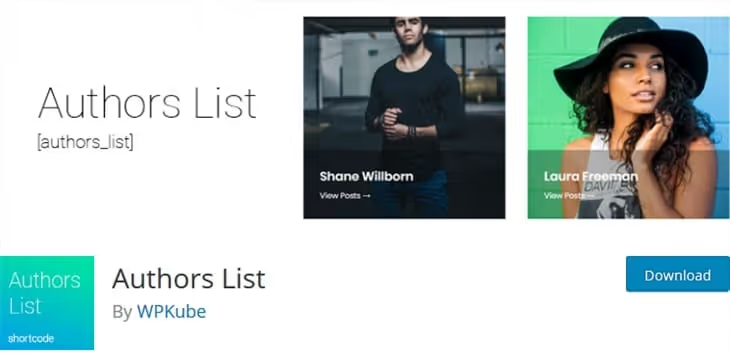
Authors List from WPKube, arguably the simplest way to get an author page with a single shortcode. Supports any custom roles: display not only authors, but also editors, administrators, contributors. You can exclude specific roles or individual users by ID.
After installation, you insert the [authors_list] shortcode on the desired page, and that's it. Then configure via attributes: number of columns for the grid, avatar size, fields to display (biography, post count, archive link). Element order, avatar, name, bio, heading, is also configurable.

The plugin is actively updated, the latest release 2.0.6.2 came out in November 2025. The Pro version adds styling (colors, fonts, spacing), author search, and role filters. To improve author page permalinks, you should also check out Edit Author Slug.

Pros:
- Works out of the box: activation → shortcode → done
- Flexible filtering by roles, ID, and minimum post count
- Support for dynamic meta fields (
{al:first_name},{al:social})
Cons:
- Free version doesn't provide fine grid styling
- Documentation is in English, not all attributes are obvious
Price: free, Pro (paid) with styling and filters
🔗 Authors List on WordPress.org
Author Avatars List / Block
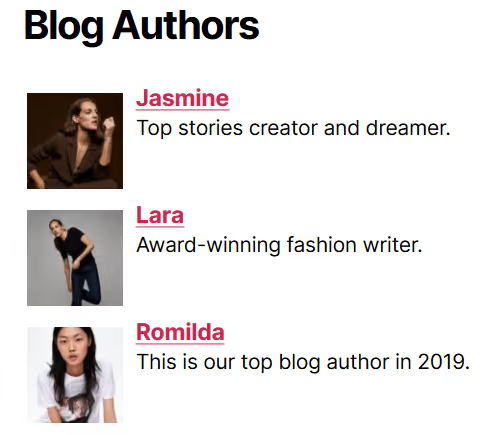
Author Avatars List/Block builds a list based on standard WordPress template functions, pulling data directly from profiles. Works via the [authoravatars] shortcode or the Gutenberg block of the same name. Unlike Authors List, it's tailored for visuals: avatars in a grid, list, or sidebar widget.
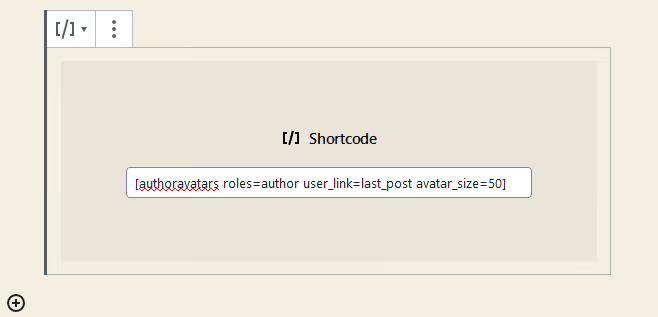
The shortcode is flexibly configurable: user limit, avatar size, alignment, role selection. You can output avatars of a specific role, not just authors, but also subscribers or editors.
The main advantage is integration with BuddyPress, bbPress, Co-Authors Plus, and Ultimate Member. If the site already has a BuddyPress community deployed, the plugin will pick up extended user profiles without additional setup.
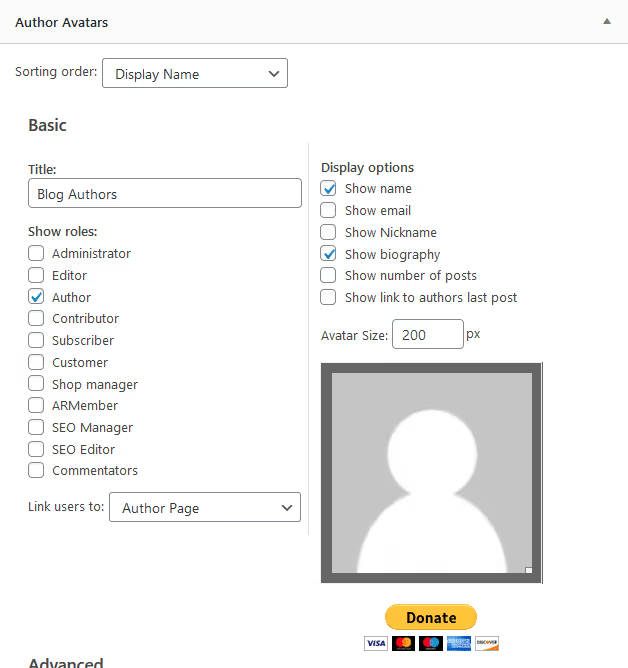
The widget can be placed in any theme area. For example, in the Twenty Twenty footer, the author list with avatars looks neat and requires no markup. The user clicks on the avatar and goes to the author's archive.
Pros:
- Gutenberg block + shortcode + widget, three output methods
- Native integration with BuddyPress and bbPress
- Free, no Pro restrictions
Cons:
- Design settings are more modest than premium alternatives
- Admin interface looks outdated
Price: free
🔗 Author Avatars List/Block on WordPress.org
WP Post Author

WP Post Author from AF themes, a multifunctional plugin that covers not only author lists, but also author cards under posts, co-authorship, guest authors, and custom avatars. Essentially, it's a combine for managing the author block on the site.
The plugin supports assigning multiple authors to one post, creating profiles for guest experts without a WordPress account, and uploading local avatars via the media library (bypassing Gravatar, which is a GDPR plus). The built-in post rating system adds interactivity.
The Awpa Add Form Gutenberg block, [wp-post-author] shortcode, and widget are available. The Pro version adds tabs in the author profile, author rating, and advanced blocks for individual author pages.
Pros:
- Local avatars instead of Gravatar, faster and GDPR-friendly
- Co-authorship and guest authors without accounts
- Active development: version 3.9.0, compatible with WordPress 6.9
Cons:
- Interface is overloaded for the simple task of "author list"
- Some key features (profile tabs, rating) are Pro-only
Price: free, Pro (paid) with profile tabs and advanced blocks
🔗 WP Post Author on WordPress.org
Manual assembly of author pages
About Author
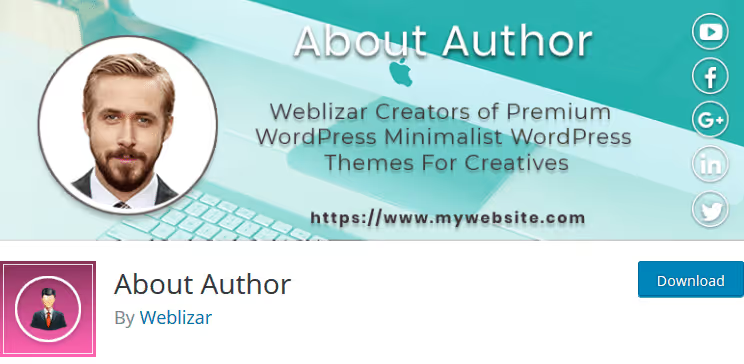
About Author, a free plugin for manually creating author profiles. Unlike automatic solutions, you add each author manually via a panel in the admin: photo, biography, social networks, card styles.
The free version provides several templates and an extensive customization panel: colors, fonts, sizes, image style, set of social links. You configure each author separately and display them on a page with a common shortcode.
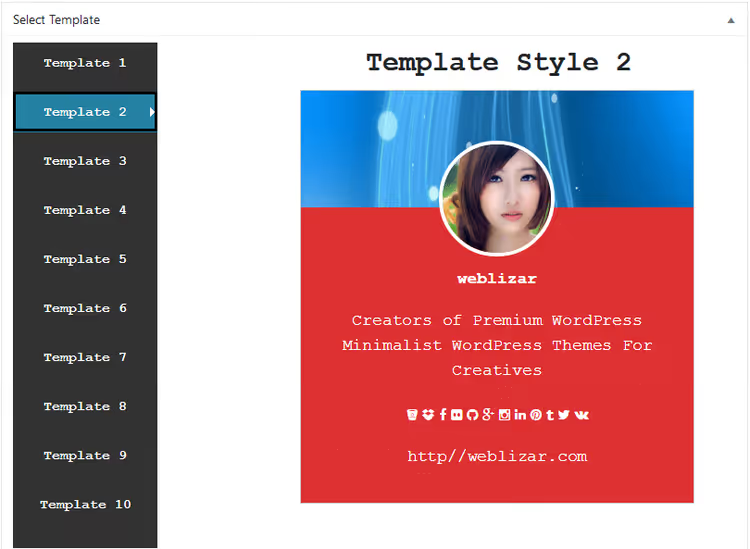
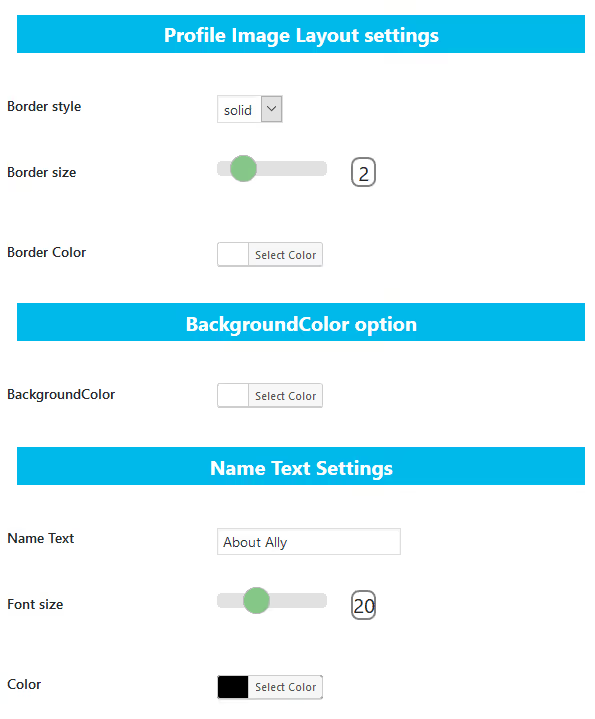
The editor interface allows you to configure each element of the author card separately: from the name font to the social panel background. The style tab gives access to colors and sizes.
The standard templates are excessively styled, but after replacing fonts and colors you get a clean layout aligned with your brand. The Pro version adds markup for multiple authors, animations, widgets, and additional profile fields.

Pros:
- Full control over each card's design
- Free version is not critically limited
- Suitable for small teams, 5-10 authors
Cons:
- No automatic linking to author posts
- Adding 20+ authors manually is tedious
Price: free, Pro (paid) with multi-author markup and animations
🔗 About Author on WordPress.org
Author Lists (DraftPress)
 AIIllustrative image: AI-generated
Author Lists from DraftPress studio, a premium solution for sites that need a polished author list with flexible sorting. The plugin offers four layouts: list, grid, carousel, and compact view. Configuration is via shortcode and visual builder.
You selectively include and exclude authors by roles and ID, set avatar size and shape (circle, square, rounded corners), choose sorting. Sorting is especially well thought out: by post count, alphabetically, or by custom roles, convenient for displaying top authors first.
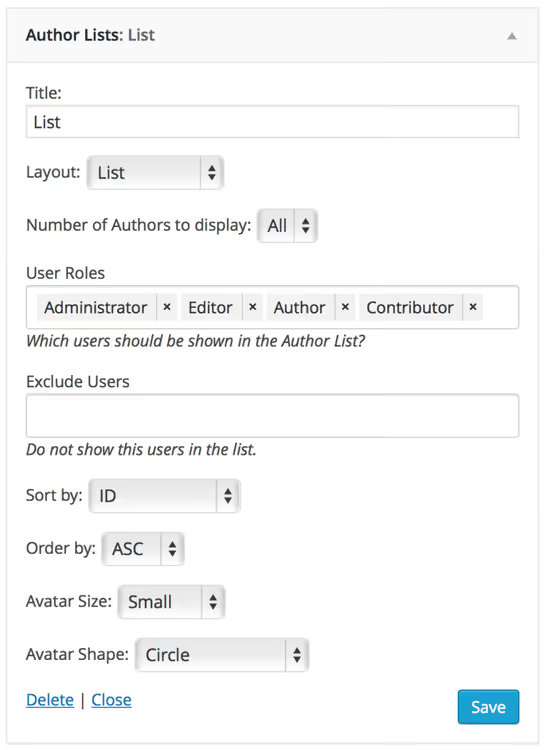
The grid automatically adapts to container width. Sorting settings allow you to display authors by post count, from most active to newcomers.

Pros:
- Four layouts, including carousel
- Smart sorting by post count and roles
- Widget + shortcode, output anywhere in the theme
Cons:
- Paid version only, no free tier
- No Gutenberg block, only shortcode and widget
Price: from $19/year for 1 site, $39/year for unlimited sites (source)
Meks Smart Author Widget
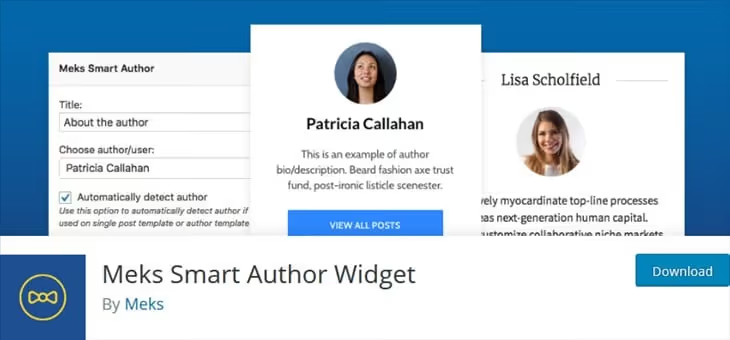
Meks Smart Author Widget, a tiny plugin from the Meks team that solves one task: automatically detects the author of the current post and displays them in a widget. Minimal setup, avatar size and link to author page.
This is not a replacement for a full author page, but an additional tool. Place the widget in the sidebar or under the post, the reader sees the author and clicks through to their archive. Works well in conjunction with Authors List or Author Avatars List/Block, which build the general page.
Pros:
- Zero setup: activate → works
- Automatically detects post author
- Free, no ads
Cons:
- Doesn't create a general author page, widget only
- Minimal customization
Price: free
🔗 Meks Smart Author Widget on WordPress.org
For community sites: profiles and member directories
If the task is broader than an author page, a full community with profiles, social networks, and user dashboards, you need a different class of plugins. They don't just display a list, they build a member directory.

Profile Builder, one of the most popular plugins for creating custom profiles in WordPress. Allows you to add custom fields, registration forms, and display profiles via shortcode. The free version covers basic needs, Pro adds repeater fields, multi-step forms, and WooCommerce integration.
🔗 Profile Builder on WordPress.org
Youzify (formerly Youzer), a plugin for BuddyPress that turns standard profiles into modern cards with avatars, covers, social networks, and activity. If the site already runs on BuddyPress, Youzify makes profile appearance an order of magnitude cleaner. Includes widgets, profile tabs, and color customization. Available on CodeCanyon.
Simple Local Avatars, a utility from 10up that replaces Gravatar with local avatars from the media library. Users upload profile photos directly to WordPress, without third-party services. Works with any plugin from this roundup.
🔗 Simple Local Avatars on WordPress.org
Video: how to add an author block in WordPress
Video tutorial on setting up an author block: plugin installation, shortcode insertion, and placement under a post. In 5 minutes, a ready author card with avatar and social links.
⁉️🤔 Frequently asked questions
Can you display an author list without a plugin?
Yes, via the
wp_list_authorsfunction in thefunctions.phpfile or theme template. You'll get a simple list of names with links to archives. But you'll have to manually code avatars, biography, social links, and grid layout separately. For most sites, a plugin saves hours of development.
Which plugin to choose if there are more than 50 authors?
For 50+ authors,
Authors Listwith theamountattribute for page limit and pagination in the Pro version works best. OrAuthor Listsfrom DraftPress with sorting by post count, convenient for displaying the most active authors first.
What's the difference between automatic and manual lists in plugins?
Automatic picks up data from built-in WordPress profiles, a user with Author role is added and they're already in the list. Manual requires creating a profile in the plugin interface for each participant, but you're not tied to WP accounts and can add external experts.
Is it mandatory to use Gravatar for avatars?
No.
WP Post AuthorandSimple Local Avatarsallow you to upload avatars directly to the WordPress media library. This is faster (no external DNS request to Gravatar) and safer in terms of GDPR, as user data doesn't go to a third-party server.
What to do if the site has authors with different roles, editors, contributors, administrators?
Both
Authors ListandAuthor Avatars List/Blocksupport role filtering. You specify the required roles in the shortcode attributes separated by commas, and only they are displayed on the page. You can exclude administrators to avoid showing technical accounts.
What to install for your task
If you need quick and no code, Authors List. One shortcode, result in 2 minutes.
If visuals and flexibility matter, Author Avatars List/Block. Gutenberg block, widget, and shortcode in one package. For BuddyPress sites, the choice is clear.
If you need control over each card, use About Author for manual assembly or Author Lists for premium design with sorting. Meks Smart Author Widget will complement the general page with an author block under posts.
Try a free plugin, the author page assembles faster than reading this breakdown.

A professional team of writers and editors specializing in creating quality content.