














🚀 WPtouch 2026 review: mobile version of a WordPress site without changing your theme
According to Statista, mobile traffic accounted for over 58% of all internet traffic in 2025. If your WordPress site doesn't work well on smartphones, you're losing more than half of your visitors before they even see your content. Google switched to mobile-first indexing long ago, and sites without a mobile version drop in search rankings.
But what can you do if your current theme isn't responsive and replacing it entirely is expensive, time-consuming, and risky? Migrating to a new theme often breaks layouts, resets settings, and requires weeks of debugging. You just want to enable a mobile version and have everything work.
WPtouch is a plugin that does exactly that. It doesn't touch your main theme but shows mobile visitors a separate, optimized layout. In this review, we'll explore how it works, what the free version offers, and whether upgrading to Pro is worth it in 2026.
💡 Quick overview:
- Install WPtouch from the WordPress repository and activate it; the mobile theme will automatically enable for all smartphones and tablets
- Go to the WordPress Customizer and configure the title, colors, fonts, and logo; your main desktop theme remains untouched
- If the free version's capabilities aren't enough, upgrade to Pro: nine themes, ten extensions, and ticket support with responses within 24 hours
- Add menu icons via drag and drop, configure the posts slider, and enable caching through Power Pack; your site will become noticeably faster
What is WPtouch and how does it work
WPtouch is neither a responsive theme nor a standalone mobile app. It's a plugin that detects the visitor's device via User-Agent and replaces the theme only for mobile traffic. Desktop users continue to see your regular site.
This approach offers an interesting compromise. On one hand, the WPtouch mobile theme loads 2-3 times faster than a typical responsive design simply because it's minimalist and doesn't pull in all the CSS and JavaScript from the main theme. On the other hand, page URLs remain the same, which is important for SEO: there's no content duplication, and Google sees a single canonical address.
The plugin supports all major mobile platforms: iOS, Android, Blackberry, and webOS. And if a visitor wants to see the full version, there's a link in the mobile theme footer to switch to desktop.
Basic settings
After installation, WPtouch works "out of the box"; the mobile theme enables automatically. The control panel is organized on a single screen with tabs on the left and settings on the right. All changes are saved via AJAX without page reloads.
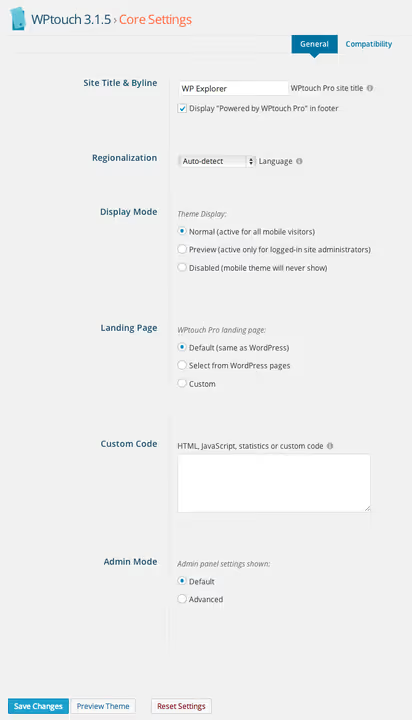
In the basic settings, you can change the mobile site title; by default it matches your site name, but you can set a different one. Here you can also enable preview mode for administrators and add Google Analytics or other tracking code separately for the mobile version.
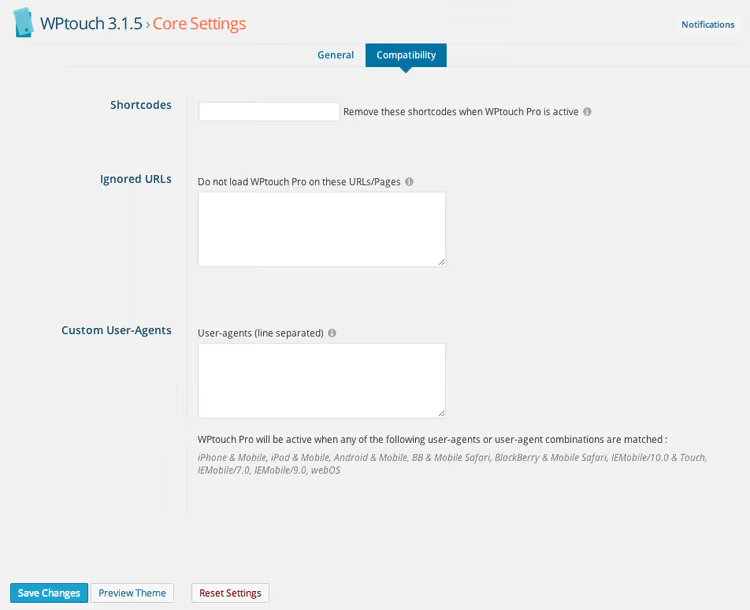
Shortcode management deserves special attention. If your main theme uses shortcodes that don't display correctly on narrow screens, WPtouch lets you disable their styles only for mobile visitors. This saves your layout without editing code.
You can exclude specific URLs from the mobile theme, for example pages with complex forms or interactive maps. Conversely, you can add custom User-Agents if you want to show the mobile theme to specific devices. The vast majority of agents are already preset.
Pro themes and extensions
The free version of WPtouch comes with one theme: Bauhaus. It's a clean, functional design suitable for most sites. But if you need more, WPtouch Pro provides access to nine themes and ten extensions.
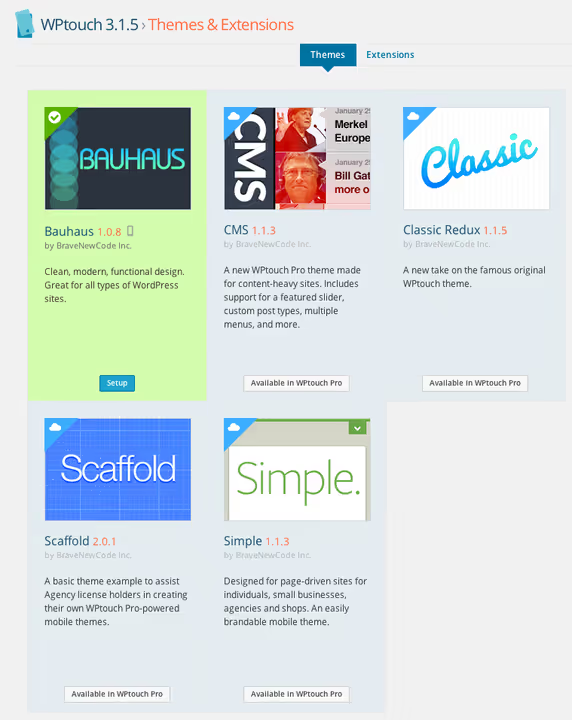
Current WPtouch Pro prices on the official site: Stellar (modern minimalism, $40/year), Summit (rich graphics, $35/year), MobileStore for WooCommerce ($50/year), CMS for sites with many pages ($20/year), Classic Redux (an updated classic theme, $20/year), and several others. Each theme is customizable via the Customizer.
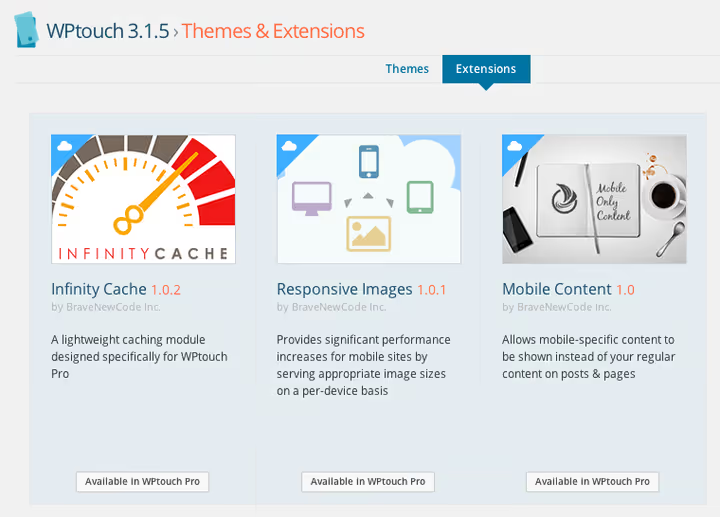
Extensions address specific needs. Power Pack ($35/year) is the most popular: page caching, responsive images, minification, and CDN. Given that loading speed on mobile directly affects rankings, this extension pays for itself. AMP for WPtouch ($15/year) adds support for Google Accelerated Mobile Pages, and Web App Mode ($15/year) lets users save your site as an icon on their smartphone's home screen.
A Pro license costs $45/year for a single site; see current pricing at WPtouch.com. Themes and extensions are paid separately; it's essentially an a-la-carte model where you add only what your project actually needs.
Customizing the appearance
WPtouch gives you fine control over how the mobile version looks. In the "Theme" section, you can configure the number of posts displayed on the blog, whether to show categories, author information, and comments, all separate from the main theme.
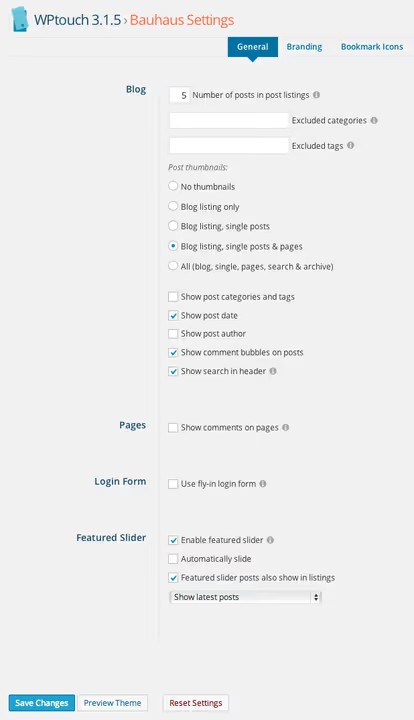
The built-in slider displays recent blog posts, posts with a specific tag, or posts from a selected category. You can specify exact post and page IDs for display, which is useful if you want to highlight key content specifically for your mobile audience.
Branding is configured in a separate tab: fonts, colors, logo, social network icons, and custom HTML footer. The customization depth is sufficient to ensure the mobile version doesn't look out of place.
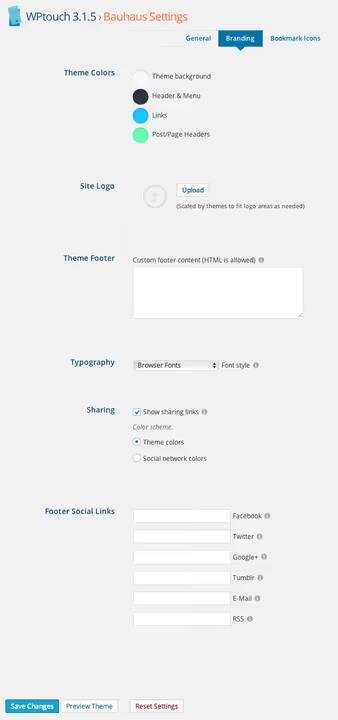
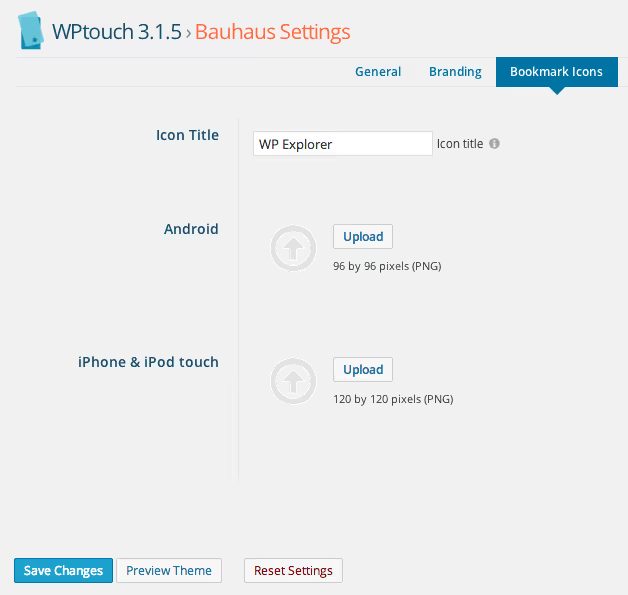
You can also set separate icons for Android and iOS bookmarks; when a user adds your site to their home screen, they see your logo rather than a standard letter.
Menu and icons
The plugin works with WordPress's native menu system. You create a separate menu for the mobile version and assign it in WPtouch settings. No content duplication, just a different navigation structure adapted for narrow screens.
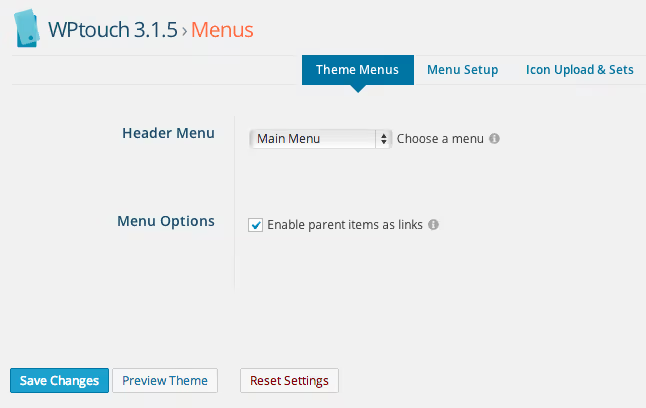
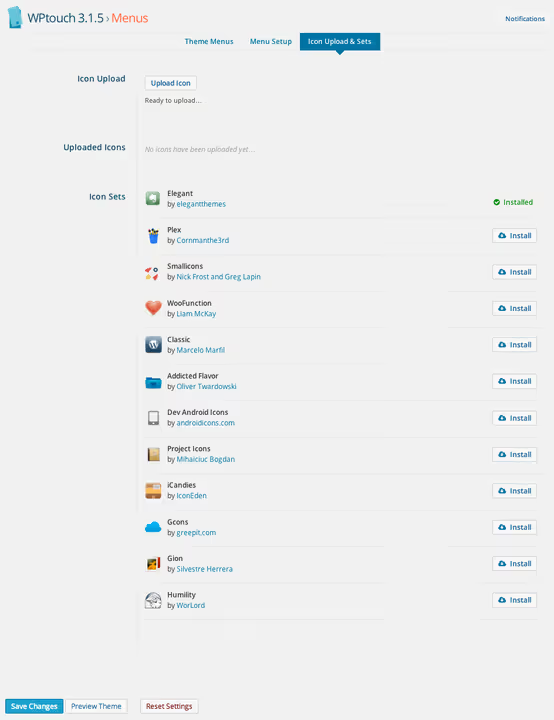
Each menu item can have an icon attached via simple drag and drop. Twelve icon sets are included, and all of them are available in the free version. You can also upload your own.
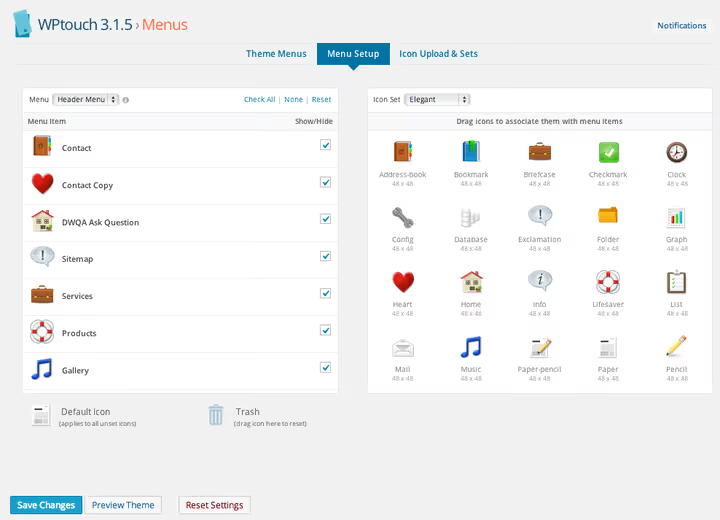
The icon selection is decent: from standard "home" and "search" to icons for specific sections like "cart," "profile," and "calendar." The navigation becomes intuitive; visitors look at an icon and immediately understand where they'll go.
How the mobile version looks
The main question: how good does the result look? WPtouch uses an interface close to native mobile apps: large touch targets, readable fonts, and logical navigation. It's not a shrunk copy of the desktop; it's an independent, thoughtfully designed layout.
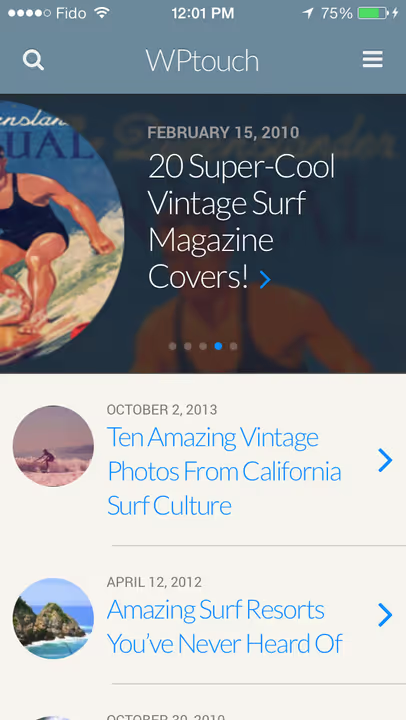
Visitors can navigate between posts, read comments, and leave their own; all basic functionality is preserved. Featured posts appear in the slider, and categories are accessible with a single tap.

An important point: since WPtouch displays a separate theme rather than adapting the existing one, loading speed is genuinely faster. We tested WPtouch Pro 4.3.47 on a test site with the Twenty Twenty-One theme: the mobile version via the plugin loaded noticeably faster than the responsive theme with the same content, thanks to the minimalist layout without extra CSS and JavaScript. For visitors on slow mobile internet, this is the difference between "I'll stay" and "I'll leave."
Free vs Pro: what to choose in 2026
The free version is sufficient for a typical blog or basic business site. You get the Bauhaus theme, twelve icon sets, branding customization, and basic compatibility with caching plugins. If your current site isn't adapted for mobile at all, WPtouch Free already solves the problem.
Pro makes sense in three cases. First: you need a specific design, such as an online store on WooCommerce (get MobileStore) or a site with hundreds of pages (CMS). Second: you want to maximize speed; Power Pack with caching and responsive images provides a noticeable improvement. Third: you need ticket support; WPtouch developers respond within 24 hours and help with configuration. All prices and themes are on the official WPtouch website.
WPtouch Pro doesn't replace a full responsive theme for a new project. But if you have a working site on an old non-responsive theme that you don't want to touch, WPtouch (especially Pro) provides a fast and secure way to become mobile-friendly without risking what already works.
Video: installing and configuring WPtouch
Watch the step-by-step plugin setup, from installation to a ready mobile version in 10 minutes:
⁉️🤔 Frequently asked questions
Do I need WPtouch if I have a responsive theme?
If your theme displays correctly on all devices and passes the Google Mobile-Friendly Test, you don't need WPtouch. But if your responsive theme is heavy and loads slowly on mobile, you can enable WPtouch as a lightweight alternative. Visitors get the same information but faster, while the desktop theme remains for larger screens.
Does WPtouch conflict with caching plugins?
By default, yes, and this is the most common issue. W3 Total Cache, WP Super Cache, and WP Rocket need to be configured: add the list of mobile User-Agents to exceptions so the cache doesn't mix desktop and mobile versions. The WPtouch website has ready instructions for each caching plugin. After configuration, there are no conflicts.
Does WPtouch work with WooCommerce?
Yes, but fully only in Pro with the MobileStore theme. The free Bauhaus theme displays products but isn't optimized for the catalog and cart. If your WooCommerce store generates a significant share of sales from mobile, Pro with MobileStore pays for itself quickly; prices on the WPtouch website.
Can I use WPtouch on a multisite installation?
Yes, starting from Pro version 4. The Multisite Support extension adds full network support; current price on the WPtouch website. Each subsite can have its own mobile theme and set of extensions configured.
What happens to SEO after installing WPtouch?
The impact is positive. Google gets the same URL but sees mobile-friendly markup. The plugin correctly handles viewport tags, doesn't create page duplicates, and doesn't change canonical addresses. The Mobile-Friendly Test passes right away. An additional benefit is loading speed: Core Web Vitals improve thanks to the lightweight theme.
Is WPtouch worth installing in 2026?

WPtouch occupies a specific but sought-after niche. It's not a competitor to modern responsive themes like Kadence or GeneratePress; it's a lifeline for sites that, for various reasons, cannot or don't want to change their main theme.
If your WordPress site doesn't pass the mobile-friendly test, start with the free version of WPtouch. In 10 minutes, you'll have a working mobile version without editing code, without risk, and without cost. Happy with the result but want more themes and speed? Upgrade to Pro and add the extensions you need.
WPtouch is a tool for a specific situation: you have a working site on a non-responsive theme that you're not ready to change. For a new project, it's better to choose a responsive theme like Kadence or GeneratePress from the start. But for thousands of sites on old themes, WPtouch remains the fastest and safest way to become mobile-friendly. The key advantage of this approach is zero risk: the main theme doesn't change, page URLs remain the same, and SEO doesn't suffer. If the mobile version via the plugin doesn't work for you for some reason, you simply deactivate the plugin and return to the original state in a couple of seconds.

A professional team of writers and editors specializing in creating quality content.