














📧 10 best email marketing plugins for WordPress 2026
Email returns $36 to $42 for every dollar invested, according to Emailmonday's 2026 data. Neither paid search nor social media delivers that kind of ROI at comparable campaign budgets.
WordPress doesn't collect email lists, build subscription forms, or send campaigns by default. The built-in wp_mail() works as a notifier, not a marketing tool. For a full-featured email channel you need a plugin.
We've gathered 10 solutions that cover the complete cycle: from capture forms to click analytics. All tested on WordPress 6.5+, compatible with major SMTP providers, and free of caching conflicts.
💡 Quick overview:
- Decide on the type of emails: automatic notifications for new posts, manual newsletters, or full funnels with subscriber segmentation
- Zero budget: Newsletter or MailPoet, both free and require no external services to start
- WooCommerce store: MailPoet (easier start, free SMTP) or FluentCRM (more powerful automation for lists above 2,000 customers)
- All plugins on this list support double opt-in and comply with GDPR, the minimum for legal email in Russia and the EU
Plugin comparison table
Plugin | Free version | Premium from | Email funnels | WooCommerce | Own SMTP |
|---|---|---|---|---|---|
Email Subscribers | Yes | $78/year | No | Basic | Yes |
Convert Pro | No | $89/year | Yes | Yes | - |
weMail | Yes | $65/year | Yes | Yes | Yes |
Bloom | No | $89/year | No | - | - |
Mailster | Yes | $79 one-time | Yes | Yes | Yes |
Newsletter | Yes | Free | Basic | Yes (addon) | Yes |
MC4WP | Yes | $59/year | No | Yes | - |
MailPoet | Yes | from $8/mo | Yes | Yes | Yes |
FluentCRM | Yes | $129/year | Yes | Yes | Yes |
Icegram | Yes | $97/year | No | - | - |
1. Email Subscribers

A plugin from the Icegram team, built for automatic notifications: publish an article, subscribers get an email immediately. The mechanics are transparent: templates are coded through an HTML editor, no drag-and-drop visuals.
In practice Email Subscribers works well for simple blogs with small lists. Three ways to place a subscription form, CSV import, load management via cron or manual send. No segmentation, and that's the main limitation.
Pros:
- Automatic send on post publish without manual trigger setup
- Three placement methods: widget, shortcode, PHP insertion
- Import and export subscribers via CSV
- Full load control: send via cron or manually
Cons:
- HTML editor instead of visual builder
- No subscriber segmentation by tags and lists
- Interface is outdated
Price: free version on WordPress.org, Premium from $78 per year.
🔗 Email Subscribers on WordPress.org | 🔗 Icegram site
2. Convert Pro
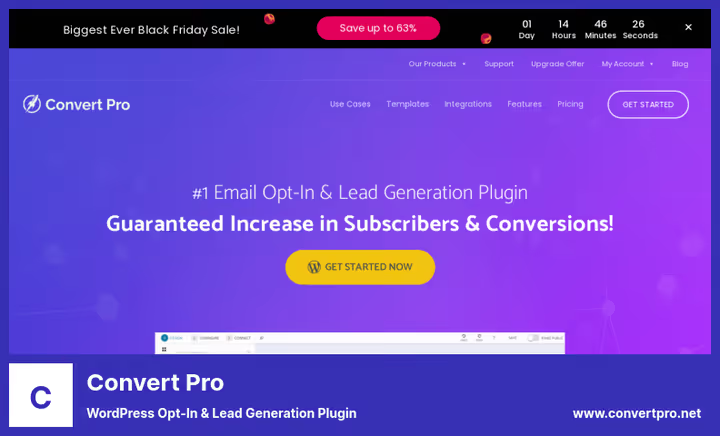
Convert Pro is less an email plugin than a lead generation tool. It builds popups, slide-ins, and full-screen forms that collect email addresses and pass them to Mailchimp, ActiveCampaign, HubSpot, and more than 30 other services.
Drag-and-drop builder: drag an input field, button, image, and the popup is ready. A/B testing is built in, launch two variants, the plugin shows which converts better. No native email engine.
Pros:
- Visual popup builder without a line of code
- Triggers by time, scroll percentage, cursor exit, after comment or purchase
- A/B testing of forms out of the box
- More than 30 integrations with email services
Cons:
- No native email engine, only lead capture to external service
- No permanent free version, only trial period
- Price is justified at traffic of several thousand visitors per month
Price: from $89 per year on the developer site.
3. weMail

weMail stands out with one key feature: team access with granular permissions. An editor creates campaigns, a freelancer sees only stats. For agencies and teams with role separation this is a plus that most alternatives lack.
Sends emails via your SMTP or provider APIs: Amazon SES, Mailgun, SendGrid, SparkPost, Elastic Email. You're not locked to one delivery channel or dependent on one vendor's pricing.
Pros:
- Multi-SMTP: Amazon SES, Mailgun, SendGrid, SparkPost, Elastic Email
- Team roles with granular access permissions
- Integration with Contact Form 7, WPForms, Ninja Forms, WooCommerce out of the box
- Double opt-in with redirect to custom confirmation page
Cons:
- Interface lags behind MailPoet and FluentCRM in usability
- Limited template set in free version
- Basic-level analytics, no click heatmaps
Price: free version on WordPress.org, Premium from $65 per year.
🔗 weMail on WordPress.org | 🔗 weMail site
4. Bloom
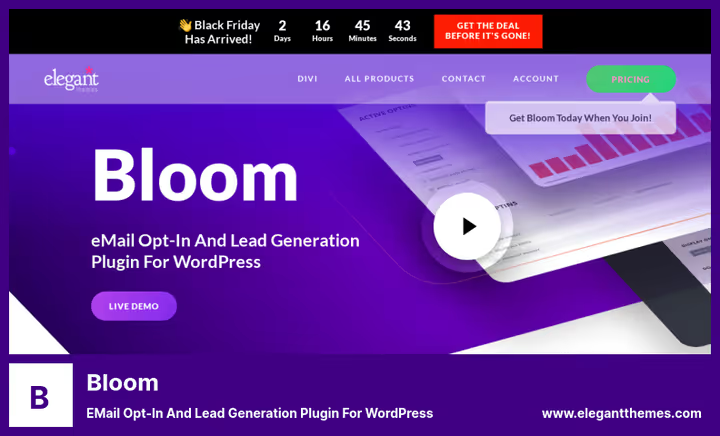
Bloom from the Elegant Themes team (creators of Divi) does exactly one thing: builds beautiful subscription forms. Six display types, extensive template library with color and font customization, integration with popular email services including Mailchimp, ConvertKit, ActiveCampaign, and HubSpot.
In the experience of teams running Divi, Bloom fits organically into the Elegant Themes ecosystem: single license key for all products, compatibility without extra setup. For those already paying for an Elegant Themes subscription, this is a tool at no extra charge.
Pros:
- More than 100 ready-made form templates with color and font customization
- 6 display types: popup, slide-in, inline, widget, locked content, post-purchase trigger
- A/B testing of headlines and form design
- Stats for each form: impressions, conversions, subscription rate
Cons:
- Only lead capture, no email engine, external email service required
- No permanent free version
Price: from $89 per year (included in Elegant Themes subscription).
5. Mailster

Mailster is a CodeCanyon veteran with more than 40,000 sales. Full email engine right in the WordPress admin: build an email in the visual builder, send via SMTP or Amazon SES, track opens and clicks.
Mailster's main argument is a one-time license without annual payments. For $79 you get autoresponders, scheduled sends, list segmentation, and Gmail API connection. The free version on WordPress.org hasn't been updated since June 2024, for production get Pro.
Pros:
- Visual email builder with block layout
- Autoresponders and scheduled sends without cron setup
- Gmail API connection for sending directly through Google
- Analytics: opens, clicks, unsubscribes, bounce rate by campaign
Cons:
- Free version hasn't been updated since 2024, not suitable for new sites
- No built-in integrations with external CRM
- Interface not translated to Russian
Price: Lite free on WordPress.org, Pro $79 (one-time CodeCanyon license).
🔗 Mailster on WordPress.org | 🔗 Mailster Pro on CodeCanyon
6. Newsletter

Newsletter is one of the most popular free email plugins in the WordPress.org directory with more than 300,000 active installs and a 4.8 rating. Stefano Lissa's team has maintained it for over 14 years. The stability shows: the plugin updates several times a month.
The free version covers most needs of an average blog: subscription form, unlimited emails and subscribers, drag-and-drop builder with responsive layout. Paid addons add WooCommerce integration and automatic sends.
Pros:
- Completely free, no limits on emails and subscribers
- Drag-and-drop builder with responsive layout
- Compatible with WP Mail SMTP, Post SMTP, Easy WP SMTP
- Supports WPML, Polylang, TranslatePress for multilingual sites
Cons:
- Automatic sends and WooCommerce integration only in paid addons
- Email templates simpler than MailPoet's
- Basic stats: opens and clicks, no heatmaps
Price: free on WordPress.org.
7. MC4WP

MC4WP (Mailchimp for WordPress) is the best bridge between WordPress and Mailchimp. The plugin doesn't send emails itself: it syncs all site forms with your Mailchimp account. Comment forms, WooCommerce checkout, Contact Form 7, Gravity Forms, BuddyPress, they all become email capture points.
The plugin has been running for more than 11 years and has reached 2 million active installs in the plugin directory with a 4.9 rating. This is the benchmark for a niche tool.
Pros:
- Syncs with comments, WooCommerce, Contact Form 7, Gravity Forms, BuddyPress
- Mailchimp stats right in WordPress admin without switching tabs
- Free version covers most blog needs
- Lightweight code, adds no frontend load
Cons:
- Without a Mailchimp account the plugin is useless
- No email builder, only lead capture
- Mailchimp free tier is severely limited by contact count
Price: free version on WordPress.org, Premium from $59 per year.
🔗 MC4WP on WordPress.org | 🔗 MC4WP site
8. MailPoet

MailPoet is the most popular email plugin in the WordPress.org directory with more than 700,000 active installs. In 2020 it was acquired by the WooCommerce team, and since then store integration has become a key advantage: abandoned carts, post-purchase follow-up, product recommendations, all out of the box.
Emails are built in a visual editor: drag a product block, text, button. The starter plan is free up to 1,000 subscribers and includes up to 5,000 emails per month through MailPoet's own SMTP service. For a blog with a small list this is a real alternative to paid ESPs.
Pros:
- Native WooCommerce integration: abandoned carts, follow-up, product recommendations
- Visual email editor on par with modern builders
- Starter plan free up to 1,000 subscribers and 5,000 emails per month
- Actively developed by the Automattic team
Cons:
- Free plan strictly limited by email and subscriber count
- Paid plans tied to list size, get noticeably expensive on large lists
- Templates aimed at ecommerce, half irrelevant for content blogs
Price: free version (up to 1,000 subscribers / 5,000 emails per month), paid plans from $8 per month.
9. FluentCRM

FluentCRM is a self-hosted alternative to ActiveCampaign and Mailchimp, running right inside WordPress. The plugin stores your subscriber base on your server, builds email funnels with triggers and conditions, keeps a full log for each contact.
Automation here is not just "send an email in three days." You build a chain: subscribed, added to "New" list, received five-email welcome series, clicked link, moved to "Warmed" list, received commercial offer. In practice this logic is set up without code in half an hour, and the entire base stays on your server.
Pros:
- Self-hosted: entire base and automation logic stored on your server
- Email funnels with triggers, conditions, and delays, ActiveCampaign level
- Free version without contact limits
- Integration with WooCommerce, LearnDash, MemberPress, BuddyBoss
Cons:
- SMTP delivery setup required, without it emails go to spam
- Learning curve steeper than MailPoet
- No built-in visual email builder at MailPoet level
Price: free version on WordPress.org, Pro from $129 per year.
🔗 FluentCRM on WordPress.org | 🔗 FluentCRM site
10. Icegram

Icegram is a Swiss Army knife for lead generation. Four message types in one plugin: popups, action bar (floating strip at top or bottom of screen), toast notifications, and inline messengers in Facebook chat style.
Each message is configured for a specific scenario: show only on certain pages, only to mobile users, only after a certain time on site. The free version includes all four types, no competitor has that. In the WordPress.org repository the plugin has reached more than 200,000 active installs.
Pros:
- 4 message types: popups, action bar, toast, messengers
- Powerful targeting rules: page, device, time on site, traffic source
- Free version includes all formats without trimmed functionality
Cons:
- Only lead capture, no email engine, external email service required
- Advanced analytics and A/B tests locked behind Premium
- Targeting rule setup not intuitive, documentation required
Price: free version on WordPress.org, Pro from $97 per year.
🔗 Icegram on WordPress.org | 🔗 Icegram site
How email marketing works in WordPress: video walkthrough
If you want to see a real setup in action, from plugin install to first send, here's a visual breakdown.
⁉️🤔 Frequently asked questions
Is a separate SMTP service required for WordPress email?
Yes, separate SMTP is mandatory for lists above 500 subscribers. Built-in
wp_mail()via PHP mail() function is limited by hosting providers to 100-200 emails per hour. Professional providers remove this limit: Amazon SES, Mailgun, SendGrid. Connect via WP Mail SMTP or Post SMTP in five minutes.
Which plugin to choose on zero budget?
Newsletter plus Icegram, a working combo at no cost. Newsletter gives unlimited emails and a subscription form, Icegram adds popups and action bar without trimming features. For lists up to 2,000 subscribers this is enough. When the list crosses 2,000, connect Amazon SES via WP Mail SMTP: sending cost is several times lower than most ESPs.
How is FluentCRM better than Mailchimp for a WordPress site?
FluentCRM is a self-hosted alternative without monthly subscription fees. For $129 per year you get unlimited contacts and emails via your own SMTP, funnels with triggers, and segmentation. Mailchimp for a comparable list size costs noticeably more. Main tradeoff: you set up email delivery yourself, Mailchimp gives it out of the box.
Do these plugins work with multilingual sites?
Yes, key plugins support multilingual. Newsletter is compatible with WPML, Polylang, and TranslatePress at email level. MailPoet has more than 50 language packs in the repository. MC4WP, Email Subscribers, and Icegram are translated via Loco Translate. FluentCRM works with WPML for frontend forms. weMail, Mailster, Convert Pro, and Bloom require manual interface translation.
Can Gmail be used for email campaigns?
Gmail is strictly limited: 500 emails per day for @gmail.com and 2,000 for Google Workspace. For a list of several thousand subscribers, sending via Gmail will stretch over days, and Google's algorithms will mark mass sends as spam. For campaigns you need professional SMTP providers: Amazon SES, Mailgun, SendGrid. Mailster supports direct Gmail API connection, but this doesn't remove account limits.
What to install in 2026: choice by task
Ten plugins, different scenarios. The right answer depends on what you're doing with email right now.
- If you have a content blog and the task is to notify subscribers of new posts: Newsletter at no extra charge, stable for years.
- If you run a WooCommerce store: MailPoet for an easy start with free SMTP or FluentCRM for full funnels with lists above 2,000 customers.
- If you need flexible SMTP with team access: weMail with Amazon SES for $65 per year, one of the best price-to-capability ratios.
- If the task is only to collect email addresses and emails go through an external service: Icegram or Bloom for beautiful forms, MC4WP for tight Mailchimp integration.
Install one plugin, connect an SMTP provider, and launch the first subscription form. Everything else will become clear from the real numbers.

A professional team of writers and editors specializing in creating quality content.