













 AIIllustrative image: AI-generated
🔔 11 best Telegram plugins for WordPress 2026
Telegram has long outgrown its status as "just a messenger." For a WordPress site owner, it's a communication channel, storefront, support service, and notification system, all in one. The open Telegram API allows you to connect your site to the messenger in dozens of different ways: auto-posting new entries, login via Telegram account instead of password, two-factor authentication, live chat with visitors, and order notifications.
The problem is that there are more than fifty plugins for these tasks. Some were abandoned three years ago, others conflict with WooCommerce, and still others require dancing with SSL certificates. We tested current solutions and collected 11 working tools: from the free community favorite WP Telegram to the niche TGomatic for complex scenarios. Each one from the official WordPress repository or a verified marketplace.
Below is a comparison table of all participants, a detailed breakdown of each, and answers to questions that arise when setting up Telegram integration.
💡 Quick overview:
- Compare 11 plugins in the table and determine the type of integration you need for your task
- Install WP Telegram as a foundation for auto-posting entries and user login through the messenger
- Add Replain or NinjaTeam Chat to receive messages from visitors directly in Telegram
- Connect WP Telegram Pro or Notifications for WooCommerce and receive notifications about orders
- Set up two-factor authentication through Telegram and close the admin security question
Plugin comparison table
Plugin | Price | Active installations | Main feature |
|---|---|---|---|
WP Telegram | Free | 100,000+ | Auto-posting + widget + Telegram login |
WP Telegram Pro | From $49/year | N/A (premium) | WooCommerce notifications + shortcodes |
Replain | Free | 3,000+ | Chat via Telegram/WhatsApp/Messenger |
Telegram Channel Widget | Free | N/A | Channel feed on site via shortcode |
WP 2FA with Telegram | Free | N/A | Login with two-factor via Telegram |
Telegram for WP | Free | 4,000+ | Notifications about registrations and comments |
Telegram Bot & Channel | Free | N/A | Bot with auto-replies and scheduler |
WP Upper Share Button | Free | 10,000+ | Share buttons for 20+ platforms |
NinjaTeam Chat for Telegram | Free | 7,000+ | Multi-operator chat widget |
TGomatic | $29 (one-time) | N/A (CodeCanyon) | Auto-posting + bot + scheduler |
Telegram Notifications for WooCommerce | Free / from $49/year | 3,000+ | Order notifications in Telegram |
1. WP Telegram

WP Telegram is the flagship of the niche. Over a hundred thousand active installations, updated every couple of weeks, works with the latest version of WordPress. Essentially, it's three plugins in one: auto-posting entries to a channel or group, Telegram feed widget on the site, and login-registration via Telegram account.
Auto-posting is the basic function. You publish an entry on the site, and it flies to your Telegram channel. You can configure sending to private messages, groups, or supergroups, and link specific categories and post types. Scheduling is supported: the post goes live on the site at a specified time and appears in Telegram at the same moment.

The WP Telegram Widget and Join Link displays your channel feed directly on the site, via shortcode or block in the sidebar. Ajax loading, responsive layout, full Gutenberg compatibility. Visitors see fresh posts from Telegram and subscribe with one click.

WP Telegram Login & Register solves the problem of lengthy registration: users log into the site through their Telegram account in a second, without email confirmations or form filling. Bonus: mass email mailings to users registered via Telegram are duplicated with a messenger notification. Notifications about WooCommerce orders and Contact Form 7 requests also arrive in Telegram.
Pros: complete "posting + widget + login" package, active support, Russian documentation.
Cons: many settings across three plugins scare beginners; fine customization requires Pro.
🔗 WP Telegram on WordPress.org🔗 WP Telegram Pro
2. WP Telegram Pro

WP Telegram Pro is a commercial extension of the WP Telegram ecosystem. It adds what's missing in the free version: a personalized bot for WooCommerce (products and order statuses directly in Telegram), shortcodes for displaying subscriber counts, deep integration with user profiles, and extended notifications.
Auto-posting can be triggered manually or on schedule, your choice. The plugin is compatible with news feeds, forms, security plugins, and page builders. The price starts at $49 per year for one site, noticeable for a hobby blog but justified for a WooCommerce online store.
Pros: seamless WooCommerce integration, statistics shortcodes, manual and automatic posting.
Cons: price; dependency on the WP Telegram ecosystem (free base plugin required).
3. Replain

Replain is not just a plugin but a living bridge between site visitors and your Telegram. A message sent through the widget on the site arrives in your Telegram, and you respond to the client directly from the messenger, without logging into WordPress admin.
Telegram, WhatsApp, and Facebook Messenger are supported, one plugin covers three channels. You can connect unlimited operators, set quick reply templates, and configure working hours: during off-hours, the status automatically switches to "offline." The widget's appearance is customizable to your brand: logo, colors, welcome text.
Pros: real multichannel chat, unlimited operators, Russian interface.
Cons: free plan limited by number of conversations; dependency on external replain.cc service.
4. Telegram Channel Widget

A separate lightweight plugin for a single task: display a public Telegram channel feed on your site. It works through TGCH_BOT: you activate the bot on the site and in Telegram, and the channel's latest messages automatically appear in the widget.
Not tied to the WP Telegram ecosystem, use it with any other auto-posting plugin. Ideal when you just need to "show the Telegram channel on the site," without extra functionality.
Pros: minimalist, doesn't conflict with other plugins.
Cons: only one function; setup requires bot token.
5. WP 2FA with Telegram

Security without SMS and CAPTCHA. WP 2FA with Telegram adds a second authentication factor through a Telegram bot: after entering the password, the user receives a code in the messenger and only then gets into the admin panel.
Setup takes a couple of minutes. Each site user can enable or disable 2FA in their profile independently. When a suspicious login attempt occurs, the administrator receives a notification. The plugin doesn't overload the database and works even on weak hosting.
Pros: quick setup, no dependency on SMS gateways.
Cons: requires an active Telegram account for each user who needs 2FA.
🔗 WP 2FA with Telegram on WordPress.org
6. Telegram for WP

Telegram for WP is a veteran of the niche with more than 4,000 active installations. It sends notifications to Telegram when a new user registers, when a comment appears for moderation, when an email is sent from the site, or when a message is submitted through a contact form.
Despite the fact that the plugin hasn't been updated for several recent major WordPress versions, it maintains compatibility with core and WooCommerce: products and services can be shared on Telegram through the standard post sharing mechanism. Works with channels, groups, and private messages.
Pros: stability on proven WP versions, WooCommerce support, simplicity.
Cons: rare updates; on latest WordPress versions may require manual compatibility verification.
🔗 Telegram for WP on WordPress.org
7. Telegram Bot & Channel

Telegram Bot & Channel manages a full-fledged Telegram bot directly from the WordPress admin panel. The bot can auto-publish posts on schedule, respond to messages with templates (even when you're offline), send reminders to subscribers, and work with channels, groups, and private messages.
Important note: Telegram requires an SSL certificate to manage the bot. If the site is still on HTTP, the plugin offers a workaround, integration through Botpress, an open-source platform for creating chatbots.
Pros: full-fledged bot with auto-replies, scheduler, Botpress integration.
Cons: mandatory HTTPS for direct connection; more complex to set up than WP Telegram.
🔗 Telegram Bot & Channel on WordPress.org
8. WP Upper Share Button

WP Upper Share Button is cross-platform sharing. One button, and the post flies to Telegram, Facebook, WhatsApp, Twitter, LinkedIn, and two dozen more platforms. The plugin maintains a table with a publication counter for each platform, convenient to track which channel brings more traffic.
Buttons can be placed before or after content, or in both positions simultaneously. Compatible with the latest WordPress version, more than 10,000 active installations.
Pros: 20+ platforms, counters, simple position setup.
Cons: only sharing, auto-posting and notifications not included.
🔗 WP Upper Share Button on WordPress.org
9. NinjaTeam Chat for Telegram
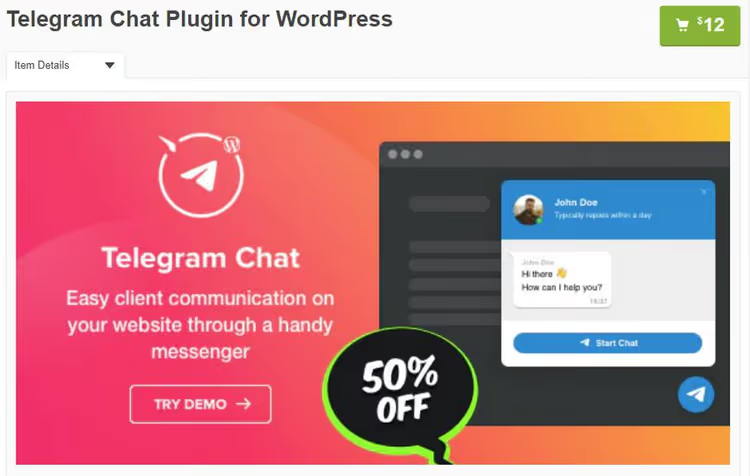
NinjaTeam Chat for Telegram is the successor to the classic "Telegram Chat," reissued by the NinjaTeam team. A site visitor sees a chat widget with a Telegram icon, writes a message, and it arrives in your messenger.
Main advantage: multi-operator support. In one chat box, you can display several employee accounts, and the client chooses whom to write to. Works via shortcodes and widgets, compatible with Gutenberg, doesn't conflict with caching plugins. Appearance is customizable: colors, icon, welcome text.
Pros: multiple operators in one widget, compatibility with caching plugins, simple interface.
Cons: only chat, no auto-posting; requires Telegram account for operator.
🔗 NinjaTeam Chat on WordPress.org
10. TGomatic, Telegram Bot

TGomatic is a premium plugin from CodeCanyon for $29 (one-time payment). Positioned as "all in one": auto-posting to channels and groups, publication scheduler, chatbot with auto-replies, and receiving messages from Telegram back to the site.
Under the hood is a flexible rule system: you configure a trigger (new post in a specific category) and action (send to channel X with template Y). Suitable for complex scenarios where free plugins aren't enough. Documentation is on the CodeRevolution site.
Pros: powerful rule system, one-time payment, scheduler.
Cons: premium (no free version for testing), updates not as frequent as WP Telegram.
11. Telegram Notifications for WooCommerce
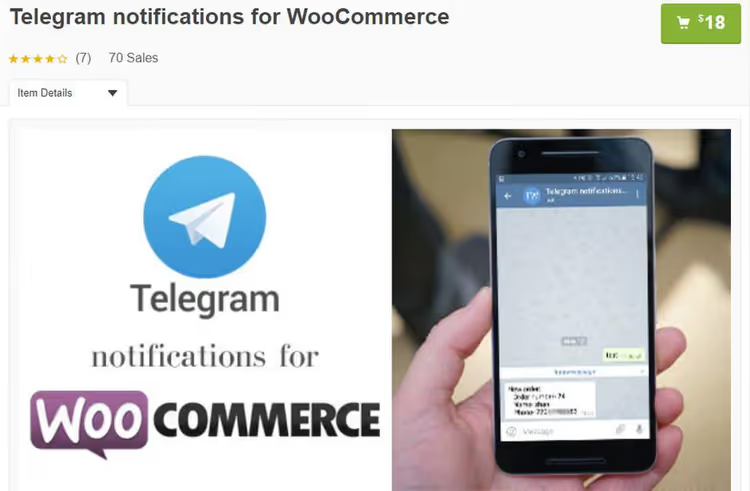
A highly specialized plugin for online store owners. Install, activate, and every purchase in WooCommerce is accompanied by a notification in Telegram. New order, status change, low stock, everything arrives in the messenger in a second.
Full compatibility with the latest versions of WooCommerce and WordPress, WPML support for multilingual stores. For stores with heavy order flow, there's a premium version with extended notification templates and product filtering.
Pros: instant sales notifications, WPML compatibility.
Cons: only WooCommerce; useless for a blog without a store.
🔗 Telegram Notification on WooCommerce Marketplace
Video: how to connect Telegram to WordPress
If you're setting up integration for the first time, start with this video, which shows the full cycle of connecting Telegram chat to a WordPress site in 10 minutes.
⁉️🤔 Frequently asked questions
Is HTTPS required for Telegram plugins to work on WordPress?
For most auto-posting plugins (WP Telegram, TGomatic), HTTPS is not required, as they send data via the Telegram REST API. However, to manage a full-fledged bot (Telegram Bot & Channel), an SSL certificate is necessary: Telegram requires a secure connection for WebHook notifications. If the site is still on HTTP, choose plugins without bot functions or use Botpress as a proxy.
Can you connect one Telegram channel to multiple WordPress sites?
Yes. Create a bot through BotFather in Telegram, add it as an administrator to the channel, and specify the same bot token in the plugin settings on each site. Posts from both sites will go to one channel. The only limitation: Telegram doesn't allow two different bots to simultaneously publish to one channel, so use one bot for all sites.
Which plugin should I choose for a WooCommerce online store?
The combination of WP Telegram (free) + premium extension WPSocio (from $49/year) provides full coverage: auto-posting products to the channel, order notifications to private messages, subscriber statistics. If you only need sales notifications, get Telegram Notifications for WooCommerce. For a store with active support, add Replain or NinjaTeam Chat for live communication with customers.
Can you use a Telegram plugin for newsletter to subscribers?
You can, but with caveats. WP Telegram Login & Register duplicates email letters to users registered via Telegram in the messenger. TGomatic and Telegram Bot & Channel allow sending messages to the channel on schedule. However, this won't fully replace email newsletters: Telegram bots have limits on the number of messages per minute (30), and the user must initiate dialogue with the bot themselves.
What to do if a plugin stops updating?
Check compatibility on a test site. If the plugin works without errors on your WordPress version, use it. If conflicts appear, look for a replacement. A good rule: a plugin without updates for more than 2 years and with fewer than 1,000 active installations is better replaced with a live alternative, even if the current version works.
Which Telegram plugin to choose
Telegram integration for WordPress is a mature niche with excellent free solutions. For the vast majority of sites, the combination of WP Telegram (auto-posting + widget + login) and Replain or NinjaTeam Chat for live communication with visitors is enough. That's zero costs and an hour to set up.
If you have WooCommerce, add WP Telegram Pro or Telegram Notifications: order notifications in the messenger really speed up response to purchases. Look at TGomatic when you need complex logic like "if post in category X, send to channel Y with template Z" and the text needs transformation before sending.
Choose a plugin for a specific task, not "everything at once." One well-configured Telegram channel with auto-posting brings more benefit than five plugins installed "just in case."

A professional team of writers and editors specializing in creating quality content.