














📱 24 best WhatsApp plugins for WordPress in 2026
Customers want to write not to email or tickets, but to WhatsApp. Right now. For millions of small businesses, online stores and private consultants, it's the main communication channel with clients, and if the site is on WordPress, integration comes down to a single plugin.
The problem is that the WordPress.org repository and marketplaces are crammed with dozens of solutions: some add a simple chat button, others send order notifications, and still others can do everything at once but cost close to a hundred dollars a month. Which one actually works and doesn't slow down the site?
We collected 24 WhatsApp plugins for WordPress: from lightweight free buttons to support systems with multi-agents, WooCommerce and AI chat. Each one is tested for compatibility with the current version of WordPress, described honestly: what it can do, how much it costs, and who it's right for.
💡 Quick overview:
- Determine the type: chat widget for support, WooCommerce integration or "Share" button
- Check the table: it has multi-agents, analytics and pricing for each plugin
- Start with a free plugin, move to premium with extended features as inquiries grow
Comparison table of WhatsApp plugins for WordPress
№ | Plugin | Price | Chat | WooCommerce | Analytics | Multi-agents |
|---|---|---|---|---|---|---|
1 | Joinchat | Freemium | ✅ | ✅ | ✅ | ❌ |
2 | WooCommerce Orders WhatsApp | $29 | ✅ | ✅ | ❌ | ❌ |
3 | WhatsApp Share | $16 | ❌ | ✅ | ❌ | ❌ |
4 | Chaty | Freemium | ✅ | ❌ | ✅ | ❌ |
5 | WhatsHelp Chat Button | Free | ✅ | ❌ | ❌ | ❌ |
6 | Buttonizer | from $10/mo | ✅ | ❌ | ✅ | ❌ |
7 | WhatsApp Connect | $13 | ✅ | ❌ | ❌ | ❌ |
8 | WhatsApp Click to Chat | $19 | ✅ | ✅ | ✅ | ❌ |
9 | WhatsApp Customer Chat | $15 | ✅ | ✅ | ❌ | ✅ |
10 | WPChat | Freemium | ✅ | ✅ | ✅ | ✅ |
11 | WP Social Chat | Freemium | ✅ | ❌ | ❌ | ✅ |
12 | Ultimate Social Media Icons | Freemium | ❌ | ❌ | ❌ | ❌ |
13 | Chatway Live Chat | Freemium | ✅ | ❌ | ✅ | ✅ |
14 | Click to Chat | Free | ✅ | ❌ | ✅ | ❌ |
15 | Sassy Social Share | Free | ❌ | ❌ | ❌ | ❌ |
16 | Simple Chat Button | Free | ✅ | ❌ | ❌ | ❌ |
17 | Simple Webchat | Free | ✅ | ❌ | ❌ | ❌ |
18 | Add Chat App Button | Free | ✅ | ❌ | ❌ | ❌ |
19 | ChatHelp | Freemium | ✅ | ✅ | ❌ | ❌ |
20 | WP Chat App | Free | ✅ | ✅ | ❌ | ❌ |
21 | AddToAny Share Buttons | Free | ❌ | ✅ | ✅ | ❌ |
22 | WP Sticky Button | Free | ✅ | ❌ | ❌ | ❌ |
23 | Smart Chat Button | Free | ✅ | ❌ | ❌ | ❌ |
24 | WPZOOM Social Icons | Freemium | ❌ | ❌ | ✅ | ❌ |
1. Joinchat

Joinchat, the most popular WhatsApp plugin for WordPress: over 600,000 active installations and a 4.8 rating. Adds a floating chat button with built-in analytics for every click.
For WooCommerce there's dynamic product substitution into the message, the customer clicks the button and the chat immediately receives the product name and link. Premium adds multi-agents.
- Pros: 600,000+ installations, built-in click analytics, dynamic messages for WooCommerce, QR code for offline locations, color and CTA customization
- Cons: multi-agents only in premium version (from €96/year), no AI auto-replies
- Price: Freemium (free version on WordPress.org, premium from €96 per year)
- Download: 🔗 Joinchat on WordPress.org
2. WooCommerce Orders WhatsApp
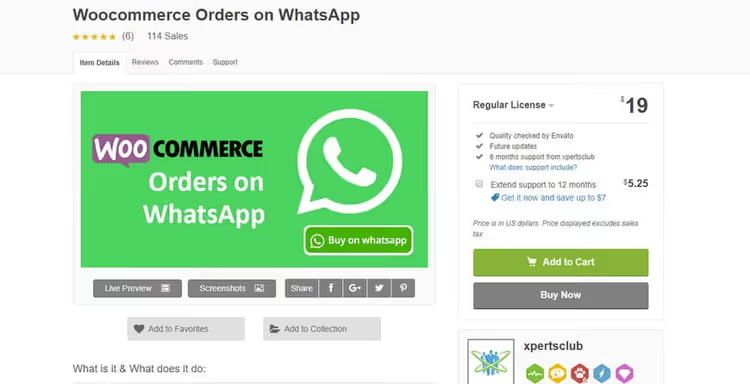
If you have a WooCommerce store, this plugin replaces the standard "Add to Cart" button with an order button via WhatsApp. The customer clicks and immediately writes to you with a ready list of selected products.
Configuration is flexible: you can enable the WhatsApp button only for specific pages or only for mobile users. The message text, both to the customer and to you, can be customized separately. A quick way to shorten the path from browsing the storefront to ordering.
- Pros: cart replacement with one-click WhatsApp ordering, filtering by pages and devices, message text customization
- Cons: no multi-agents and analytics, WooCommerce-only scenario
- Price: $29 on CodeCanyon (one-time)
- Download: 🔗 WooCommerce Orders WhatsApp on CodeCanyon
3. WhatsApp Share
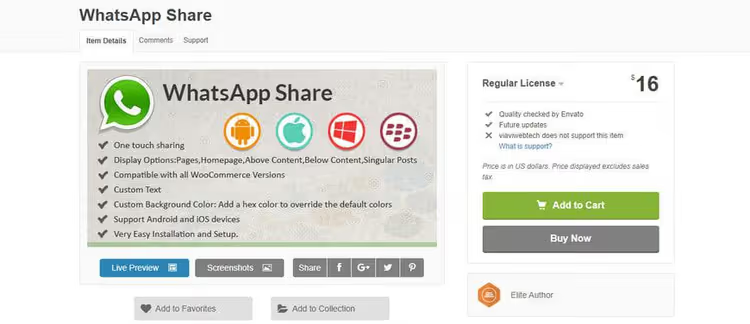
WhatsApp Share solves the problem of viral content distribution, not support. The user clicks the button and shares a post or product on WhatsApp in seconds, without copying links or manual input.
Compatible with WooCommerce, works on iOS and Android. The button can be enabled for each post individually or globally on all pages. Installation takes a couple of clicks.
- Pros: one-click sharing, WooCommerce compatibility, selective page-by-page enabling
- Cons: "Share" function only, no chat or support
- Price: $16 on CodeCanyon (one-time)
- Download: 🔗 WhatsApp Share on CodeCanyon
4. Chaty

Chaty, a multi-channel floating widget: WhatsApp, Telegram, Facebook Messenger, Viber, Instagram and two dozen more channels in one button. The visitor chooses where they prefer to write.
The free version includes all major channels, color and position customization, custom CTAs. Premium adds display scheduling, time triggers and A/B testing.
- Pros: 20+ channels in one button, CTA customization for each platform, premium display triggers, A/B tests
- Cons: analytics and scheduling only in premium, no AI auto-replies
- Price: Freemium (free version on WordPress.org, premium from $49/year)
- Download: 🔗 Chaty on WordPress.org
5. WhatsHelp Chat Button
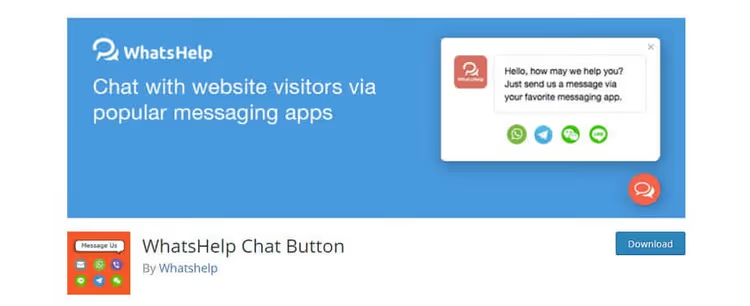
WhatsHelp, a free plugin that connects WhatsApp and Facebook Messenger simultaneously. The visitor chooses the convenient channel and writes to you instantly.
Over 70,000 active installations. A minimalist option for those who just need a button without extra settings.
- Pros: WhatsApp + Messenger in one button, 70,000+ installations, zero entry barrier
- Cons: no WooCommerce integration, analytics or multi-agents
- Price: Free
- Download: 🔗 WhatsHelp on WordPress.org
6. Buttonizer

Buttonizer, a smart floating button builder with display rules. You configure: on which pages, at what time and after which actions the button appears. Animation, styles, A/B tests, no code.
Supports WhatsApp, Facebook Messenger, Telegram, calling and email. Rules are combined: the "Request Consultation" button appears only on service pages, during business hours and after 30 seconds on the page.
- Pros: intelligent display rules, A/B tests, 5+ channels, visual builder
- Cons: fully paid (from $10/mo), overkill for a simple button
- Price: from $10/month (free plan with limitations)
- Download: 🔗 Buttonizer on official site
7. WhatsApp Connect
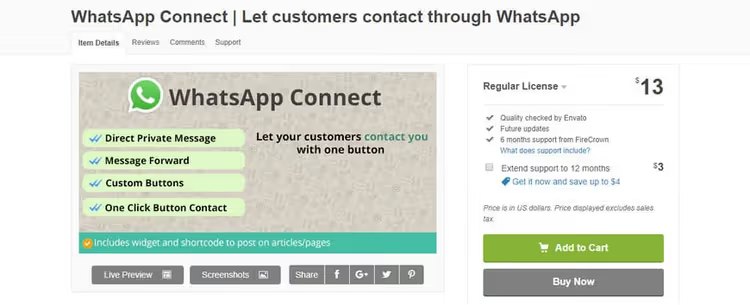
WhatsApp Connect bets on simplicity: one click and the visitor is already writing to you on WhatsApp. Supports shortcodes and widgets for flexible button appearance customization.
An interesting feature, a chat popup window when entering a specific page. You can configure a trigger popup that appears, say, on a product page or when attempting to leave the site. Support extends for 6 or 12 months.
- Pros: trigger popups, shortcodes and widgets, minimalist configuration
- Cons: no WooCommerce integration and analytics, CodeCanyon only
- Price: $13 on CodeCanyon (one-time)
- Download: 🔗 WhatsApp Connect on CodeCanyon
8. WhatsApp Click to Chat
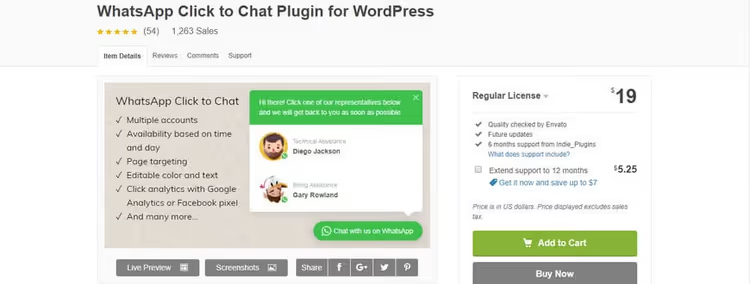
WhatsApp Click to Chat, one of the most popular premium solutions in the category: over 100,000 active installations. Supports multiple WhatsApp accounts simultaneously.
Compatible with Facebook Pixel and Google Analytics, you can track button click conversion. Integrates with WooCommerce: after purchase or adding a product to cart, the chat button appears automatically. A separate plus, support business hours configuration so visitors understand when you're offline.
- Pros: 100,000+ installations, multiple WhatsApp accounts, conversion tracking, WooCommerce compatibility
- Cons: CodeCanyon only, one-time license without lifetime updates
- Price: $19 on CodeCanyon (one-time)
- Download: 🔗 WhatsApp Click to Chat on CodeCanyon
9. WhatsApp Customer Chat
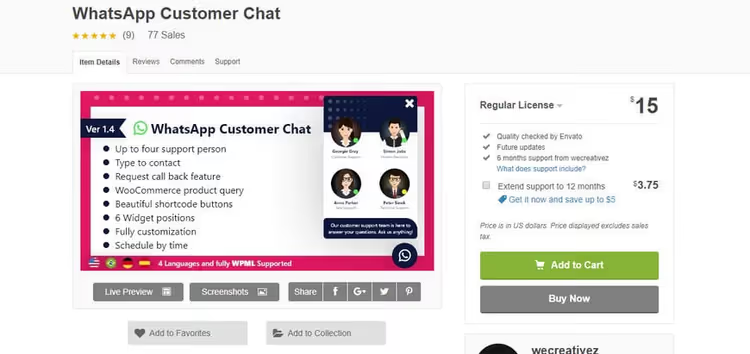
WhatsApp Customer Chat doesn't limit the number of agents in chat, add as many as the team needs. Visitors choose who to communicate with.
Full message and color customization, shortcodes for button display, business hours configuration. Compatible with WooCommerce, responsive.
- Pros: unlimited agents, message customization, shortcodes, business hours
- Cons: no built-in analytics, CodeCanyon only
- Price: $15 on CodeCanyon (one-time)
- Download: 🔗 WhatsApp Customer Chat on CodeCanyon
10. WPChat

WPChat, a modern chat widget from Smash Balloon. WhatsApp, Facebook Messenger, Telegram and Instagram in one floating window. The main feature, AI-powered FAQ: the bot answers typical questions 24/7.
The premium version introduces chat funnels: automatic message chains from greeting to target action. Multi-agent support, WooCommerce and analytics for each channel, all included.
- Pros: AI auto-replies 24/7, chat funnels, 4 channels in one widget, WooCommerce, analytics
- Cons: AI and funnels only in premium, relatively new plugin (less update history)
- Price: Freemium (free version on WordPress.org, premium from $49/year)
- Download: 🔗 WPChat on WordPress.org | 🔗 WPChat official site
11. WP Social Chat
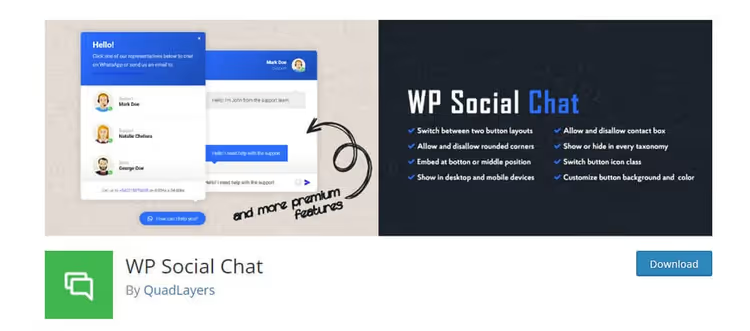
WP Social Chat stands out with the ability to make phone calls through the plugin. Plus, quick response templates and a customizable profile: header, footer, name and contact number.
The premium version adds support for multiple operators with initials in chat, users immediately see which department they're communicating with. Works on mobile and desktop.
- Pros: built-in calling capability, response templates, multi-agents in premium
- Cons: analytics and WooCommerce not supported
- Price: Freemium (free version on WordPress.org, premium, paid)
- Download: 🔗 WP Social Chat on WordPress.org
12. Ultimate Social Media Icons
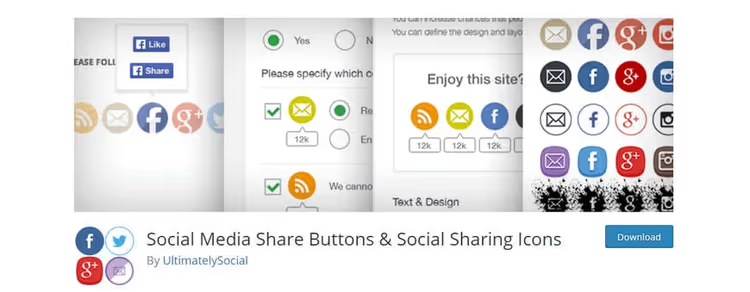
Ultimate Social Media Icons adds a "Share" block to the site supporting dozens of platforms, including WhatsApp, Facebook, X, LinkedIn and email. The free version contains 16+ icon templates and email subscription.
Premium unlocks additional styles, popup notifications and full mobile adaptation of all elements. If you need a universal sharing block with WhatsApp among other platforms, this is a working option.
- Pros: dozens of platforms in one block, 16+ templates, email subscription included
- Cons: sharing only, no chat; some styles behind premium wall
- Price: Freemium (free version on WordPress.org, premium, paid)
- Download: 🔗 Ultimate Social Media Icons on WordPress.org
13. Chatway Live Chat

Chatway Live Chat combines live chat, WhatsApp, Facebook Messenger and Instagram in one window. Built-in AI bot handles typical requests, relieving operators.
The free version includes unlimited agents, conversation history and quick replies. Premium adds priority support and extended analytics. A good option for teams that need a helpdesk, not just a button.
- Pros: AI bot in free version, unlimited agents, multi-channel, helpdesk features
- Cons: relatively new plugin, analytics limited in free version
- Price: Freemium (free version on WordPress.org, premium, from $19/mo)
- Download: 🔗 Chatway Live Chat on WordPress.org
14. Click to Chat

Click to Chat, one of the most popular free plugins: over 600,000 installations. Allows using your own number for chats and inviting to WhatsApp groups.
Eight ready button styles, icon changes, Google Analytics and Facebook Analytics. Minimalist, fast. A good choice for first WhatsApp chat.
- Pros: 600,000+ installations, 8 button styles, Google Analytics, WhatsApp group support
- Cons: no WooCommerce integration and multi-agents
- Price: Free
- Download: 🔗 Click to Chat on WordPress.org
15. Sassy Social Share
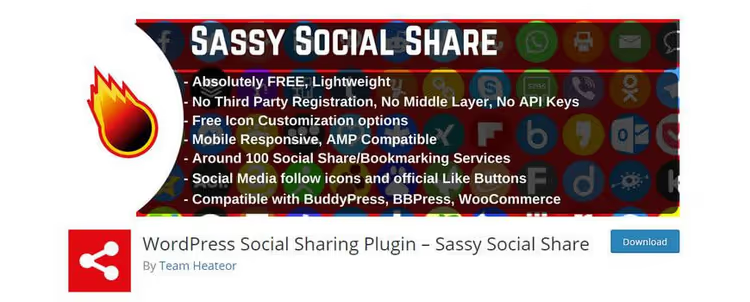
Sassy Social Share supports over 100 social platforms, including WhatsApp. Shows share counter, how many times content spread across each network.
Compatible with Gutenberg, GDPR, BuddyPress, BBPress and WooCommerce. All settings through widgets and shortcodes. Over 200,000 active installations, fully responsive.
- Pros: 100+ platforms, share counters, GDPR compatibility, WooCommerce
- Cons: sharing only, no chat or support
- Price: Free
- Download: 🔗 Sassy Social Share on WordPress.org
16. Simple Chat Button

Simple Chat Button lives up to its name: the lightest WhatsApp plugin for WordPress that doesn't use JavaScript at all. The button renders with pure HTML/CSS and doesn't affect page loading speed.
Configuration, two fields: phone number and default message text. No cookies, no data collection, no external requests. Perfect for those who care about site performance and privacy, not fancy functionality.
- Pros: zero speed impact, no JavaScript, no cookies, 30-second configuration
- Cons: only one button, no design customization, no multi-agents
- Price: Free
- Download: 🔗 Simple Chat Button on WordPress.org
17. Simple Webchat
Simple Webchat: minimal settings, no cookies, no data collection. Button customizable by color and position.
Works even when you're offline: the visitor can write a message that will arrive at the next WhatsApp login.
- Pros: no cookies, works offline, minimal site load
- Cons: limited customization, no analytics or WooCommerce
- Price: Free
- Download: 🔗 Simple Webchat on CodeCanyon
18. Add Chat App Button
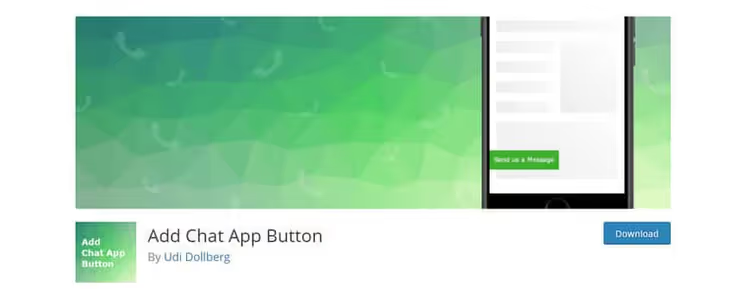
Add Chat App Button adds a WhatsApp button with two tabs: general settings (number, text, default message) and design (color, style, position).
Automatically detects device and adapts button behavior. Simple, working, nothing extra.
- Pros: device auto-detection, separate behavior and design settings, minimalism
- Cons: WhatsApp only, no brand customization
- Price: Free
- Download: 🔗 Add Chat App Button on WordPress.org
19. ChatHelp

ChatHelp adds WhatsApp chat with a floating button, WooCommerce integration and a separate widget for Elementor. You can accept orders directly in WhatsApp and collect leads through a feedback form.
Gutenberg block, shortcodes and Elementor widget allow placing the button anywhere on the site. The free version provides basic chat and order button for WooCommerce, premium adds multi-agents and extended analytics.
- Pros: Elementor widget, WooCommerce orders via WhatsApp, lead capture form, Gutenberg block
- Cons: multi-agents and extended analytics only in premium
- Price: Freemium (free version on WordPress.org, premium from $49/year)
- Download: 🔗 ChatHelp on WordPress.org
20. WP Chat App

WP Chat App, a free plugin with a WhatsApp floating widget. Chat button on all or selected pages, greeting customization, colors and agent name.
Supports dynamic shortcodes (page URL substitution) and WooCommerce for accepting orders directly in WhatsApp. Actively updated.
- Pros: dynamic shortcodes, WooCommerce compatibility, actively updated
- Cons: only one agent in free version
- Price: Free (premium, from $49/year)
- Download: 🔗 WP Chat App on WordPress.org
21. AddToAny Share Buttons
AddToAny Share Buttons, a true veteran: over 500,000 active installations, dozens of translation languages. Supports Facebook, X, Pinterest, WhatsApp, LinkedIn and many other platforms.
Built-in Google Analytics integration for tracking shares. Fully compatible with WooCommerce. If you need one "Share" button that works without surprises, this is AddToAny.
- Pros: 500,000+ installations, dozens of languages, Google Analytics, WooCommerce
- Cons: sharing only, no chat or support
- Price: Free
- Download: 🔗 AddToAny on WordPress.org
22. WP Sticky Button
WP Sticky Button adds a sticky WhatsApp chat button. If the WhatsApp app is installed, clicking opens it, if not, redirects to WhatsApp Web.
You can configure button visibility for different devices (mobile, tablet, PC), change position and add multiple WhatsApp numbers with different default messages. Lightweight and focused.
- Pros: app or Web auto-detection, device filtering, multiple numbers
- Cons: WhatsApp only, no WooCommerce or multi-agents
- Price: Free
- Download: 🔗 WP Sticky Button on WordPress.org
23. Smart Chat Button

Smart Chat Button, a fast and lightweight plugin for a WhatsApp floating button. Noticeably stands out with flexible customization: you can change color, icon, position, greeting text and appearance animation, all without CSS.
Doesn't load heavy scripts, works equally smoothly on mobile and desktop. A good option when you need a beautiful WhatsApp button with appearance settings but without extra functionality.
- Pros: lightweight and fast, flexible appearance customization, appearance animation, ease of configuration
- Cons: basic chat button only, no WooCommerce or multi-agents
- Price: Free
- Download: 🔗 Smart Chat Button on WordPress.org
24. WPZOOM Social Icons

WPZOOM Social Icons, a modern sharing plugin: over 125,000 installations, full block editor integration. Supports WhatsApp, Facebook, X, LinkedIn, Pinterest and dozens of other platforms.
The plugin's feature, AI sharing: buttons for ChatGPT, Claude and Perplexity appeared earlier than competitors. PRO version adds click analytics and priority support.
- Pros: AI sharing (ChatGPT, Claude, Perplexity), 125,000+ installations, block editor
- Cons: sharing only, analytics in PRO version ($59/year)
- Price: Freemium (free version on WordPress.org, PRO from $59/year)
- Download: 🔗 WPZOOM Social Icons on WordPress.org
Visual comparison of popular WhatsApp plugins for WordPress in real time.
⁉️🤔 Frequently asked questions
Do I need a separate plugin for WhatsApp if I already have live chat?
Yes, if the audience actively uses WhatsApp. Live chat requires the visitor to stay on the site. WhatsApp continues the dialogue asynchronously: the customer writes and goes about their business. Conversion to inquiry via WhatsApp is noticeably higher than through a contact form.
In practice, conversion to inquiry via WhatsApp is noticeably higher than through a contact form. People write to messengers more readily than filling out "Name, Email, Question" fields. Even with live chat, the WhatsApp button provides an additional channel that doesn't require real-time monitoring.
Which WhatsApp plugin is best for an online store on WooCommerce?
If the store accepts orders through WhatsApp, get WooCommerce Orders WhatsApp (#2): it replaces the cart with an order button with automatic product substitution. If support is needed in parallel, WPChat (#10) or WP Chat App (#20) provide both chat and WooCommerce in one plugin. For product sharing, WhatsApp Share (#3).
For a store, two scenarios are critical: quick ordering through WhatsApp and customer support. WooCommerce Orders WhatsApp covers the first, WPChat, both at once with AI auto-replies. Saving on the plugin turns into lost orders.
Is a free WhatsApp plugin enough or do I need premium?
Most sites are fine with free Click to Chat (#14) or WP Chat App (#20). Premium is needed when multiple support agents appear, analytics is needed, or WooCommerce integration. Start with free.
The threshold for switching to premium, approximately 5-10 inquiries per day. Up to this volume, free plugins handle it. After, multi-agents and analytics are needed. Premium versions of Joinchat and Chaty pay for themselves in a couple of weeks.
How to check that the WhatsApp plugin doesn't slow down the site?
Three tests. First: PageSpeed Insights before and after installation, a difference of more than 3-5 points indicates a problem. Second: in DevTools on the Network tab, check the number of requests. Third: Simple Chat Button (#16) doesn't use JavaScript at all if speed is critical.
Usually it's not the button itself that slows things down, but external scripts: avatars, fonts, tracking pixels from the plugin's CDN. Click to Chat, WP Chat App and Simple Chat Button load only one script and one icon. Before installation, check the plugin through Query Monitor, excessive REST API requests are immediately visible.
Can I use multiple WhatsApp numbers on one site?
Yes, this is a common scenario: sales, support, accounting. Buttonizer (#6) and WPChat (#10) allow assigning different numbers to different pages. WP Sticky Button (#22) lets you add multiple numbers with different default messages.
Multi-number scenario: on the "Contacts" page hangs the general number, on the product page, the sales department number, in the warranty section, the service number. Without a plugin with such logic, messages get lost. Buttonizer with page display rules solves this best.
Which WhatsApp plugin to install in 2026?
The choice comes down to three scenarios.
If you just need a "Write to WhatsApp" button, get Click to Chat (#14) or Simple Chat Button (#16). The first provides 8 styles and Google Analytics, the second doesn't load JavaScript. Both are free.
If you have a WooCommerce store, WooCommerce Orders WhatsApp (#2) for direct orders through messenger plus WPChat (#10) for customer support with AI auto-replies. The bundle covers the full cycle: from first question to repeat purchase.
If you have a support team, Chatway Live Chat (#13) provides helpdesk with unlimited agents for free. Add Joinchat (#1) for analytics: you'll see which pages people write from most often.
The main rule: start with a free plugin today. WhatsApp button on the site, 10 minutes of installation and an immediately working sales channel. Add analytics, multi-agents and funnels as inquiries grow.

A professional team of writers and editors specializing in creating quality content.