














🥇 7 best plugins for customizing WordPress admin panel 2026 (free and paid)
The standard WordPress admin panel is functional, but generic. Your client logs into /wp-admin/, sees the WordPress logo, default "Welcome," "Drafts," and "WordPress News" widgets, and feels the site doesn't fully belong to them. White labeling solves this problem: you remove third-party branding, hide unnecessary menus, and give the client exactly the tools they need to work. Without the risk of them accidentally breaking theme settings or deleting an important plugin.
Over the past two years, the plugin market for admin panel customization has been heavily reshuffled. Some old solutions have been archived (Client Dash, Erident Custom Login), replaced by more powerful all-in-one tools like WP Adminify, which handle white labeling, login customization, and menu editing in a single interface. In this review, seven actively maintained plugins updated in 2026, personally tested: from lightweight logo replacement utilities to full-fledged management systems for dozens of sites.
💡 Quick overview:
- Compare seven plugins in a table with pricing, features, and entry barrier
- Review each option: interface screenshot, pros and cons, WordPress.org links
- Choose a plugin for your task: white label, multisite management, or column customization
Comparison table: 7 plugins in 30 seconds
Plugin | Free version | Pro version | White label | Login customization | Menu editor | Active installs |
|---|---|---|---|---|---|---|
WP Adminify | ✅ | $99/year | ✅ | ✅ | ✅ | 30,000+ |
White label CMS | ✅ | No | ✅ | ✅ | Basic | 200,000+ |
AG Custom Admin | ✅ | No | ✅ | ✅ | ✅ | 100,000+ |
Ultimate Dashboard | ✅ | $99/year | Partial | ✅ | Basic | 70,000+ |
Admin Columns | ✅ Lite | $99/year | ❌ | ❌ | ❌ | 100,000+ |
MainWP Dashboard | ✅ Lite | $99+/year | ❌ | ❌ | ❌ | 30,000+ |
Ultimate Client Dash | ✅ Lite | $49+/year | ✅ | ✅ | ✅ | 4,000+ |
1. WP Adminify

WP Adminify is an all-in-one tool that handles three tasks: admin panel white labeling, login page customization, and drag-and-drop admin menu editing. Instead of installing three separate plugins for each function, you get a unified control panel.
In practice, it works like this. Go to the White Label section, replace the WordPress logo with your own, remove the "Thank you for using WordPress" footer, hide menu items from client roles. Right there, in Login Customizer, build a custom login page: background, logo, form, button, everything is drag-and-drop and changes without CSS. The admin menu is edited with a mouse: rename "Posts" to "News," hide "Tools" from editors, add an external link to tech support.
Additional perks include a built-in Media Library organizer (folders for media files, similar to FileBird), a dark theme for the admin panel, and white label for the top admin bar. The Pro version adds role-based conditional menu display, custom CSS/JS, and priority support.
The only downside: on weak hosting with PHP 7.4, the settings interface may lag, the plugin carries a substantial JavaScript bundle. On PHP 8.0+ and decent VPS, no issues.
Who should get it: if you build sites at scale and each time install three to four plugins for white label, login, and menu, Adminify replaces them all.
🔗 WP Adminify on WordPress.org
2. White label CMS
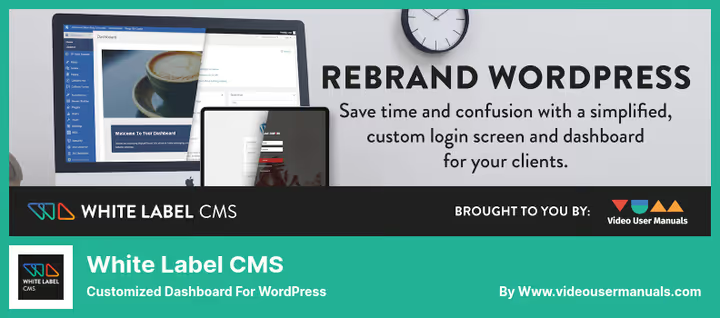
White label CMS is a veteran in the niche with 200,000+ active installs. The plugin does exactly what its name promises: clears the admin panel of WordPress branding and replaces it with yours.
The interface is minimalist, one settings page divided into three tabs. In the "Branding" tab, upload a logo (appears on the login page and admin header), change the color scheme, and add a custom footer. In the "Menu" tab, choose which items to hide from client roles, simply uncheck unnecessary sections. The third tab is a custom dashboard widget with welcome text and logo.
Important note: White label CMS doesn't touch menu structure, you can't rename items or add your own. For that, you need either Adminify or AG Custom Admin. But if the task is simply "remove third-party branding and show mine," this plugin handles it with minimal effort. Free, no Pro version or upsells.
Limitations: login customization is basic (logo only), dashboard widgets aren't editable by role, no dark theme. However, the codebase is lightweight and doesn't affect admin panel speed.
🔗 White label CMS on WordPress.org
3. AG Custom Admin (AGCA)
AG Custom Admin is a more surgical tool compared to White label CMS. It provides access to dozens of micro-settings organized into clear tabs: Admin Bar, Admin Menu, Login Page, Dashboard, Colors.
AGCA's main advantage is the depth of admin menu customization. You don't just hide items, you rename them, change icons (Dashicons), add custom links, and even create dropdown submenus with external URLs. For agencies delivering sites with training materials, this is gold: add a "Video Tutorials" item directly to the client's admin menu.
The login page is fully customizable: background, logo, colors, shadows, rounding, all via visual controls without CSS. Mobile admin menu folding is a nice touch, a small detail but makes the admin panel look cleaner on clients' tablets.
The developer updates the plugin consistently every quarter, the support thread on wordpress.org is active, bug responses come within a couple of days. AGCA is completely free, no Pro version.
Caveat: due to the abundance of settings, the first entry into the plugin may feel overwhelming. I recommend going straight to the tab you need (for example, "Login Page") rather than scrolling through everything.
🔗 AG Custom Admin on WordPress.org
4. Ultimate Dashboard
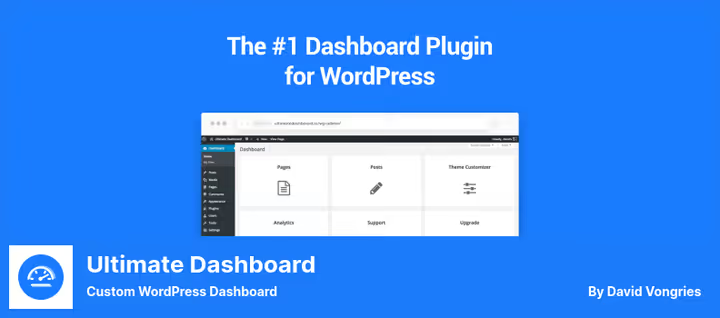
Ultimate Dashboard solves a specific pain point: the default "Welcome," "Drafts," and "WordPress News" widgets are useless for a client who logs into the admin panel once a week. The plugin lets you completely rebuild the dashboard, remove all defaults, and add your own widgets with icons, text, and HTML.
The mechanics are simple. In settings, create a widget: icon (choose from 50+ Dashicons), title, text (supports HTML), and role-based visibility. For example, show editors a "Quick Links" widget with a list of frequent actions, and administrators a "Monitoring" widget with an embedded chart from an external service.
The Pro version ($99/year, source) adds integration with Elementor, Beaver Builder, and Brizy, allowing you to build a custom admin page in a visual editor. This is closer to the concept of "admin panel as a builder," not just widget replacement.
The Clean Admin feature deserves mention: it removes unnecessary metaboxes from post editing pages (keep the Yoast box, hide "Author" and "Tags" for a cleaner client screen). Login Redirect works by role: send editors straight to the posts page after login, administrators to the dashboard.
The latest update (June 2026) added PHP 8.3 support and fixed a conflict with Gutenberg 19+. The plugin is actively developed, the author responds in the support thread.
🔗 Ultimate Dashboard on WordPress.org
5. Admin Columns
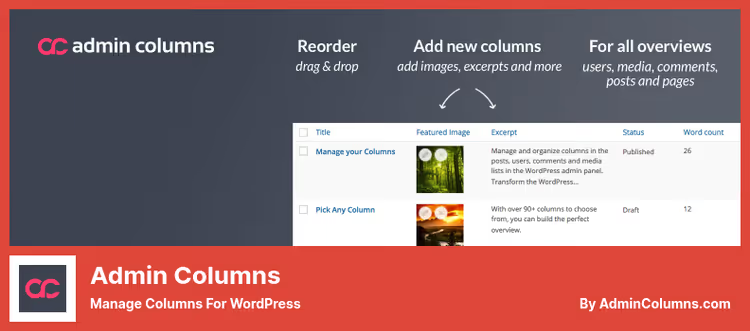
Admin Columns stands apart in this roundup, it's not about white label but productivity. The plugin transforms standard WordPress tables (posts, pages, taxonomies, comments, users) into customizable dashboards with sorting, filtering, and inline editing.
In practice, this means: on the "All Posts" screen, you add a "SEO Title" column (from Yoast/Rank Math), a "Featured Image" column, and a "View Count" column. Sort by views, find underperforming posts in seconds. Change the SEO title directly in the table without entering the post editor. Filter posts by date, author, and custom fields, getting exactly the selection you need for an audit.
The Lite version on wordpress.org covers basic needs: 70+ column types, sorting, filtering. The Pro version ($99/year, see pricing) adds inline editing, CSV export, saving column sets for different tasks, and integration with ACF, WooCommerce, and Gravity Forms.
Important note: Admin Columns doesn't replace White label CMS or Adminify. It's a different category, a tool for those who actually work inside the admin panel with content. If you have a blog with 500+ posts or a WooCommerce store with 200+ products, the plugin pays for itself during the first content audit.
🔗 Admin Columns Lite on WordPress.org🔗 Admin Columns Pro
6. MainWP Dashboard
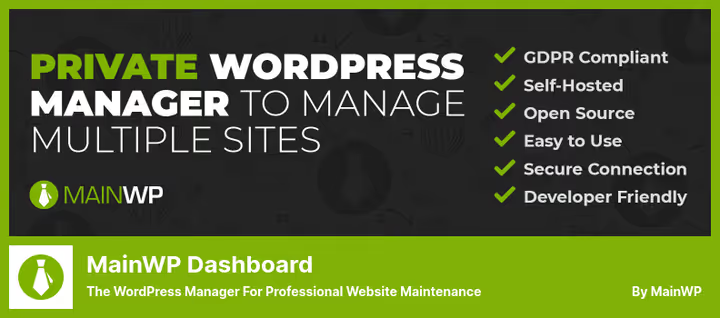
MainWP Dashboard is a centralized management system for dozens of WordPress sites from a single admin panel. This isn't a customization plugin, it's a command center for agencies and freelancers managing more than five sites.
The mechanics: install MainWP Dashboard on a "main" site (technical, not client-facing), and on all managed sites, the lightweight MainWP Child Plugin. After pairing, from the main panel you see all sites, their PHP and WordPress versions, list of plugins and themes, update status. Bulk update plugins on 20 sites in three clicks instead of 20 separate admin logins.
Out-of-the-box features: uptime monitoring (Uptime Monitoring), security checks via Sucuri integration, user and content management, CLI commands for automation. Pro extensions ($99+/year) add backups, SEO analytics, white label reporting for clients, and Google Analytics integration.
MainWP is a self-hosted solution, not cloud-based. Data stays on your server, subscription only for extensions. For comparison: ManageWP (cloud-based alternative from GoDaddy) costs $25+/month for the same features (source). MainWP is free at baseline.
🔗 MainWP Lite on WordPress.org🔗 MainWP Pro extensions
7. Ultimate Client Dash
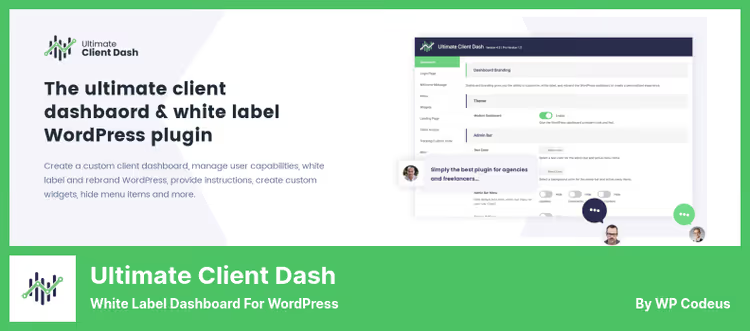
Ultimate Client Dash is a niche but solid plugin for creating fully custom client dashboards. Unlike White label CMS (which simply hides and replaces), UCD provides a builder: create a page, assemble widgets on it, assign role-based visibility.
The strength is templating. The plugin has three ready-made dashboard themes (Modern, Minimal, Dark) plus custom brand colors. The client logs into /wp-admin/ and sees not the standard gray panel but a styled interface with their company's logo, colors, and icons.
The login page is also customizable: background, form, button, spacing, all adjusted visually. A separate feature is custom login notifications: the client logs in and sees a window "Important update: such-and-such plugin updated, changes are such-and-such." Useful for communicating with clients without email.
The Pro version ($49+/year, source) adds white label for the admin panel itself (hide the WordPress logo in the upper left corner) and custom CSS/JS. Active installs are modest, around 4,000, but the plugin is updated (May 2026) and the author responds to tickets.
Downside: documentation is sparse, some descriptions in the admin panel remain in English even with Russian localization. For a non-technical client, you'll need to set everything up yourself.
🔗 Ultimate Client Dash Lite on WordPress.org🔗 Ultimate Client Dash Pro
Video: white label WordPress admin in 10 minutes
In this video, a step-by-step white label customization process: from logo replacement to complete admin menu overhaul. Suitable for those who want to see the workflow before installing plugins.
⁉️🤔 Frequently asked questions
What is white label WordPress admin and why is it needed?
White label is the replacement of standard WordPress branding (logo, "Thank you for using WordPress" footer, color scheme) with your agency's or client's branding. It's needed so the client perceives the admin panel as part of their site, not a third-party CMS. According to a WPBeginner survey (2025), 78% of agencies apply white label to client sites, reducing "why is there someone else's logo here?" questions and increasing the perceived value of the service.
Can you white label without a plugin using code?
You can, but it's labor-intensive. Code customization via
functions.php(hooksadmin_footer_textandlogin_headerurlplus filterwp_before_admin_bar_render) covers basic replacements, but each WordPress update can break some hooks. A plugin provides a visual interface, backward compatibility, and author support. If you have one site and are willing to maintain code, fine. If you have more than three sites, a plugin saves hours.
How is WP Adminify different from White label CMS?
White label CMS is a narrow tool for branding replacement (logo, footer, menu hiding). WP Adminify is an all-in-one: white label + login customization + menu editor + media folders + dark theme. White label CMS is free and lightweight, Adminify is paid ($99/year Pro) and functionally broader. For one site with basic tasks, White label CMS is enough. For agency scale, Adminify is more cost-effective.
Can you use two plugins from this roundup simultaneously?
Yes, but with a caveat. Plugins in the same category (for example, two white label solutions) will conflict over the same hooks. Safe pairing: White label CMS (branding) + Admin Columns (productivity), they don't overlap in functions. Or WP Adminify (customization) + MainWP (site network management), also different functionality. Don't install White label CMS + AG Custom Admin together, you'll get duplicate settings and hook race conditions.
Is white label needed for your own personal site?
For a personal blog, probably not: you already see the standard admin panel, third-party branding doesn't bother you. But for a portfolio site you show to potential clients, or a monetized content project, yes. A custom admin panel is an additional signal "this is a serious project," not a blog thrown together on a whim.
What to install in 2026: final breakdown
The choice boils down to three scenarios. If you're a freelancer with one or two client sites, get White label CMS (free, covers basics) or AG Custom Admin (more settings, also free). That's enough to remove third-party branding and add your own.
If you're an agency delivering sites at scale, WP Adminify pays for itself in the first month. One plugin instead of three, visual settings without code, and built-in Login Customizer. $99/year for the Pro version versus hours of manual work, the math is obvious.
If you manage more than a dozen sites, MainWP Dashboard becomes mandatory. Bulk updates, uptime monitoring, and CLI automation in the basic free version surpass what cloud competitors offer for $25+/month.
And in any configuration, add Admin Columns if you work with content. Sorting, filtering, and inline editing directly in tables save hours during audits and editing, tested on my own projects.

A professional team of writers and editors specializing in creating quality content.