🔄 How to regenerate thumbnails in WooCommerce (5 steps)
After switching WooCommerce themes, thumbnails lose quality because old sizes do not match new ones. Three ways to…


Content Team
A professional team of writers and editors specializing in creating quality content.
We are a team of professional writers, editors, and SEO specialists with years of experience in content marketing and guest posting.
To create useful, expert content that helps businesses grow through quality publications and effective promotion strategies.
Over the years, we have published thousands of articles on hundreds of platforms across various niches. Our content has helped dozens of projects reach the top of search results.
After switching WooCommerce themes, thumbnails lose quality because old sizes do not match new ones. Three ways to…
Hiding your WordPress theme name protects your site from targeted attacks and keeps your code cleaner. Two methods: the…
WordPress permalinks stopped working? Step-by-step guide: from quick settings reset to manual .htaccess editing and…
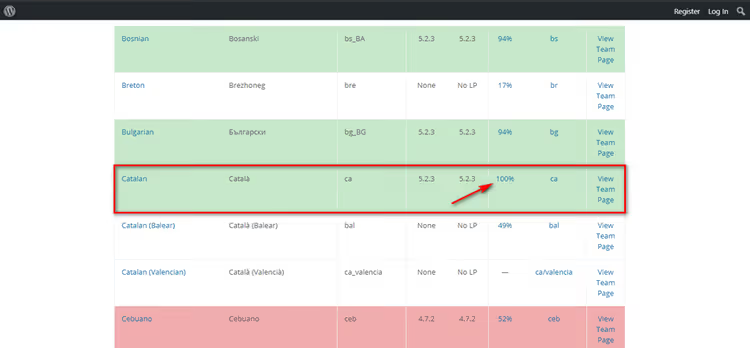
Three ways to change WooCommerce language: system settings, manual language pack installation, and translation via Loco…
Complete algorithm for cleaning up a WordPress plugin: removing files, tables, shortcodes, and cron tasks. With exact…
Six ways to hide or replace the Add to Cart button: from global disabling with hooks to targeted filtering by product…
16+ active WordPress news plugins 2026: tickers, RSS aggregators, Apple News and Google News connectors with comparison…
Three ways to remove "Powered by WordPress" from the footer: from one click in the Customizer to editing footer.php via…
Spam comments clog up your admin panel and drag your site reputation down. 18 working protection methods: from a couple…
Six ways to password protect a WordPress site: free plugin, cPanel, .htaccess. For pages, categories, WooCommerce…
8 free browser games for learning Flexbox, CSS Grid and selectors without boring theory. Froggy, Grid Garden, CSS Diner…
Accidentally ruined your text in WordPress? Revisions store every save and let you roll back in a minute. A breakdown…