🤖 Create a Viber bot in PHP in 6 steps: complete guide
Step-by-step guide to building a Viber chatbot in PHP: from getting a token and setting up a webhook to custom keyboard…

\"You're looking for a program for a specific task and you're drowning in ad-filled reviews. Sounds familiar. Half the articles in search results are written by people who never even opened the software. That's why our programs and services section works differently.
Here you'll find reviews of apps and online tools that live outside WordPress. Software for Windows, Mac and Linux: ACDSee, PhotoScape, Notepad++, OBS, iTunes. Online services for image compression, file conversion, text paraphrasing. Google services: Drive, Gmail, Maps, tools for YouTube. Messengers and social networks: Telegram, Viber, Facebook.
Separately, we maintain alternative roundups. When your go-to program has jacked up its price or blocked access, you need a backup option. We compile \"30+ TeamViewer alternatives\", Jira analogues, replacements for paid editors. Not a list for the list's sake. Every entry is battle-tested: it installs, it launches, it does the job.
VPN is our topic too. Which service actually hides your traffic (encrypts data between you and the site) and which one only promises. We test speed, check logs, look at the price. And we say it straight if a service isn't worth the money.
A separate block: software security. Where to download the installer so you don't pick up an ad-ridden \"extra.\" How to check a file before running it, how to read an app's permission requests. We break down why the portable version (a program without installation, launched straight from the folder) is more convenient than the regular one, and when a free edition's license forbids commercial use. These little things surface later — and by then it's too late.
We decode every term on the spot. You see the word \"rendering\" (computing an image or video from source files) and you immediately read what it means. No dictionary needed. This way both a beginner and someone who just hasn't updated their software toolkit in a while can figure things out.
Content is written by practitioners. We edit in OBS ourselves, clean up images in ACDSee, batch-run texts through converters. So we know not only the strengths but also the pitfalls. Where the program lags on a modest laptop. Where the free version is so crippled you can't actually work. Where a \"review\" turns out to be disguised advertising.
Every breakdown follows a simple structure. First a short verdict: who it's for, how much it costs, whether there's an English interface. Then the details. Installation, setup, non-obvious features, common mistakes. At the end, an honest summary with the downsides. Everything has downsides, and we don't hide them.
Typical tasks that bring you here. Compressing a hundred photos before uploading to a website. Recording your screen without a watermark. Transferring music from iTunes to a new computer. Converting a video to the format your target platform accepts. Finding a free equivalent of an expensive editor. Setting up document backup to the cloud. For every one of these queries, there's a dedicated walkthrough with step-by-step instructions.
How to use this section. Start from the task, not the program name. If you don't know what to compress images with, open the roundup and compare three options by output size and ease of use. If you know the specific software, search for its review and jump straight to the settings section. Every article has a table of contents so you don't have to read everything in one go.
Who this section is for. For those who want to solve a specific task quickly and without an advertising brochure. For people who haven't changed their software set in ages and don't know half of it is already outdated. For those moving to a new computer and assembling their work toolkit from scratch.
We update reviews when new versions come out. The program changed its interface, price, or policy? We fix the text. An old screenshot with a button that no longer exists is the most frustrating thing. We do our best to avoid that.
Choose the section by task type. Need a photo editor, converter, VPN, or a replacement for a service that shut down — start here. Then read the specific breakdown and decide. We don't recommend unnecessary software.\"
Step-by-step guide to building a Viber chatbot in PHP: from getting a token and setting up a webhook to custom keyboard…
A step-by-step breakdown of YouTube Data API v3 for video search: from getting your API key to sorting by views.…
Building a Viber bot in PHP from scratch: setting up the webhook, receiving callback events, and sending keyboard menus…
Persistent menu, Get Started button and greeting via Messenger Profile API: current cURL examples and PHP POSTBACK…
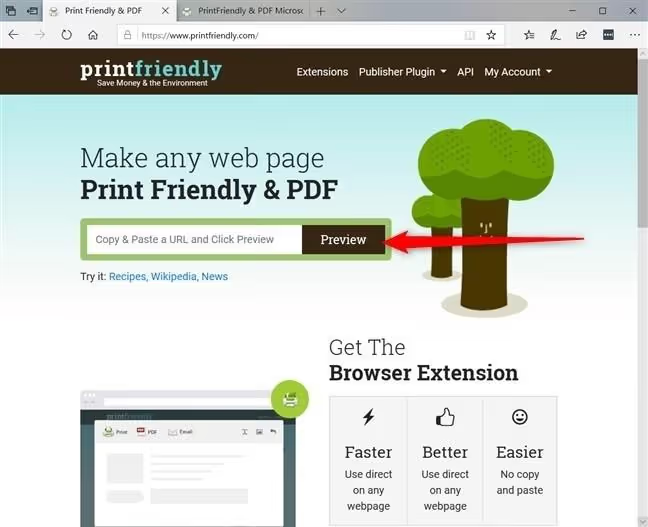
Clean web page printing without banners: reader modes in Chrome, Firefox, Edge, Opera and the PrintFriendly service.…
A step-by-step guide to installing Git on Windows using winget, the official installer, and Chocolatey. Includes setup…
6 active open source Jira alternatives in 2026: comparison table, screenshots and honest drawbacks. From lightweight…
Compared browsers with built-in VPN in 2026: Opera, Brave, Epic, and Aloha. Comparison table, screenshots, pros and…
Three ways to find emails for any time period in Gmail: after and before operators, advanced search, and relative dates…
Windows Explorer does not show SVG previews. Three ways to enable thumbnails for vector files: PowerToys, a shell…