













 AIIllustrative image: AI-generated
📊 Polls and surveys in WordPress: 11 plugins for feedback in 2026
Visitors arrive, read, and leave. Without a single signal. Comments stay empty, your inbox stays silent, and you're left guessing whether your content landed, whether your navigation made sense, and what people actually think about your site.
WordPress polls solve this problem with one click. Users don't need to write an email or fill out a ten-field form: they just tap an answer option. And you don't need third-party SaaS services for this. The WordPress ecosystem covers everything from a lightweight "Like" button to multi-page surveys with conditional logic and CRM export.
We tested 11 plugins in 2026: from free specialized voting tools to premium all-in-ones with analytics. Only active projects with real updates made the list; dead and abandoned plugins were excluded.
💡 Quick overview:
- Identify your feedback type: quick sentiment check or structured survey
- Check your current form plugin: WPForms and Gravity Forms have survey add-ons, so don't create unnecessary dependencies
- For scheduled recurring polls, use YOP Poll or Democracy Poll
- For multimedia polls with images, video, and audio, TotalPoll
- For the simplest possible start (one screen, one poll), Poll Maker by AYS
Comparison table: all plugins at a glance
Plugin | Type | Free version | Scheduling | Vote fraud protection | Conditional logic | Pro price |
|---|---|---|---|---|---|---|
YOP Poll | Specialized | Yes | Yes | Cookie / IP / login | No | Free |
WP-Polls | Specialized | Yes | No | Cookie / IP | No | Free |
Democracy Poll | Specialized | Yes | Yes (auto-close) | Cookie / IP / ID | No | Free |
Modal Survey | Specialized | No | Yes | Yes | Yes | ~$39 |
TotalPoll | Specialized | Yes (Lite) | Yes | Yes | Yes (Pro) | $99/year |
Poll Maker | Specialized | Yes | Yes | Yes (IP/Cookie/ID) | Yes (Pro) | from €35 |
WP ULike | Reactions / likes | Yes | - | IP / login | - | ~$49/year |
WP-PostRatings | Rating | Yes | - | Cookie | - | Free |
WPForms | Forms + surveys | Yes (lite) | - | Yes | Yes | $199.50/year |
Gravity Forms | Forms + surveys | No | - | Yes | Yes | $259/year |
eForm | Forms + surveys | No | Yes | Yes | Yes | ~$39 |
Specialized plugins for polls and voting
These plugins are designed specifically for polls. No extra contact form functionality, just creating, running, and analyzing votes.
1. YOP Poll
YOP Poll is an ecosystem veteran that was completely rewritten from scratch in version 7.0. After a decade of operation, the plugin received a modern JavaScript interface: the admin panel works without page reloads, polls are created in real time, and old data migrates automatically during updates.
Functionally, YOP Poll covers almost everything you need from a free plugin: unlimited simultaneous polls, start and stop scheduling, custom answer options from voters, configurable fields for collecting additional data (name, email, age). Results display before or after voting, as numbers, percentages, or both.
Fraud protection is three-tiered: by cookie, IP, and username. Plus built-in Cloudflare Turnstile support. Another advantage: detailed logs for each vote with sorting, search, and export.
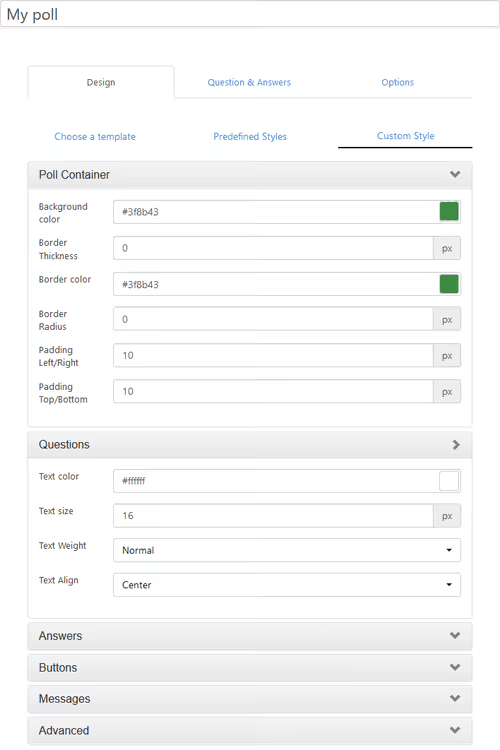
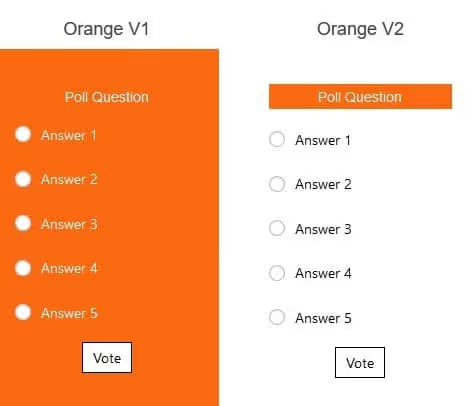
Design is configured through templates: several color schemes out of the box, each customizable (colors, borders, text sizes for questions, answers, and buttons).
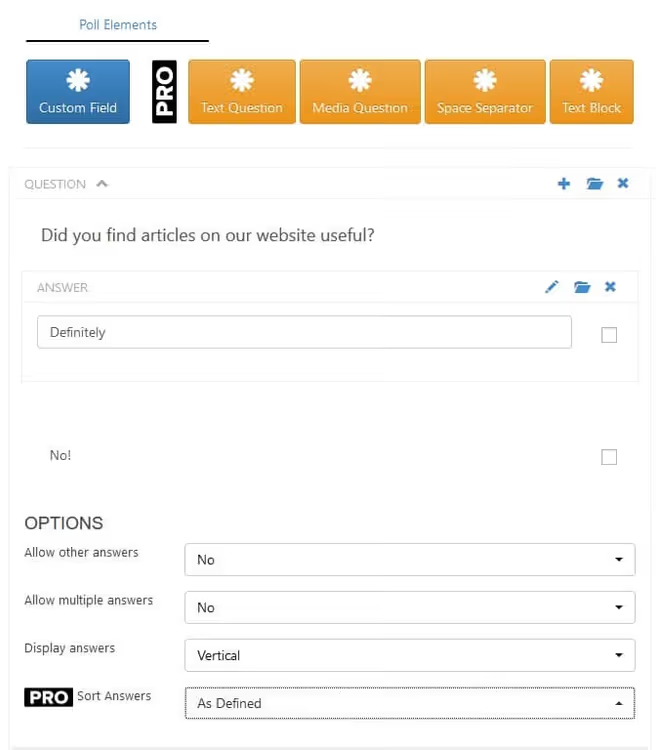
Creating a poll involves four steps: name the poll, add questions and options, configure voting permissions, choose the results display mode.
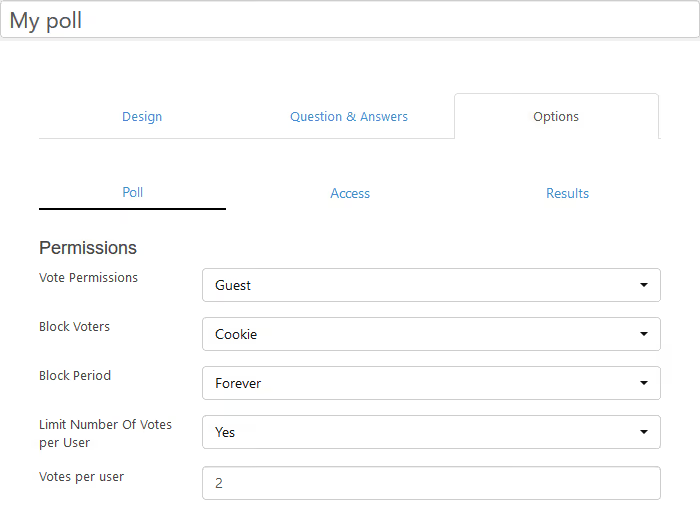
Voting permissions are set for each poll: you can allow everyone to vote, only registered users, or restrict by IP.
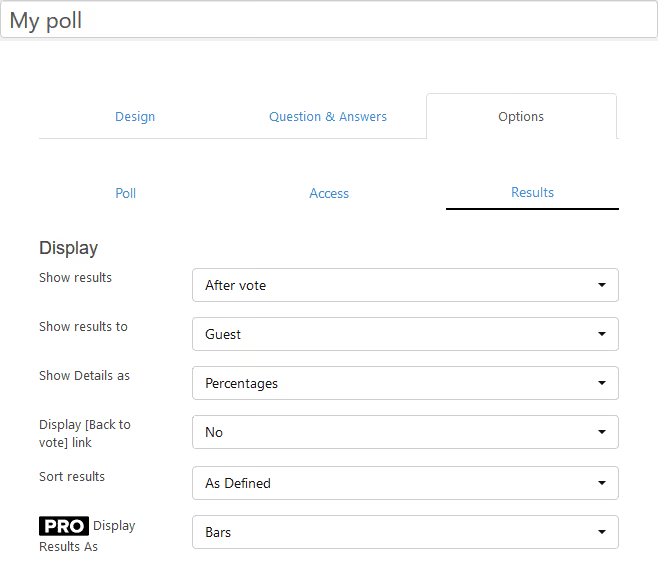
Results display flexibly: before or after voting, sorted by count or alphabetically.
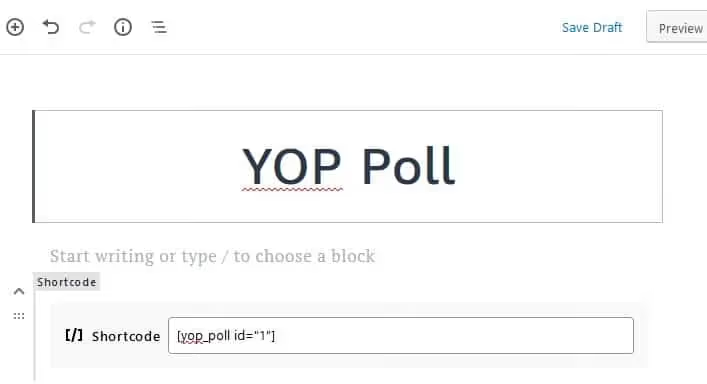
The finished poll is inserted via shortcode on any page.
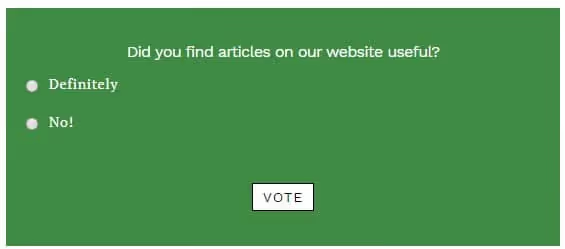
- Pros: completely free without crippled functionality, poll scheduling, additional data collection from voters, detailed logs
- Cons: basic template design is modest, multiple questions in one poll not supported
- Price: Free
- Download: 🔗 YOP Poll on WordPress.org
2. WP-Polls

WP-Polls by Lester Chan is another popular free plugin with history. Unlike YOP Poll, it hasn't received a complete interface overhaul: the admin panel remains a classic WordPress admin without reactive updates. The plugin hasn't been tested with the last three major WordPress versions but continues to work and receive security updates (latest version 2.77.3).
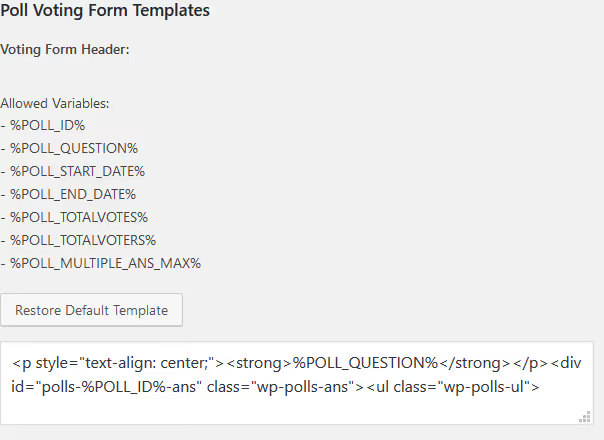
WP-Polls' strength lies in deep customization through templates and CSS. Every aspect of appearance can be configured, including individual colors for each answer option. The plugin supports multiple answers, insertion via shortcode or widget, poll archives, and a flexible voting restriction system (guests, registered users, or both groups).
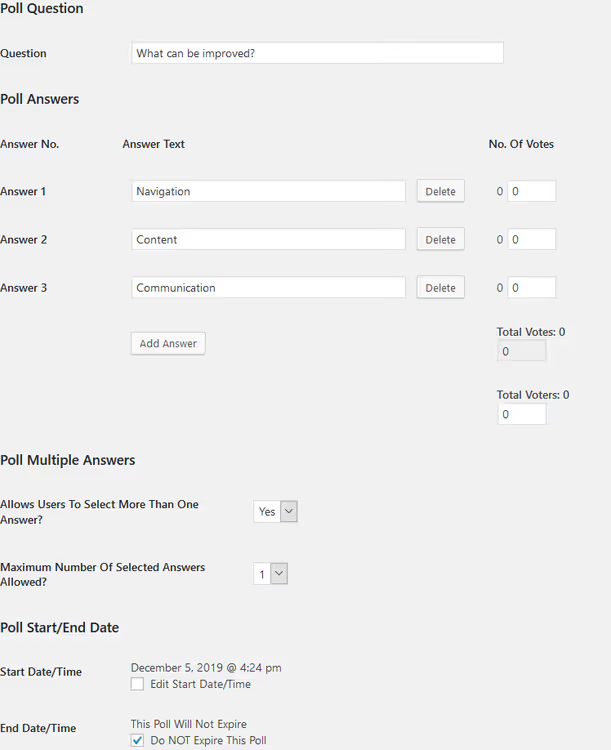
Each poll is configured individually: question, answer options, and display order.
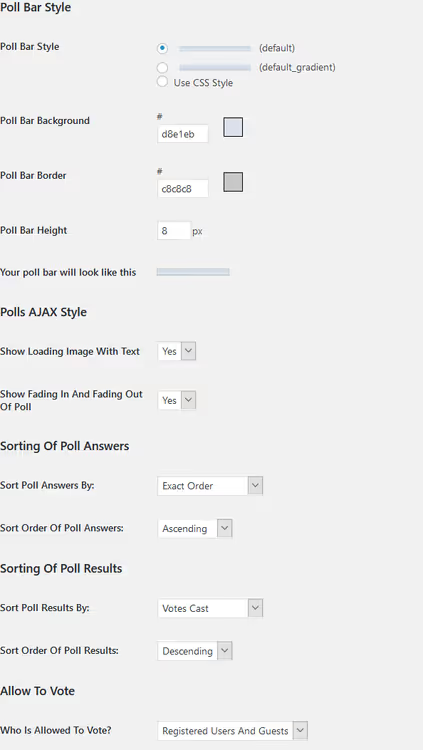
Global parameters set behavior for all polls at once: who can vote and how long results are stored.
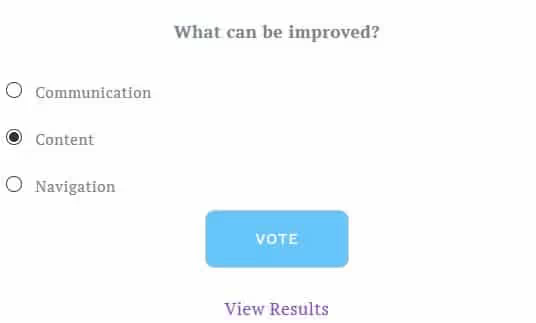
On the frontend, polls look clean and fit most themes without additional styling.
Note: due to lack of testing with new WP versions, the plugin should be checked on a staging site before installing on production. For new projects, YOP Poll or Democracy Poll are safer choices.
- Pros: maximum customization through CSS, multiple answers, poll archives, easy installation
- Cons: outdated interface, not tested with recent WP versions, no built-in scheduling
- Price: Free
- Download: 🔗 WP-Polls on WordPress.org
3. Democracy Poll
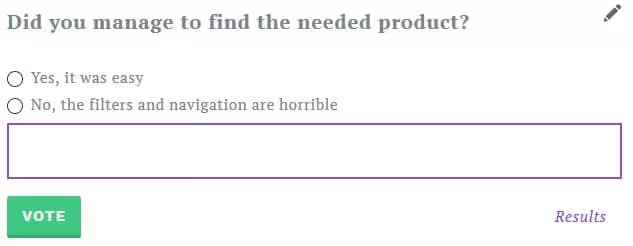
Democracy Poll is a completely rewritten modern version of a legendary plugin that has existed since 2006. Current version 6.3.1 runs on pure JavaScript: jQuery has been completely removed from the frontend, providing a speed boost on mobile devices. The plugin is compatible with WordPress 7.0 and receives regular updates, including the CVE-2024-33920 fix.
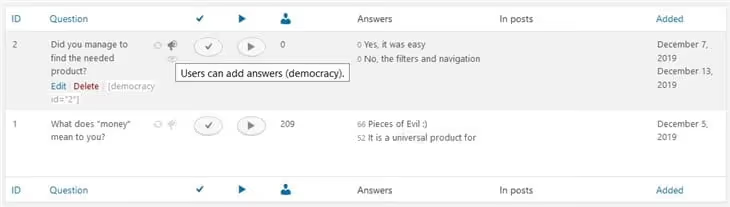
The admin interface is well thought out: a "Quick Edit" button directly above the poll on the site, admin bar menu, and CSS/JS loading only when a poll is present on the page. The plugin works well with W3 Total Cache, WP Super Cache, Wordfence, and other caching solutions.
Global style configuration is a key difference from YOP Poll: you don't start with a new template each time; instead, you set up a theme once, and all polls look consistent. System texts can be overridden directly from the admin panel.
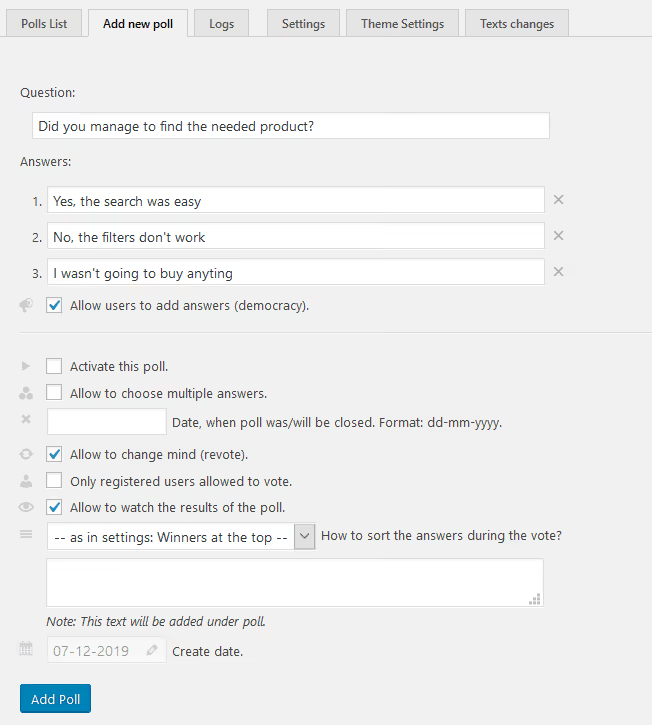
Adding answer options is intuitive: type the text, press Enter, and the option is ready.
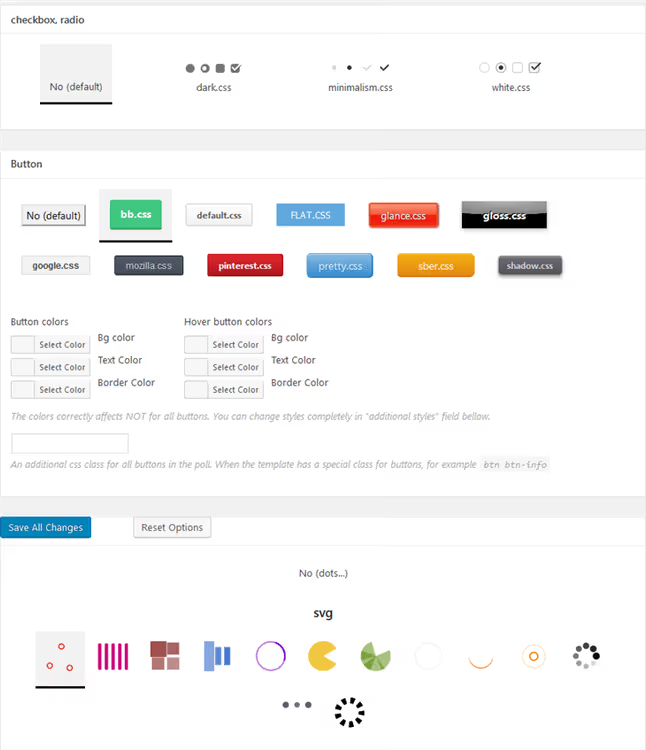
Styles are set centrally and apply to all polls on the site automatically.
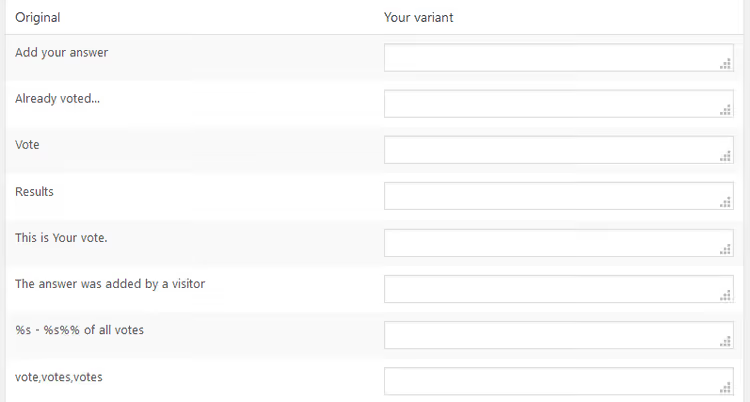
In practice, Democracy Poll is the best choice for sites with caching. W3 Total Cache and WP Super Cache don't break voting, unlike most other plugins.
- Pros: modern code without jQuery on frontend, WordPress 7.0 and caching plugin compatibility, global styles
- Cons: voting takes three clicks, not the most intuitive for users
- Price: Free
- Download: 🔗 Democracy Poll on WordPress.org
4. Modal Survey
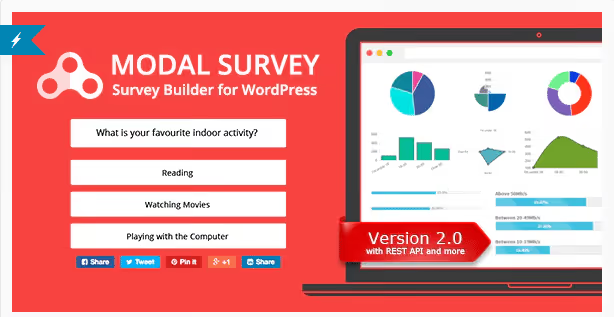
Modal Survey is a premium plugin from CodeCanyon that goes far beyond standard polling. In addition to standard surveys, it supports quizzes, polls with animated charts, and conditional logic: the next question depends on the previous answer.
Answer types include video, images, calendar dates, and numbers, much broader than standard "select an option." After completing a survey, users can be redirected to any URL or integrated with MailChimp, ActiveCampaign, Benchmark, and other email marketing services.
Among unique features: instant social sharing of poll results by voters themselves and a built-in rating system. All features are available out of the box, without additional paid extensions.
- Pros: conditional logic, diverse answer types, email marketing integration, social sharing
- Cons: premium only, no free version for testing, CodeCanyon marketplace dependency
- Price: ~$39 (one-time, CodeCanyon)
- Download: 🔗 Modal Survey on CodeCanyon
5. TotalPoll

TotalPoll replaced the discontinued TotalPoll Pro and now develops as an independent project on WordPress.org. The free Lite version provides a full-featured drag-and-drop poll builder: text, image, video, and audio polls are assembled in one interface without writing code.
The plugin is mobile-optimized: polls look great on any device without additional configuration. The built-in customizer lets you change appearance through a live preview panel, starting from ready-made templates. Each poll can have restrictions by IP, date, user role, and vote quota.
The Pro version at $99/year adds integrations with WooCommerce, MailChimp, Google Analytics, and MyCred, plus conditional logic and REST API. In practice, the free version covers most scenarios: a sidebar poll, a contest with photo voting, or feedback collection on a new feature.
- Pros: multimedia polls (text, images, video, audio), drag-and-drop, mobile optimization out of the box, live preview panel
- Cons: conditional logic and integrations only in Pro, interface requires adjustment
- Price: Free (Lite) / Pro $99/year
- Download: 🔗 TotalPoll on WordPress.org
6. Poll Maker by AYS

Poll Maker by AYS is a lightweight plugin with a "one screen, one poll" philosophy. Unlike all-in-ones like Modal Survey, you don't drown in settings here: choose a poll type, write the question and options, save, insert shortcode. The entire process takes less than a minute.
Seven poll types cover most needs: classic choice, rating (stars or emoji), like/dislike, dropdown list, 1-100 range, versus duel, and free text. Multi-voting allows selecting multiple options, and anonymous mode enables GDPR compliance with one toggle.
The Pro version from €35 adds 4 additional templates, CSV results export, integrations with MailChimp, Zapier, ActiveCampaign, and Google Sheets, plus password protection and scheduling. For a small blog, the free version is more than sufficient: 5 poll types, admin notifications for new votes, and IP/Cookie/User ID restrictions.
- Pros: instant "one screen" setup, 7 poll types, anonymous mode (GDPR), multi-voting
- Cons: some poll types only in Pro, fewer integrations than TotalPoll
- Price: Free / Pro from €35 (one-time)
- Download: 🔗 Poll Maker on WordPress.org
Lightweight feedback tools: reactions and ratings
Not every site needs a full-fledged poll. Sometimes a "Like" button or star rating is enough: minimal friction for users, instant signal for the owner.
7. WP ULike

WP ULike is one of the most active plugins in the niche: the latest review was left in June 2026, updates are regular, and over 100,000 active installs on WordPress.org. Like and dislike buttons appear automatically on posts immediately after activation, requiring zero configuration for the basic scenario.
On the technical side, the plugin is written in pure JavaScript without jQuery, optimized for speed, and compatible with all major caching plugins. Privacy is well thought out: optional IP anonymization, WordPress hooks support for exporting and deleting personal data.
In the admin panel, there's a dashboard with the most popular posts and voting statistics. The Pro version adds view tracking with Engagement Rate calculation (likes + dislikes / views × 100), advanced analytics with filters and world map visualization, 25+ premium button templates, and Elementor widgets.
- Pros: instant installation without configuration, pure JavaScript, privacy features, active development
- Cons: dislikes and extended analytics only in Pro, not suitable for structured surveys
- Price: Free / Pro ~$49/year
- Download: 🔗 WP ULike on WordPress.org
8. WP-PostRatings

WP-PostRatings is another Lester Chan plugin, from the same author as WP-Polls. It adds star ratings to WordPress posts and pages: users rate content, and the plugin aggregates the overall rating.
Like WP-Polls, the plugin hasn't been tested with the last three major WordPress versions but continues to work. Setup involves inserting one function into the theme template or using the [ratings] shortcode in content. Google Rich Snippets (schema.org) are supported, displaying stars in search results.
The plugin is deeply customizable through filters: you can change the schema type from Article to Recipe, add a site logo, switch image format from GIF to PNG, and modify cookie lifetime.
- Pros: rich snippets in Google, customization through filters, minimalist and lightweight
- Cons: outdated admin interface, not tested with recent WP versions, rating only (not polls)
- Price: Free
- Download: 🔗 WP-PostRatings on WordPress.org
Contact form plugins with survey functionality
If you already use a form plugin, it almost certainly has a survey add-on. The point is not to create unnecessary dependencies on your site.
9. WPForms
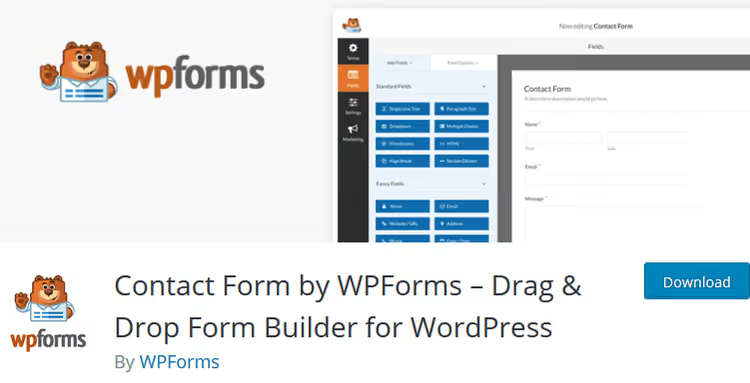
WPForms is used on more than 6 million sites, and their Surveys and Polls Addon (included in the Pro plan at $199.50/year) adds a drag-and-drop builder designed specifically for surveys. Field types include rating scale, star rating, multiple choice, all in a visual editor.
Survey results display as charts immediately after form submission. Data can be exported for presentations. The plugin easily integrates with email marketing services.
- Pros: powerful visual builder, auto-display results with charts, huge community
- Cons: Surveys and Polls Addon only in Pro ($199.50/year), overkill if you don't need contact forms
- Price: Pro $199.50/year (includes Surveys and Polls)
- Download: 🔗 WPForms Surveys and Polls
10. Gravity Forms
Gravity Forms is the second most popular form builder for WordPress. The Polls Addon adds survey functionality to the familiar Gravity Forms interface. Important note: Polls Addon is only available on the Elite plan at $259/year, not Basic at $59 as sometimes mistakenly reported. The basic plan only includes contact forms with basic integrations.
Among unique features: answer option randomization on page refresh (protection against position bias, where users mechanically click the first option), date range filters for viewing results, and poll form appearance customization.
- Pros: powerful form builder as foundation, option randomization, date filtering for results
- Cons: fully paid (core + addon), Polls Addon only on Elite ($259/year), overkill for small sites
- Price: Elite $259/year (includes Polls Addon)
- Download: 🔗 Gravity Forms Polls Addon
11. eForm
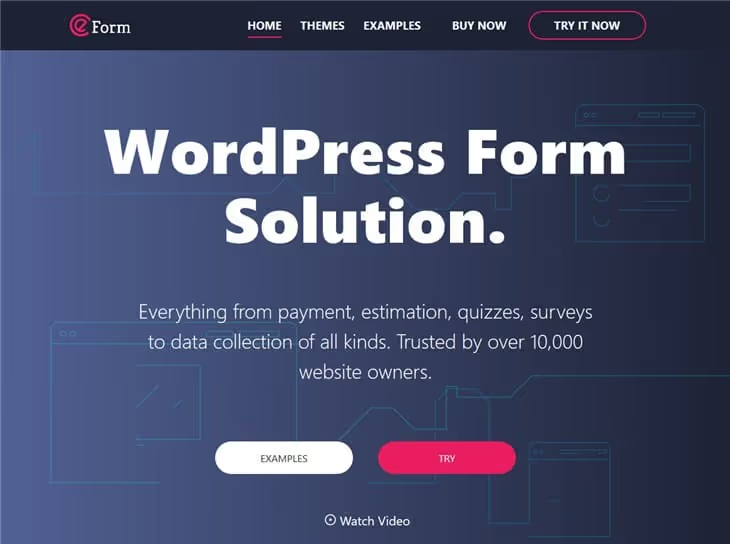
eForm is a premium form builder from CodeCanyon that supports surveys and quizzes out of the box, without additional add-ons. In one plugin, you get forms, surveys, and quizzes with a leaderboard.
The plugin stands out with visual appeal: animations, styles, effects. If poll design is your top priority, eForm deserves attention. Field types are numerous: from standard text to specialized survey fields.
- Pros: surveys out of the box without add-ons, attractive design, leaderboard for quizzes
- Cons: premium only, CodeCanyon, smaller community than WPForms and Gravity Forms
- Price: ~$39 (one-time, CodeCanyon)
- Download: 🔗 eForm on CodeCanyon
If you prefer video format, this tutorial shows step-by-step poll creation in WordPress from scratch: from plugin installation to publishing on your site.
⁉️🤔 Frequently asked questions
Can I create a poll in WordPress without a plugin?
Yes, through an HTML form with server submission, but this requires writing a PHP handler, database tables, and fraud protection. For a one-time poll, it's easier to use the free YOP Poll: installation takes 2 minutes, and the functionality surpasses a custom solution for years to come.
Which plugin should I choose for a blog with 500 visitors per day?
The free YOP Poll or Democracy Poll is more than sufficient. Both can schedule polls, protect against fraud, and display statistics. Democracy Poll is preferable if your site uses caching: the plugin was specifically tested for compatibility with W3 Total Cache and WP Super Cache. In practice, for traffic up to 1,000 unique visitors per day, there's no difference between premium and free poll plugins.
What's the difference between polls and likes/reactions?
Polls collect structured data (percentages, answer distribution) and require at least two clicks from users. Likes and reactions provide instant one-time signals without details. For a sentiment check on content, WP ULike is sufficient; for a substantive audience study, you need a specialized poll plugin.
Can I migrate polls between plugins?
Most plugins store polls in their own tables, and only a few have direct import/export. YOP Poll version 7.0 automatically picks up data from the previous 6.x version. In other cases, only manual transfer through CSV export/import with subsequent processing. Test the plugin on a test poll before deploying to production: switching solutions after 500+ user responses without data loss is nearly impossible.
Do polls help with SEO?
Polls don't directly affect rankings. Indirectly, yes: engagement signals like time on page and interaction depth positively impact positions. One successful poll that keeps a user on the page for an extra 40 seconds does more for SEO than a paragraph of keyword-stuffed text.
Do free plugins protect against vote fraud?
Basically, yes: all three free specialized plugins (YOP Poll, WP-Polls, Democracy Poll) block repeat voting by cookie, IP, or user ID. But bot farms with IP rotation bypass these restrictions. Only advanced captchas (Cloudflare Turnstile in YOP Poll) or mandatory social media authentication in premium solutions protect against them.
What to install for your task: the final breakdown
After testing 11 plugins, the picture became clear.
If you need a free specialized poll plugin, YOP Poll. Version 7.0 was completely rewritten, the interface is modern, and the functionality covers the vast majority of needs. Use Democracy Poll as an alternative for sites with aggressive caching.
If you need reactions and likes, WP ULike. The most active and rapidly developing plugin in the niche: pure JavaScript and well-designed privacy features.
If you already use WPForms or Gravity Forms, don't install a separate plugin. Survey add-ons cover your needs without extra dependencies. But note: Gravity Forms polls are only available on Elite at $259/year.
If you need a multimedia poll with images, video, and audio, get TotalPoll. The free Lite version on WordPress.org covers most scenarios, and Pro adds integrations and conditional logic.
If you need the simplest possible start, Poll Maker by AYS. Seven poll types, one-screen setup, and anonymous mode for GDPR.
Start small: install a free plugin, launch one poll, and watch your audience's reaction. Technical details only matter when you have something to optimize.

A professional team of writers and editors specializing in creating quality content.