













 AIIllustrative image: AI-generated
📱 28 best social media plugins for WordPress in 2026
We updated the social media plugin, and the post went to Twitter with a broken image. Facebook pulled the wrong title. Telegram stayed silent because autoposting crashed. Manual publishing for each platform eats up an hour and a half per day.
28 current WordPress plugins: from ultra-lightweight buttons weighing less than 2 KB to autoposting combines with AI-generated content. We broke down each one using the features, pros/cons, price, verdict scheme.
💡 Quick overview:
- Define your main task: share buttons for readers, autoposting for automatic publishing, or a social wall for feed aggregation
- Choose a solution that fits your budget: paid options give more features (NovaShare, Bit Social), free ones cover basic needs (AddToAny, Jetpack Social)

Comparison table, top 15 plugins
Plugin | Type | Networks | Free version | Pro price | Main feature |
|---|---|---|---|---|---|
NovaShare | Buttons + widget | 17 - 52 | ❌ | $19.95/year | SVG icons, cached counters |
Bit Social | Autoposting | 13 | ✅ (limited) | $89 LTD | AI content generation, lifetime license |
Social Snap | Buttons + autopost | 30+ | ✅ (limited) | $39/year | Content Locker |
Monarch | Buttons | 35+ | ❌ (included in Divi) | $89/year | 5 positions + 6 triggers |
Flow-Flow | Social wall | 40+ | ❌ | $39 | AdSense monetization |
Easy Social Share Buttons | Buttons | 45+ | ❌ | $29 (CodeCanyon) | 52 templates |
Social Warfare | Buttons | 6 - 12 Pro | ✅ | $29/year | Share Recovery |
Blog2Social | Autoposting | 15+ | ✅ | $79/year | Calendar + network templates |
NextScripts SNAP | Autoposting | 30+ | ✅ | $69/year | Auto-repost archive |
Hubbub | Buttons + Pinterest | 4 - 17+ Pro | ✅ | Pro from $99/year | Hidden pins + follow buttons |
Jetpack Social | Buttons + autopost | 11+ | ✅ | Included in Jetpack | All-in-one from Automattic |
AddToAny | Buttons | 100+ | ✅ | ❌ | Universal coverage |
Social Counter & Sharer | Counters + buttons | 11 - 7 | ✅ | ❌ | Counters without API keys |
Revive Old Post | Auto-repost | 5+ | ✅ | $99/year | Reviving evergreen content |
Sassy Social Share | Buttons | 10+ | ✅ | ❌ | Lightweight, GDPR, 4 positions |
Share buttons
1. NovaShare
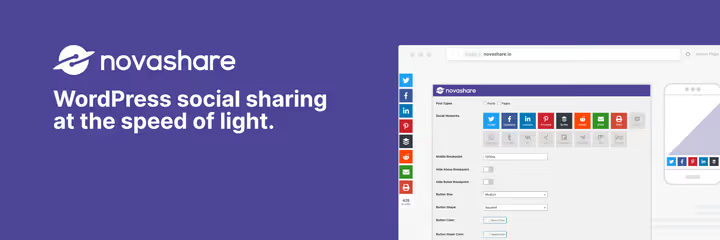
NovaShare is the gold standard for share buttons if you don't want to choose between speed and functionality. SVG icons stay sharp on retina displays, scripts load only when actually needed. 17 social networks for inline buttons and floating panels, 52 platforms for link widgets.
Click-to-Tweet, Pinterest Pin on hover, Google Analytics UTM tags, Bitly integration. In practice it adds less than 50 ms to load time on a GeneratePress + LiteSpeed setup.
- Pros: minimal speed impact, clean interface, cached counters
- Cons: no free tier, autoposting absent
- Price: from $19.95 per year (1 site)
- Download: 🔗 NovaShare on official site | 🔗 Live demo
2. Social Snap

Social Snap is a social combine: share buttons, autoposting, social login and Content Locker in one plugin. The free version includes floating sidebar, inline buttons, media buttons, share counters and Click-to-Tweet. Pro unlocks over 30 networks, autoposting, Boost Old Posts and Content Locker.
Content Locker, the main Pro feature, hides part of the content behind a share button: readers share the post on social media and get access to the material.
- Pros: wide functionality, Content Locker, stability
- Cons: Pro features behind paywall, interface is dense
- Price: free (limited) - Pro from $39 per year
- Download: 🔗 Social Snap on WordPress.org | 🔗 Demo
3. Monarch
Monarch is a premium solution from Elegant Themes, included in the Divi subscription. Over 35 social networks, 5 placement positions: inline, floating, pop-up, fly-in, media. 6 triggers for pop-ups: by time, on scroll, on exit, after comment, after purchase.
Deep Divi integration, visual setup without code. For non-Divi sites the price is steep.
- Pros: 5 positions + 6 triggers, polished UI, deep Divi integration
- Cons: only as part of Elegant Themes, price for non-Divi users
- Price: from $89 per year (in Divi subscription, lifetime license available)
- Download: 🔗 Monarch on Elegant Themes
4. Easy Social Share Buttons

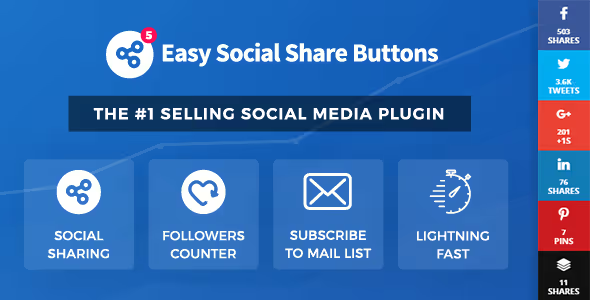
Easy Social Share Buttons is the plugin with the richest template library: 52 ready-made button designs and over 45 social networks. A/B testing of button positions, built-in sharing analytics, cached counters, UTM tags, multisite support. As of May 2026 the plugin is transitioning to Freemius for license management.
According to CodeCanyon data, the plugin is used on 600,000+ sites. For those who critically need visual brand consistency, 52 ready templates cover most scenarios without custom CSS.
- Pros: 52 templates, A/B testing, lifetime license
- Cons: interface overloaded, CodeCanyon only
- Price: $29 (CodeCanyon, one-time)
- Download: 🔗 Easy Social Share Buttons on CodeCanyon
5. Social Warfare

Social Warfare is a fast share button plugin focused on customization. Free version: Facebook, X, Pinterest, LinkedIn and Mix. Buttons are placed before and after content, with a floating panel and Click-to-Tweet. Pro adds Reddit, Tumblr, WhatsApp, Buffer and Email.
The key feature is Share Recovery: if you moved your site to a new domain or switched to HTTPS, the plugin restores lost share counts.
- Pros: speed, customization, Share Recovery
- Cons: few networks in free version
- Price: free - Pro from $29 per year
- Download: 🔗 Social Warfare on WordPress.org | 🔗 Social Warfare Pro
6. Hubbub

Hubbub (formerly Grow by Mediavine, Social Pug) is a plugin that grew from Pinterest marketing niche into a full audience growth tool. Free version: buttons for Facebook, X, Pinterest and LinkedIn, floating panel and counters on SVG icons. Pro adds hidden Pinterest images, custom Open Graph data, mobile sticky bar and pop-up buttons.
The NerdPress team actively develops the plugin: in 2025 they released a statistics dashboard, Find & Fix and Save This.
- Pros: Pinterest tools, follow buttons, active development
- Cons: Pro price is steep, free version has only 4 networks
- Price: free (Lite) - Pro from $99 per year
- Download: 🔗 Hubbub on WordPress.org | 🔗 Hubbub Pro
7. Social Media Feather

Social Media Feather is a featherweight among social plugins. Minimal size, fast loading, vector-rendered buttons via SVG. Supports major networks, icon style switches between variants, colors are customizable. No external scripts, no extra requests.
Ideal for those who value speed over conversion.
- Pros: minimal weight, SVG, no external scripts
- Cons: only basic networks, no counters
- Price: free
- Download: 🔗 Social Media Feather on WordPress.org
8. Lightning Simple Social Share

Lightning Simple Social Share is one of the lightest sharing plugins: full functionality under 2 KB. No external JavaScript libraries and CSS frameworks, icons are rendered with inline styles. 8 networks: Facebook, X, LinkedIn, Pinterest, WhatsApp, Telegram, Reddit and Email. Buttons appear automatically, shortcode [lightning_simple_share] for custom placement.
No tracking, cookies or data collection, fully GDPR compliant.
- Pros: record-low weight, zero-dependency, GDPR-compliant
- Cons: only 8 networks, no counters, installation base still modest
- Price: free
- Download: 🔗 Lightning Simple Social Share on WordPress.org
9. AddToAny

AddToAny is a veteran among sharing plugins. According to WordPress.org data, the plugin has 500,000+ active installations. Supports over 100 social networks and services, including Facebook, X, Pinterest, WhatsApp, Telegram, Reddit, Pocket, Tumblr and Mastodon. The universal menu button doesn't clutter the page with dozens of icons.
Share counters, floating panel, vector icons, AMP compatibility. No registrations or API keys required.
- Pros: 100+ services, no registrations, AMP compatibility
- Cons: universal button is less noticeable than a set of icons
- Price: free
- Download: 🔗 AddToAny on WordPress.org
10. Sassy Social Share

Sassy Social Share is a lightweight free plugin without external scripts. Supports Facebook, X, Pinterest, LinkedIn, WhatsApp, Telegram, Reddit, Buffer and Email. 4 placement positions: floating panel, above and below content, inside post via shortcode.
GDPR compliance out of the box (no cookies and tracking), MyCred integration for gamification sites. If you're looking for something between AddToAny and NovaShare, free but with a decent set of icons, Sassy fills that niche.
- Pros: GDPR, 4 positions, MyCred integration
- Cons: only basic networks, no Pro features
- Price: free
- Download: 🔗 Sassy Social Share on WordPress.org
Autoposting and cross-posting
11. Bit Social
Bit Social is a modern autoposting plugin with AI integration. 13 social platforms: Facebook, LinkedIn, X, Google Business Profile, Pinterest, Instagram, TikTok, Tumblr, Discord, Line, Threads, Telegram and Bluesky. Direct publishing to Instagram and TikTok, no third-party proxy services.
Built-in ChatGPT and DALL·E integration: the plugin generates titles, descriptions, hashtags and images for each network automatically. Three modes: WP Auto Post (automatically shares on publish), WP Post Schedule (schedule ahead), Share Now (instant publish).
According to developer Bit Apps data from May 2026, the agency lifetime license ($149, unlimited sites) is positioned as the most aggressive price in the WordPress social-publishing category.
- Pros: AI content generation, lifetime license, direct Instagram and TikTok posting
- Cons: Pro tier gates 11 out of 13 networks, learning curve for AI features
- Price: free (limited) - from $89 lifetime (Starter LTD)
- Download: 🔗 Bit Social on WordPress.org | 🔗 Bit Social Pro
12. Blog2Social
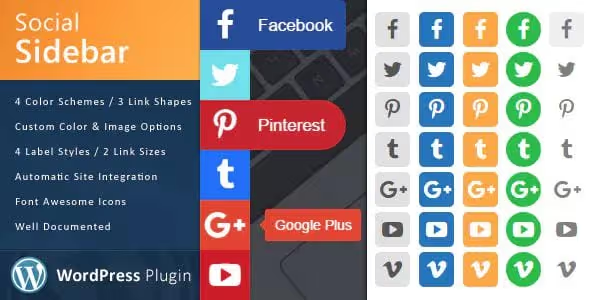
Blog2Social connects WordPress with 15+ social networks and blogs: Facebook, X, LinkedIn, Instagram, Pinterest, Xing, Medium, Tumblr, VK, Reddit. Publishing calendar, network-specific post templates, archive auto-repost. Free version covers basic needs, 12 networks available in Free tier. Pro adds unlimited profiles, scheduler and team access.
- Pros: network-specific templates, calendar, free start, 12 networks in Free
- Cons: Pro is expensive, some features duplicate external services
- Price: free - Pro from $79 per year
- Download: 🔗 Blog2Social on WordPress.org | 🔗 Blog2Social Pro
13. NextScripts SNAP
NextScripts SNAP (Social Networks Auto Poster) is the oldest WordPress autoposting plugin. 30+ social networks: Facebook, X, LinkedIn, Pinterest, Tumblr, Reddit, Telegram, Medium, Diigo, LiveJournal.
The main feature is archive auto-repost: the plugin methodically, on schedule, republishes old posts to social media. The interface is spartan, but functionally SNAP covers niches that others ignore: Diigo, Instapaper, Scoop.it.
- Pros: 30+ networks, archive auto-repost, unique niche platform support
- Cons: outdated interface, complex setup
- Price: free - Pro from $69 per year
- Download: 🔗 NextScripts SNAP on WordPress.org | 🔗 NextScripts SNAP Pro
14. Revive Old Post
Revive Old Post (formerly Tweet Old Post) is a specialized tool for archive revival. Takes old posts on schedule and publishes them to Facebook, X, LinkedIn, Pinterest and Instagram with your hashtags. Free version works with one network, enough for a starter scenario. Pro removes limits, adds multi-accounts and detailed interval settings.
- Pros: specialization in archive reposting, autonomy, simple setup
- Cons: only one task, Pro is expensive for this niche
- Price: free - Pro from $99 per year
- Download: 🔗 Revive Old Post on WordPress.org | 🔗 Revive Old Post Pro
15. Jetpack Social

Jetpack from WordPress.com is a Swiss Army knife: share buttons for 11 networks plus email, profile icon widget, autoposting, Facebook Like Box, X feed. If you already use Jetpack (CDN, analytics, protection, backups), the social module comes free in the basic tier.
According to WordPress.org data, the plugin has 5+ million active installations. Autoposting to Facebook, X and LinkedIn works out of the box, no registrations with third-party services.
- Pros: all-in-one, from Automattic, huge installation base
- Cons: excessive for small sites, WordPress.com account binding
- Price: free - extended features from $9.95 per month
- Download: 🔗 Jetpack on WordPress.org | 🔗 Jetpack Social demo
Social walls and feeds
16. Flow-Flow
Flow-Flow is a social wall aggregating feeds from Facebook, X, Instagram, YouTube, Pinterest, Tumblr, SoundCloud, Flickr, Vimeo and 40+ channels into one masonry stream. Built-in Google AdSense monetization allows inserting ad blocks right into the feed, between social media posts. API request caching, responsive design, live updates without reload.
- Pros: 40+ channels, AdSense monetization, caching, live updates
- Cons: price for single site, excessive if you need a single network feed
- Price: $39 (CodeCanyon, one-time)
- Download: 🔗 Flow-Flow on CodeCanyon
17. Smash Balloon

Smash Balloon is a family of four plugins for individual social feeds: Facebook Feed, Instagram Feed, X Feed and YouTube Feed. Each plugin is tailored to its platform, with deep customization and caching. Free versions cover basic feed display. Pro versions add masonry layouts, hashtag filtering, WooCommerce integration for shoppable posts and carousels.
- Pros: platform specialization, deep customization, caching
- Cons: separate plugin per network, Pro expensive when using multiple feeds
- Price: free - Pro from $49 per year per plugin
- Download: 🔗 Smash Balloon
18. TikTok Feed
The QuadLayers plugin syncs unlimited TikTok accounts and generates a shortcode for feed insertion. Settings: username or hashtag, masonry grid or gallery, number of videos and columns.
Pro version adds custom layouts, filters and live updates.
- Pros: simplicity, unlimited accounts, masonry layout
- Cons: TikTok only, Pro behind paywall
- Price: free (Freemium, Pro features paid)
19. Instagram Feed Gallery

Instagram Feed Gallery from QuadLayers combines unlimited Instagram accounts into one feed. Layouts: gallery, carousel or masonry. Built-in caching solves the main pain of Instagram plugins: "worked yesterday, empty today."
- Pros: caching, mega-feed from multiple accounts, customization
- Cons: Instagram only, price for single channel is steep
- Price: from $49 per year
- Download: 🔗 Instagram Feed Gallery on QuadLayers | 🔗 Demo
20. Feed Them Social

Feed Them Social generates shortcodes for inserting Facebook, X and Instagram feeds. Wizard-based interface: chose network, added account, copied shortcode, inserted on page. Suitable for simple social feeds without complex Flow-Flow layouts or deep Smash Balloon customization.
- Pros: wizard interface, three networks in one, caching
- Cons: only three networks, basic design
- Price: free
- Download: 🔗 Feed Them Social on WordPress.org | 🔗 Demo
21. Easy Facebook Likebox
Easy Facebook Likebox is a specialized plugin for Facebook page widget: Like Box, post feed, Share button and Facebook video. Caches Facebook API responses, protecting the site from speed drops when Facebook fails. Narrow specialization, but solves the task cleanly.
- Pros: Facebook specialization, API caching, simple setup
- Cons: Facebook only, doesn't replace general social plugin
- Price: free
- Download: 🔗 Easy Facebook Likebox on WordPress.org
Widgets and counters
22. Social Candy Widget
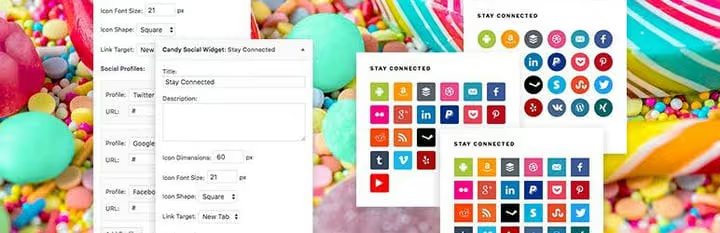
Small widget for sidebar or footer: social media icons with size, shape (square, rounded corners, circle) and link target selection. 25 platforms, icon order by drag-and-drop. Lightweight, no scripts, only CSS and SVG.
- Pros: lightweight, drag-and-drop sorting, 25 platforms
- Cons: only profile icons, no share buttons
- Price: free
- Download: 🔗 Social Candy Widget on WordPress.org | 🔗 Demo
23. Social Counter & Sharer

Social Counter & Sharer is an ultra-lightweight plugin: follower counters from 11 platforms and share buttons for 7 social networks. Data is pulled without API keys, you enter follower counts manually. Counters work as social proof.
Updated in May 2026, compatible with WordPress 7.0.
- Pros: no API keys, retina-ready, social proof
- Cons: only 7 networks for sharing, counters are static (manual)
- Price: free
- Download: 🔗 Social Counter & Sharer on WordPress.org
24. WP Social

WP Social is a lightweight widget for social profile icons. Over 50 networks, SVG vector icons, brand color customization. Only CSS and SVG, no extra scripts.
- Pros: ultra-lightweight, 50+ networks, SVG
- Cons: only profile icons
- Price: free
- Download: 🔗 WP Social on WordPress.org
Social login
25. Nextend Social Login & Register

Nextend solves the social login task: readers log in via Facebook or Google with one click, no registration form filling. For sites with memberships, forums and stores this reduces registration friction. Integrates into standard WordPress and WooCommerce login forms.
Pro version adds X, LinkedIn, Apple ID and custom profile field settings.
- Pros: quick login, WooCommerce integration, reduces registration friction
- Cons: not share buttons, different plugin class
- Price: free - Pro from $49 (one-time)
- Download: 🔗 Nextend Social Login on WordPress.org
All-in-one
26. Sumo

Sumo is a marketing suite where share buttons are just part of the functionality. Also includes: pop-up subscription forms, welcome mat, visitor counter, heat maps and A/B testing. Free version is branded with Sumo logo. Pro removes branding, adds priority support and advanced analytics.
- Pros: full marketing suite, heat maps, A/B testing
- Cons: branding in free, Pro is expensive
- Price: free (with branding) - Pro from $39 per month
- Download: 🔗 SumoMe on WordPress.org | 🔗 Sumo Pro
27. Social Pug

Social Pug (the base plugin from which Hubbub grew) is a lightweight solution for share buttons with appearance customization. Supports Facebook, X, Pinterest, LinkedIn and email. Floating panel, share counters, button position choices. Free version covers most sites' needs.
- Pros: design customization, floating panel, counters
- Cons: limited to 4 networks in free version
- Price: free
Theme with built-in social features
28. Avada

Avada is not a plugin but a WordPress theme. According to ThemeForest data, over 900,000 sales. It includes a full set of social features: share buttons, social icon widgets, Facebook and X feed shortcodes. If you already use Avada, no additional plugins are needed.
Downside: changing themes means losing social features, you'll need to install separate plugins.
- Pros: everything included, no additional plugins, deep theme integration
- Cons: it's a theme, changing theme means losing social features
- Price: $69 (ThemeForest, one-time)
- Download: 🔗 Avada on ThemeForest
Tutorial video
12-minute overview from WPBeginner, demonstrating the best social plugins for WordPress:
⁉️🤔 Frequently asked questions
What's the difference between share buttons and autoposting?
Buttons let readers share your post with their audience. Autoposting automatically publishes your entries on your social media pages. The first is for readers, the second is for you.
Which plugin slows down the site the least?
NovaShare and Social Media Feather load scripts only when needed and use SVG instead of font icons. In practice NovaShare adds less than 50 ms to load time. Lightning Simple Social Share is even lighter, under 2 KB.
Can you use multiple social plugins simultaneously?
Technically yes, but not recommended. Two button plugins can conflict, duplicate scripts and create double buttons. Exception: a button plugin plus an autoposting plugin plus a feed plugin, they solve different tasks.
Is a free plugin enough?
Free plugins cover basic needs: AddToAny and Jetpack Social have buttons, SNAP and Blog2Social have autoposting. At launch Jetpack Social or AddToAny are enough. When social media becomes a measurable traffic channel, switch to NovaShare plus Bit Social.
What if the plugin conflicts with the theme?
Disable all plugins except the tested one and turn them on one by one. Switch to a standard theme (Twenty Twenty-Five) and check the conflict. Typical conflicts: two button plugins, aggressive cache minification, theme with built-in buttons. Solution: leave one plugin, exclude button scripts from minification.
Does Social Counter show real follower numbers?
The plugin shows static numbers, you enter follower counts manually in settings. No API requests to Facebook or X. For most sites follower numbers change slowly, manual updating once a month is enough.
Which social media plugin to choose in 2026
The choice comes down to four scenarios:
Only share buttons: NovaShare (from $19.95 per year) or AddToAny (free).
Publishing automation: Bit Social (AI generation, from $89) or Blog2Social (free start).
Social wall: Flow-Flow for full control, Feed Them Social for simplicity.
Everything at once: Jetpack Social covers basic needs.
If you're on Avada, the theme covers basic social features. In other cases take NovaShare plus Bit Social.

A professional team of writers and editors specializing in creating quality content.