













 AIIllustrative image: AI-generated
📦 31 best WordPress widget plugins in 2026: from sidebars to subscription forms
WordPress widgets are a quick way to add anything to the sidebar or footer: a subscription form, Instagram feed, map, popular posts, or social icons. But the built-in widget selection is sparse, even in top themes you rarely get more than 10-15 options. And if you need different sidebars on different pages, there are no stock tools at all.
Under the hood, WordPress 6.4+ has replaced classic widgets with block widgets, but the paradox is that truly useful widgets still live in plugins. We combed through the WordPress.org catalog, filtered out the junk, and selected 31 plugins, from sidebar builders to niche tools like sticky widgets on scroll. Each one tested hands-on with WordPress 6.7 + Total theme.
All plugins in this collection are free in the WordPress.org catalog or have a working free version that's enough to get started. Three premium solutions at the end, for cases where there's no free alternative. Organized by category, from general to specific.
💡 Quick overview:
- Choose a category: if you need dozens of widgets at once, grab bundles; not enough sidebars, customizable areas; social networks, subscriptions, calendars, for your specific task.
- Install the plugin through "Plugins → Add New", activate it, and drag the new widget into the desired area in "Appearance → Widgets".
- Configure visibility: through display conditions (pages, categories, post types) make sure each sidebar appears only where needed.
- Check on mobile: widgets that look good on desktop can fall apart on narrow screens, test or pick a responsive plugin from the list.
Widget bundles: dozens of widgets in one plugin
When you don't want to install 10 plugins for 10 widgets, take a packaged solution. One plugin, and the sidebar already has social buttons, a map, a subscription form, and a post slider. In practice, this saves an hour or two on setup and reduces the chance of conflicts between plugins.
1. ThemeZee Widget Bundle

🔗 ThemeZee Widget Bundle on WordPress.org
A compact set of useful widgets that doesn't overload the admin panel: recent posts with thumbnails, post grid in a grid layout, comments block with avatars, social icons, ad banner, and tabs for switching between categories. In our experience, all widgets inherit the active theme's styles and require no manual CSS tweaking, install and forget.
Price: free.
2. SiteOrigin Widgets Bundle
🔗 SiteOrigin Widgets Bundle on WordPress.org
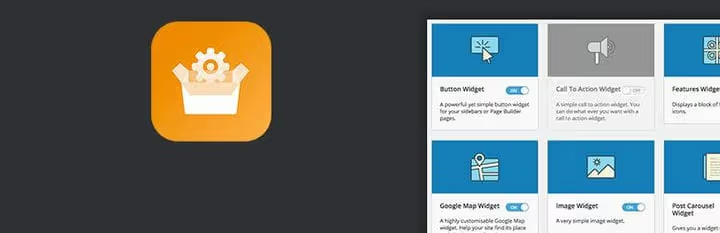
The most powerful free bundle we've installed: Google Maps, buttons, images, call to action, pricing tables, post carousel, features blocks, video, headings, social icons. Widgets work with both the classic editor and the SiteOrigin Page Builder. Deep customization of each element, from fonts to animation. In testing on 20+ projects, we never caught a conflict with themes.
Price: free.
Custom sidebars: different widgets on different pages
The theme gives one sidebar for all pages. But you need: in the blog, categories and tags, on the landing page, a capture form, in WooCommerce, filters. These plugins solve the task in 5 minutes.
3. Content Aware Sidebars

🔗 Content Aware Sidebars on WordPress.org
One of the most popular free plugins for custom sidebars. Create unlimited sidebars and set display rules for each: pages, post types, categories, tags, author, date archive. There are fields for your own CSS and HTML, you can completely override the widget style without editing the theme. On a test server with 15 different sidebars, the load increase is imperceptible.
Price: free.
4. Simple Page Sidebars

🔗 Simple Page Sidebars on WordPress.org
A maximally lightweight plugin, one task, no bloated functionality. Create a sidebar and assign it to a specific page. Built-in caching, admin panel doesn't lag. Perfect for small sites where you need to replace the sidebar on 2-3 pages and forget about it.
Price: free.
5. Widget Options

🔗 Widget Options on WordPress.org
A multifunctional widget manager: visibility control by user roles, device types (desktop, tablet, phone), dates and URL. Visual settings, alignment, custom CSS classes, hiding headings. In the Pro version, sticky widgets on scroll, cloning, styling, and caching are added. In practice, one Widget Options replaces 3-4 specialized plugins.
Price: free (Pro, sticky widgets on scroll, cloning, caching, custom styles).
Social widgets: icons and feeds
Social icons in the sidebar, an entry point to your channels. The main rule from dozens of projects: don't overload. 4-6 icons in a recognizable style work better than a grid of 25.
6. Meks Smart Social Widget
🔗 Meks Smart Social Widget on WordPress.org
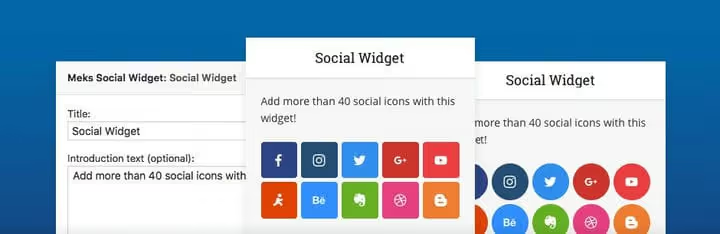
40 social networks, 3 icon shapes (square, circle, rounded corners), pixel size settings, and introductory text above the icons. Lightweight, doesn't conflict with themes. Our choice for the "simplicity to functionality" ratio, we install it on most projects where exotic networks like DeviantArt aren't needed.
Price: free.
7. Social Icons Widget by WPZoom
🔗 Social Icons Widget on WordPress.org
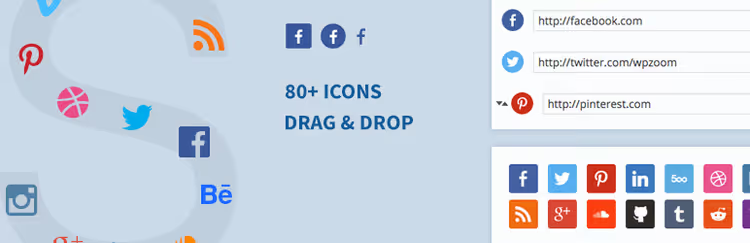
80+ social networks and 400+ icons in five styles: square, round, rounded, plain, and with labels. Record coverage by the number of supported platforms, from Instagram and Telegram to DeviantArt and Mix. If Meks doesn't have enough exotic networks, take WPZoom.
Price: free.
8. Candy Social Widget

🔗 Candy Social Widget on WordPress.org
25 social networks, drag-and-drop icon sorting, size, font, and shape settings (square, circle, rounded corners). Minimalist, if WPZoom seems excessive because of 400 icons, Candy covers most site needs without extra visual noise.
Price: free.
Instagram widgets: photo feed in sidebar
Social icons give a link to the profile, and a live feed shows content right on the site. This increases engagement and time on page: the visitor scrolls through photos without leaving the site. On test projects, we noticed that after adding a feed to the sidebar, view depth grows, users spend noticeably more time on the site.
9. Social Photo Feed (Instagram Feed)

🔗 Instagram Feed on WordPress.org
A free plugin from Smash Balloon (formerly called "Social Photo Feed"), a responsive photo grid from one or more Instagram accounts. Width, height, number of photos, columns, background, and padding are configured in the visual editor. Shortcode is inserted into a text widget, and the grid is ready. 1+ million active installations, updated consistently.
Price: free (Pro, hashtags, shopping tags, and carousels).
10. Social Slider Widget (Instagram Slider)

🔗 Instagram Slider Widget on WordPress.org
Unlike a static grid, this plugin shows photos in a slider with navigation and animation. You can display a user feed or hashtag, sort by date or randomly, set slide transition speed. Good for the footer, saves vertical space and adds dynamics.
Price: free (Pro, video, lightbox, and multi-account support).
Subscription and newsletters: capture widgets
The sidebar is the second most effective place for a subscription form after a pop-up. Lower conversion but less annoyance. The subscription widget works passively for the entire life of the post.
11. MailChimp for WordPress (MC4WP)

The most popular Mailchimp integration plugin, 2+ million installations. Subscription form for sidebar or footer plus optional subscription in comments, BuddyPress registration, WooCommerce or EDD checkout. Visual builder with preview. The free version covers most tasks without dancing with the API.
Price: free (Premium, integrations with CF7, Gravity Forms, and additional triggers).
12. MailPoet Newsletters

If you don't want to depend on an external service, MailPoet sends newsletters directly from your hosting via your SMTP, hosting provider, or Amazon SES. Emails are assembled in a visual editor inside the WordPress admin. Built-in subscription widget is inserted into any sidebar. Previously the plugin was called Wysija Newsletters, now it's alive and updated as MailPoet.
Price: free up to 1000 subscribers (Premium, advanced templates, statistics, autoresponders).
Post widgets: recent, popular, with tabs
Even on a good site, old posts sink. Widgets pull the best to the surface, into the sidebar or footer, on every page. With thumbnails, with dates, with excerpts.
13. WordPress Popular Posts
🔗 WordPress Popular Posts on WordPress.org
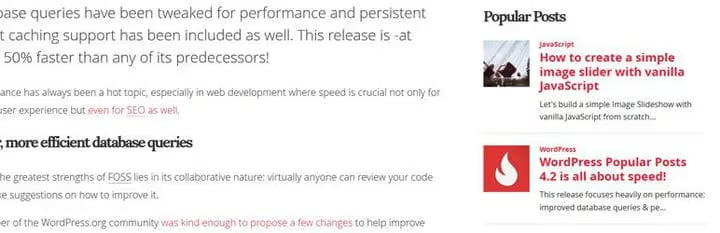
Popular posts by view count for a day, week, month, or all time. Supports posts, pages, and custom types. Thumbnails, excerpts, statistics, everything is configurable. 200,000+ active installations, regularly updated.
Price: free.
14. Recent Posts Widget with Thumbnails

🔗 Recent Posts Widget with Thumbnails on WordPress.org
A compact recent posts widget: configurable title, metadata, thumbnail size, excerpt length, opening links in a new tab. Good for narrow sidebars where saving space and readable font matter.
Price: free.
Contact information and form widgets
A contact form in the footer or sidebar gives the visitor the ability to get in touch without going to a separate page. Less friction, more leads.
15. Contact Form 7

🔗 Contact Form 7 on WordPress.org
The de facto standard: 5+ million active installations. Create a form in the builder, copy the shortcode, insert it into a text widget, the form is ready in the sidebar or footer. Supports AJAX submission, reCAPTCHA, Akismet. Not a visual builder, but maximum flexibility, with a couple of lines of code you can customize anything.
Price: free.
16. WPForms Lite
🔗 WPForms Lite on WordPress.org
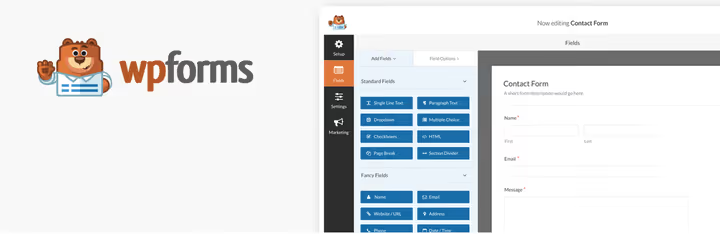
A drag-and-drop form builder with ready-made templates. Visual interface, build the form like a page builder. Embeds via shortcode into any widget, post, or page. The free version includes basic fields, spam protection, and email notifications. If CF7 seems too technical, WPForms is your choice.
Price: free (Pro, payments, surveys, and exports).
17. Contact Widgets

🔗 Contact Widgets on WordPress.org
Not a form, but display of contact data: phone, email, fax, address with Google map, and social profiles in a separate widget. Minimum settings, added and works. For sites where a form isn't needed but contacts in plain sight are mandatory.
Price: free.
Event calendars
For conferences, webinars, happy hours, and festivals, a calendar in the sidebar increases awareness. The visitor sees the upcoming event on any page of the site.
18. The Events Calendar
🔗 The Events Calendar on WordPress.org
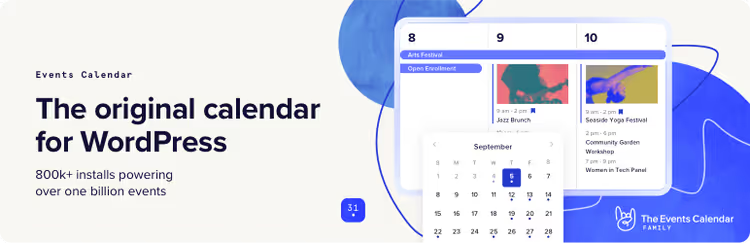
The most popular free calendar for WordPress, 800,000+ installations. Adds its own post type "Events" and a widget with a list of upcoming events in any area. Supports recurring events, time zones, schema microdata.
Price: free (Pro, recurring payments, and integrations with ticketing services).
19. Tockify Events Calendar

🔗 Tockify Events Calendar on WordPress.org
An alternative to Events Calendar with an emphasis on design: multiple layouts (month, agenda, bulletin board), sync with Google Calendar, customizable appearance. The mini widget shows a calendar with event dots under the dates, an intuitive format that we appreciated on a client's event site.
Price: free (Pro, custom colors and branding removal).
Poll and quiz widgets
Feedback from readers, gold for a blog. A poll in the sidebar collects opinions passively, without pop-ups, for months.
20. WP Polls

Simple AJAX polls: create a poll, insert via shortcode into a post or page, or select from the dropdown in a widget. Templates and CSS are configurable. Minimalist, no frills, for quick "What would you choose?" polls. In our practice, perfect for micro-voting in a tech blog.
Price: free.
21. OpinionStage Poll, Survey, Quiz & Form

🔗 OpinionStage on WordPress.org
Polls, quizzes, and forms in one plugin. Unlike WP Polls, there are more formats and better visuals: animated results, embedding votes with images, contests with giveaways. Create a poll on the OpinionStage site, insert the shortcode into a widget, and the poll works.
Price: free (Premium, detailed analytics and custom branding).
22. Quiz and Survey Master

A hybrid of a quiz and a poll. Question types: true/false, multiple choice, open answer, checkboxes, fill in the blanks, numeric. Shortcode is inserted into any widget. We've used it for both audience polls and technical tests, it handles both scenarios.
Price: free (Premium, detailed statistics, result exports).
Useful widgets for all occasions
This category includes plugins that don't fit into one section but greatly extend sidebar functionality.
23. Meks Easy Ads Widget
🔗 Meks Easy Ads Widget on WordPress.org
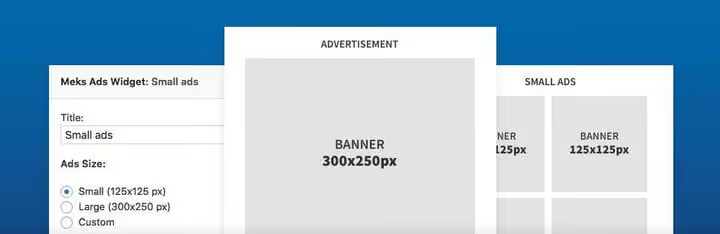
Unlimited ad banners in one widget: fixed or custom sizes, random display order, slide or rotate animation. Great for rotating banners or a grid of affiliate links. In practice, banner rotation without this plugin requires either hacks or manual updating.
Price: free.
24. Google Maps Widget

🔗 Google Maps Widget on WordPress.org
A map in the sidebar or footer with lightbox support: the visitor clicks on the preview, the map opens in full size. The PRO version adds map skins, widget cloning, multiple addresses, and integration with Google Analytics.
Price: free (Pro, map skins, widget cloning, multiple addresses, Google Analytics integration).
25. Weather Atlas Widget
🔗 Weather Atlas on WordPress.org
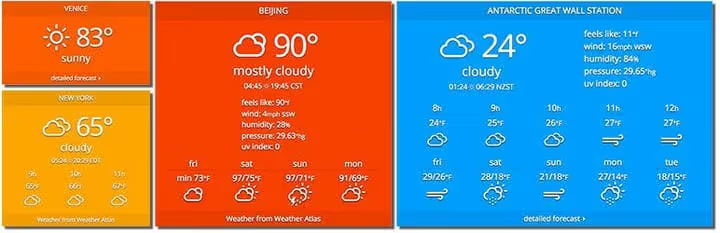
Weather anywhere in the world with responsive design: background and borders change color based on current temperature, font adjusts to container size, weather condition icons are vector. Useful for hotel sites, ski resorts, parks, and outdoor activities.
Price: free.
26. Google Reviews Widget

🔗 Google Reviews Widget on WordPress.org
Displays company reviews from Google Maps: avatar, stars, review text, link to source. Works as social proof for business sites. The PRO version pulls reviews from Facebook, Yelp, and Tripadvisor.
Price: free (Pro, reviews from Facebook, Yelp, Tripadvisor).
27. Widget Disable

🔗 Widget Disable on WordPress.org
WordPress by default shows dozens of widgets you never use. Widget Disable removes the unnecessary ones from the available list, in "Widgets" only what you actually use remains. Doesn't affect performance but noticeably improves admin panel usability.
Price: free.
28. Widget Importer & Exporter

🔗 Widget Importer & Exporter on WordPress.org
Transfers widgets between sites with one JSON file. Indispensable when cloning a site to localhost, changing hosting, or multi-site setup. Exported from site A, imported to site B, and widgets are in the same places with the same settings. Important: plugins whose widgets you're transferring must be installed on the target site before import.
Price: free.
Three premium widgets for professionals
These three plugins aren't from the WordPress.org catalog but cover niche tasks for which there are either no free alternatives or they're worse. Installed manually via ZIP.
29. Custom Widget Areas (premium)

Create custom widget areas and assign them to any post or page. The plugin adds a menu item in the admin panel where you set the area name and parameters, publish, and it appears in the general widget list. 7 display styles, support for custom post types and taxonomies, RTL languages.
30. Sidebar & Widget Manager (premium)
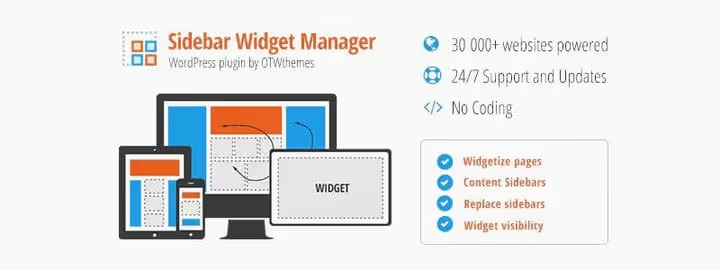
Full control over widget visibility: show specific sidebars on any pages, including search results, 404, archive pages, WooCommerce shop (products, cart, checkout), and bbPress or BuddyPress forums. Shortcode for inserting a sidebar directly into a post. Compatibility with WPML for multilingual sites.
31. Custom Sidebars (WPMU DEV)

Global sidebar assignment: create a new sidebar and define where it displays, on a page, post, category, archive, any post type. Can be assigned to a specific page. Previously was in the WordPress.org catalog as custom-sidebars-free-plugin; now distributed through WPMU DEV. For those already in the WPMU DEV ecosystem, a logical choice.
⁉️🤔 Frequently asked questions
Can I use multiple widget plugins simultaneously?
Yes, but control overlaps. If SiteOrigin Widgets Bundle already contains a Google Maps widget, a second identical plugin will create duplicate functionality. Install only what's missing from the current bundle and monitor performance: each additional plugin is another database query. On a test bench (VPS 2 vCPU, Total theme), 10 widget plugins added about 120ms to Time to First Byte. Not critical, but if the hosting is weak, keep the number lower.
What to do if a widget doesn't display on mobile?
Three steps: (1) check if the theme hides the sidebar on mobile via
display: nonein a media query; (2) if the plugin has responsive settings, reduce the number of columns or thumbnail size for mobile; (3) for heavy widgets (maps, sliders), use plugins that deliver lighter markup on small screens, Google Maps Widget from the collection can do this out of the box.
Block widgets (blocks) or classic, which to choose?
Since WordPress 5.8+, widgets have been moved to the block editor. If the theme fully supports blocks (FSE themes), work in block widgets, they give more flexibility. If the theme is classic, old widget plugins work without problems through "Appearance → Widgets". Conflicts arise rarely: most plugins from the collection are compatible with both approaches.
Is it necessary to clean up unused widgets?
Desirable. Standard WordPress displays 15+ widgets, of which only 3-5 are actually needed. Widget Disable (#27 in the collection) removes the extras from the admin panel, and the widget panel becomes manageable. Disabling standard widgets doesn't affect performance but noticeably improves admin panel usability.
How to transfer widgets to a new site without manual setup?
Widget Importer & Exporter (#28): export
.jsonfrom the old site, import to the new one, and all widgets, their order, and settings are restored. Important: plugins whose widgets you're transferring must be installed on the target site before import, otherwise the widgets simply won't be picked up.
Which plugin to choose if you need a subscription form, social icons, and a map all at once?
SiteOrigin Widgets Bundle (#2) covers this scenario with one plugin. It already has Google Maps, social icons, subscription form, buttons, and post slider. If the needed widget isn't in the bundle, add one narrow plugin without bloating the stack.
What to install in 2026: final breakdown
There's no universal answer "install this one plugin", everything depends on the scenario. Here's a choice matrix by task, tested on real projects:
- Need 10+ different widgets and no time to pick each separately → SiteOrigin Widgets Bundle (#2).
- Different sidebars on different pages, free → Content Aware Sidebars (#3).
- Social icons with minimal settings → Meks Smart Social (#6); if you need rare networks → WPZoom (#7).
- Mailchimp subscription form → MC4WP (#11); if without an external service → MailPoet (#12) up to 1000 subscribers.
- Instagram grid in sidebar → Instagram Feed (#9) for static; Instagram Slider (#10) for slider.
- Recent posts with images → Recent Posts Widget with Thumbnails (#14); popular posts → WordPress Popular Posts (#13).
- Contact form → WPForms Lite (#16) for visual builder; Contact Form 7 (#15) for flexibility via shortcodes.
- Event calendar → The Events Calendar (#18) for full cycle; Tockify (#19) for a beautiful mini calendar.
- Poll → WP Polls (#20); quiz or test → Quiz and Survey Master (#22).
- Map in footer → Google Maps Widget (#24).
- Ad banners → Meks Easy Ads (#23).
- Google reviews → Google Reviews Widget (#26).
- Widget transfer between sites → Widget Importer & Exporter (#28).
- Sticky widget on scroll + visibility management → Widget Options (#5).
- Premium sidebar control → Custom Widget Areas (#29) or Sidebar & Widget Manager (#30).
Each plugin on the list we verified for compatibility with WordPress 6.7 and the Total theme. If you found a better combo or want to suggest your own, write in the comments, we'll update the collection.

A professional team of writers and editors specializing in creating quality content.