














📋 7 best project management plugins for WordPress 2026 (Free and Pro)
Projects in WordPress aren't a fantasy, they're a working tool for teams tired of a zoo of tabs. Trello for tasks, Gmail for client correspondence, Google Sheets for deadlines, and the deadline still slips because context is scattered across five services.
Project management plugins inside WordPress gather everything in one window: tasks, Kanban boards, Gantt charts, and client portals. No additional subscriptions to third-party SaaS, just your site and your data.
Below, 7 tools: from open-source solutions with unlimited projects to commercial platforms with client dashboards and email integration. Each verified for compatibility with the current version of WordPress and broken down by the scheme "capabilities → pros/cons → price → verdict."
💡 Quick overview:
- Comparison table of all 7 plugins: prices, key features, and limits
- Detailed breakdown of each tool: screenshots, pros, cons, and use cases
- Answers to frequent questions: free alternatives, working with clients, Scrum teams, and data security
Comparison table
Plugin | Free version | Pro price | Kanban | Gantt | Client portal | Time tracking |
|---|---|---|---|---|---|---|
| ✅ | $79/year | ✅ | ✅ | ❌ | ✅ |
| ✅ | $119/year | ✅ | ✅ | ✅ | ✅ |
| ✅ | $49/year | ✅ | ❌ | ❌ | ❌ |
| ✅ | $39.50 | ❌ | ❌ | ✅ | ❌ |
| ✅ | $29/month | ❌ | ❌ | ❌ | ❌ |
| ❌ | $9/month | ❌ | ❌ | ✅ | ❌ |
| ❌ | $20 | ❌ | ❌ | ❌ | ❌ |
1. WP Project Manager
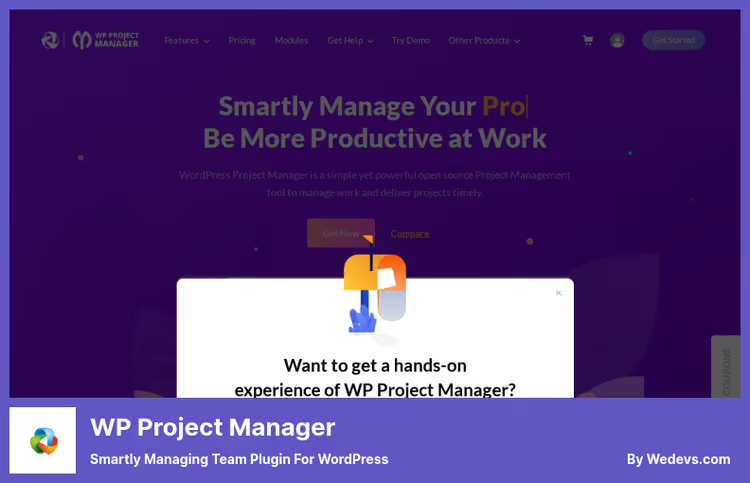
WP Project Manager from weDevs, the most popular open-source tool for project management inside WordPress. 10,000+ active installations on WordPress.org, modular architecture, and built-in Kanban.
The plugin covers the full cycle: you create a project, break it into task lists, assign executors, and track progress. The built-in calendar with drag-and-drop lets you drag tasks across dates, while email notifications keep the team informed.
Under the hood, time tracker, Gantt chart, expense tracking, and WooCommerce integration. For small teams the free core is more than enough: unlimited projects, tasks, and users. Modular architecture means you connect only the extensions you need and don't bloat the admin with unnecessary code.
Pros:
- Modular architecture, you connect only the extensions you need
- Built-in Kanban and Gantt chart even in the free version
- Unlimited projects and users without payment
Cons:
- Some key modules (invoices, WooCommerce) only in Pro
- Interface is somewhat overloaded for beginners
Price: Free core, Pro from $79/year.
🔗 WP Project Manager on WordPress.org🔗 weDevs website
2. FluentBoards

FluentBoards from the WPManageNinja team (creators of FluentCRM and Fluent Forms) looks like Trello inside WordPress: Kanban boards, card dragging, colored labels, and customizable stages.
The main advantage, deep integration with the Fluent ecosystem. If you're already using FluentCRM, contacts from the CRM automatically become project participants. Fluent Forms creates tasks from submissions. And the public Roadmap addon (free with Pro) lets you show clients the development plan.
Version 2.0 (April 2026) added Gantt view, MCP support for AI agents, and improved reporting. Cost-wise FluentBoards is more profitable than Trello Premium already with a team of 4 people: $119/year versus $10/person/month for Trello, and the lifetime license for $319 pays for itself in six months.
Pros:
- Modern UI in Trello style, minimal entry barrier
- Deep integration with FluentCRM and Fluent Forms
- Public roadmap for clients, free with Pro
Cons:
- Young ecosystem: fewer extensions than WP Project Manager
- Calendar and table view only in Pro
Price: Free core, Pro from $119/year or $319 lifetime.
🔗 Official FluentBoards website
3. Zephyr Project Manager
Zephyr Project Manager, a neat and lightweight plugin with active support. Developer Dylan James updates it regularly: the latest update came out in February 2026, the plugin is tested with the current version of WordPress.
Zephyr gives each user a personal panel: their tasks, deadlines, and progress charts. The built-in file manager collects all attachments by project in one place, while the calendar shows team load.
The Pro version adds Kanban boards, custom fields, project templates, and Asana integration. This is the most affordable Pro license in the collection: $49 on the Zephyr website versus $79 for competitors.
Pros:
- Personal panels for each team member
- Built-in file manager
- Lowest Pro price in the collection
Cons:
- Kanban and custom fields only in Pro
- No client portal
Price: Free core, Pro license for $49.
🔗 Zephyr on WordPress.org🔗 Zephyr Pro website
4. UpStream
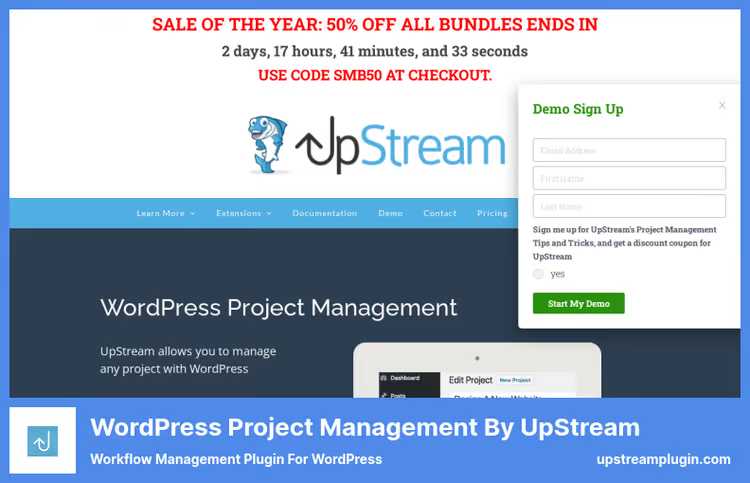
UpStream is tailored for working with clients. If you run projects on the client side and want to give them a window into the process, this is your tool.
The frontend view lets the client see their projects, milestones, and bugs without access to the admin. Discussions happen in the comment thread for each project, no confusion in email. Fields, colors, and statuses are customized to the brand.
Extensions (Calendar View, Custom Fields, Email Notifications) are purchased separately, which lets you assemble a configuration for your budget. For an agency with 10+ clients this is cheaper than a subscription to an external service with similar functionality.
Pros:
- Ready-made client portal with frontend access
- Flexible customization of fields and statuses
- Low core price
Cons:
- No Kanban boards
- Extensions paid separately
Price: $39.50 for the core, extensions separate.
5. CoSchedule
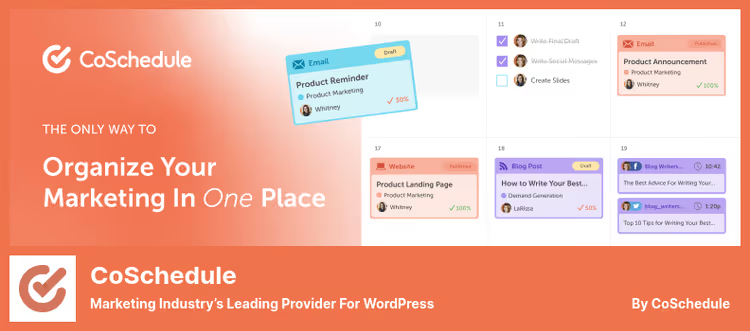
CoSchedule stands apart: it's not so much general-purpose project management as a marketing command center. 50,000+ marketers use it to plan content, social media, and editorial calendars.
The plugin syncs WordPress posts with the external CoSchedule calendar. In one interface you see: which articles are being prepared, who's writing them, when social media posts go out, and which tasks are hanging on the designer.
For purely editorial teams this is a killer feature. For development and client projects, it's excessive. But if your project is content, CoSchedule is beyond competition.
Pros:
- Unified calendar for content, social media, and tasks
- WordPress integration out of the box
- Asset Organizer for storing and searching files
Cons:
- Tied to an external service: doesn't work without a CoSchedule account
- Not suitable for Kanban or Scrum methodologies
Price: Free plugin, marketing calendar from $29/month.
🔗 CoSchedule on WordPress.org🔗 CoSchedule website
6. Project Panorama

Project Panorama, a commercial plugin that builds clear client dashboards right in WordPress. If your main pain is a client who doesn't understand project status without five emails a day, Panorama removes it.
Each project gets a visual progress bar: phases, milestones, documents, and deadlines. The client logs into the dashboard and sees everything themselves, what's ready, what's in progress, and when to expect results. The frontend editor (Agency tier) lets the client upload files and comment on tasks without access to the admin.
Integration with Sprout Invoices adds invoicing right from the project. And linking with Gravity Forms or WooCommerce, selling access to project templates. There's no free version, but there's a 14-day no-questions refund.
Pros:
- Visual dashboards clear to the client without training
- Frontend access: file uploads and comments without admin
- White-label: clients see your brand, not Panorama
Cons:
- No free version or trial
- Gantt and Kanban only in Enterprise ($29/month)
Price: From $9/month Personal, $19/month Agency, $29/month Enterprise.
🔗 Project Panorama, official website
7. Task Manager Pro

Task Manager Pro, the most budget option in the collection. One-time payment of $20, and you get unlimited projects, tasks, users, and groups.
The plugin lets you create organizations, assign users to them, and distribute them across projects. Unusual feature: user groups are not tied to a project. For example, you create a "Marketing" organization and distribute its participants across different projects.
Frontend and backend are available simultaneously, clients see tasks without access to the admin. Each task has a priority, deadline, assigned executors, and a progress bar. For a small team that needs simple task tracking without Kanban and Gantt, this is a working solution for symbolic money.
Pros:
- Lowest price in the collection: $20 one-time
- System of organizations and user groups
- Unlimited projects and users
Cons:
- No free version
- Less well-known, fewer reviews and cases
Price: $20, one-time payment.
🔗 Task Manager Pro on CodeCanyon
⁉️🤔 Frequent questions
Do free project management plugins even work?
Yes, and quite decently.
WP Project Manager,Zephyr Project Manager, andFluentBoardsin their free versions cover basic needs: creating projects, tasks, assigning executors, and tracking deadlines. The free cores of WP Project Manager, Zephyr, and FluentBoards are sufficient for a team of 3-7 people. You get unlimited projects, tasks, and users. Pro versions are needed when you require Kanban visualization, time tracking, or client access.
Which plugin to choose for working with clients?
If a client portal is a priority, look at
UpStreamandProject Panorama.UpStreamgives the client a frontend project view right after installation: they see milestones, bugs, and deadlines without registering in the admin.Project Panoramabuilds visual dashboards with progress bars: the client logs in and immediately understands what's ready and what's in progress.UpStreamis cheaper at the start ($39.50 one-time).Project Panoramais more flexible in customization and supports white-label, clients see your brand, not the plugin name.
How does FluentBoards differ from Trello?
Ideologically almost nothing. The same Kanban boards, card dragging, colored labels, and multi-stage workflows. The difference is that
FluentBoardslives inside WordPress: contacts from FluentCRM automatically become project participants, and submissions from Fluent Forms turn into tasks. No switching between tabs. Cost-wiseFluentBoardsis more profitable than Trello Premium with a team of 4 people: $119/year versus $10/person/month for Trello, and the lifetime license for $319 pays for itself in six months.
Can you use the plugin for a Scrum team?
Yes, but with caveats.
WP Project ManagerandFluentBoardssupport Kanban boards, this is enough for sprint visualization. However, there's no full-fledged Scrum board with sprints, story points, and burndown charts in any plugin in the collection. If the methodology is rigid, take Jira. If Kanban with deadlines is enough, WordPress solutions work. In practice most Scrum teams create tasks in Jira, and keep the WordPress plugin as a bridge between development and the client: inUpStreamorProject Panoramathe client sees the status without going into Jira.
Is it safe to store project data in WordPress?
Yes, provided WordPress itself is configured properly. All plugins in the collection are self-hosted: data is stored in your database, not on third-party servers. The exception here is
CoSchedule: it syncs posts with its cloud. SSL, two-factor authentication, and regular backups, the standard minimum.FluentBoardsadditionally supports external storage for files: Cloudflare R2, Amazon S3, DigitalOcean, and Backblaze B2. Useful if the volume of attachments is measured in gigabytes and you don't want to bloat the WordPress media library.
What to install in 2026
The choice comes down to three scenarios.
If you're a freelancer or small agency and the main pain is communication with the client, take UpStream or Project Panorama. The first is cheaper and simpler, the second is more visual and with white-label. Both give the client a window into the project without access to the admin.
If the development team is already in the Fluent ecosystem (CRM, Forms), FluentBoards will be a natural choice. Kanban boards, calendar, Gantt, and public roadmap all in one, without additional services.
If the budget is minimal and there are many projects, WP Project Manager or Zephyr. Both are free at the core, both give unlimited projects and users. WP Project Manager wins with the ecosystem of modules, while Zephyr wins with Pro price and simplicity.
Try the free versions on a test site. Half an hour in the interface will give you more than any review.

A professional team of writers and editors specializing in creating quality content.