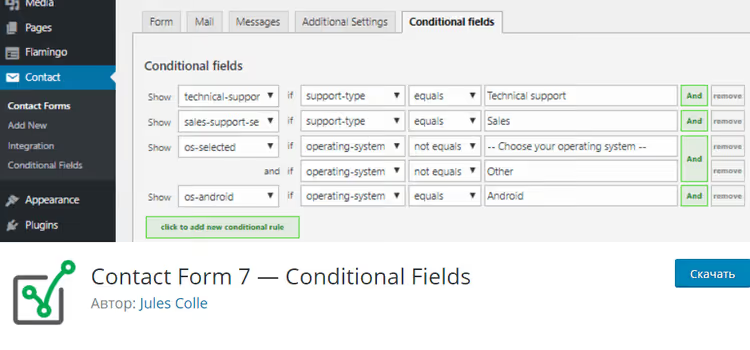
🧩 Conditional fields in Contact Form 7: a step-by-step setup guide
Building a support form with conditional logic in Contact Form 7: field groups, dynamic labels, and personalized email…

Plugins are the main reason WordPress remains the most flexible platform out there. They turn the basic core into an online store, a forum, a booking service, or a portfolio without a single line of code. This section brings together detailed roundups and reviews of extensions for specific tasks, so you don't have to dig through dozens of tabs or install everything on a live site.
Each roundup answers one simple question: which plugin should you pick for the job. We break down extensions for contact forms, popups, and email signups. For speeding up your site and caching. For security and spam protection. For SEO and schema markup, galleries, sliders, tables, backups, and migration. We also cover narrow niches separately: crowdfunding, paid content and paywalls, accepting donations, selling digital products, and booking or client scheduling.
In every post, we give an honest comparison of free and paid versions. We show where the free tier ends and what is actually worth paying extra for. For each plugin, we list the key features, ease of setup, impact on speed, and compatibility with the latest versions of WordPress, Elementor, and Gutenberg. That makes choosing easier than going by star ratings in the directory. There is usually a screenshot of the interface alongside, so you know what the plugin looks like in action before you even install it.
Beyond the roundups, there is plenty of practical advice here. How to install and configure a specific plugin from scratch. How to disable plugins on individual pages so they don't slow your site down. How to find a conflicting extension when your site goes down after an update. How to replace a heavy plugin with a lightweight alternative or skip it entirely with a couple of lines in functions.php. We regularly remind you of the golden rule. The fewer plugins you run, the faster and safer your site is. So we recommend installing only what actually solves your problem.
Another sore spot is outdated software. Old plugins get abandoned by their developers, stop receiving updates, and eventually become a security hole. We keep an eye on this and point you to maintained alternatives for the current year. If a plugin has not been updated in the directory for a year, we say so outright and suggest a replacement instead of leaving a dead entry on the list.
These posts work for both a beginner picking their first set of extensions and the owner of a live project who wants to clean things up. Where to start, what to install as a must-have, and what will only weigh your site down. The roundups are grouped by task, so you can find the section you need in a couple of seconds instead of reading everything.
We also call out typical selection mistakes. Do not install five plugins that do the same thing: they conflict with each other and bloat the database. Do not chase a long feature list when half of it is useless to you. And always take a backup before installing an unfamiliar extension on a live site. These simple rules save you headaches and hours of rollback work.
Using the section is straightforward. Open the roundup you need, check the comparison table at the top, and read through the breakdown of suitable options. Pick one, test it on a copy of your site, and only then push it to production. If something goes wrong, there is usually a post nearby on how to roll back changes or find an extension conflict.
This section is part of the WordPress hub and ties closely into WordPress Themes and WooCommerce. Pick the right plugins, pair them with your theme, and build a full store if you need one. Come back here whenever you want to extend your site. And choose a plugin with a clear head, relying on the breakdown and honest downsides, not on directory ads. A well-chosen plugin saves you both money and stress for months ahead.
Building a support form with conditional logic in Contact Form 7: field groups, dynamic labels, and personalized email…
Google Drive provides 15 GB of free cloud storage for website images. Two ways to connect to the media library: via…
Five ways to remove a post or category from the WordPress homepage: built-in privacy settings, plugins, code, and…
Yoast SEO: how the most popular WordPress SEO plugin works. SEO analysis, readability and schema markup for free.…
Building a landing page on WordPress from scratch: XAMPP local server, SiteOrigin builder and anchor menu in one hour.…
How to add, configure and automate Featured Image in WordPress: sizes, Simple Image Sizes plugin, mandatory check and…
Compression, WebP and AVIF conversion, lazy loading and auto-resize: everything you need for a fast WordPress media…
Translating a WordPress site into another language: from changing the admin panel language to building a full…
Icons, sticky panel, shortcodes, login button, mega menu and mobile navigation: working plugins and clean code for…
Made a typo in hundreds of WordPress posts? Here are 4 ways to find and replace text: from a button in the editor to…